How to Add a Booking Link to Your Google Business Profile (Maps + Search)
Add a Book URL on Google Search and Maps. 2026 link rules, why Facebook fails, and how US trades should fill Website plus Booking.
Josh · Sep 1, 2026 · 9 min read
- google business profile
- online booking
- local seo
- home services
How to Add a Booking Link to Your Google Business Profile (Maps + Search)
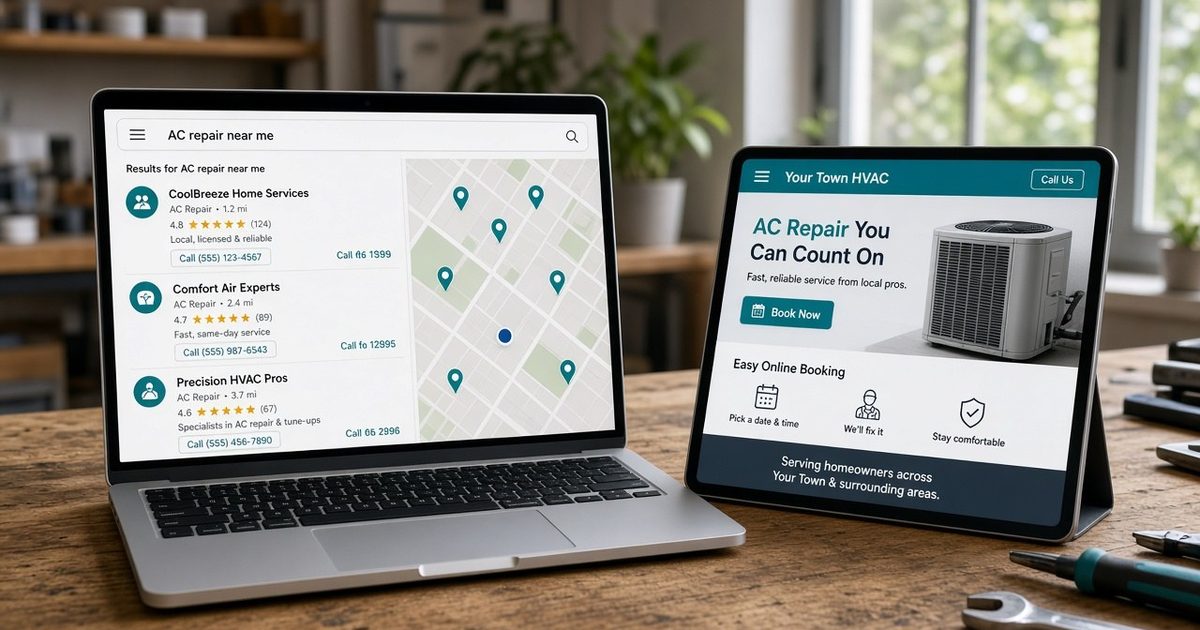
A plumber in Austin already shows up on Google Maps. Hours are current. Reviews are decent. Jobs still arrive as missed calls and “you free Thursday?” texts. A homeowner searching “plumber near me” at 8 p.m. sees Call and Website. There is no Book. They call the shop that has a button.
A cleaner in Tampa has the same listing, plus a Facebook Page. She pastes her Messenger link into Google and wonders why it never sticks. Google’s rules for that field are not the same as a bio on Instagram.
If you already have a Google Business Profile and still close work by phone, text, or Facebook, this is the missing step: a URL that actually books, in the right field, on both Search and Maps. Google’s help pages change labels in the app. The steps below quote the current Help Center copy. If your screen says Appointment instead of Booking, follow the same path.
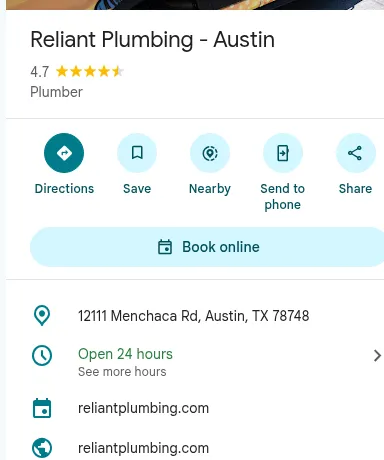
Public Maps place card for Reliant Plumbing, Austin. The customer-facing Book online button is the booking action link. Directions / Save / Share are separate. (Captured 1 Sep 2026, not signed in.)
Two fields, two jobs: Website vs Booking
Google says a Business Profile can include two types of links: ones that help customers learn more, and ones that let them take action from Maps or Search, including booking an appointment. (Google Business Profile Help)
- Website is your homepage — hours, services, photos, service area.
- Booking (Google also calls this an action or appointment link) is a dedicated page where they pick a service and a time and finish the booking. Do not point this field at Facebook, Messenger, or a homepage that makes them hunt for a form.
Google’s Gemini help for Business Profile uses the same split: contact information holds “your website URL or social media links”; action links are “links for online ordering, reservations, or appointments.” (Google Business Profile Help) Use both.
BrightLocal’s Local Consumer Review Survey 2026 (1,002 US adults) found that after reading positive reviews, 54% of consumers then check the business’s website, up from 32% in 2019. On the same survey, 66% do further research and 34% are ready to buy or book; 20% say they make an appointment. (BrightLocal, Local Consumer Review Survey 2026) That is not a Maps conversion rate. It is why a Book button and a real site belong next to the reviews on your listing.
Before you add the URL
- The profile must be verified. Google: “Your business must be verified before you can add a link. Once your business is verified and the link edit is approved, the changes will be published on Google Search and Maps.” (Google Business Profile Help)
- Sign in as the owner or manager on the Google Account that manages the listing. (Google Business Profile Help)
- Have a dedicated booking URL ready — not a shortener, not a chat link.
Unverified listings can still edit website. Booking links require verification. (Google Business Profile Help)
Add the booking link: Search vs Maps
From Google Search (Google Business Profile Help):
- Go to your Business Profile (search the business name and city on Google).
- Select Booking. You may also see Food ordering or Pickup and delivery; trades usually want Booking.
- Select Add link. If a link is already there, select Add another link.
- Enter the full URL of the page where someone can complete a booking.
- Select Save.
From Google Maps (same article):
- Go to your Business Profile on Google Maps.
- Select Edit profile, then the transaction type (Booking).
- Select Add link (or Add another link).
- Paste the booking URL.
- Select Save.
On the Google Maps app: tap Business at the bottom right, tap Edit profile, save after each change. In a browser on Maps: search the name and city, then Manage your Business Profile → Edit profile. (Google Business Profile Help)
If the screen shows Edit profile instead of a Booking control, open it and look for the transaction type. Labels move. Local business links cannot be added through the Business Profile API or a spreadsheet upload. (Google Business Profile Help)
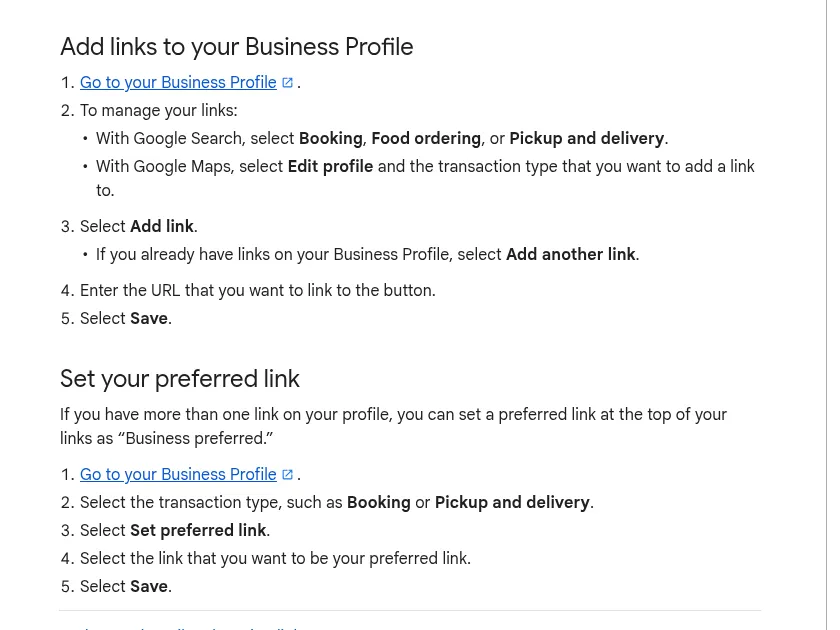
Google’s current Help copy for adding links from Search (Booking) vs Maps (Edit profile). Labels in the owner app can differ. Source: Manage your local business links (1 Sep 2026).
Put the homepage in the Website field too
Google: “Provide a phone number that connects to your individual business location, or provide a website that represents your individual business location.” Do not use URLs that redirect people to landing pages other than the actual business, “including pages created on social media sites.” The phone number and website should be the single, authoritative ones for the business, and website content must be owned and managed by the owner. (Google Business Profile Help; eligibility and ownership guidelines)
- Open the profile in Search or Maps while signed in.
- Select Edit profile.
- Find contact / website (wording varies).
- Enter the homepage URL, including
https://. - Save.
An Austin plumber’s Website field is the shop site; Booking is the leak-repair calendar. A Tampa cleaner’s Website field is the four-page site; Booking is the recurring-clean calendar, not the Facebook Page.
Why a Facebook, Messenger, or bit.ly URL fails
Google requires a dedicated landing page for the business. For multiple locations, the action link must go to that location, not a generic company page. The link must let the customer complete the designated action. Local business links cannot be social media sites, messaging links, app store links, or link shorteners. (Google Business Profile Help)
That is why these fail even if they open when you tap them:
facebook.com/your-page— social mediam.me/...or Messenger — messagingwa.me/...— messagingbit.ly/...or other shorteners — blocked even if the destination is fine- An App Store or Play listing — app store link
- A homepage that cannot complete a booking — fails “direct action completion”
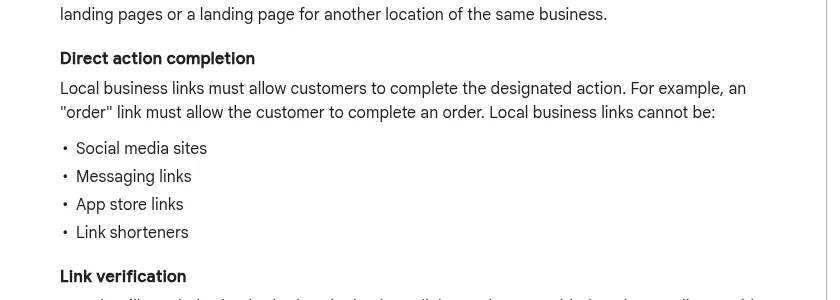
Google’s “Direct action completion” rule, from Business links policies (1 Sep 2026). Messenger and Facebook URLs fail this list even if they open.
The Website field has the same social-media rule: do not point it at a Facebook Page as a stand-in for the business site. (Google Business Profile Help) Keep Facebook for reviews and job photos. Do not use it as the Book button.
Other rules Google enforces on the URL
Same policy page (Google Business Profile Help):
- One link per domain. If a URL on that domain is already on the profile (you added it, or a third-party provider did), Google will reject another from the same domain.
- Maximum 20 links per transaction type (for example, Booking). The manage-links article also says you can add up to 10 links per category. A single-location trade adding one booking URL will not hit either cap.
- Malformed URLs fail: spaces, backslashes, a doubled
http://. - Crawlers must get a 200. Google’s crawlers visit business links daily at most. The page must return HTTP 200 OK (or a similar success code). 404, 403, 500, and 503 can get the link removed. Do not put the page behind a CAPTCHA, login wall, bot block, or geo-block that stops Google’s
Google-BusinessLinkVerificationcrawler. Those crawlers do not follow robots.txt. - Duplicate links already entered by you or a provider are rejected. If a link is denied in error, Google says you can request a review.
Edits on a verified profile are reviewed. Google says they usually take up to 10 minutes, and sometimes up to 30 days. Status can show Accepted, Not approved, or Pending. (Google Business Profile Help)
Own URL vs a booking provider on Google
You do not have to join Reserve with Google. To sign up with a partner: open the profile, select Bookings, Get started, pick a provider, Done. Providers can take up to a week to show and might charge you. Performance data is not available for custom links — only for Reserve with Google. If you do not work with a provider, Google says you can add your own link. (Google Business Profile Help)
To remove a third-party booking link you do not want: on Search, Booking → Remove Provider; on Maps, Edit profile → Booking → Remove Provider. Providers are supposed to remove it within 5 days of a request. If you keep more than one booking link, mark one Business preferred: open the transaction type, Set preferred link, choose the URL, Save. (Google Business Profile Help)
What URL to paste if you need a page that actually books
The Google field only stores a URL. It does not create a calendar.
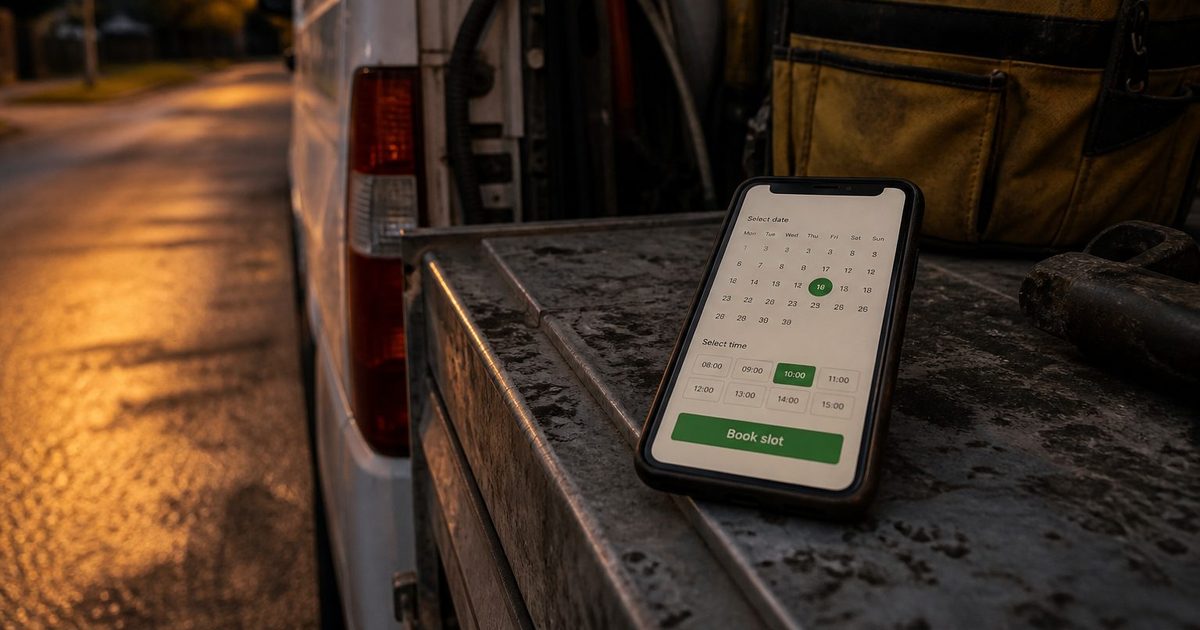
The page you paste must load on a phone without a Facebook login, belong to this business (or this location), let the visitor finish a booking, and return 200 to Google’s crawler. If you already have that page, paste it and stop. If you do not, you need a small site with a booking page, not another Messenger link.
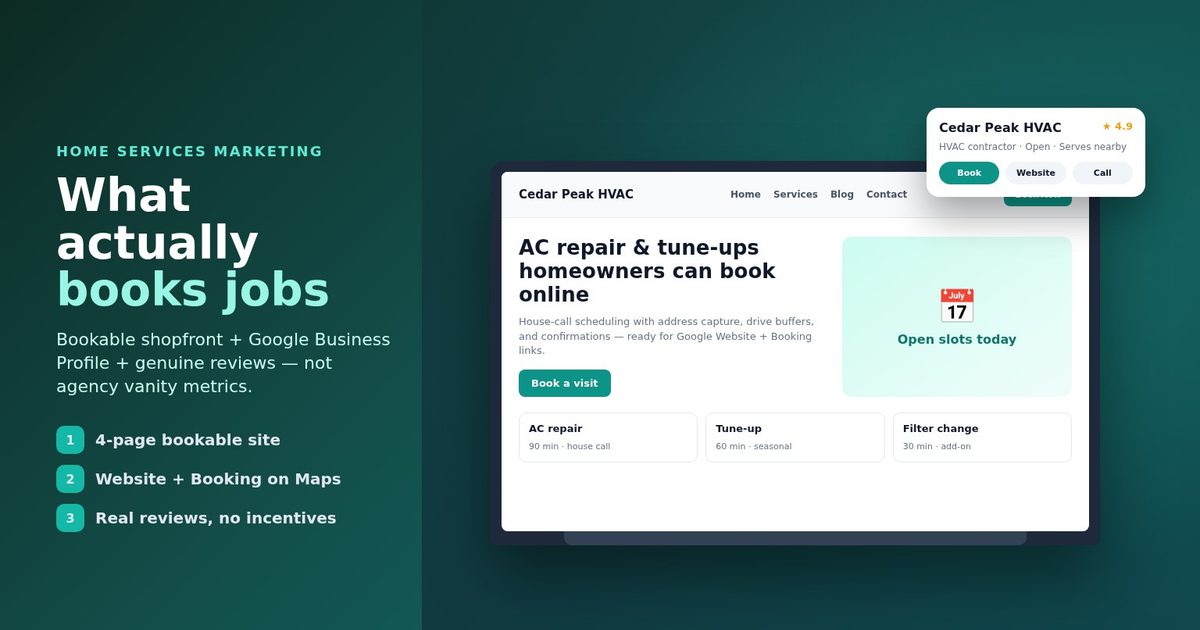
Kejoola builds that for local trades: a 4-page site (Home, Services, Blog, Contact) plus online booking. Monthly plans on the site: Lite $24 (website only), Starter $39 (up to 50 bookings/month), Professional $89 (up to 300), Business $159 (unlimited). A 14-day trial is available with no credit card; annual billing is also listed. Kejoola is not a Google booking partner. It is a URL you paste into the Booking field once the page is live.
If the only thing you have is the Maps listing, start there: Turn your Google Business listing into a website with booking. In Maps, Share → Copy link, paste it, then put the published booking URL in Booking and the homepage in Website.
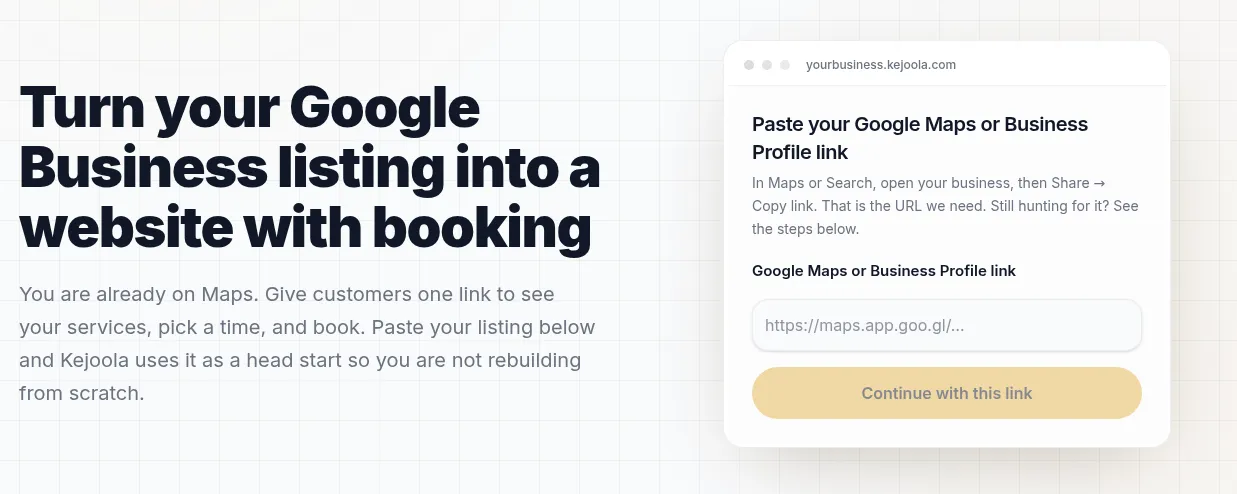
Kejoola’s public import page: paste the Maps share URL, then put the live booking page back into the Google Booking field.
After you save
- Search your business on Google and open Maps. Confirm Website and Book (or the equivalent button) both appear. Check on a phone you are not signed into.
- Tap Book. You should land on the booking page, not a login wall or a Facebook feed.
- Place a test booking, then cancel it.
- If the button is missing after a day, re-check: verified profile, dedicated page, no shortener, 200 OK, one link per domain.
Do not expect Reserve with Google performance charts for a custom URL. Google says that data is not available for custom links. The listing already shows you in Austin or Tampa search. The Book URL is how that search becomes a slot on the calendar instead of another voicemail.
Sources
- Google Business Profile Help — Manage your local business links
- Google Business Profile Help — Business links policies & guidelines
- Google Business Profile Help — Set up bookings through a provider
- Google Business Profile Help — Edit your business information
- Google Business Profile Help — Understand what happens to your Business Profile edits
- Google Business Profile Help — Guidelines for representing your business on Google
- Google Business Profile Help — Business eligibility and ownership guidelines
- Google Business Profile Help — Manage your Business Profile on Google with the Gemini web app
- BrightLocal — Local Consumer Review Survey 2026
- Kejoola
- Kejoola — Turn your Google Business listing into a website with booking