Turn your Google Business listing into a website with booking
You are already on Maps. Give customers one link to see your services, pick a time, and book. Paste your listing below and Kejoola uses it as a head start so you are not rebuilding from scratch.
Paste your listing
Paste your Google Maps or Business Profile link
In Maps or Search, open your business, then Share → Copy link. That is the URL we need. Still hunting for it? See the steps below.
How to find your listing link
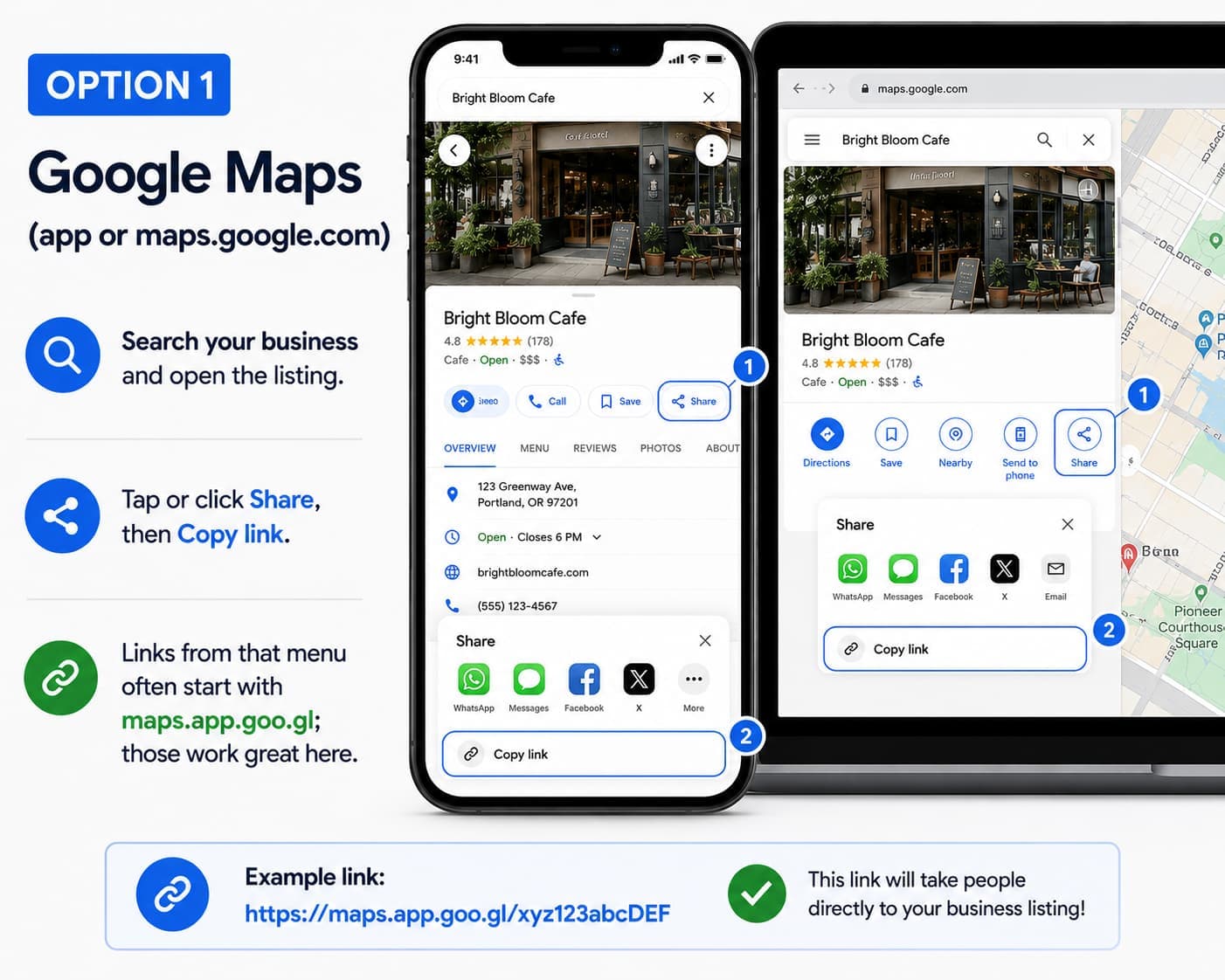
Google Maps (app or maps.google.com)
Search your business and open the listing. Tap or click Share, then Copy link. Links from that menu often start with maps.app.goo.gl; those work great here.
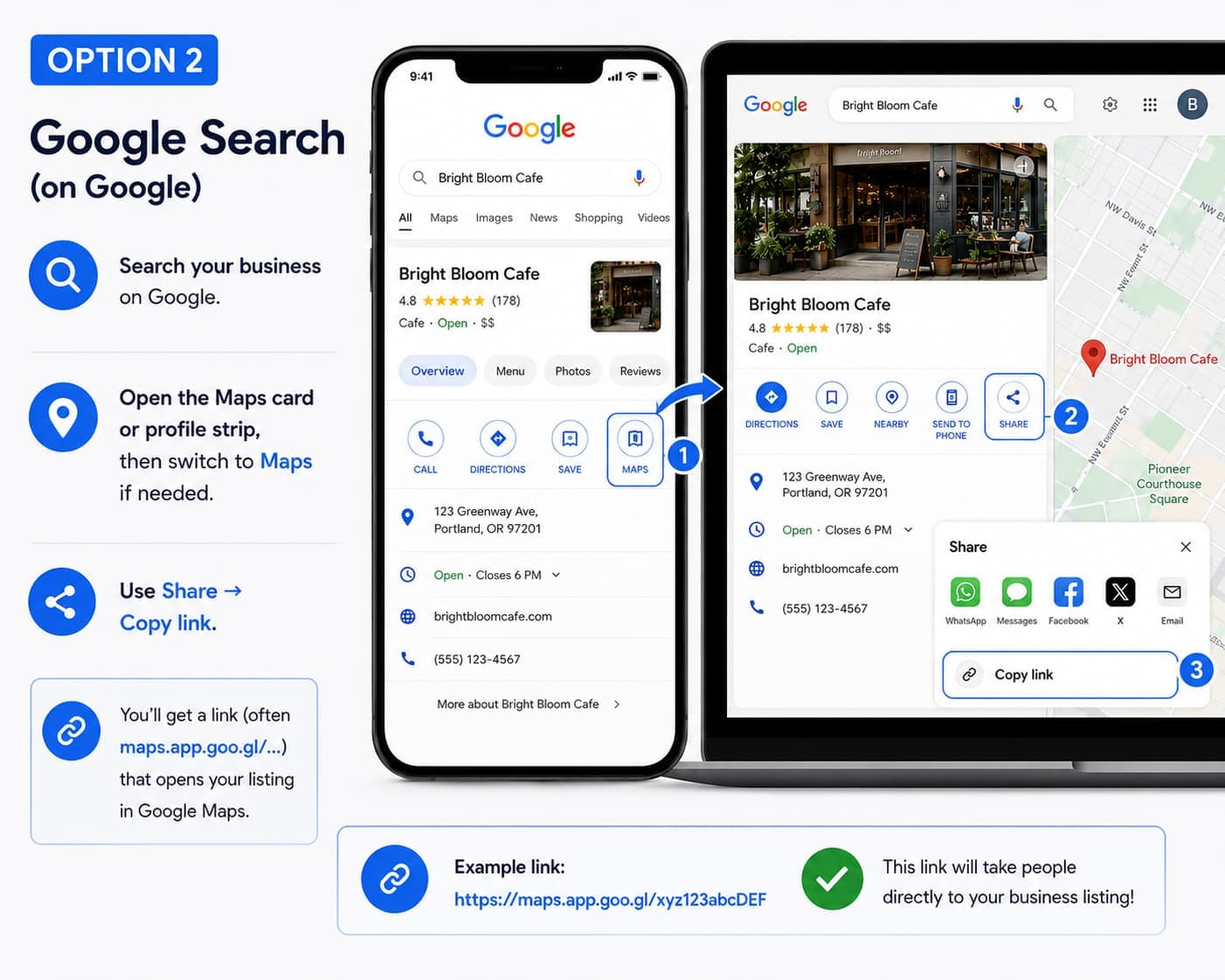
Google Search
Search your business on Google, open the Maps card or profile strip, then switch to Maps if needed. Use Share → Copy link.
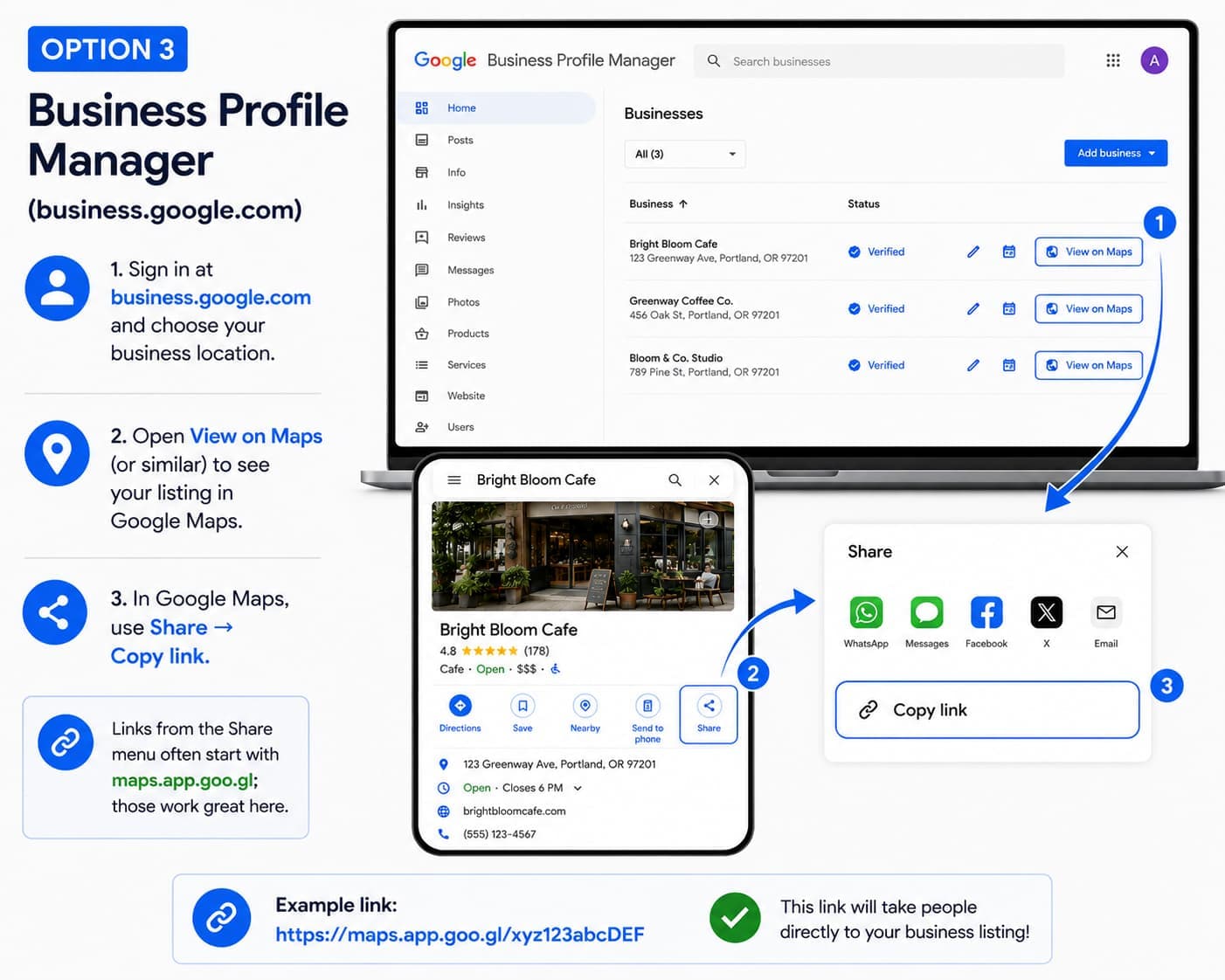
Business Profile Manager
Sign in at business.google.com, choose your location, open View on Maps (or similar), then in Maps use Share → Copy link.
Start free. Launch fast.
Every plan includes your website, hosting, and online booking. Upgrade when you're ready to grow—never because you hit a surprise limit.
Frequently Asked Questions
Everything you need to know before getting your business online
Connect a listing and preview your site
Paste your Google Business link, preview the pages we build from it, and publish a bookable website.