Best Appointment Scheduling Software to Automate Bookings & Grow Your Service
Discover the best appointment scheduling software to automate your client booking experience. Compare top platforms like Kejoola, Acuity, and Square to find the right fit for your business.
Josh · Jan 22, 2026 · 21 min read
- appointment scheduling
- small business
- software
- automation
The best appointment scheduling software does more than just fill your calendar. It automates the entire client booking experience—from initial scheduling and payment to confirmations and follow-ups—freeing you up to focus on your actual service. Tools like Kejoola, Acuity Scheduling, and Square Appointments are built to eliminate the messy spreadsheets and endless phone tag for good.
Why Manual Scheduling Is Holding Your Business Back
Sound familiar? You're buried under a mountain of email chains, playing phone tag with clients, and constantly worried about double-booking yourself. If this is your reality, you're not alone. For countless service providers, the daily grind of manual scheduling is a huge bottleneck that stops them from focusing on what really matters: serving their clients.
This administrative headache isn't just an annoyance; it directly hits your bottom line. Every minute you spend trying to align schedules is a minute you're not delivering a service, marketing your business, or simply honing your craft. It's a direct cap on your growth.

The Hidden Costs of Old-School Booking
The real cost of doing things the old way runs much deeper than just wasted time. It can make your business feel unprofessional and creates a frustrating experience for potential clients who now expect the ease of online booking. When a customer has to call during your business hours or wait hours for an email back, you're giving them a reason to check out a competitor who offers instant, 24/7 scheduling.
Think about these all-too-common frustrations:
- Constant Interruptions: A ringing phone or a stream of emails constantly breaks your focus, especially when you're with a client.
- Human Error: Manually jotting down appointments is a recipe for disaster. It's so easy to create double-bookings or forget to add an appointment altogether. If you've been there, our guide on the schedule conflict meaning might be a helpful read.
- Lack of Professionalism: A clunky booking process can make your business seem less established than it is.
- No Central Record: Trying to piece together client history from sticky notes, text messages, and old emails is inefficient and unreliable.
The core problem with manual scheduling is that it forces you to work in your business, not on it. It’s a reactive process that puts a hard limit on your ability to scale.
Making the Switch to Automation
This is where a dedicated platform changes everything. The best appointment scheduling software replaces the chaos with a smooth, automated system that works for you around the clock. By giving clients a self-service portal, you empower them to book, reschedule, and get their own reminders without you having to lift a finger.
This guide is your roadmap. We'll walk through exactly how to choose the right tool to reclaim your time, project a polished, professional image, and build a more profitable business from day one.
What to Look for in Scheduling Software
When you're choosing a platform, it's easy to get lost in a sea of feature checklists. But the best appointment scheduling software isn't about having the most features; it's about having the right ones that solve real problems, like stopping double-bookings in their tracks or recovering revenue from no-shows.
Think of a great system as a silent partner. It should work behind the scenes to make scheduling effortless for you and your clients. This isn't just about convenience—it's about building a rock-solid, efficient operation that boosts both your bank account and your reputation. Let's dig into the features that are truly non-negotiable.
Real-Time Calendar Synchronization
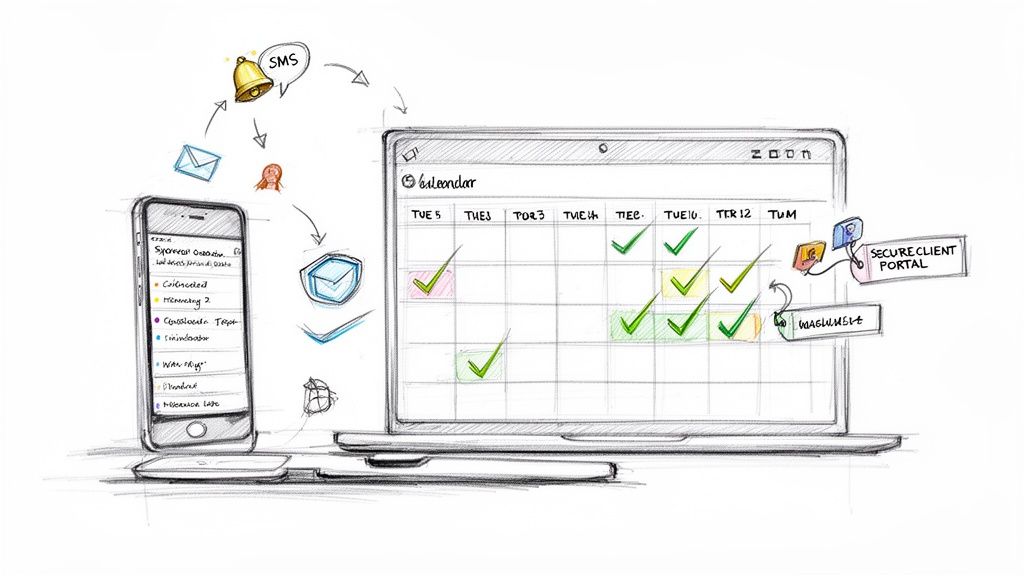
First and foremost, your scheduling software has one job: prevent conflicts. The magic behind this is real-time, two-way calendar synchronization. This isn't optional. It’s the core of any good system. When a client books online, that slot should instantly disappear from your scheduling app and your personal calendars, whether that's Google Calendar, Outlook, or iCloud.
And it has to work both ways. If you block off a dentist appointment on your personal calendar, your scheduling tool should automatically make that time unavailable for clients. This simple, two-way street is what finally puts an end to the headache of double-booking.
Automated Reminders and Confirmations
No-shows are pure poison for a service business, draining your revenue one missed appointment at a time. Automated SMS and email reminders are your best defense. The top platforms let you fine-tune these messages, sending out friendly nudges exactly when they’ll be most effective.
At a minimum, your system should handle:
- Instant booking confirmations: The moment a client books, they should get a confirmation. It builds immediate trust.
- Customizable reminders: You should be able to decide when reminders go out—24 hours before, 2 hours before, whatever works for your clients.
- Follow-up messages: After the appointment, an automated thank-you note or a gentle prompt to leave a review can do wonders for repeat business.
This kind of automation doesn't just cut down on no-shows; it frees you from the drudgery of manually confirming every single booking. It’s a professional touch that clients really notice.
This move to digital convenience is more than just a passing trend—it's a massive shift in how people operate. In fact, over 70% of consumers now say they prefer to book appointments online. This preference is what’s fueling the explosion of scheduling tools across every service industry imaginable.
Secure Client Portals and Waitlists
A dedicated client portal elevates your customer relationships. Instead of just one-off bookings, you create a personalized hub where clients can manage their own appointments, check their service history, or update their payment info without ever having to call you.
Giving clients this self-service power is a win-win: they feel in control, and you get more time back. An integrated waitlist is another game-changer. When you get a last-minute cancellation, the system can automatically ping clients on the waitlist to fill the spot. This keeps your schedule packed and your income steady. Some platforms are even integrating AI-powered assistants to make this process even smarter, which is quickly becoming an essential tool.
A Professional Booking-Ready Website
Finally, your scheduling tool can't be a separate, clunky add-on. It has to be woven directly into your online presence. The best solutions, like Kejoola, come with an all-in-one platform that includes a professional website ready to take bookings from day one. This means your booking page looks and feels like your brand, not some generic third-party tool.
When the booking process is a seamless part of your website, it builds trust and feels far more professional than a clunky, embedded widget. This isn't just about looks—it directly improves how many of your site visitors turn into actual, paying clients.
Comparing Top Appointment Scheduling Platforms
Choosing the right scheduling platform isn't just a tech decision—it’s a business one. It directly shapes your client's experience, your day-to-day efficiency, and even how people perceive your brand. With so many options out there, it's easy to get lost in the noise.
Let's cut through that confusion. We’re going to take a hard look at four of the biggest names in the game: Kejoola, Calendly, Acuity Scheduling, and Square Appointments. Instead of just listing features, we'll dig into what truly sets each one apart and who they’re really built for.
The goal here is to give you the context you need to pick the best appointment scheduling software for your business, whether you're a one-person shop just getting started or a growing team juggling a packed schedule. For an even wider look at the market, guides like this one on the 12 best appointment scheduling software for small business can offer some great additional perspectives.
Feature Comparison of Leading Scheduling Software
To see how these platforms stack up at a glance, let's put them side-by-side. This table breaks down the core features service businesses depend on, highlighting where each tool shines and where it might fall short for your specific needs.
| Feature | Kejoola | Calendly | Acuity Scheduling | Square Appointments |
|---|---|---|---|---|
| All-in-One Website | Yes, SEO-ready site included | No, requires existing site | No, integrates with existing sites | Yes, basic booking site included |
| Client Payments | Yes, Stripe integration | Yes, on paid plans | Yes, via Stripe, Square, or PayPal | Yes, native to Square ecosystem |
| Automated Reminders | Yes, Email & SMS (add-on) | Yes, on paid plans | Yes, Email & SMS | Yes, Email & SMS |
| Staff Management | Yes, multiple user accounts | Yes, team features on higher-tier plans | Yes, supports multiple calendars/staff | Yes, built for teams with commissions |
| Custom Intake Forms | Yes, basic and advanced | Limited, basic questions | Yes, highly customizable | Yes, can add custom fields |
| Free Plan Available | Yes | Yes, with limitations | No (trial only) | Yes, for single users |
| Best For | Solo pros & growing teams needing a complete online presence. | Individuals and sales teams focused solely on meeting coordination. | Businesses with complex, customized booking requirements. | Retail & service businesses already using the Square POS. |
As you can see, the "best" choice really depends on your business model. Kejoola offers a complete package from the ground up, while others specialize in either deep customization or integrating with an existing payment system.
Kejoola: An All-In-One Business Hub
Kejoola is built for service professionals who realize they need more than just a booking link. Its real power comes from its all-in-one design, bundling a smart booking system with an AI-powered, SEO-optimized website builder right out of the box.
This single-platform approach solves a huge headache for small businesses: stitching together a website, hosting, and a scheduler from different providers. With Kejoola, your booking engine is a natural part of your professional website, which builds trust and gives clients a completely seamless experience.
Best for:
- Solo entrepreneurs and new service businesses who want a polished online presence fast, without needing to be a tech wizard.
- Growing teams that need one dashboard to manage everything—clients, appointments, and their website.
- Service pros who just want it all to work, with managed hosting, security, and updates handled for them.
Think of Kejoola as a complete business engine, not just a calendar tool. It’s designed to help you launch and grow with a professional brand experience from day one.
Calendly: The Master of Meeting Coordination
Calendly has practically become a household name for scheduling meetings, and for good reason. Its strength is its incredible simplicity and intense focus on one job: making it dead simple for someone to find a slot on your calendar. It’s a rockstar in professional settings where the main goal is just to kill the back-and-forth emails for calls and demos.
While you can bend it to work for simple service bookings, Calendly is fundamentally a meeting coordinator, not a full-blown business management tool. Its clean design and quick setup make it a go-to for consultants, sales teams, and anyone in a corporate environment.
Calendly shines brightest when used as a personal productivity tool for scheduling one-on-one meetings. For businesses that need to manage diverse services, multiple staff members, and client payments, a more service-oriented platform is often a better fit.
It plays nicely with almost every calendar and video conferencing app out there, making it a great addition to your existing tools. But remember, you’ll still need your own website or landing page to send clients to in the first place.
Acuity Scheduling: The Customizable Powerhouse
Now a part of Squarespace, Acuity Scheduling is the platform you turn to when you need deep customization. It gives you an incredible amount of control, making it a fantastic choice for businesses with very specific booking workflows. You can build out detailed intake forms, offer complex add-ons, and manage tricky recurring appointments without breaking a sweat.
This level of control has made it a favorite in wellness, coaching, and consulting—fields where getting detailed client info upfront is non-negotiable. You can tweak just about every part of the booking process, from how your page looks to the exact wording in your reminder emails.
Key Strengths of Acuity Scheduling:
- Advanced Customization: Build in-depth intake forms to gather everything you need from clients before they show up.
- Flexible Service Options: Easily sell packages, gift certificates, and service add-ons right at the time of booking.
- Powerful Integrations: Connects to a huge ecosystem of third-party apps for accounting, email marketing, and more.
All that power comes with a bit of a learning curve, of course. It's a top-tier option if you’re the type who wants to fine-tune every little detail. And if you're curious about what else is out there, especially on a budget, you might want to explore some of the best free online scheduling tools as well.
Square Appointments: The Retail and Service Hybrid
Square Appointments is a natural extension of the wildly popular Square payment ecosystem. Its killer feature is the seamless way it merges bookings with a powerful point-of-sale (POS) system. This makes it an almost unbeatable choice for brick-and-mortar businesses like salons, spas, and fitness studios.
The platform rolls online booking, client management, and payment processing into one cohesive experience. If you’re already using a Square reader for your in-person payments, adding their Appointments tool is a logical and incredibly efficient move.
The interface is clean and works great on mobile, which is perfect for businesses where staff and clients are always on the move. It also comes packed with features tailored for a retail setting, like inventory management and staff commission tracking—things you won't find in most other schedulers. The main catch? Its reliance on the Square ecosystem and a more limited calendar sync (you have to pay for Google Calendar integration) can be a downside if you aren't all-in on their system.
How to Choose the Right Software for Your Business
Picking the right scheduling software isn't just about ticking off a feature list; it’s about matching a tool to your business reality today and your goals for tomorrow. What works for a solo freelancer is completely different from what a bustling multi-location business needs. Your decision should really come down to your operational complexity, team size, and how you show up online.
Making a smart choice now means you find something that solves your immediate scheduling headaches but also grows with you, so you aren't forced into a painful migration later. A platform that fits you like a glove today should have a clear path for when you start adding staff, new services, or more locations. This decision tree can help you see the process more clearly.
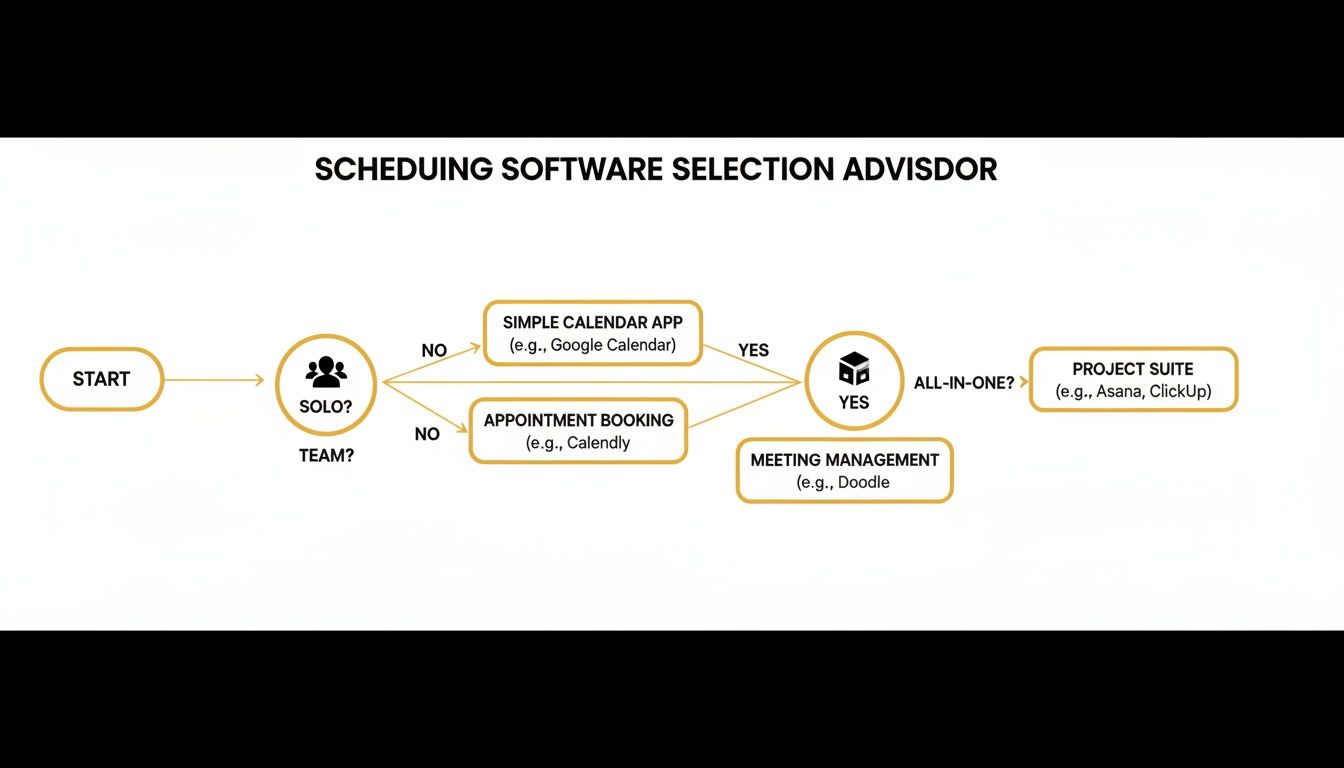
As the flowchart shows, the first big question is whether you're working alone or as part of a team. That single answer immediately narrows the field, pointing you toward tools built with the right kind of staff management. Let’s walk through the most common scenarios to give you some practical guidance.
The Solo Entrepreneur Needing an Online Presence
If you're a one-person show—a consultant, therapist, personal trainer, or freelancer—your world revolves around efficiency and looking professional on a tight budget. You’re the CEO, the marketer, and the service provider all rolled into one. Your ideal software is an all-in-one package that gives you a polished, bookable website without you needing to become a web developer overnight.
In this situation, you need a platform that bundles scheduling with a straightforward website builder. This approach saves you the headache and expense of trying to duct-tape a separate website, hosting plan, and booking tool together.
- Top Recommendation: Kejoola. Its biggest advantage is the built-in, AI-powered website builder that works hand-in-hand with a smart booking system. You can go from zero online presence to a fully functional, professional site that takes client bookings in just a few minutes. It’s all integrated, meaning one login, one bill, and one platform to worry about.
- Why it Fits: Kejoola's Starter plan was made for solo operators. It solves the number one problem for new solo businesses: getting a credible, trustworthy online home where clients can book anytime. This is a much cleaner solution than just dropping a Calendly link on a generic landing page.
The Growing Team with Multiple Staff Members
The moment you hire your first employee or bring on a contractor, your scheduling needs change completely. You're no longer just managing your own time; you're coordinating a team. Suddenly, you need features like multi-staff booking, shared calendars, and the ability to link specific services to the right team members.
Your software has to be smart enough to prevent double bookings and give clients the choice to book with their favorite provider. Centralized management is no longer a nice-to-have—it’s essential for keeping things running smoothly.
For a growing team, the ability to manage multiple calendars under a single account is non-negotiable. It's the feature that separates a personal scheduling tool from a true business management platform.
- Top Recommendation: Acuity Scheduling. While plenty of tools offer team features, Acuity Scheduling provides incredibly deep customization for staff availability, service assignments, and user permissions. You can set unique hours for each person and even manage shared resources like treatment rooms or specific equipment.
- Why it Fits: Acuity is built to handle complexity. It lets you create advanced booking rules that are crucial for a team, like automatically adding buffer time between appointments or capping how many jobs one staff member can take in a day. Its powerful feature set is ready to support your business as you continue to add more people and services.
The Established Business with High Volume
For well-established businesses with a high volume of bookings and a wide array of services—think salons, spas, or wellness centers—the software needs to be the central nervous system of your operation. At this level, you’re not just booking appointments. You’re managing long-term client relationships, processing a ton of payments, and maybe even handling product inventory.
Your software must have a rock-solid integration with your payment processor and offer powerful client management tools to track appointment history and personal preferences.
- Top Recommendation: Square Appointments. If you run your business out of a physical location and take in-person payments, Square Appointments is a no-brainer. It perfectly marries its best-in-class POS system with its scheduling software.
- Why it Fits: Square Appointments is designed for businesses that blend services with retail. Features like inventory management, staff commission tracking, and a built-in client database make it an operational powerhouse. The seamless experience of a client booking online and paying in-person is a massive win for any business already using the Square ecosystem.
Exploring the Kejoola All-in-One Platform
While plenty of tools can handle the basics of scheduling, the reality for a modern service professional is that you need more than just a calendar manager. You need an engine for your entire online presence. This is precisely where a platform like Kejoola carves out its niche, shifting from a simple booking function to a complete, integrated hub for your business.
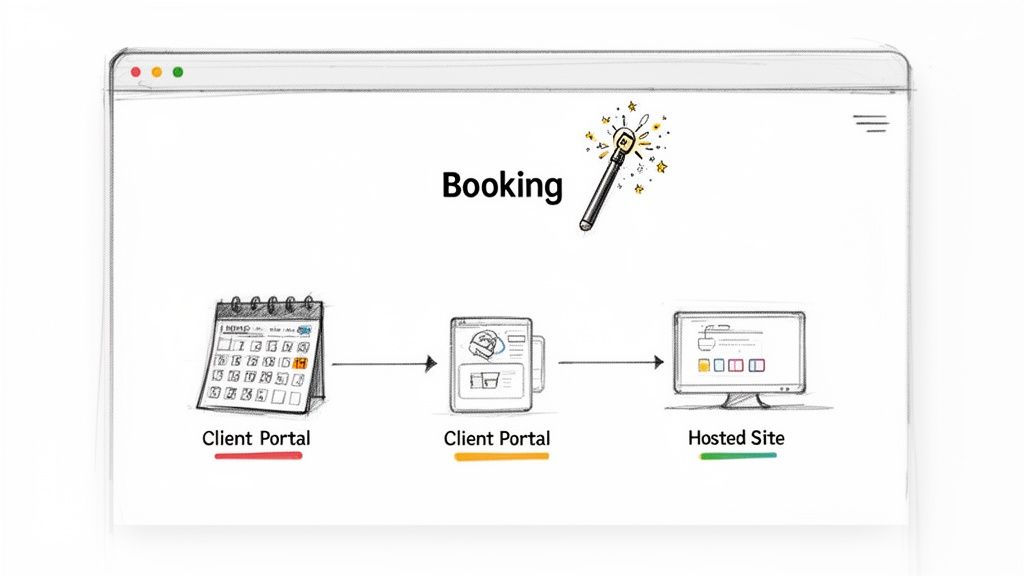
The real headache for most service pros isn't just scheduling—it's juggling a patchwork of different tools. You might have a website builder from one place, hosting from another, and a scheduler from a third. This creates a clunky, disconnected experience for you and, more importantly, for your clients. Kejoola was built from the ground up to solve this exact problem by bringing everything under one roof.
From Zero to a Professional Website in Minutes
Kejoola’s most impressive feature is its AI-powered website builder. It’s designed specifically for people who are experts in their craft, not in coding or web design. You can literally generate a professional, SEO-ready, and mobile-friendly website in minutes.
And this isn't just some basic landing page. We're talking about a full-featured site that includes:
- Integrated Smart Booking: Your scheduling system is a native part of your website, not some clunky widget you have to embed from another service.
- Professional Client Portals: Every client gets their own secure, private area to manage appointments, check their history, and message you directly.
- Built-in SEO: The site is optimized right out of the box with structured data and local SEO best practices to help new clients in your area find you.
The whole experience is seamless. When a potential client finds your site, they can book a service, pay, and get their confirmation without ever leaving. This cohesive journey builds trust and looks far more polished than sending people off to a generic, third-party booking page.
The Maintenance-Free Advantage
Another huge plus is the all-in-one nature of the platform. For any busy service provider, time spent wrestling with technical website maintenance is time you aren't spending with clients.
Kejoola takes that entire technical burden off your plate. It handles all the behind-the-scenes work—web hosting, security, performance tuning, and daily backups—so you can focus 100% on running your business.
This managed approach is a real game-changer for solo operators and small teams who don't have the time or budget for a dedicated IT person. It's built to be a launchpad for growth, giving you the professional infrastructure you need without the usual headaches. As the appointment scheduling market continues to boom—projected to hit over $1.5 billion by 2032—integrated solutions that just work are becoming essential. You can dig deeper into the evolution of scheduling software to see where the industry is heading.
By combining a powerful booking engine with a totally hassle-free website, Kejoola offers more than just software; it delivers your entire online business in a box. If you’re looking for Booking-ready websites for service pros, this integrated approach is one of the fastest and most efficient ways to get online and start growing.
A Simple Checklist for Migrating Your System
Switching to a better scheduling system can feel like a huge project, but it really doesn't have to be. The secret to a smooth transition is breaking the whole thing down into smaller, more manageable pieces. With a good plan, you can get set up on the best appointment scheduling software without pulling your hair out or confusing your clients.
I've put together a straightforward checklist to walk you through it. Following these steps helps you move your data safely, get the new system live, and keep your clients in the loop. Think of it as your roadmap to a hassle-free upgrade.
Phase 1: Prep Your Data and Settings
A solid migration starts with getting your house in order. Before you dive in, your first priority is to get all your current information out of the old system and start building the foundation in the new one.
- Export Client Data: First thing's first—get your client list out of your old system. Most tools will let you export this as a CSV file, which you can easily upload to your new software.
- Set Up Services and Staff: Next, you'll need to rebuild your service menu. Take the time to define each service name, set its duration and price, and link it to the staff members who provide it.
- Configure Calendars and Notifications: This is a big one. Connect your work calendars, like Google Calendar or Outlook, to make sure your availability syncs both ways. You'll also want to customize the automated emails and SMS reminders so they sound like they're coming from you.
Phase 2: Go Live and Get the Word Out
With the backend all set up, it’s time to flip the switch and let your clients know what's happening. How you communicate this change is just as important as the technical setup.
A seamless transition is less about technical perfection and more about thoughtful communication. Informing your clients about the new, improved booking process shows you value their experience.
- Embed Your New Booking Widget: Swap out the old booking form on your website with the new one. Run a few tests to make sure the entire flow—from picking a service to getting a confirmation—works perfectly.
- Announce the Change to Clients: Draft a quick, friendly email to your client list. Let them know you've upgraded your booking system and point out a few perks, like easier rescheduling or access to their own client portal.
- Run a Final Test: Before you call it a day, book one last test appointment as if you were a brand-new client. This is your chance to catch any last-minute quirks and ensure a smooth first impression.
Answering Your Top Scheduling Software Questions
Choosing the right scheduling software can feel like a big commitment, and it's normal to have a few final questions before you pull the trigger. Let's tackle some of the most common ones we hear from service professionals.
Can I Accept Online Payments Through My Scheduling Software?
Yes, absolutely. In fact, this is non-negotiable for most modern booking tools. Platforms like Kejoola, Acuity Scheduling, and Square Appointments come with built-in payment processing through gateways like Stripe and PayPal.
This means you can require a deposit to hold a spot, ask for full payment upfront, or securely save a client's card on file. For service businesses, this one feature is a game-changer—it drastically cuts down on no-shows and frees you from chasing down invoices after an appointment.
How Secure Is My Client Data on These Platforms?
This is a crucial question, and thankfully, reputable providers take it very seriously. They use industry-standard security protocols to keep both your business information and your clients' personal data locked down.
Here’s what to look for:
- SSL Encryption: This is the baseline. It ensures all the data moving between your client's device and the platform's servers is scrambled and private.
- Secure Servers: Your data isn't just sitting on a computer in someone's office. It's stored in highly protected data centers with both physical and digital safeguards.
- Compliance: Look for platforms that are compliant with data privacy regulations like GDPR.
A good rule of thumb: if a company makes its privacy policy and security details hard to find, that's a red flag. Trustworthy providers are transparent about how they protect your data.
Is This Software Versatile for Different Industries?
It is, and that’s a huge part of its appeal. While some platforms are built for a specific niche (think Square for retail and food service), others like Kejoola and Acuity are designed to be flexible. They're like a Swiss Army knife for service professionals.
For example, a massage therapist can use custom intake forms to screen for contraindications, while a marketing consultant can create different appointment types for a quick 15-minute discovery call versus a full-hour strategy deep-dive. The power to customize your services, availability, and client communication makes these tools a great fit for almost any service-based business.
How Long Does It Take to Get Set Up?
This depends on the tool, but the best ones are built for speed. If you're using an all-in-one solution like Kejoola that includes a website, you can realistically go from signing up to taking your first booking in under an hour.
If you're integrating a booking widget into a website you already have, it might take a bit longer to get all the settings just right. But even then, most people are up and running within just a few hours.
Ready to launch a professional online presence that automates your bookings? Kejoola offers Booking-ready websites for service pros. Get your business online and start accepting appointments today.


