The Cheapest Way to Build Website: A Practical Budget Guide
Discover the absolute cheapest way to get a website online. We compare DIY WordPress, website builders, and all-in-one platforms to find the best value for your time and money.
Josh · Feb 1, 2026 · 18 min read
- website builder
- small business
- WordPress
- budgeting
Your Quick Guide to Building a Website on a Shoestring
Let's get straight to it: the absolute cheapest way to get a website online is with a self-hosted WordPress site. You can get everything up and running for as little as $100 for the first year. But, and this is a big but, that rock-bottom price comes with a hidden cost: your time and a willingness to get your hands dirty with some technical tasks.
The truth is, the "cheapest" option isn't just about the upfront cost. It’s a classic trade-off between your budget, your time, and how comfortable you are navigating the backend of a website.
Comparing Your Low-Cost Website Options
When you're starting out, every dollar matters. Your choice really boils down to three main paths, each with its own pros and cons, especially for a service-based business.
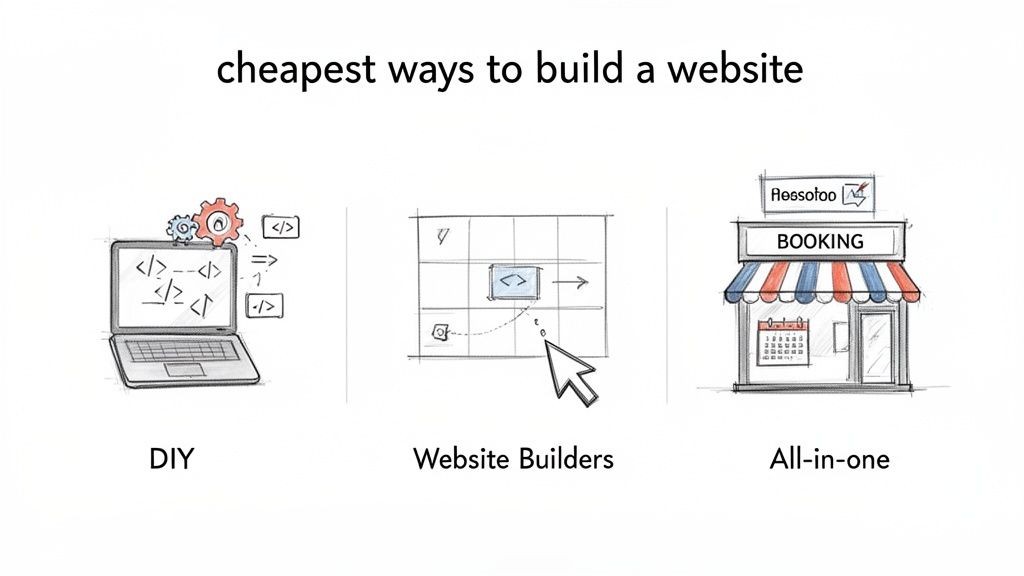
First up is the hands-on DIY approach with WordPress. It’s the king of low-cost, giving you full control for a minimal initial investment. The catch? You're the one in charge of hosting, security, and all those pesky updates.
Next are the popular website builders like Wix or Squarespace. They wrap everything up into a neat monthly package, making it incredibly easy to launch a good-looking site quickly. You sacrifice some flexibility, but you gain simplicity and speed.
Finally, you have all-in-one platforms designed for specific industries. These are perfect for service professionals who need more than just an online brochure. They come with built-in tools like client booking and payment processing, saving you the headache of piecing together different systems.
Visualizing Your Path Forward
This flowchart can help you see which path makes the most sense based on your comfort with tech and the features your business truly needs. It's a quick way to see if a DIY project, a simple builder, or a more specialized platform is your best bet.
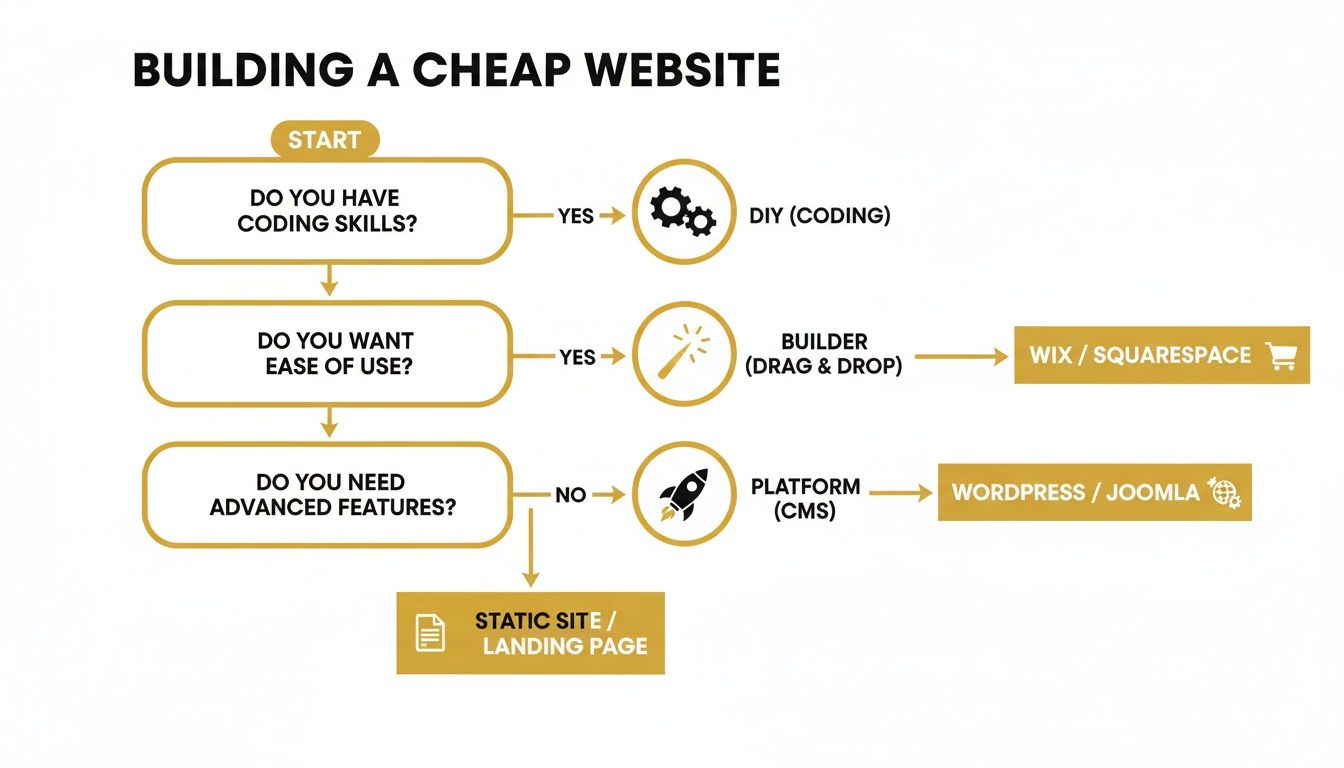
As you can see, there's a clear pattern. The less technical work you want to do yourself, the more you'll lean towards a builder or specialized platform where everything is managed for you. To keep costs down on any platform, you can find clever workarounds, like using free HTML form builder tools to add lead capture forms without paying for premium add-ons.
My Takeaway: The "cheapest" website isn’t the one with the lowest price. It’s the one that delivers the most value for your business without becoming a time-sucking technical nightmare.
To make this even clearer, I've put together a table breaking down what you can realistically expect from each option in terms of cost and effort.
Cost and Effort Comparison for Budget Website Options
Here’s a side-by-side look at what it really takes to get each type of website off the ground.
| Method | Upfront Cost | Monthly Cost | Technical Skill Needed | Time to Launch |
|---|---|---|---|---|
| DIY WordPress | $50 - $150 | $10 - $30 | Moderate | 2 - 4 weeks |
| Website Builder | $0 - $50 | $16 - $40 | Low | 1 - 7 days |
| Specialized Platform | $0 | $29 - $79+ | None | < 1 day |
This table lays it all out. While WordPress has the lowest sticker price, a specialized platform can get your business online and taking bookings in a matter of hours, which might be far more valuable than the money you'd save. It all comes down to your specific needs and priorities.
Deconstructing Website Costs: What Are You Actually Paying For?
Before you can figure out the cheapest way to get a website up and running, you need to know where the money actually goes. Every single website, no matter how it’s built, has a few unavoidable costs. It's easy to get drawn in by flashy "build it for free" offers, but understanding the true cost of ownership is what keeps you from getting hit with surprise bills later.
Think of it like building a house. You can't start picking out paint colors until you have an address (your domain), a plot of land (hosting), and a secure front door (security). Your website is no different.
The Bare-Bones Website Essentials
At the absolute minimum, you’re going to need to budget for three key things. Some website builders bundle these together, but if you go the DIY route with something like WordPress, you'll be buying them separately.
- Domain Name: This is your spot on the internet, like
yourbusiness.com. It's how people find you. Budget for about $10 to $20 per year for this. - Web Hosting: This is the physical server space where your website's files live. It's what keeps your site online 24/7. For basic shared hosting, you're looking at anywhere from $3 to $30 a month.
- SSL Certificate: That little padlock you see next to a web address? That's an SSL certificate. It encrypts data, builds trust with visitors, and is a non-negotiable for security. Many hosting plans throw this in for free now, but if not, it could cost $50+ per year.
Getting a handle on these three is a fantastic start. If you want to go a little deeper, we break it down even further in our guide on the cost of a website for a small business.
Expenses for Design and Features
Once the foundation is set, you have to think about what your site looks like and what it can do. This is where the costs can really start to vary.
A theme (or template) dictates the visual design—the layout, colors, and fonts. There are thousands of free themes out there, but they’re often pretty limited. A premium theme gives you way more flexibility, support, and updates, usually for a one-time fee of $40 to $80.
Plugins (or apps) are what add special features, like a contact form, an online booking system, or a full-blown store. Many offer free versions, but for the good stuff, you'll likely need a paid plan. These can range from $20 to over $200 per year for a single plugin.
The Sneaky "Hidden Costs" of Free
Let’s talk about the word "free." When it comes to websites, it's almost always misleading. A free plan from a website builder usually means you're stuck with their branding all over your site and you can't use your own custom domain. That's not a great look for a serious business.
When you see "free," it's smart to be skeptical. The logic behind the high cost of 'free' event software applies perfectly here. Those "free" entry points often hide limitations and necessary upgrades that end up costing you more in time, money, and professionalism down the line.
Ultimately, the cheapest path isn't just about the upfront price. It's about seeing the whole financial picture. Knowing what each piece costs lets you make a smart call that balances your budget with your business goals, so you can avoid those frustrating surprise fees.
The Hands-On Approach with DIY WordPress
When people start hunting for the cheapest way to get a website online, one answer pops up more than any other: building it yourself with a self-hosted WordPress site. This is the classic DIY route, handing you the keys to every single part of your website for the lowest initial cash investment. It’s the go-to for anyone willing to trade their time for some serious cost savings.
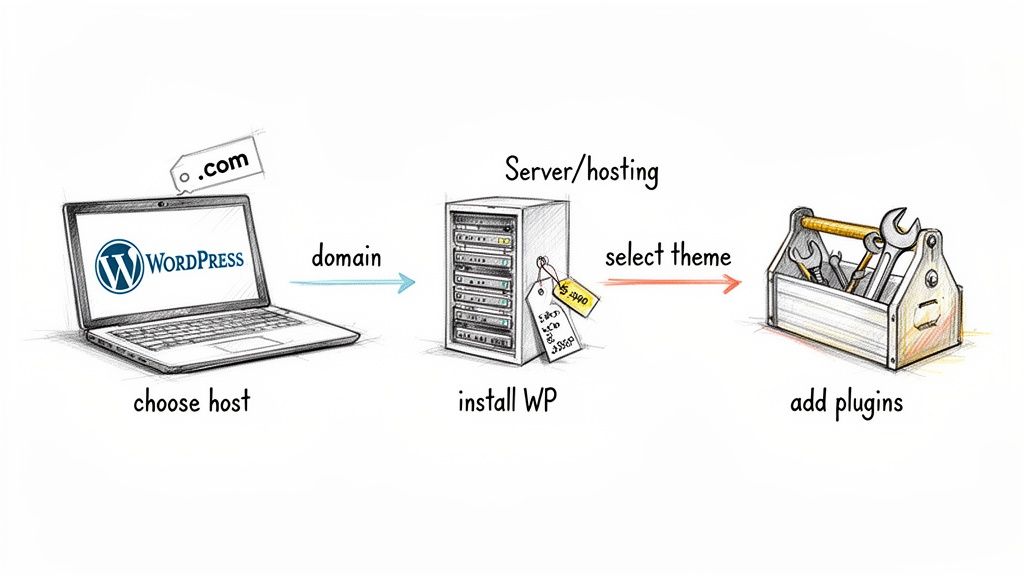
The journey begins with two separate, essential purchases: a domain name and a web hosting plan. You'll see providers like Bluehost or Hostinger advertising eye-poppingly low introductory rates, sometimes just a couple of dollars a month. That’s what makes this path so tempting right out of the gate.
But here’s the catch you need to watch for: that first-year price is just a hook. The renewal rates are almost always two to three times higher. A plan that starts at a breezy $2.95 per month can easily shoot up to $9.99 per month when year two rolls around. Always, always read the fine print.
Breaking Down the Real First-Year Costs
Let's walk through a real-world scenario. Imagine you're a freelance consultant or a local handyman who needs a professional-looking site to attract clients. Here’s a no-fluff breakdown of what a DIY WordPress budget actually looks like for the first year.
- Hosting: A basic shared hosting plan from a budget-friendly company will set you back $35-$60 for the first year.
- Domain Name: Many hosts throw in a free domain for the first year, which is a nice perk. If not, budget around $15-$20.
- Theme: You can definitely start with a free theme, but for a polished look and reliable support, a premium theme is money well spent. This is usually a one-time cost of $50-$70.
- Essential Plugins: While the WordPress plugin library is vast and free, you'll likely need to pay for a few key features. A good contact form plugin might run $40/year, and a solid security plugin could be another $50/year.
Tally it all up, and a realistic first-year cost for a functional, professional DIY WordPress site lands somewhere between $190 and $240. It’s incredibly cheap, no doubt about it. But the money is only half the story. Your time is the other major investment.
The Trade-Off Between Time and Money
Going the WordPress route means you’re not just the business owner; you’re also the web developer, the security analyst, and the IT support desk. You're on the hook for installing WordPress, picking and customizing a theme, vetting and configuring plugins, and constantly running updates to keep things from breaking.
And when something does break—because it will—it’s on you to figure it out. That could mean spending hours deactivating plugins one by one to find a conflict or digging through developer forums for a cryptic solution.
Key Insight: The true cost of a DIY WordPress site isn't just what's on your credit card statement. It's the hosting bill plus all the hours you'll pour into setup, maintenance, security, and fixing the inevitable glitches.
For some, this is a welcome challenge. But for a service provider whose time is literally money, every hour spent troubleshooting a broken contact form is an hour you’re not billing a client. The choice often boils down to one simple question: is your time better spent learning technical skills or serving your customers? Getting clear on the differences between WordPress vs. specialized builders for service pros can really help make this decision easier.
Who Is the DIY WordPress Route Best For?
This hands-on approach isn't a great fit for everyone, but it’s perfect for a few specific types of people.
- The Tech-Curious Beginner: If you genuinely enjoy tinkering with technology and want to learn how websites tick from the inside out, WordPress is an amazing learning tool.
- The Bootstrapper with More Time Than Money: For a new business on a razor-thin budget, getting a site live for under $200 is a huge win, as long as you have the time to dedicate to it.
- The Future Power User: If you have grand visions for a highly customized site down the road, starting with WordPress gives you a flexible foundation you can build on forever.
In the end, self-hosted WordPress holds its top spot for a reason. It delivers unmatched control and the lowest possible starting price, keeping it a strong contender for the cheapest way to build a website. Just make sure you walk in with your eyes wide open to the time commitment it demands.
The Simplicity of All-In-One Website Builders
If the thought of dealing with hosting renewals, security patches, and plugin updates gives you a headache, then all-in-one website builders are probably your best bet. Platforms like Wix and Squarespace were built from the ground up for people who aren't coders and just want something that works.
They offer a completely different experience from the DIY WordPress route. The main draw is that they bundle everything you need—your domain, hosting, security, and the editor itself—into one predictable monthly payment. When you factor in the value of your own time, this approach can easily be the cheapest way to get a professional website up and running.
This all-inclusive model means you can skip the technical learning curve entirely. You don't have to install any software or configure servers. And if something breaks? You have a dedicated customer support team to call.
Comparing Entry-Level Plans
Most small business owners start with the entry-level paid plans from the big players, Wix and Squarespace. But it pays to read the fine print, because the lowest advertised price often comes with some significant strings attached.
Here’s a quick rundown of what you usually get and where they'll push you to upgrade:
- Free Domain: Most builders throw in a free custom domain for your first year. It's a nice little perk.
- Ad-Free Experience: This is a big one. To get the builder's logo and ads off your site, you must upgrade to a paid plan.
- Storage and Bandwidth: The basic plans are fine for a simple portfolio or service website. If you plan on uploading a ton of high-resolution photos or videos, you’ll hit that ceiling pretty quickly and need to upgrade.
- Basic E-commerce: Some starter plans let you sell a handful of products, but for a real online store, you'll need to jump to a more expensive, dedicated e-commerce plan.
Key Takeaway: That monthly fee isn’t just for a drag-and-drop editor. You're paying for the peace of mind that comes with having all the technical headaches managed for you.
Wix has absolutely dominated this space, commanding around 45% of the overall market share. By 2024, its user base had swelled to an incredible 258 million. That kind of growth doesn't happen by accident—it’s proof that their simple, hassle-free approach really resonates with people who just want a great-looking site. You can dig into more of these fascinating small business website statistics on NetworkSolutions.com.
From Zero to Live in a Weekend
Let's imagine a freelance photographer who needs to get their first portfolio online. Their goal is simple: show off their work and give potential clients an easy way to get in touch.
With a builder like Squarespace, they can get this done in a few hours. Seriously.
- First, they browse through dozens of beautifully designed, mobile-friendly portfolio templates and pick one they like.
- Next, using the visual editor, they upload their logo, tweak the color scheme to match their brand, and choose some fonts. It’s all point-and-click.
- Then, they create a gallery and just drag and drop their best photos right onto the page. They'll write a quick "About Me" bio and set up a contact form.
- Finally, they register their custom domain name right there on the platform.
- They hit "Publish." That's it. The site is live, secure, and ready to go.
The entire process is done in a single afternoon, without a single line of code. For a busy professional, that speed is priceless. Paying around $16 to $23 a month is a small price for a polished online presence that would have taken weeks to build and configure on your own with WordPress. When your time and sanity are your most valuable assets, the website builder path is often the smartest—and yes, arguably the cheapest—option.
The Smartest Path for Service-Based Businesses
So far, we've looked at the "cheapest" way to build a website as a simple trade-off between your time and your money. But what if the smartest path was also the one that saved you the most of both?
For service-based businesses, this is where specialized, all-in-one platforms completely change the game.
These platforms are designed with one person in mind: the service professional. They aren't trying to be a one-size-fits-all solution for bloggers, e-commerce stores, or artists. Instead, their entire focus is on delivering the exact tools a service business needs to run smoothly, all bundled into one straightforward package.
Thinking Beyond a Simple Brochure
A generic website builder is perfectly fine for creating a digital brochure. But if you’re a personal trainer, a consultant, or run a local repair service, a simple "About Us" and "Contact" page just doesn't cut it. You need a website that actually works for you.
That’s the core difference. Specialized platforms like Kejoola come with business-critical tools already baked in.
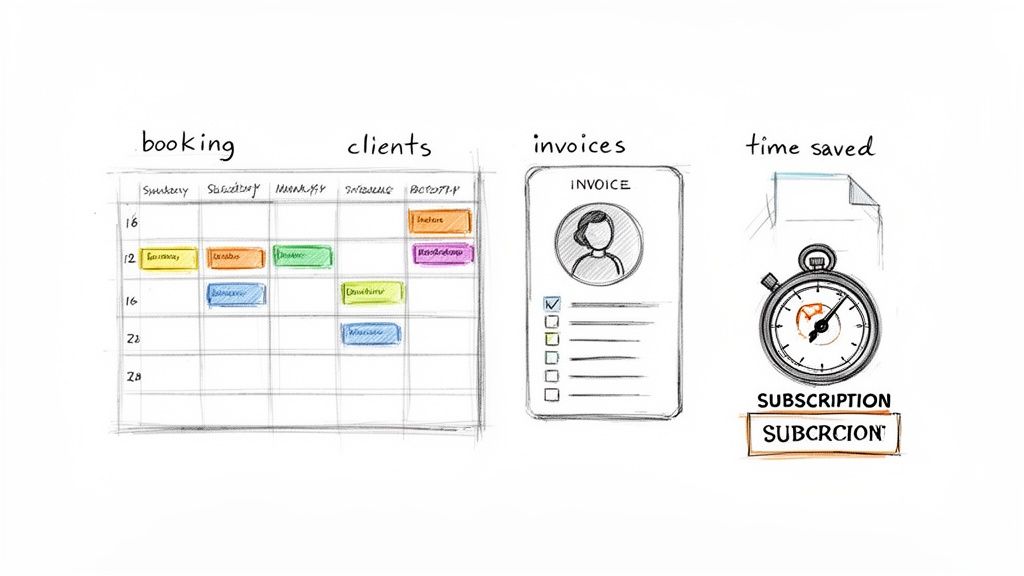
- Smart Booking Systems: Clients can see your real-time availability and book appointments on their own. This puts an end to the endless phone tag and back-and-forth emails.
- Client Management Portals: Every client gets a secure login to see their appointment history, share notes, and manage their details.
- Automated Reminders: You can dramatically reduce no-shows with automatic email and text reminders that go out before appointments.
This approach transforms your website from a passive business card into an active, automated assistant that runs parts of your business for you.
The True Cost-Benefit Analysis
At first glance, a specialized platform might have a higher monthly fee than a basic plan from a generic builder like Wix or Squarespace. But looking only at that one number is incredibly shortsighted. The real financial picture becomes clear when you add up the total cost of piecing together a functional system on your own.
Let’s think about the DIY alternative for a second. You start with a cheap WordPress hosting plan. Then you have to add:
- A premium scheduling plugin like Calendly ($12/month)
- An invoicing tool like FreshBooks ($19/month)
- A form builder for client intake ($10/month)
Suddenly, your "cheap" website costs an extra $41 per month just to get the essential features—and that doesn't even account for the headache of making sure these separate tools actually work together without breaking.
Key Insight: The cheapest way to build a website isn't just about the hosting fee. For service pros, it's about the total cost to get a site that can actually run your business, including booking, client management, and payments.
This is where the value becomes undeniable. A single subscription to a platform built for services replaces multiple, disjointed, and costly third-party apps. You get a more powerful, integrated system for a lower total price. We've written a detailed guide on how to approach this; check out our article on how to create a booking website for more.
The global website builder market has seen incredible growth, recently valued at around USD 2.8 billion. This expansion is driven by small businesses and solo entrepreneurs who need more powerful and affordable solutions. For service providers, this competition means better, more integrated tools are now available, making a professional, automated website possible without a huge budget. You can find more insights about this growing market at Custom Market Insights.
When you measure the cost in both dollars and hours saved, a specialized platform proves to be the most efficient and cost-effective path forward for any serious service business.
Common Questions About Building a Website on a Budget
When you're trying to get a website off the ground without breaking the bank, a lot of questions pop up. Let's tackle some of the most common ones I hear from business owners, so you can move forward with confidence.
Figuring out the truly cheapest way to build your website means looking past the sticker price. You have to consider the total value and, just as importantly, your time.
Can I Actually Build a Website for Free?
Technically, yes, you can. But for a serious business? I wouldn't recommend it. Platforms like Wix have "free" plans, but they come with some major professional deal-breakers.
These free sites stick you with a branded subdomain (like yourname.wixsite.com) and plaster their ads all over your pages. Plus, they often gut the essential SEO and analytics tools you need to grow. The bottom line is, a credible business must have its own custom domain name.
Think of the lowest-cost paid plans, which usually run $10-$30 per month, as the real starting line for a professional online presence. That small investment gets rid of the ads, secures your unique domain, and gives you the credibility you need to actually win over customers.
What Is a Realistic First-Year Budget for a Small Business Website?
Your first-year cost is going to swing quite a bit depending on the path you take. It's really important to account for both the initial setup fees and the ongoing costs to get the full picture.
Here’s a practical breakdown of what you can probably expect:
- DIY WordPress: You're likely looking at around $100-$200 for the first year. This covers your basic hosting, a domain name, and maybe a one-time purchase of a premium theme to make it look a bit more polished.
- All-In-One Website Builder: For an ad-free plan that includes a custom domain, you’ll typically spend between $150-$300 annually. The nice thing here is that it's a predictable fee that covers hosting, security, and support.
- Specialized Business Platform: Your budget here might be a little higher, closer to $350-$500 per year. But—and this is a big but—this cost often replaces other software you'd be paying for anyway, like booking or invoicing tools, so it can actually save you money overall.
Important Tip: Always, always check the renewal price. Many hosting companies hook you with massive introductory discounts for year one, but the cost can jump significantly when it's time to renew. Factoring that in from day one will save you from a nasty budget surprise down the road.
What Is the Best Option if I Have Zero Technical Skills?
If you're not tech-savvy, don't even hesitate. An all-in-one website builder or a specialized platform is your best bet, hands down. Solutions like Squarespace, Wix, or service-focused platforms like Kejoola are built from the ground up for beginners.
These platforms give you an intuitive drag-and-drop editor and handle all the technical heavy lifting—hosting, security updates, performance—behind the scenes. Maybe the most valuable part is they offer dedicated customer support to bail you out when you get stuck.
A DIY WordPress site might look like the cheapest way to build a website based on the initial bill, but the hidden cost is your time. The learning curve is steep, and the hours you'll sink into troubleshooting problems can be incredibly frustrating. For most business owners who aren't tech experts, that monthly builder fee is a small price to pay for peace of mind and a much, much faster launch.
Ready to launch a professional website that works as hard as you do? Kejoola offers Booking-ready websites for service pros.