Website Cost for Small Business: A Complete Guide
The real website cost for a small business can be anything from a small monthly fee for a do-it-yourself site to thousands of dollars for a custom build by a professional. This guide will help you make sense of the numbers and budget with confidence.
Josh · Jan 18, 2026 · 21 min read
- website cost
- small business
- web design
- budgeting
When you ask, "How much does a website cost?" you're going to get a wildly different answer depending on who you talk to. The real website cost for a small business can be anything from a small monthly fee for a do-it-yourself site to thousands of dollars for a custom build by a professional.
The final price tag really boils down to what you need, how complex the design is, and which route you take to get it built. This guide will help you make sense of the numbers and budget with confidence.
What to Expect From Your Website Investment
If you're a service provider, the conflicting advice out there on website pricing is probably making your head spin. One expert says you can get online for a few hundred bucks, while another insists you need a five-figure budget. So, what’s the truth?
The confusion comes from the fact that there isn't one single "cost." It's more helpful to think of it like buying a vehicle. Are you looking for a basic, reliable used car to get from A to B (a DIY site)? Or do you need a custom-outfitted work van with specialized tools and branding (a professional build)? Your choice depends entirely on your business goals, your budget, and how much of your own time you're willing to put in.
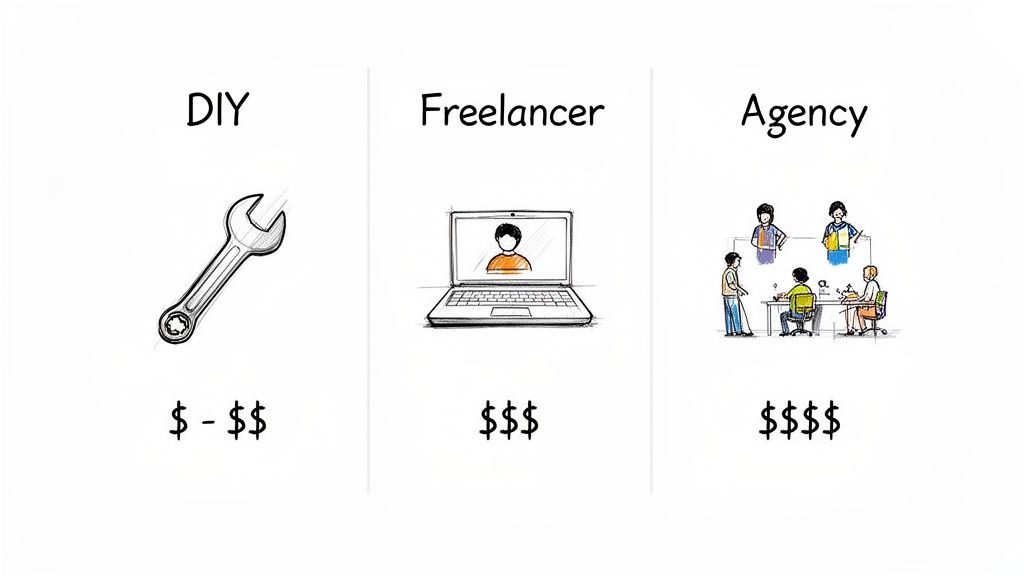
To make this easier, we can break the options down into three main categories. Each one is a good fit for a different type of business owner, from the brand-new solopreneur to a growing company that needs a dedicated team.
The Three Main Paths to a Business Website
Before we get into the nitty-gritty of individual costs, let’s look at the big picture. You generally have three choices for getting a website off the ground:
- DIY (Do-It-Yourself) Builders: Platforms like Wix or Squarespace where you build the site yourself using pre-made templates.
- Hiring a Freelancer: Working one-on-one with an independent web designer or developer for a more customized site.
- Hiring an Agency: Partnering with a full team of experts (designers, developers, marketers) for a strategic, comprehensive build.
The price differences are huge. DIY builders can get you online for as little as $20 to $50 per month. On the other hand, industry data shows the average small business site built by a professional costs between $2,000 to $9,000 upfront, plus ongoing maintenance fees. For more stats on this, you can find additional insights on small business website costs at Gruffy Goat.
A website isn't a one-and-done purchase. It's an ongoing investment in your business's front door to the digital world. Getting clear on both the upfront and recurring costs is the first step toward making a smart, sustainable decision.
To help you map out your journey, here's a quick comparison of the three main approaches.
Website Cost At a Glance: DIY vs. Professional Services
This table gives you a snapshot of what to expect financially from each path, helping you match your budget and needs to the right solution.
| Method | Typical Upfront Cost | Typical Ongoing Cost (Annual) | Best For |
|---|---|---|---|
| DIY Builder | $0 – $150 | $240 – $600 | Solopreneurs and new businesses on a tight budget who need a simple online presence quickly. |
| Freelancer | $1,500 – $8,000 | $500 – $1,500 | Businesses needing a custom design and specific features without the higher cost of an agency. |
| Agency | $6,000 – $25,000+ | $1,200 – $5,000+ | Established businesses looking for a strategic, growth-focused website with long-term support. |
As you can see, the "right" choice is all about trade-offs between cost, time, and the level of customization you need.
Decoding Upfront vs. Ongoing Website Expenses
Figuring out the website cost for a small business is a lot like buying a house. You've got the big, one-time down payment to get the keys, but then you have the recurring costs of ownership—property taxes, utilities, and general upkeep. A website investment follows the exact same pattern, split between what you pay to build it and what you pay to keep it running.
One of the biggest mistakes business owners make is underestimating those ongoing costs. What looks like a great deal upfront can quickly become a financial headache. By thinking about your budget in two clear categories—upfront and ongoing—you get a far more realistic picture of the total cost and can avoid those nasty surprise bills later on.
The Initial Investment: One-Time Costs
Think of your upfront costs as everything it takes to build your digital storefront from the ground up. This is the initial heavy lifting, the one-time payments that turn your idea into a live, working website.
These are the big-ticket items you'll almost certainly pay for at the start:
- Website Design and Development: This is usually the biggest chunk of your initial budget. It covers both the visual design—how it looks—and the development—how it works. You're paying for professional expertise to build your site right.
- Logo and Branding: If you’re starting from scratch, you'll need a professional logo, a defined color palette, and consistent fonts. This is the foundation of your brand's visual identity, and it’s critical for making your website look polished and trustworthy.
- Initial Content Creation: This means writing compelling copy for your key pages (Home, About Us, Services) and getting professional photos or videos. Quality content is what makes that first impression count.
These costs get your site launched, but they don't cover what it takes to keep it online, secure, and effective. That's where the ongoing expenses kick in.
The Recurring Commitment: Ongoing Costs
Once your site is live, the work isn't over. Now you have recurring costs—the "utilities" that keep your website online, secure, and running smoothly. These are typically billed monthly or annually, and for any serious business, they are non-negotiable.
An affordable website build can quickly become expensive if you aren't prepared for the recurring fees. These ongoing costs are not optional extras; they are essential for the site's long-term health, security, and performance.
Here are the most common recurring fees you need to plan for:
- Domain Name Renewal: Your domain (like
yourbusiness.com) is your website's address on the internet. You’re essentially renting it, and you have to pay a renewal fee, usually every year, to keep it. - Website Hosting: This is the service that gives your website a place to live online. You’re paying for server space, and it's typically a monthly or yearly bill.
- SSL Certificate: This is what puts the little padlock next to your URL, encrypting data and telling visitors your site is secure. Some hosting plans include it, but you might need to pay an annual fee for it separately.
- Ongoing Maintenance and Support: This is crucial. It covers things like software updates, security monitoring, and regular backups to protect your site from hackers and prevent things from breaking.
- Premium Plugins and Software: If your site needs special features like online booking, e-commerce, or advanced forms, you’ll often rely on paid tools. These typically require annual license renewals to keep working and stay secure.
Looking beyond the initial build, you might also find that valuable tools like customer relationship management (CRM) software add another layer of ongoing expense. Understanding how all these recurring fees add up is the first step in seeing why an all-in-one platform, which bundles these costs into one predictable payment, can be such a smart move.
Choosing Your Path: DIY vs. Hiring a Professional
When it's time to get your business online, you’ll hit a fork in the road. Do you roll up your sleeves and build the website yourself (DIY), hire a solo expert (freelancer), or partner with a full-service team (agency)? This is a fundamental choice that will shape not just your budget, but how you spend your time.
Too often, this decision feels like a trade-off. You can save money but sacrifice quality, or you can get a professional result but drain your budget. The key is to understand what you're really getting with each option so you can find the right fit for your business goals without breaking the bank.
This decision tree gives you a great visual for thinking through the initial investment versus the ongoing costs.
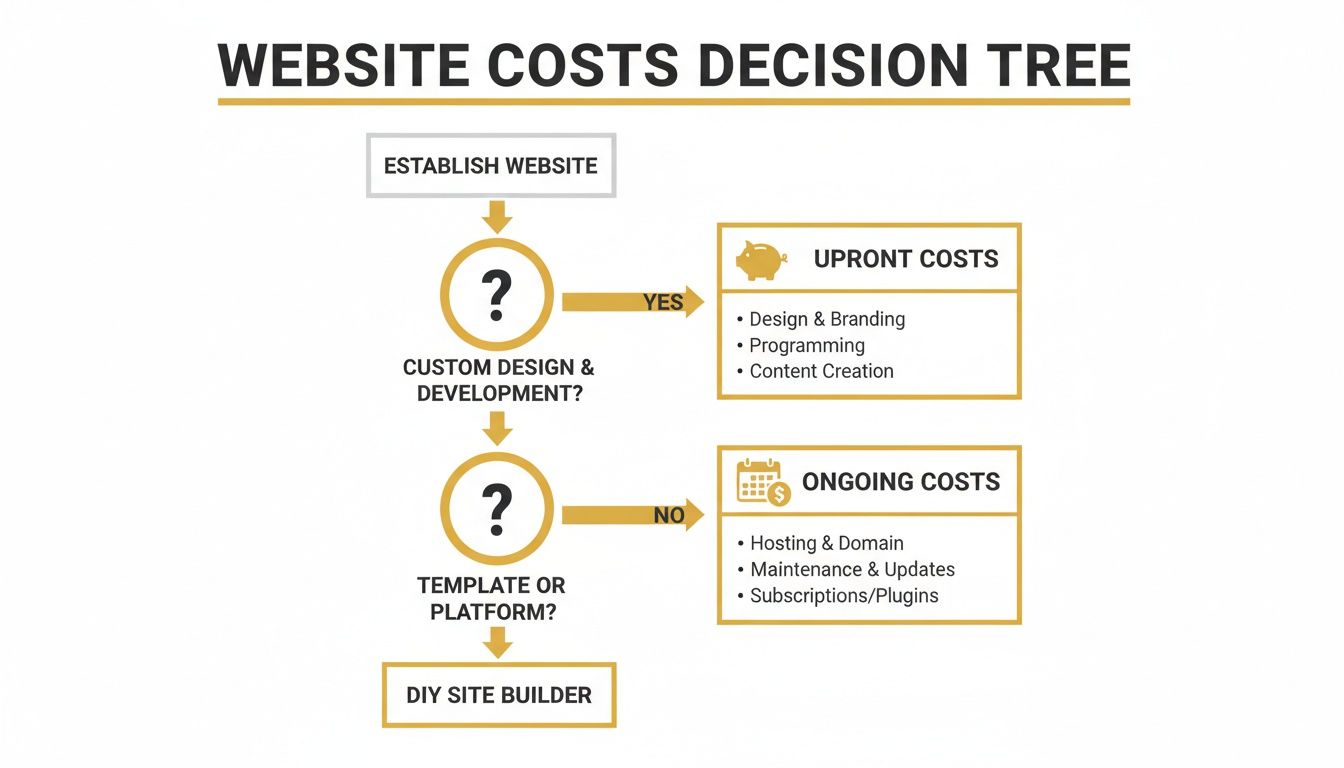
What this shows is that every path has both upfront and recurring expenses. That's why looking at the total cost of ownership is a much smarter move than just focusing on the initial price tag.
The Do-It-Yourself (DIY) Route
Going the DIY route is the most common entry point for new service businesses, and for good reason—it’s light on the wallet. Platforms like Squarespace or Wix let you get a decent-looking site up and running with a minimal cash investment.
The catch? The real "cost" here is your time. You become the designer, the writer, the tech support, and the marketer. While templates give you a head start, wrestling with them to create something that looks truly professional and unique can eat up dozens of hours. The website cost for a small business on this path is low in dollars but incredibly high in sweat equity.
Hiring a Freelancer
Bringing in a freelancer is a solid middle ground. You’re paying for a skilled professional who can build a custom site that truly reflects your brand. This is the perfect move for a business that's outgrown a basic template and needs a more polished look or specific features.
A good freelancer can deliver an agency-quality site for a fraction of the cost. The flip side is that you’re putting all your eggs in one basket. Their schedule, availability, and specific skillset (are they a designer who codes, or a coder who designs?) will dictate the project's timeline and outcome.
A professional website isn't just an expense; it's a revenue-generating asset. The right investment saves you time, attracts the right clients, and streamlines your operations, paying for itself many times over.
Partnering with an Agency
Hiring a web design agency is the top-tier option. This gets you an entire team of specialists—strategists, designers, developers, and project managers—all focused on your success. It's the best choice for established businesses that need complex features, a deep digital strategy, and ongoing support.
Of course, the main drawback is the price. Agency projects are a serious investment. While you’re paying for a premium, strategic process, the five-figure price tag puts this option out of reach for most small businesses and solo providers.
A Modern Alternative: The Best of Both Worlds
The good news is that the choice is no longer a stark contrast between time-sucking DIY tools and budget-busting professionals. A new breed of platform is changing the game.
Platforms like Kejoola, for example, are built to bridge this gap. They give you the professional polish and powerful booking features of a custom site, but with the affordability and control of a DIY builder.
- No Hefty Upfront Costs: You get a site that looks and functions like an agency built it, without the $10,000 starting price.
- A Huge Time-Saver: With built-in booking and smart setup tools, you skip the steep learning curve and technical headaches.
- Pro Features Included: Critical tools for scheduling and client management are baked right in, not expensive extras you have to tack on later.
This hybrid approach gives service businesses a powerful online hub without the typical compromises.
To help you see how these options stack up, here's a direct comparison of the features, costs, and commitments involved.
Feature and Cost Comparison: DIY vs. Freelancer vs. Agency vs. Kejoola
| Feature | DIY Builder (Wix, Squarespace) | Freelancer (WordPress Developer) | Agency (Full-Service) | Kejoola Platform |
|---|---|---|---|---|
| Upfront Cost | $0 - $500 | $2,000 - $8,000+ | $10,000 - $35,000+ | $0 - $299 |
| Monthly Cost | $20 - $60 (plus plugins/apps) | $50 - $150+ (hosting, maintenance) | Custom Retainer | $49 - $99 (all-inclusive) |
| Time Investment | High (40-100+ hours) | Medium (10-20 hours for feedback) | Low (5-10 hours for meetings) | Very Low (1-3 hours) |
| Technical Skill | Moderate (steep learning curve) | None Required | None Required | None Required |
| Booking/Scheduling | Requires 3rd-party plugin (adds cost & complexity) | Custom integration (adds cost) | Custom build (high cost) | Built-in & fully integrated |
| Speed to Launch | Weeks to Months | 4-8 Weeks | 2-4 Months+ | Days |
| Best For | Hobbyists or those with more time than money. | Businesses needing a custom brand look. | Established firms needing strategy. | Service businesses needing clients. |
As you can see, the right path depends entirely on your resources—your budget, your technical comfort, and most importantly, your time. For a deeper dive into what makes a platform truly work for a service-based model, check out our guide on choosing the best website builder for a service business.
Uncovering the Hidden Costs of a Business Website
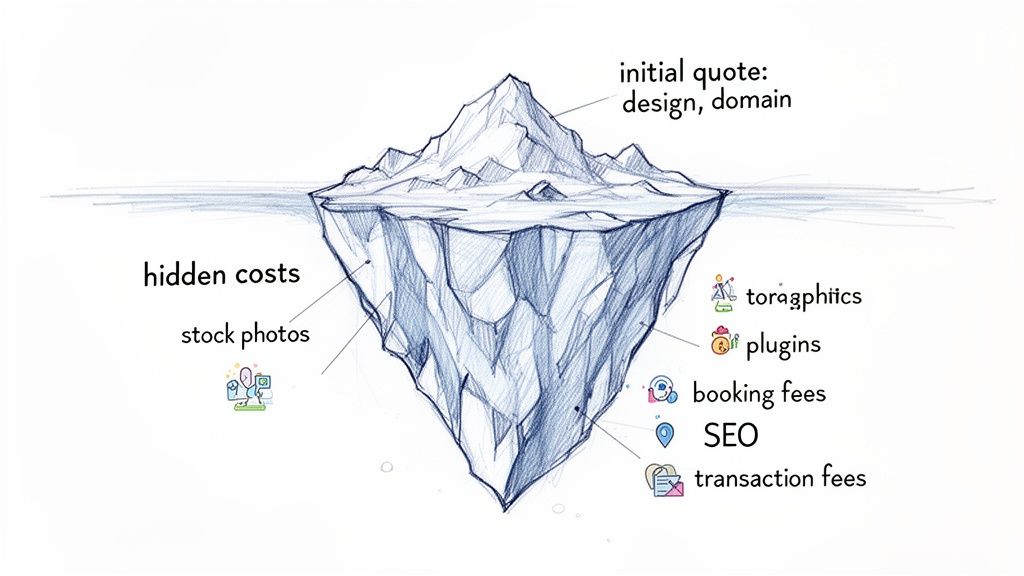
That initial quote for your new website? Think of it as just the tip of the iceberg. What you often don't see are the dozens of small, recurring, and one-off expenses lurking just beneath the surface. These are the costs that can quickly sink your budget and turn an affordable project into a financial headache. A low upfront website cost for a small business is often a siren's call, masking the real investment required.
It’s a common trap. You focus on the big design and development fee, only to get blindsided later by the ongoing costs needed to actually run the site and make it work for your business. These aren't necessarily scams; they're just crucial pieces of the puzzle that agencies and freelancers often sell à la carte. Knowing about them upfront is the only way to budget properly.
Beyond the Build: What You’re Not Paying For Initially
When you get that first proposal from a web designer, it almost always covers just one thing: the design and the build. But a website is so much more than code and graphics. To be a real business tool, it needs compelling content, functional features, and a way for customers to find it.
Here are the most common expenses that almost never make it into a standard web design package:
- Professional Content Creation: You can have the most beautiful site in the world, but if the words on the page are weak, it won't convert anyone. Professional copywriting isn't a luxury; it's a necessity, and it can run you $50 to $150 per hour to get messaging that actually sells.
- Premium Stock Photography: We’ve all seen those cheesy, free stock photos. They instantly make a business look amateur. Licensing high-quality, professional images from a service like Adobe Stock or Getty Images will cost anywhere from $10 to over $100 per image, but the impact is worth it.
- Essential Plugin and Software Licenses: Modern websites are built with powerful add-ons, or plugins, that handle everything from contact forms to security. The best ones aren't free. Expect to pay annual renewal fees, typically between $50 to $200 per plugin, per year.
The Big Recurring Costs for Service Businesses
If you run a business that depends on appointments, your single biggest hidden cost is almost always the booking system. While some website builders offer a basic calendar, a truly robust, reliable online booking engine is usually a separate and significant monthly expense.
A website is a living asset, not a static brochure. The costs to maintain, secure, and market it are not optional—they are fundamental to its success and should be factored into your budget from day one.
This is especially true for any business that needs to process payments or manage a schedule online.
- Booking System Subscriptions: For a service business, this is non-negotiable. Good standalone scheduling software can cost anywhere from $25 to $100+ per month, depending on the features you need. To get a better sense of the market, check out our comparison of free online scheduling tools.
- E-commerce Transaction Fees: Taking payments online? Services like Stripe and PayPal are going to take their cut. The industry standard is around 2.9% + $0.30 for every single transaction you process.
- Ongoing SEO and Marketing: A website is completely useless if no one can find it. A basic local SEO retainer to help you show up in Google searches will start at $500 per month and can easily climb into the thousands.
This is exactly why an all-in-one platform like Kejoola makes so much sense. By bundling essentials like hosting, security, a premium booking system, and SEO tools into one clear monthly price, we help you avoid the death-by-a-thousand-cuts that sinks so many small business website budgets.
How Modern Platforms Deliver Agency Value at a DIY Price
The classic dilemma for any service provider is a painful one. Do you spend weeks of your own precious time wrestling with a clunky DIY builder, or do you sink thousands of dollars into a professional agency? This choice between cost and quality has long forced small businesses into a corner, leaving them with a website that's either too expensive or just not effective.
Thankfully, that old model is starting to break down. A new breed of platform is bridging the gap, offering the sophisticated features of an agency build at a price point that actually competes with basic DIY tools. They tackle the core website cost for small business problem by bundling complex, expensive features into a single, affordable package.
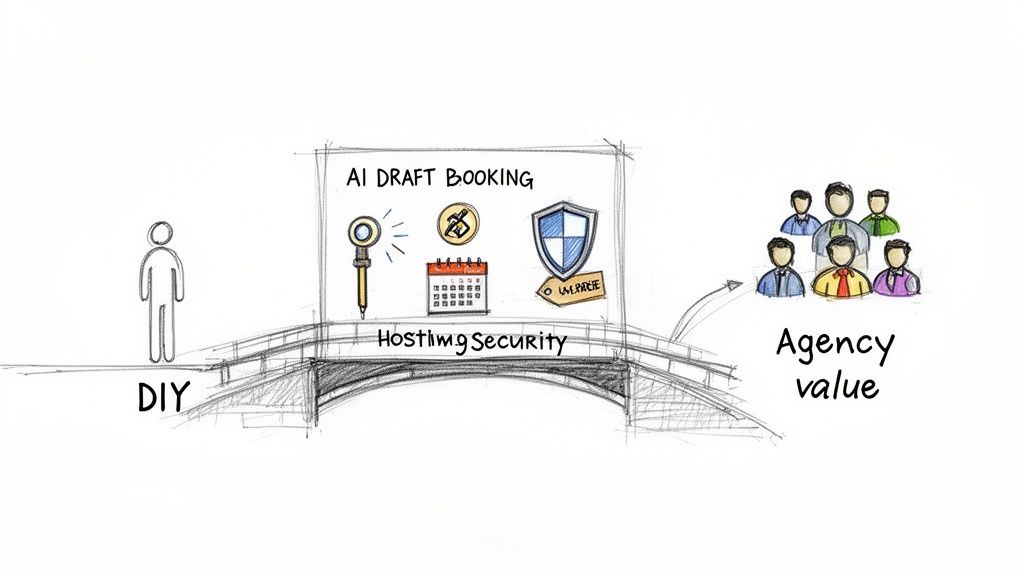
This approach completely changes the cost equation. Instead of paying for a dozen different services à la carte, you get an integrated system built from the ground up for a service business just like yours.
Connecting Features to Direct Cost Savings
The real value here isn't just about the cool features—it's about what those features replace. Each component is specifically designed to knock a costly line item right off a traditional website budget. This smart bundling is how you get immense value without the usual sticker shock.
Think about the typical bills a new business racks up. It's not uncommon for a small business website to cost anywhere from $1,000 to over $10,000. Freelancers might charge up to $15,000, while agencies can easily hit $60,000. Those numbers are intimidating, but platforms like Kejoola hit those high costs head-on.
Here’s a practical look at how a bundled solution delivers agency-level results:
- AI Website Drafter Replaces Design Fees: A good web designer will charge thousands just for the initial concepts and development. An AI drafter, on the other hand, creates a personalized, booking-ready site in minutes. This effectively slashes the $2,000 to $9,000 you’d normally pay in design fees and gets you online infinitely faster.
- Built-in Booking System Eliminates Subscriptions: A separate, reliable booking engine can easily cost $50 to $150 every single month. An integrated system handles all your scheduling, confirmations, and client management right out of the box, completely removing that recurring expense.
- Managed Hosting & Security Cancels Maintenance Contracts: Those annual maintenance contracts for security scans, software updates, and backups often run $500 to $1,500 per year. A managed platform includes premium hosting, caching, and security from the start, making that separate contract totally obsolete.
The smartest way to reduce your website cost is to choose a platform that replaces multiple expensive services with one integrated solution. This approach delivers professional power without the fragmented costs and technical headaches.
From Weeks of Work to a Launch in Minutes
The time you save is just as important as the money. A traditional project with a developer could easily take weeks of back-and-forth emails, frustrating revisions, and tedious testing.
With a platform like Kejoola, you can launch a secure, fully functional, and booking-ready website in a single afternoon. This efficiency means you can focus on what you do best—serving your clients—instead of getting bogged down managing a complex web project. If you're curious about the process, our guide shows you how to create a booking website from start to finish.
The evolution of modern platforms and AI tools is all about helping small businesses punch above their weight. For example, exploring solutions like supportgpt.app can add advanced support capabilities to your site, letting you deliver better customer service. By embracing these kinds of integrated tools, you get the best of both worlds: a powerful online presence without the traditional compromises in time or money.
Your Simple Website Cost Estimation Checklist
Alright, let's pull all of this together into a practical plan. The real website cost for a small business isn't some fixed number you can just look up—it’s a direct reflection of what you actually need your site to do. This checklist is designed to help you figure that out and point you toward the smartest, most cost-effective path.
Taking a few minutes to answer these questions honestly will give you a much clearer picture of the features you truly require. This, in turn, dictates your budget. It's the best way to stop feeling overwhelmed and start making a confident, well-informed decision.
Defining Your Core Website Needs
First things first, let's think about the absolute fundamentals. What is the core job of your website? What must it accomplish for your business to grow?
-
How many pages are we talking about? A simple "digital brochure" site might just need a Homepage, an About page, a Services overview, and a Contact form. But if you plan on adding a blog, creating dedicated pages for each service, or showcasing a portfolio, the scope—and the cost—starts to expand.
-
Do you need to take bookings and appointments online? For any service business, this is the million-dollar question. Integrating a reliable booking system is often one of the biggest cost drivers, especially if you're patching together third-party tools that come with their own monthly subscription fees.
-
Will you be selling products or taking payments directly? Adding e-commerce capabilities introduces a whole new level of complexity. You'll need to think about payment gateways, product pages, and secure checkout systems, all of which can bump up both your upfront and ongoing expenses.
-
Is a blog a key part of your marketing plan? A blog is a fantastic tool for boosting your SEO and connecting with potential customers. But it also means you need a content management system (CMS) that's easy to work with and, more importantly, a commitment to producing content regularly. That has its own cost, whether in time or money.
Choosing Your Path Based on Your Answers
Okay, now let's see where your answers lead you. Your needs will naturally guide you toward one of the three main routes we've covered: going the DIY route, hiring a pro, or using an all-in-one platform.
- If you just need a simple, few-page site with no booking: A DIY builder like Wix or Squarespace could be a great, low-cost starting point, as long as you have the time and patience to build it yourself.
- If you need a custom design and have a decent budget: Hiring a freelance web designer is a solid move. You'll get a tailored site, but you should be ready for an upfront investment that's likely in the thousands.
- If you absolutely need booking, want a professional look, and refuse to deal with maintenance: This is where an all-in-one platform really starts to make sense.
For service-based businesses, a smooth, reliable booking experience isn't a "nice-to-have"—it's non-negotiable. This one feature often makes an integrated platform the most efficient and budget-friendly solution, saving you from the high costs and technical headaches of piecing together separate tools.
This simple checklist highlights a clear truth. If you answered "yes" to needing online booking, a polished design, and maybe a blog, but you don't have a five-figure budget for an agency, then a platform like Kejoola was built with you in mind. It rolls all of those traditionally "expensive" features into one predictable and affordable plan.
With Kejoola, you get a professional, booking-ready website that's completely maintenance-free, all without the steep upfront cost. It’s the perfect fit for service providers who need to get online, look credible, and start attracting clients right away. You can see the value immediately and have a beautiful, functional site up and running in minutes.
Frequently Asked Questions About Website Costs
Even after breaking down all the numbers, you probably still have a few questions rolling around in your head. That's completely normal. Let's tackle some of the most common ones I hear from business owners so you can move forward with confidence.
Can I Build a Business Website for Free?
The short answer is no, not if you're serious about your business. While you'll see ads for "free" website builders, they come with significant hidden costs to your brand's credibility.
These platforms often plaster their own ads on your site and force you to use a clunky, unprofessional subdomain (like yourbusiness.theirbrand.com). You also hit a wall fast with severe limitations on storage, essential features, and the ability to add your own analytics. For a professional online presence that customers will actually trust, a small investment is simply non-negotiable.
How Long Does It Take to Build a Website?
This really depends on the path you take, and the timelines can vary wildly.
- AI-Powered Platforms: Using a modern tool like Kejoola, you could have a professional site with a fully functional booking system up and running in a matter of hours.
- Freelancers: Working with a freelancer on a custom site is a more involved process. You can generally expect it to take anywhere from four to eight weeks from the first conversation to launch day.
- Agencies: Because agencies dig deeper into strategy, branding, and custom development, their projects are the most time-intensive. Plan for a timeline of three to six months, and potentially longer for more complex websites.
Why Is Website Maintenance So Important?
Think of website maintenance like the regular oil changes and tune-ups for your car—if you skip it, you're heading for a breakdown. It's absolutely critical for security, performance, and protecting your data.
Regular maintenance is your website's immune system. It protects against security threats, prevents data loss, and ensures a fast, reliable experience for your customers, directly impacting your reputation and revenue.
This involves constantly updating software to patch security holes, running backups so you don't lose everything if something goes wrong, and keeping things optimized for speed. This is where managed platforms like Kejoola are a game-changer; they handle all that behind-the-scenes work for you. You never have to lose sleep worrying about your site getting hacked, running slow, or just plain breaking.
Ready to launch a professional, booking-ready website without the high costs or technical headaches? Kejoola gives you an agency-quality site with integrated booking and zero maintenance, all for one simple monthly price. Start your 14-day free trial today!


