Easiest Website Builder for Small Business a Clear Comparison
The easiest website builder isn't just one that gets you online—it's one that gets you booked. Discover what makes a builder genuinely easy for service pros.
Josh · Feb 18, 2026 · 16 min read

- website builder
- small business
- SEO
- booking system
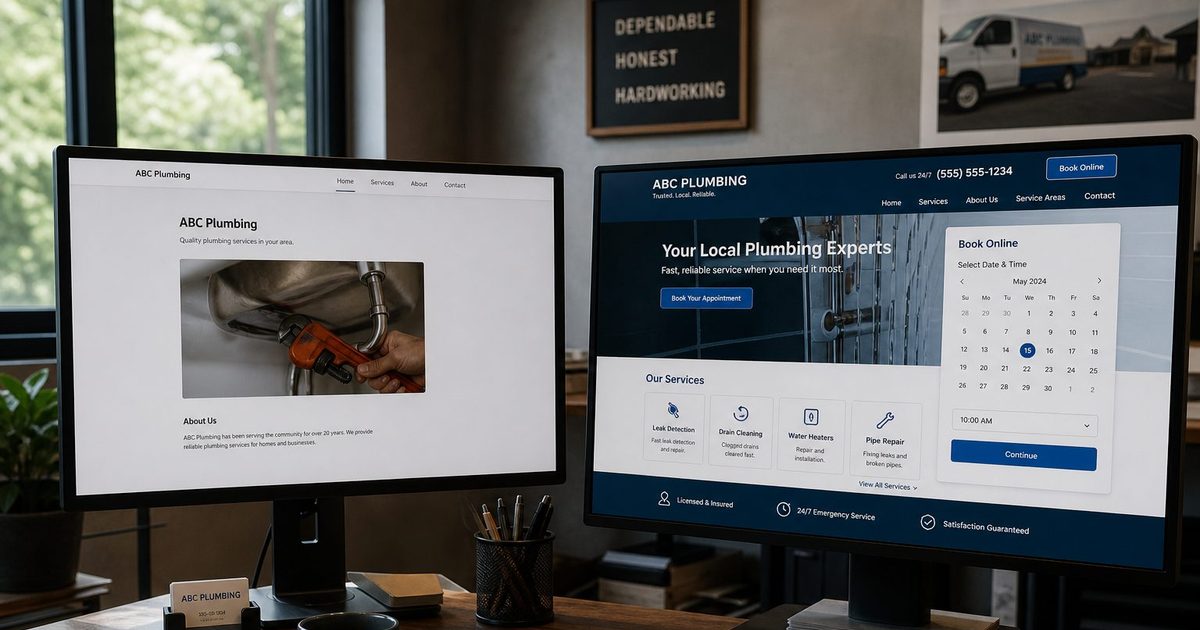
The easiest website builder isn't just the one that helps you get a website online—it's the one that gets you booked. For service professionals, true ease means having an all-in-one platform where your booking system and client management tools are built right in, not tacked on with clunky plugins. The goal is a website that works for you from day one, acting as an automated tool for bringing in new clients.
Defining What Makes a Website Builder Genuinely Easy
When we talk about an "easy" website builder for a service business, it’s about so much more than a simple drag-and-drop editor. Let's be honest, the point isn't just to launch a pretty website. It's to build a reliable engine that gets you appointments with the least amount of friction possible. Too many small business owners get bogged down wrestling with scattered client messages, complex booking plugins, and the often-intimidating world of SEO.
A genuinely easy website builder solves these real-world problems. It should feel less like a digital brochure and more like a powerful, automated partner in your business. There's a reason the market for these tools is booming—business owners need solutions that give them back their time. In fact, over 18 million websites worldwide now run on DIY builders, and the market is projected to hit $3.06 billion by 2032. As SiteBuilder Report explains, this growth is driven by a clear demand for platforms that actually simplify how a business runs.
Core Traits of an Easy Website Builder for Service Businesses
Finding the right tool means looking past the flashy templates and focusing on what truly matters for a service-based business. It's a shift from endless design tweaks to pure functional efficiency. A great platform delivers on integrated systems that just work, right out of the box.
Here’s a breakdown of what "easy" really looks like when you're trying to win clients and grow your business.
| Essential Trait | Why It Matters | The Ideal Outcome |
|---|---|---|
| Effortless Setup | Your time is better spent serving clients, not getting lost in complicated software. | You can launch a professional, booking-ready site in a matter of hours, not weeks. |
| Integrated Booking | Separate plugins almost always lead to compatibility headaches and a clunky experience for your clients. | Clients can easily book appointments themselves, 24/7, directly from your website. |
| Client Management | Juggling DMs, emails, and texts is a recipe for missed appointments and lost income. | You get a single, unified dashboard to manage all client conversations and history. |
| Built-in SEO | A beautiful website is useless if potential clients can't find it on Google. | Your site is automatically optimized to help you rank in local searches, no technical degree required. |
Ultimately, these are the criteria that directly impact your daily workflow and your ability to attract the clients you want. They're what separate a simple website builder from a true business-building tool.
Comparing the Top Website Builders for Small Business
When we talk about the "easiest" website builder, it's about more than just pretty templates. The real question for a small business is: how fast can you get a fully functional, bookable website online without pulling your hair out? What little headaches pop up when you try to customize a design or manage client appointments?
This head-to-head comparison gets into the practical side of things. We'll look at four of the most popular options—Wix, Squarespace, GoDaddy, and Kejoola—and stack them up against the criteria that actually matter for service professionals. The goal here is a balanced look at where each one shines and, just as importantly, where they might make more work for a busy owner.
Onboarding and Initial Setup
The very first test of an "easy" builder is that initial sprint from sign-up to a live website. A smooth, intuitive start can save you hours of frustration and get your business in front of customers that much faster.
-
Wix: It's no surprise Wix is a giant in this space, holding a massive 40% market share in 2025 and powering over 8.5 million websites. Its ADI (Artificial Design Intelligence) tool is a nice touch—it asks a few questions and spits out a starter site. But once you jump into the classic editor to make specific changes, the sheer number of options can feel like drinking from a firehose.
-
Squarespace: Famous for its drop-dead gorgeous templates, Squarespace gives you a more structured, curated setup. This is great for preventing you from making a design mess, but it can also feel a bit rigid when all you want to do is nudge an image a few pixels to the left. The process is clean, but it helps if you already have a bit of a designer's eye.
-
GoDaddy: If you need a basic site live yesterday, GoDaddy's Website Builder is probably the fastest way to do it. The whole experience is heavily templated and dead simple. The trade-off for that speed, however, is a serious lack of customization. It’s built for a quick launch, not for deep, unique functionality.
-
Kejoola: This platform was designed from the ground up specifically for service businesses, and that focus is obvious from the moment you sign up. Its AI-powered setup asks about your specific services and ideal clients, then generates a complete, booking-ready site—service pages, relevant text, and all. The entire process is built to get you from zero to taking appointments with as little friction as possible.
This diagram shows how the most critical features for a service business—setup, booking, and client management—are much easier to handle when they're built to work together from the start.

The main point is clear: an integrated system for setup, booking, and client management slashes the complexity right away.
Booking and Client Management Reality
This is where the platforms really start to show their differences. For a service-based business, a booking system isn't just a nice feature to have; it's the engine of your website. How well these tools are integrated is a make-or-break detail.
The real test isn't whether a builder has a booking feature, but whether that feature is a core part of the system or a third-party plugin in disguise. A purpose-built client portal is fundamentally different from a generic calendar slapped onto a webpage.
General-purpose builders like Wix and Squarespace offer booking solutions, but they often feel like separate apps that have been bolted onto the main platform. You can find yourself clicking between different dashboards to manage settings, which is a recipe for confusion and missed details. As you weigh your options, looking into the Top Content Management Software for Small Business can offer great insights into what truly makes a platform easy and powerful.
Kejoola, in contrast, built its entire platform around the booking and client management experience. Everything—the client portal, appointment history, messaging, and payments—is unified in one spot. This makes for a seamless, professional experience for both you and your clients, getting rid of the friction that always comes with trying to stitch separate tools together. For a closer look, our guide on the best website builder for a service business breaks down how an all-in-one system can completely change your workflow.
Analyzing Integrated Booking and Client Management Tools
A great-looking website is one thing, but if it isn’t turning visitors into paying clients, it’s just a pretty business card. This is where the easiest website builder for small business really shows its value—not with slick design tricks, but with integrated booking and client management tools that actually bring in money.
Lots of platforms will let you drop a calendar onto a page, but that's just scratching the surface. The real challenge is managing the day-to-day chaos of a service business. Can you actually juggle schedules for multiple staff members, send out automated client reminders, and keep every conversation organized in one spot without needing three other apps open?
That’s the gold standard. The flow should be seamless, from a client booking on their phone to your backend system automatically handling the details.

The All-In-One Advantage
The gap between a true all-in-one system and a builder that relies on third-party plugins is huge. Plugins are notorious for creating compatibility headaches, a clunky user experience for your clients, and a stack of extra subscription fees you have to pay each month. An integrated system, however, delivers a smooth, professional journey from start to finish.
Let's walk through a real-world example: a wellness clinic with multiple therapists. They need to manage separate schedules, offer services with different session lengths, and keep secure, confidential client notes.
-
General-Purpose Builders: With a platform like Wix or Squarespace, you'd cobble this together using their built-in booking app or a third-party add-on. It can work, but it often feels disconnected. You might find yourself manually syncing calendars or sending clients to a portal that looks and feels completely different from your main website.
-
Purpose-Built Platforms: Kejoola was built from the ground up for exactly this kind of complexity. Multiple staff calendars, service-specific settings, and a dedicated client portal aren't add-ons; they're core features. The entire experience feels unified, giving clients a single, polished interface to book appointments, manage their schedule, and communicate with you.
The best measure of an "easy" booking system is how little you have to think about it. When scheduling, reminders, and client history just work together, you're free to focus on your clients instead of your admin tasks.
Client Experience and Automation
If you’re a solo consultant, your needs might seem simpler, but the expectation for professionalism is just as high. A clunky booking process can instantly make a small operation feel amateurish. Automated confirmations, reminders, and follow-ups aren't nice-to-haves anymore—they're essential for cutting down no-shows and freeing up your time.
Most builders offer some automation, but the capabilities vary wildly. A platform like GoDaddy offers basic appointment scheduling that’s fine for simple needs. A truly integrated system, however, goes much further. You can see a detailed breakdown in our guide to choosing a website builder with a booking system.
The easiest platforms automate the entire client journey right from a single dashboard—from the moment they book and pay to the follow-up message you send afterward. This doesn't just save you hours of work; it creates a reliable, high-end experience that keeps clients coming back. For any service pro, that kind of efficiency is the real meaning of easy.
Evaluating SEO and Performance Capabilities
What’s the point of an “easy” website builder if it creates a slow, clunky site that’s invisible on Google? A truly simple platform needs to handle the heavy lifting of search engine optimization (SEO) and site performance for you. The goal is to make sure clients can actually find you online without you needing a degree in web development.
This isn’t about turning you into an SEO guru. It’s about picking a builder that doesn't force you to become one. Things like mobile-first indexing, fast page loads, and structured data are non-negotiable for ranking in local search results, and you shouldn't have to manage them by hand.

Automated SEO: The Hidden Advantage
Most popular builders give you basic SEO tools, but "basic" often means you’re doing all the work. Sure, you can edit a meta description or an alt tag, but what about the technical stuff that Google really cares about?
- Wix & Squarespace: Both give you solid SEO fundamentals and control over the on-page basics. The catch? Getting top performance can mean digging through app markets or carefully tweaking your design to avoid slow-loading scripts.
- GoDaddy: While famously simple, GoDaddy's builder handles some of the basics but lacks the deep control needed to stand out in a competitive market. It’s easy, but that simplicity can become a ceiling.
- Kejoola: This is where a platform built specifically for service businesses pulls ahead. Kejoola automatically adds structured data (schema markup) for your services. This is a huge deal—it’s like telling Google exactly what you do in its native language, which can lead to better visibility. Performance is built-in, not an afterthought, with optimized hosting and image compression happening behind the scenes.
The easiest website builder for a small business is one that makes you findable without demanding you learn a new technical skill. Strong, built-in SEO isn't just a feature—it's a requirement for growth.
Page Speed and Mobile Experience
More than half of all web traffic now comes from phones. If your site is slow to load, you're losing business. Period. Google uses page speed as a ranking signal, and a bad mobile experience will send potential clients clicking the "back" button faster than you can say "lost sale."
You can always try to optimize images and limit animations on any platform, but some builders are just built faster from the ground up. A tool based on a modern, lightweight foundation will always have an advantage. Kejoola’s infrastructure was specifically designed for speed, so your booking pages load instantly, no matter the device.
This demand for built-in power is why the website builder market is exploding. It hit $2.8 billion in 2025 and is on track to reach $5.14 billion by 2034, driven by small businesses that need tools that just work. You can find more data on this trend from Custom Market Insights. At the end of the day, a builder that manages the technical details lets you focus on your clients, not on becoming a part-time web developer.
Choosing the Right Builder for Your Business Needs
The "best" website builder isn't a universal answer—it really depends on where your business is at right now. A solo freelancer who's just starting out has completely different needs than an established team juggling hundreds of appointments. This part is all about cutting through the noise with some clear, scenario-based advice to help you decide.
We'll look at a few common business profiles and match them with the platform that’s genuinely going to make life easier. Think of it as a practical guide to take the guesswork out of the equation, so you can pick a builder that not only works for you today but also has your back as you grow. Of course, budget is a huge factor, and understanding How Much Should a Website Cost in Australia can help frame your investment.
For the Solo Provider or Freelancer
When you're running the show by yourself—as a consultant, therapist, or personal trainer—your main focus is on being efficient. You need a professional website that basically acts as your booking agent and client manager, all without a massive learning curve or a hefty price tag.
- Key Priorities: Getting set up fast, finding an affordable all-in-one price, and having a simple, built-in system for bookings and client chats.
- Recommendation: This is where a platform like Kejoola really hits the mark. The AI-powered setup can spin up a booking-ready website in just a few minutes. Plus, having one dashboard for all your clients and appointments means you're not trying to piece together a bunch of different tools. It’s hands-down the easiest website builder for a small business of one.
For the Growing Multi-Staff Team
Once you bring on more people, things get a lot more complicated. Suddenly, you've gone from simple scheduling to managing multiple calendars, figuring out who’s available when, and making sure every client gets the same great experience.
- Key Priorities: Shared calendars, giving staff their own logins with specific permissions, and a central client portal that can handle more appointments and questions.
- Recommendation: General-purpose builders can start to show their cracks at this stage. A platform like Kejoola, built specifically for this, makes managing multiple staff members a core feature, not just an add-on. It gives you the structure you need to grow without the headache of syncing a dozen different systems. If you're still weighing the pros and cons, our article comparing WordPress vs specialized builders goes into a lot more detail.
The right platform grows with you. The goal is to choose a builder that won’t just get you online today but will effortlessly support your business when you’re managing twice as many clients and staff members.
For the Established Agency or Studio
When you reach this level, your website is the nerve center of your operations. You're handling a wide range of services, a high volume of bookings, and managing client relationships at a larger scale. The ability to fine-tune and automate your processes is what keeps everything running smoothly and professionally.
- Key Priorities: Advanced booking customization, powerful client management tools, and the capacity to handle unlimited appointments without slowing down.
- Recommendation: Kejoola’s higher-tier plans are built for exactly this situation, offering unlimited bookings and dedicated support. It gives you a scalable, totally hands-off foundation, so you can focus on delivering great service while the platform handles all the tech in the background. It’s all about making sure your online presence is as polished and dependable as the services you provide.
Which Website Builder Is Right for You?
Still on the fence? This table breaks it down to help you find the best fit based on your business stage, technical comfort level, and what you need to achieve right now.
| Business Profile | Key Priorities | Recommended Builder | Why It's the Easiest Choice |
|---|---|---|---|
| Solo Provider / Freelancer | Fast launch, low cost, simple booking & client tools. | Kejoola | The AI setup creates a complete, booking-ready site in minutes. It's an all-in-one solution that saves time and money. |
| Multi-Staff Team | Shared calendars, staff management, centralized client portal. | Kejoola | Purpose-built for service teams, it handles multiple schedules seamlessly without needing third-party plugins or complex workarounds. |
| Established Agency | Scalability, advanced customization, high-volume booking. | Kejoola | Offers unlimited bookings and a maintenance-free platform, letting you focus entirely on client work and business growth. |
Ultimately, the goal is to find a tool that feels less like a chore and more like a partner in your business. By matching the builder to your specific needs, you set yourself up for an easier, more efficient way to manage your online presence.
Frequently Asked Questions About Website Builders
Picking a website builder feels like a big commitment, and it is. You're not just choosing a tool for today; you're laying the foundation for your business's future online. Let's tackle some of the most common questions that pop up when you're making this decision.
Do I Need Design Experience to Create a Professional Website?
Not at all. The days of needing to be a designer or coder to build a great-looking website are long gone. Today's best builders are made for business owners, not tech wizards.
They give you professionally designed templates as a starting point, and some even use AI to whip up a first draft for you. All you have to do is plug in your own text and images, and fine-tune the details to match your brand.
Can I Switch to a Different Website Builder Later?
Technically, yes, but I wouldn't recommend it. "Switching" platforms almost always means manually rebuilding your entire site from scratch on the new one. It's a huge time-sink and can be a real headache.
It's much smarter to pick a platform from the get-go that can grow with you. Think about where you want your business to be in a year or two and choose a tool that can keep up.
Look beyond just the monthly fee. Consider the total cost of ownership, which includes hosting, booking system subscriptions, and any necessary third-party plugins. An all-in-one platform often provides better value by bundling essential tools into a single, predictable price.
What Is the True Cost of an Easy Website Builder?
What you see on the pricing page is often just the beginning. The easiest website builder for small business should have pricing that's straightforward, with no hidden surprises.
An all-in-one platform really shines here because it prevents those surprise costs. Everything you need—from hosting and security to a robust booking system—is included in one subscription. This doesn't just save you money in the long run; it saves you the hassle of juggling a dozen different bills.
Ready to stop juggling spreadsheets and DMs? Kejoola offers an all-in-one platform that turns your website into a client-booking machine. Get started with Booking-ready websites for service pros.