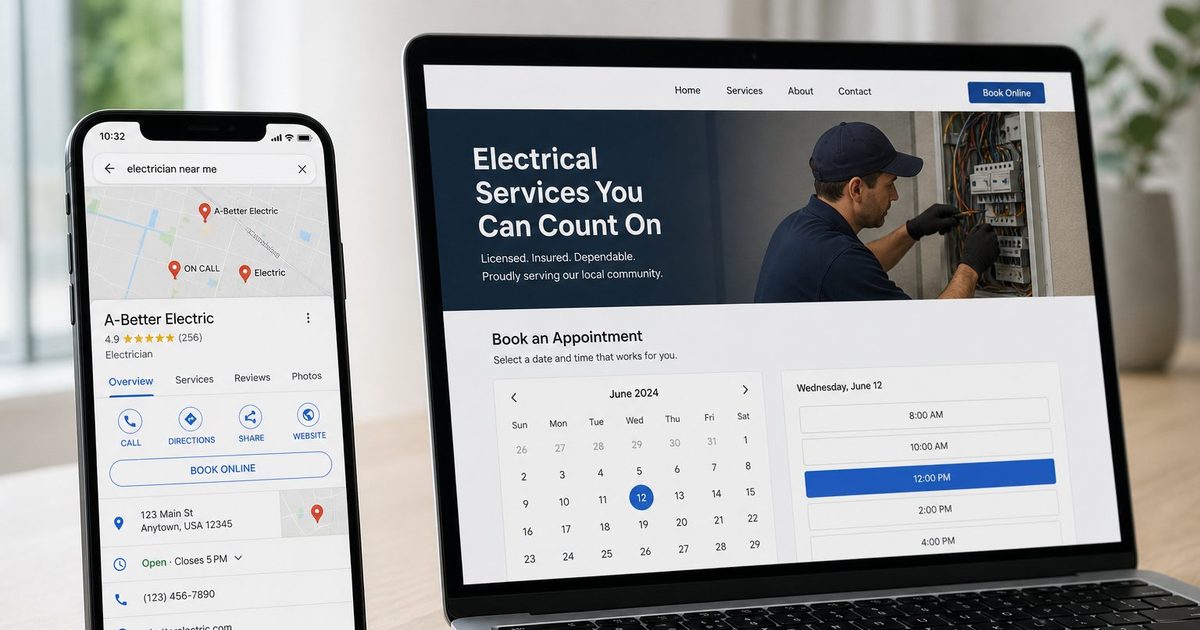
The Ultimate Guide to a Website Builder with Booking System
Discover how a website builder with a booking system can automate scheduling, payments, and reminders for your service business. This guide covers key features, costs, and a practical launch checklist.
Josh · Feb 11, 2026 · 17 min read
- website builder
- booking system
- online scheduling
- service business
A website builder with a booking system is an all-in-one platform that lets you build a professional website and, crucially, manage all your client appointments right from the same dashboard. Think of it as your 24/7 digital receptionist—automating your scheduling, payments, and reminders so you can get back to doing what you love.
Why Your Service Business Needs an Upgrade from Just a Website
If you run a service business, your calendar isn't just a schedule; it's your entire inventory. Every open slot is a product on the shelf. Yet, so many pros are stuck managing this core asset with a messy patchwork of text messages, DMs, scattered emails, and spreadsheets. This isn't just a little disorganized—it's actively costing you time and money.
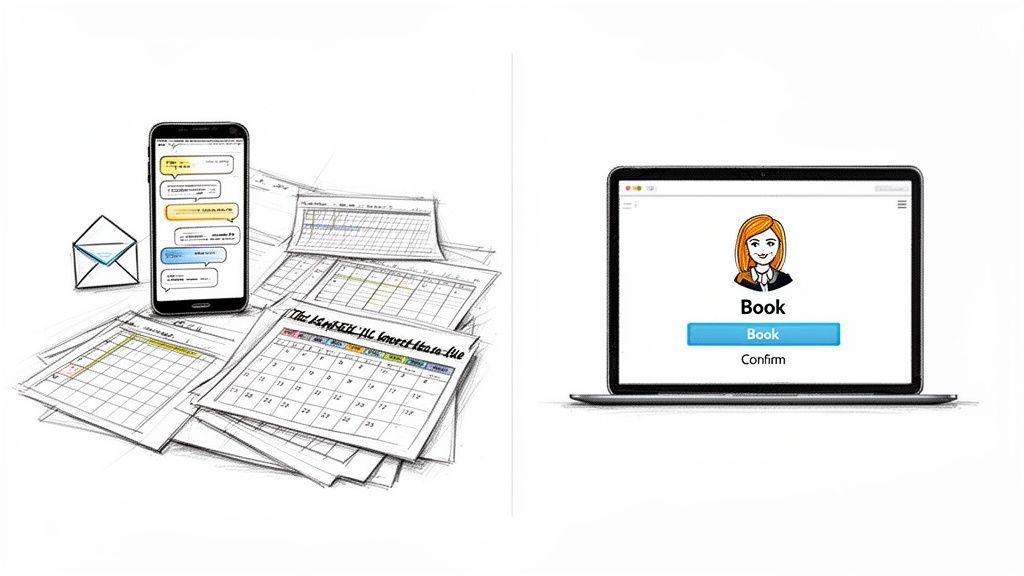
We've all been there. The endless back-and-forth trying to find a time that works for everyone. It's a draining game of phone tag that frustrates you and can make a potential client give up and look elsewhere. This is exactly where a modern booking system changes the game.
Moving Beyond a Digital Brochure
A basic website that just lists your services and contact info is like a paper brochure. It looks professional, sure, but it doesn't do anything. A true website builder with a booking system transforms your site from a static, passive page into an active, hardworking engine for your business.
This integrated approach creates a smooth, professional experience for everyone involved.
- For You: It puts client intake on autopilot. It sends out reminders to cut down on no-shows. It keeps all your appointments neatly organized in one place, eliminating double-bookings and the stress of digging through your inbox.
- For Your Clients: They get a polished, easy-to-use experience from the moment they land on your site. They can see your live availability and book a time that works for them instantly—no more waiting for you to call or email back.
A modern booking website doesn't just display information; it creates a frictionless path from a person's initial interest to a confirmed appointment on your calendar. It gives you back your time and lets you focus on your craft.
Ultimately, this shifts your website from being just an online ad to becoming your most efficient employee. For a deeper dive, check out our guide on creating a fully booked website that works for you around the clock.
What Is a Website Builder with an Integrated Booking System?
Let's break this down. Think of your service business as a high-end salon. A standard website builder, like Squarespace or Wix, lets you design the beautiful storefront, the inviting waiting area, and the stylish service rooms. It creates your online presence, sure, but it doesn't actually run the front desk.
Now, a website builder with an integrated booking system adds a hyper-efficient receptionist to that storefront—one that never sleeps, takes breaks, or makes mistakes. This virtual front desk flawlessly handles your entire appointment workflow without you lifting a finger.
This built-in system does more than just jot down appointments. It’s sending out automated reminders to clients, updating your Google Calendar in real-time to kill double bookings, and securely collecting payment info upfront. It’s your entire operational hub, built right into the fabric of your website from day one.
Integrated vs. Plugin: The Critical Difference
This all-in-one approach is worlds apart from just patching a third-party booking plugin onto a generic website. While plugins can add scheduling features, they often introduce a whole host of new problems that can undermine your business and frustrate your clients.
Think of it like adding a cheap extension to a house versus building a new room from the original blueprints. The extension might work, but it rarely feels like a natural part of the home. It creaks, the paint doesn't match, and the wiring is a mess. Plugins can cause similar headaches:
- Slower Load Times: Extra code from different developers bogs down your site, creating a laggy experience that sends potential clients running.
- Clunky User Experience: The booking process often feels disjointed, forcing clients to navigate a different interface that looks and feels nothing like your brand.
- Security Gaps: Juggling multiple pieces of software from different vendors creates weak points for hackers to exploit.
A truly integrated platform ensures every element—from your site’s design to your client database—works in perfect harmony. It’s a unified system that provides a buttery-smooth journey for your customers and a streamlined, headache-free workflow for you.
The core idea behind a website builder with a booking system is that your scheduling tool shouldn't be an afterthought. It should be the engine that powers your entire client-facing operation, built directly into your digital home base.
The Market is Booming for All-in-One Solutions
This shift towards integrated platforms isn’t just a fad; it’s a massive trend. The global website builder software market is seeing explosive growth, fueled by service professionals ditching clunky spreadsheets for a polished, automated online presence.
The market, valued at USD 2,674.9 million in 2026, is projected to skyrocket to USD 4,406.6 million by 2033, driven by a strong compound annual growth rate of 7.4%. You can find more insights about this market expansion on Metastat Insight. This data just confirms what we already know: the demand is soaring for platforms like Kejoola that offer a single, powerful solution for both building your brand and filling your calendar.
Alright, let's move past the theory and get into what really matters when you're choosing a platform. A good website builder with a booking system isn't just a place for clients to pick a time slot; it's the engine that runs the day-to-day of your service business.
When you're shopping around, you need to look for features that solve real problems, not just flashy add-ons that look cool but don't actually make your life easier. Think of it as a toolkit that should support everything from the moment a potential client finds you online to the follow-up message you send after their appointment.
Intelligent Scheduling and Two-Way Calendar Sync
The calendar is obviously the heart of the system, but a great one is more than just a grid of dates. It should be smart enough to manage your time for you, heading off conflicts before they can happen and automating all the tedious back-and-forth.
The absolute must-have here is two-way calendar synchronization. This is your secret weapon against the dreaded double-booking. When a client books an appointment through your site, that time should be instantly blocked off on your personal calendar—whether it's Google, Outlook, or Apple—and just as importantly, any event you add to your personal calendar should make you unavailable on your booking site.
Beyond that, here are a few other scheduling features that make a huge difference:
- Automated Confirmations and Reminders: This is how you kill no-shows. The system should automatically fire off email or text reminders to clients before their appointment, so you don't have to.
- Waitlists: Ever have a last-minute cancellation? A waitlist lets other clients snag that open spot automatically, keeping your schedule packed and your income steady.
- Buffer Times: Automatically add a little breathing room between appointments. This gives you time to reset, clean up, or just grab a coffee without having to manually block off time yourself.
Secure and Empowering Client Portals
This is a feature that truly elevates the client experience. Instead of your clients digging through their inbox for an old confirmation email, a secure portal gives them a central, organized hub for everything related to your services.
A client portal transforms the customer experience from a series of disconnected transactions into a continuous, professional relationship. It's their personal dashboard for everything related to your services.
From this dedicated space, your clients can see their entire appointment history, reschedule upcoming bookings, and update their payment info on their own time. For you, it means all client history and communication is in one clean, easy-to-find place.
Here’s a quick rundown of the core features you should be looking for in an all-in-one platform.
Table: Core Features of an All-in-One Booking Website
This table breaks down the core functionalities service providers should demand from their website builder with a booking system, highlighting the practical benefit of each.
| Feature | What It Does | Why It Matters for Your Business |
|---|---|---|
| Two-Way Calendar Sync | Instantly syncs your business and personal calendars (Google, Outlook, Apple). | Prevents double-bookings and saves you from manually cross-referencing multiple schedules. |
| Automated Reminders | Sends automatic email or SMS notifications to clients before their appointments. | Dramatically reduces no-shows and last-minute cancellations, protecting your revenue. |
| Secure Client Portal | Provides a private login area for clients to manage their appointments and info. | Empowers clients, reduces your admin workload, and builds a professional, long-term relationship. |
| Integrated SEO Tools | Offers built-in features to optimize your site for search engines like Google. | Helps new, local clients find your services without you needing to be an SEO expert. |
| Performance Optimization | Ensures your website loads quickly on all devices, especially mobile. | A fast site keeps potential clients from leaving and is a key factor in search engine rankings. |
| Robust Security | Includes SSL certificates, secure payment processing, and data protection measures. | Builds trust with clients by showing you take their privacy and financial information seriously. |
Each of these features works together to create a seamless system that not only makes booking easy for your clients but also frees up your time to focus on the work you love.
Built-in SEO and Marketing Tools
Let's be honest: a beautiful website is worthless if no one can find it. This is why having SEO tools built directly into your platform is so important. A good website builder with a booking system should be designed to help you show up in local search results from day one.
When you're looking at different options, check out how they handle industry-specific needs. For example, the best website builders for musicians to book gigs often have features tailored to that niche. A solid platform will guide you through optimizing your service pages with the right keywords, helping you connect with people in your area who are actively looking for the services you offer. Having this built-in is far more powerful than trying to figure out SEO plugins on your own.
The demand for these all-in-one solutions is exploding as more service businesses ditch spreadsheets for smarter, automated tools. The market for reservation and booking software hit $10.24 billion in 2024 and is expected to balloon to $30.00 billion by 2035, growing at a staggering 10.26% CAGR. You can read the full research about this market growth to see just how big this shift is.
The Hidden Costs of Using a Separate Booking Plugin
When you're ready to take bookings online, you’ll hit a fork in the road. Do you grab a booking plugin and tack it onto your existing site, or do you go with an all-in-one platform where the booking system is built right in? The plugin route seems quick and easy, but it often leads to a patchwork system that’s full of hidden costs and headaches.
It’s like trying to run brand-new software on a ten-year-old computer. Sure, it might work for a bit, but you can expect sluggish performance, random crashes, and security holes. A separate plugin forces your website to juggle conflicting code from different developers, which almost always slows your site down.
This flowchart maps out how to pick a system based on what really matters to your business.
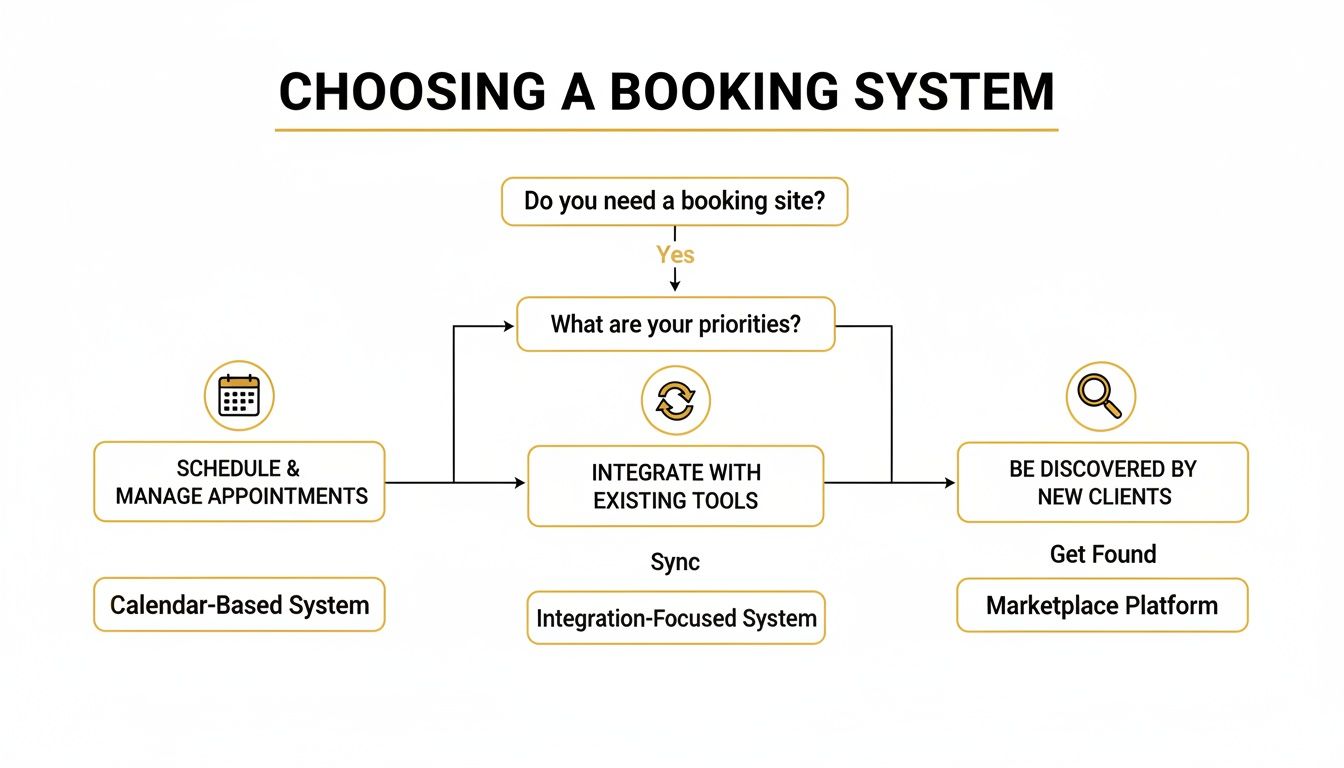
As you can see, a solid booking site needs to handle scheduling, calendar syncs, and helping new clients find you—all things that tend to get disconnected when you’re just using plugins.
Performance, Security, and Support Headaches
Slow speeds are just the beginning. Cobbling together a bunch of third-party plugins creates some serious security weak spots. Every plugin is another door for hackers to try and open, and keeping them all updated is a constant, nagging chore.
And when something inevitably breaks? You get stuck in the blame game, bouncing between your theme developer, your hosting company, and the plugin creator, with no one taking responsibility.
An integrated website builder with a booking system is different. It’s built from the ground up with one goal: to get your service business booked, smoothly and efficiently. Every tool is designed to work together perfectly from day one.
This all-in-one approach gives you far better performance because all the code is optimized to work as a single, cohesive unit. You get a single place to turn for help, and you can relax knowing your entire system is secure and maintained by one expert team. It also makes budgeting much simpler; when you're weighing your options, you can compare the total appointment setting services cost of one platform against the mess of managing several different bills and subscriptions.
Choosing a Future-Proof Solution
The trend is clear: service professionals are moving away from clunky, plugin-heavy sites. While WordPress still powers a massive 43.5% of the internet, its reliance on plugins has opened the door for smarter, all-in-one platforms.
Bundled solutions like Kejoola are gaining ground because small and medium-sized businesses—which make up 64% of website builder users—are tired of the hassle. They want systems that don't require constant maintenance and that have critical tools like hosting and SEO built right in.
In the end, the hidden costs of plugins aren't just about money. They're about the clients you lose to a slow, frustrating website. They're about the hours you waste troubleshooting tech issues instead of serving your customers. And they're about the constant, low-grade stress of wondering if your fragile system will break down at any moment.
If you want to get a better handle on what ongoing website expenses look like, our guide on the average website maintenance cost per month breaks it down. For any serious service professional, a website that’s ready to take bookings isn't just a nice-to-have—it's a real strategic advantage.
Your Practical Launch Checklist for a Booking-Ready Website
Alright, let's move from ideas to action. Getting your booking-ready website live can feel like a massive project, but I promise it’s not as complicated as it seems. When you're using a solid website builder with an integrated booking system, the whole thing becomes much more manageable.
I’ve put together a simple, step-by-step checklist to break it all down. Think of it as your roadmap to launching with confidence, even if you’re not a tech person. The goal here is to build a professional online home for your business that starts working for you the moment you hit "publish."
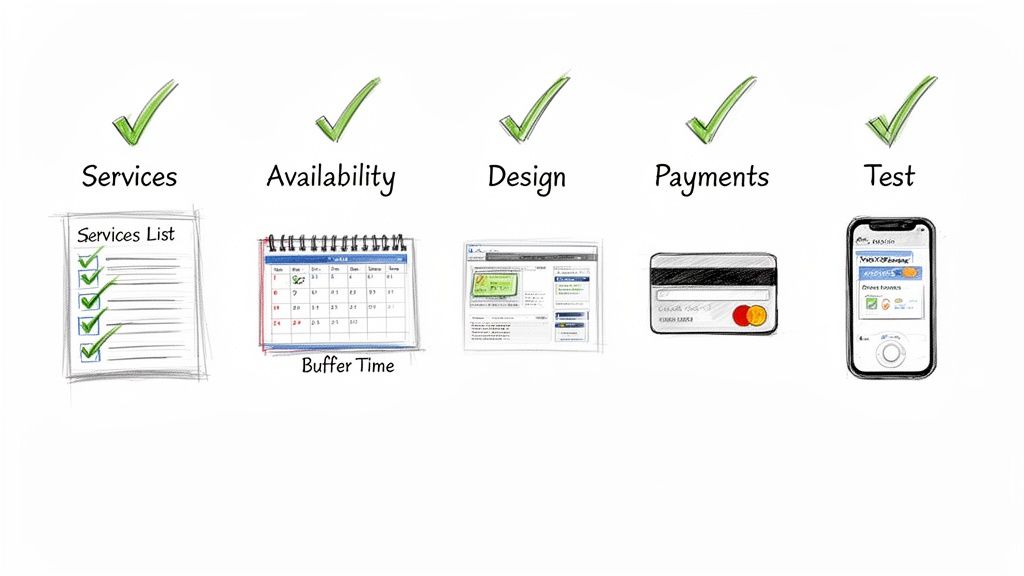
Step 1: Define Your Services and Pricing
First things first: what are you selling? Before anyone can book with you, they need to know exactly what you offer. Your job is to clearly define each service, write a description that speaks directly to your ideal client, and lock in your pricing.
Being specific here is key. It helps manage expectations from the get-go and makes sure you're attracting the right kind of customers.
Step 2: Set Your Availability and Booking Rules
This is where you get to build a schedule that actually works for you. Go into your system and plug in your business hours, making sure to block off any personal time or standing commitments. But the real magic is in the booking rules.
- Buffer Times: Do you need a breather between clients? Add a 15-minute cushion to reset.
- Booking Window: Decide how far out people can book, or if you’ll allow last-minute appointments.
- Appointment Limits: Want to avoid getting swamped? Set a cap on how many bookings you'll take in a single day.
These little adjustments are your secret weapon against burnout. They create a much smoother, more sustainable workflow.
Step 3: Customize Your Website Template
Now for the fun part. Your website's look and feel should be a true reflection of your brand. Start by picking a clean, professional template and then make it your own with your logo and some great photos, and pick a palette and your brand color.
Your website is your digital storefront. A clean, professional design builds instant credibility and trust, encouraging visitors to book with confidence. It’s the first impression you make before a client ever meets you.
Make sure your contact info and service pages are dead simple to find. The entire experience should feel intuitive, gently guiding every visitor toward that all-important "Book Now" button.
Step 4: Configure Payment and Cancellation Policies
Let's talk money. How do you want to get paid? You can require a deposit to hold a spot, ask for full payment upfront, or simply have clients pay when they see you. A good integrated system makes it easy to securely take credit card payments online, which is a huge time-saver.
While you're at it, be crystal clear about your cancellation policy. Putting it right there on your site protects your time and income by cutting down on no-shows and last-minute changes.
Step 5: Run a Test Booking
You're almost there! Before you go live, you need to walk a mile in your client's shoes. Go through the entire booking process yourself, from start to finish. And don't forget to test it on both your computer and your phone.
This final quality check confirms everything is running smoothly, from picking a service to getting that confirmation email. Once you’re happy with the experience, you're officially ready to launch.
For a deeper dive into this process, check out our guide on how to create a booking website that keeps your calendar full.
How to Choose a Plan That Scales with Your Business
Choosing the right subscription plan isn't just about buying a tool for today; it's about finding a partner for your business's journey. The best website builder with a booking system is one that grows with you, so you never hit a wall right when you’re starting to build momentum.
Before you pull out your credit card, take a minute to think about where your business is right now and, more importantly, where you see it in a year or two. You want a plan that fits your current needs without overpaying for features you won't touch, but you also don't want to be so restricted that you outgrow it in a few months. It's all about striking that perfect balance between your budget and your ambition.
Matching Tiers to Your Business Stage
Most platforms lay out their pricing in tiers. It's helpful to think of these as different toolkits designed for specific stages of a business's life.
Here’s a simple breakdown of how to think about them:
-
Starter Plans: These are perfect if you're a solo provider just hanging your shingle. They give you the essentials: a professional website, a reliable way for clients to book, and calendar syncing. It’s everything you need to look polished and start filling your schedule.
-
Professional Plans: Got a growing business or thinking about adding your first team member? This is your sweet spot. These plans usually unlock features like shared staff calendars, deeper client management tools, and more powerful automation. It’s what you need when you're juggling more than just your own schedule.
-
Business Plans: This tier is built for well-oiled machines—established businesses with a steady stream of bookings or even multiple locations. Here, you'll find premium features like dedicated support, unlimited appointment capacity, and in-depth analytics to help you fine-tune every part of your operation.
The real secret is finding a platform that not only meets your immediate needs but also offers a clear, affordable path to upgrade. When your tools can scale, you can add new services or bring on new staff without worrying about technical headaches or a surprise-move to a whole new system.
Think of it as an investment in your future. A platform that scales properly gives you the right tools at the right time, clearing the technical hurdles so you can stay focused on what you do best: serving your clients.
Booking-ready websites for service pros
Got Questions? We've Got Answers
You've got the big picture, but a few details might still be nagging at you. Let's tackle some of the most common questions service pros ask when they're thinking about moving to a website builder with built-in booking.
Can I Use My Own Domain Name?
Of course. In fact, you absolutely should. Any serious website builder will let you connect your own custom domain (like www.yourbusiness.com). This isn't just a technical feature; it's fundamental to looking professional and building credibility with clients from the moment they land on your site.
Will It Send Appointment Reminders for Me?
Yes, and honestly, this feature alone is a game-changer. Automated email and SMS reminders are a core part of any good integrated booking system. Think of it as your personal assistant, working behind the scenes to make sure clients show up. It’s one of the most effective ways to slash no-shows, protecting your schedule and your bottom line.
How Hard Is It to Switch From My Current Setup?
It's far easier than you might think. These platforms are designed for busy business owners, not web developers. You'll usually find simple tools to import your client list and services, and the setup process is typically a guided, step-by-step affair. You can realistically have your new, bookable website up and running in just a few hours.
Ready to stop juggling texts and DMs? Let Kejoola build you a professional, booking-ready website in minutes.