Best Website Builder for Service Business: Top Comparisons and Features
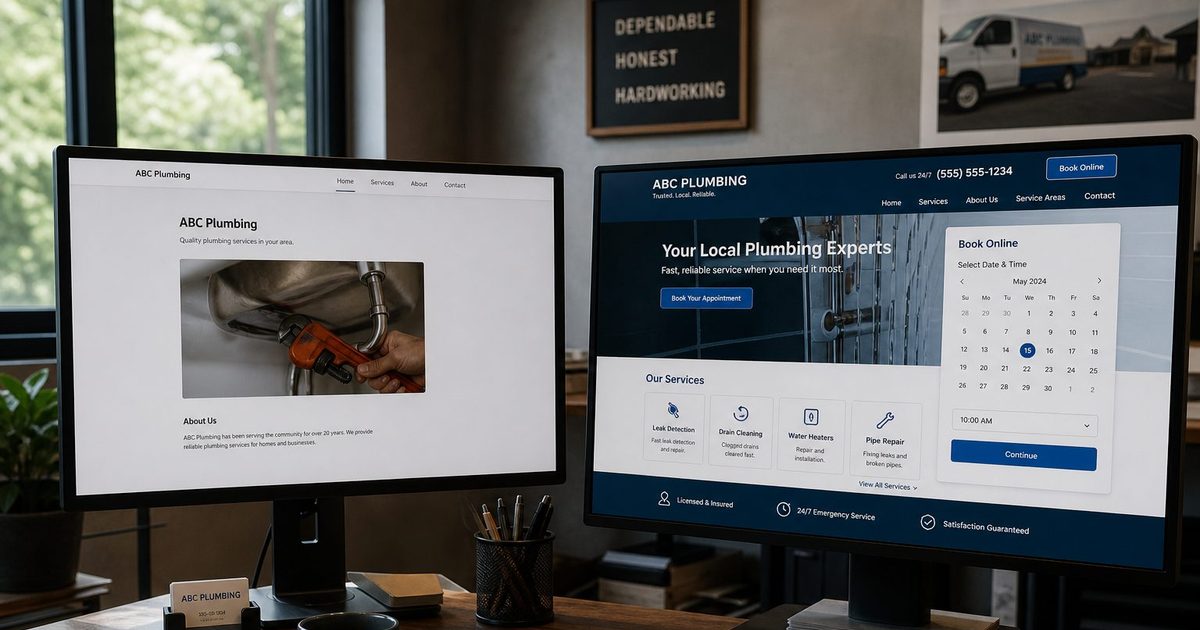
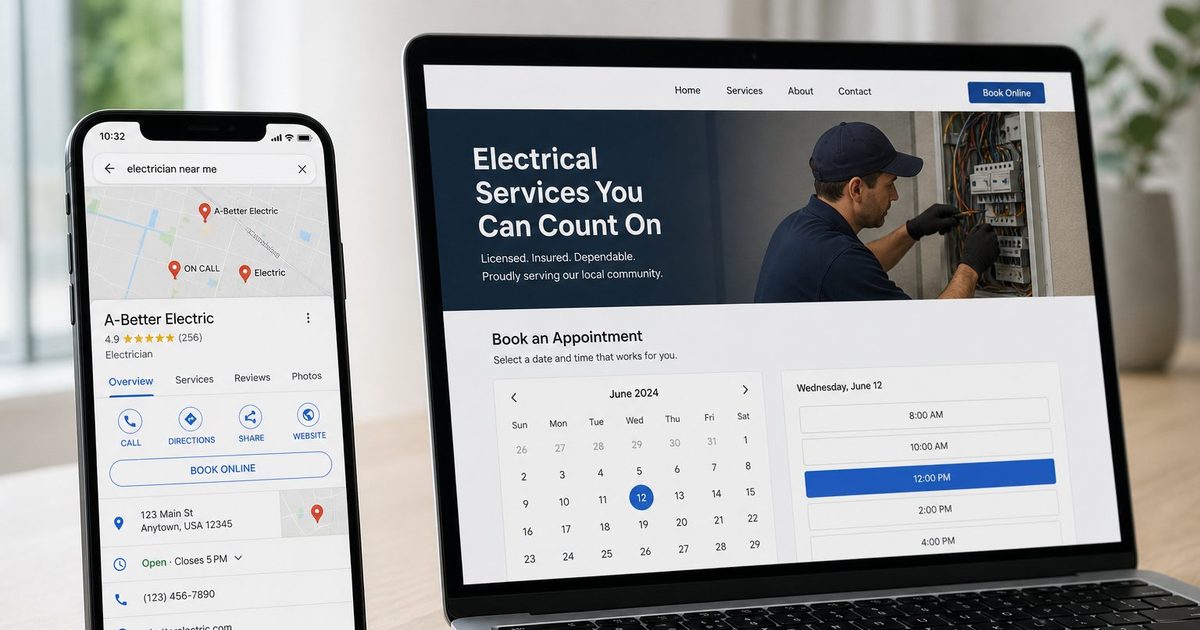
Compare all-in-one platforms like Kejoola with WordPress and agency builds on what a service business needs most: online booking, email reminders, a client list, and managed hosting.
Josh · Jan 9, 2026 · 19 min read

- website builder
- service business
- online booking
- email reminders
- google calendar
Defining Your Must-Haves in a Website Builder
If you're running a service business, your website isn't just a digital brochure. It's where customers find you, check what you offer, and book a time. The best website builder for a service business needs to be more than a pretty face; it needs native online booking, a simple client list, and pages that work well on a phone. A platform like Kejoola is built to automate booking and keep every client's details and booking history in one place, not just display your phone number.
Establishing Your Core Website Criteria
Forget about just picking a template you like. For a service business, your website's functionality directly impacts your bottom line, your efficiency, and how happy your clients are. It needs to be an active tool that fills your calendar, keeps client details organized, and consistently brings in new local customers.
This means you need a non-negotiable checklist of features before you even start comparing options. Let's break down the critical components that distinguish a purpose-built platform from a generic website builder that leaves you piecing things together.
Integrated Online Booking
This is the big one. The ability for clients to book appointments online is the cornerstone of a modern service business website. A truly integrated booking system gets rid of the back-and-forth of phone tag and email chains, freeing up hours of administrative time.
What you should expect from a native booking system:
- 24/7 Self-Service Scheduling: Let clients book when it's convenient for them, not just when you're open.
- Automated Confirmations and Reminders: Email confirmations and reminders cut down on no-shows and keep your schedule humming.
- No Double Bookings: Once a time is booked, it should be blocked automatically so two customers can't take the same slot.
A Simple Client List
A client list is what turns a one-time job into a long-term relationship. When every client's contact details and booking history sit in one place, you can see at a glance who booked what and when, without digging through your inbox or call log.
Ultimately, you need more than a generic contact form; you need specialized web design for service businesses that turns your site into a sales and client management tool.
Local Search and Performance
As a local service provider, getting found by customers in your immediate area is everything. Most of that comes from a complete Google Business Profile, steady reviews, and clear service pages that name the towns you serve. Your website builder should make those pages easy to publish and keep up to date without needing an SEO degree.
Page speed matters too. Slow pages lose visitors, especially on phones, so load a few of a builder's sample sites on your own phone before you commit.
To put it all into perspective, here's a quick look at how the different approaches stack up on these core needs.
Quick Comparison: Key Features for Service Businesses
This table provides an at-a-glance look at the essential features service businesses need and how different platform types deliver them.
| Feature | All-in-One Platform | DIY (e.g., WordPress + Plugins) | Why It Matters for Service Businesses |
|---|---|---|---|
| Integrated Booking System | Built in | Requires 3rd-Party Plugins | High - Automates scheduling and reduces admin. |
| Client Records | Built-in client list + booking history | Requires Separate Plugins | High - Keeps client details and history in one place. |
| Local Search Basics | Varies by platform; check what's included | Requires SEO Plugins & Manual Setup | High - Drives local customer acquisition. |
| Ease of Maintenance | Hosting managed for you | User Responsible for Updates | Medium - Impacts time spent on tech vs. service. |
In short: while a DIY approach offers flexibility, an all-in-one platform is built to handle the day-to-day demands of a service business out of the box, saving you from managing multiple plugins and updates.
Comparing Your Options: All-in-One vs. DIY vs. Agency
A service business really has three paths to choose from when building a website. You can go with a specialized all-in-one platform like Kejoola, take the do-it-yourself (DIY) route with something like WordPress and a collection of plugins, or hire a web agency to build a completely custom site from the ground up.
Each path comes with its own set of trade-offs, and there’s no single "right" answer. The best choice for you boils down to a realistic look at your budget, your comfort level with technology, and what you want your website to do for your business in the long run.
An all-in-one platform is built for speed and ease. A DIY build gives you total creative freedom but demands your time and attention. An agency, on the other hand, delivers a premium, hands-off experience for a premium price. Let's break down what that really means for you.
The All-in-One Platform Advantage
An all-in-one platform is designed from the ground up with a service business in mind. Core tools like online booking, email reminders, and a client list are already built in and work together. This sidesteps the compatibility headaches that often come with DIY setups, where plugins from different developers can clash after a simple update.
With a platform like Kejoola, you get one predictable monthly fee with hosting included. Plans run from Lite ($24, website only) to Starter ($39), Professional ($89) and Business ($159). This model makes it easy to get started and manage your budget. It's a good fit for business owners who want to get online, book clients, and focus on their work with minimal technical fuss.
The DIY Approach with WordPress
The DIY path, most often paved with WordPress, offers unparalleled flexibility. Since it's open-source, you can tweak and customize just about every pixel of your site. As of April 2025, WordPress powers an incredible 43.4% of all websites, a number that speaks volumes about its massive ecosystem. This dominance means you have a nearly endless selection of themes and plugins for any function you can imagine, from complex booking calendars to full-blown client management dashboards. You can learn more about WordPress's latest market share statistics.
This immense popularity comes from its powerful content management foundation and limitless potential for customization, making it the default choice for anyone who wants deep control over their site.
But all that freedom comes with a catch: you’re the one in charge of everything. With a WordPress site, you become the system administrator. That means finding your own hosting, installing themes, researching and vetting plugins, running constant updates, and handling your own security. The costs can also be deceptive. While the WordPress software itself is free, premium themes, essential plugins, and good hosting can add up fast.
The true cost of a DIY website isn't just the sum of its parts. It's also the time you spend troubleshooting plugin conflicts, running security updates, and fixing issues, which is time that could be spent serving your clients.
The Custom Agency Build
Hiring a web design agency is the most hands-off route, but it's also the most expensive. You're paying for a team of experts to design and develop a website perfectly tailored to your brand and business processes. This is usually the best option for established businesses with specific, complex needs and a budget to match that level of custom work.
An agency will deliver a polished, unique website, but the relationship rarely ends at launch. You'll likely need to keep them on a retainer for ongoing maintenance, updates, and support, which adds an ongoing monthly cost. While the site can be built to scale, you’re also dependent on that agency for any future changes or new features. It's the path with the highest degree of personalization but also the least direct control and the biggest financial hurdle.
To make sense of these trade-offs, let's lay them out side-by-side.
Website Solution Comparison for Service Businesses
The table below offers a direct comparison of the three primary website solutions, breaking down how each one stacks up against the critical factors for any service business.
| Factor | All-in-One Platform (e.g., Kejoola) | DIY with Plugins (e.g., WordPress) | Custom Agency Build |
|---|---|---|---|
| Initial Cost | Low (14-day free trial, no card needed) | Moderate (themes, plugins, hosting) | Very High (thousands of dollars) |
| Monthly Cost | Predictable monthly plans from $24 | Variable (hosting, premium plugin fees) | High (retainer for maintenance) |
| Time to Launch | Fast (hours to a few days) | Moderate (days to weeks) | Slow (weeks to months) |
| Technical Skill | None required | Basic to intermediate | None required |
| Maintenance | Handled by the platform | Self-managed by you | Managed by the agency |
| Core Features | Integrated and maintained by the platform | Requires vetting and integrating plugins | Custom-built to your specifications |
| Scalability | Good (based on platform tiers) | Excellent (but requires technical work) | Excellent (but costly) |
| Best For | New/small businesses, solopreneurs, non-tech owners | Tech-savvy owners wanting full control | Established businesses with large budgets |
Ultimately, this comparison highlights the fundamental give-and-take at play. An all-in-one platform offers speed and simplicity, a DIY build provides ultimate control at the cost of your time, and an agency delivers a premium product for a premium price.
Why Integrated Booking and a Client List Are Non-Negotiable
For a service business, a website has to be more than just a digital brochure. Two features in particular separate a high-performing site from a static online business card: an integrated booking system and a built-in client list. These aren't fancy add-ons; they are core tools that change how you manage your time and serve your clients.
When both are built into your website builder, you avoid the disconnected data that comes from patching third-party tools together, a frustrating reality for anyone who's tried to make a generic platform work for a service-based model.
The Power of a Native Booking System
An integrated booking system changes how your week runs. It takes the chaos of manual scheduling, with its phone tag, email chains, and calendar juggling, and turns it into an automated workflow that runs for you 24/7.
Think about a house cleaner who gets most of their requests after hours. Customers pick an open time from your working hours, and booked slots are blocked automatically. They fill in their name, email, and phone, add the address and job details in the notes box, and get an email reminder before the visit, all without a single phone call.
Here’s what a properly integrated system brings to the table:
- Fewer No-Shows: Automated email reminders help cut no-shows, which directly protects your bottom line.
- Your Calendar Stays Current: New bookings are added automatically to your Google Calendar.
- No Double-Bookings: Booked slots are blocked on your booking page, so two customers can't grab the same time.
One thing to check on any platform is payment. Kejoola doesn't take online payments yet, so you collect payment however you already do.
Keeping Every Client's Details in One Place
A booking system is only half the job. The other half is knowing who your clients are. A good client list keeps each client's contact details and booking history together, so when a regular calls, you can see when you last worked for them and what they booked before you pick up the conversation.
That record is what lets you follow up at the right time and treat repeat customers like regulars. We dive deeper into keeping clients in the loop in our guide on client communication best practices.
Kejoola keeps booking, email reminders, and your client list in one place from day one, and new bookings are added to your Google Calendar automatically.
The conclusion is simple. The best website builder for a service business doesn't just display information. It actively runs the core work that makes you money and keeps clients coming back.
How Kejoola Delivers a Purpose-Built Solution
Generic website builders often leave service businesses gluing together separate tools for online booking and client records. We built Kejoola to put those in one place: a bookable website built for service businesses, not a general-purpose builder with a booking widget tacked on as an afterthought.
AI-Powered Site Generation in Minutes
The first hurdle for any service business is getting a professional website online without sinking lots of time or money into it. Answer a few questions about your business, and Kejoola's AI drafts a 4-page site (Home, Services, Blog, and Contact) in a couple of minutes. It writes the text and generates hero, service, and gallery images, and you can swap in your own photos of real jobs whenever you like.
The generated site is laid out to steer visitors toward booking, the one action that matters most. From there, you pick a theme palette plus your brand color and adjust the fonts to match your business. Online booking starts on the Starter plan; Lite is the website on its own.
A Booking System That Works for You
The booking system handles the routine scheduling work so you don't have to:
- Open times from your working hours: Set your hours once. Customers only see open slots, and booked times are blocked automatically.
- Email confirmations and reminders: Customers get a confirmation when they book and a reminder before the appointment, by email.
- Google Calendar: Connect it, and new bookings are added to your Google Calendar automatically.
- Team access: Invite teammates as Admin, Manager, or Member to help run bookings.
This cuts down on admin, minimizes booking errors, and gives customers a professional experience from the very first interaction.
Centralized Client Management
Trying to keep track of clients across your inbox, call log, and a paper notebook is a recipe for chaos. Kejoola's client list keeps each client's contact details and booking history in one place. Clients are added automatically the first time they book, and you can add anyone else by hand.
That gives you a clear record of every client's bookings and contact details, without digging through old emails to find who booked what.
With your website, booking, email reminders, and client list working together, your site stops being a passive online brochure and becomes a tool that books work for you.
Hosting, Mobile Pages, and a Few Helpful Extras
For most service businesses, the name of the game is attracting local customers. Every Kejoola site is mobile-friendly, and a few built-in extras help you bring in work: on Starter and up, AI blog articles and a Google review request you can email your client when you mark a job completed, plus a QR code for your site that you can put on flyers, business cards, or your van.
Having a site at all matters. The global website builder market is expected to reach USD 6.68 billion by 2030, reflecting a massive shift toward accessible online platforms. For service providers, a strong online presence is critical, as 31% of U.S. shoppers have admitted to avoiding a small business specifically because it lacked a website. You can dig into more of this data in this report on small business website statistics.
What earns trust online is simple: a site that looks professional, is easy to use on a phone, and shows current services and hours. Keeping that information current is your job on any platform.
Hosting is included and managed for you, so there's no server to set up or plugins to update.
Making The Right Choice For Your Business Stage
Picking a website builder isn't a one-size-fits-all deal. The right choice hinges on where your business stands today and your goals for tomorrow. A solo therapist just starting out has completely different needs than a busy salon with six stylists and hundreds of weekly appointments.
The key is to cut through the noise and find a platform that feels like a natural extension of your business, not another hurdle to overcome. By matching your real-world operations, like your team size, booking volume, and how comfortable you are with tech, to a specific solution, you can make a choice that supports you now and grows with you later.
Start with what you need most, whether it's automating your calendar, building a slick online presence, or showing up in local search. That points you toward the right tool for the job.
Solo Practitioners and New Businesses
When you're a solo operator or just getting off the ground, your priorities are usually straightforward: keep it simple, keep it affordable, and get it launched fast. You need a professional-looking site that starts bringing in clients right away, without requiring a computer science degree or a massive budget.
For this stage, your core needs are reliable online booking, a clean website, and basic ways to communicate with clients. Kejoola's Starter plan ($39) fits here. It bundles the website, hosting, and online booking into one predictable package, letting you get online and take appointments in hours, not weeks. If you only need a website without booking for now, Lite ($24) covers that.
Small Local Teams
Once you bring on a team, even a small one, the complexity ramps up. Suddenly you're juggling multiple schedules, keeping everyone on the same client list, and working to make your mark in the local market. The focus shifts from just getting bookings to running your team efficiently and showing up in local search to keep the phone ringing.
At this point, you'll need:
- Team access so teammates can help manage bookings and clients.
- A centralized client database so the whole team is on the same page.
- A clear way to get found locally, through a complete Google Business Profile, steady reviews, and service pages that name the towns you serve.
Kejoola lets you invite teammates as Admin, Manager, or Member, with a shared client list. There's no seat limit, so the whole crew can work from the same bookings and client records as your client list grows.
Growing Studios and Agencies
For established businesses with multiple service lines and a larger team, scalability becomes the name of the game. You need a system that can handle a high volume of appointments, a longer service menu, and a growing client list without slowing you down.
At this stage, your website has to handle higher booking volume, more storage for photos and files, and a team where everyone has the right access.
Kejoola's Business plan ($159) has the most storage (500GB), which helps once you're keeping lots of job photos and files, and teammates can work in it as Admins, Managers, or Members. Some businesses with highly specific needs, like custom API integrations, might look toward a DIY solution instead. Building on WordPress offers endless customization but also hands you the full responsibility for maintenance, security, and updates. It's a great option, but only if you have the technical resources to manage it.
To turn your website into a client-generating machine right from the start, check out our guide on creating a fully booked website.
The matrix below gives you a quick, at-a-glance guide to help you choose the right path based on your current business profile.
Decision Matrix Which Website Builder Plan Fits Your Service Business
This table is designed to help you pinpoint the best plan by matching your business type to its most critical operational needs.
| Business Type | Key Needs | Recommended Kejoola Plan | Best Fit For |
|---|---|---|---|
| Solo Practitioner | Simple booking, professional site, low cost | Starter ($39) | Individuals who want a bookable site. Lite ($24) is the website without booking. |
| Small Local Team | Team access, client management | Professional ($89) | Small teams sharing bookings and a client list, with more storage (150GB). |
| Growing Studio | Larger business, most storage | Business ($159) | Established businesses that want the most storage (500GB). |
| Tech-Focused Firm | Deep customization, API integrations | Alternative (WordPress) | Businesses with in-house tech expertise needing a custom build. |
You can invite teammates as Admin, Manager, or Member, with no seat limit.
Ultimately, this decision comes down to a clear-eyed assessment of what your business truly needs to operate efficiently and grow.
Your Step-by-Step Setup and Launch Checklist
Switching to a new online platform can feel like a huge undertaking, but it doesn't have to be. With the right game plan, you can get your new site up and running smoothly. This checklist breaks down the launch process for a purpose-built tool like Kejoola into simple, concrete steps. The whole point is to get you from sign-up to a professional, working booking site as quickly and painlessly as possible.
Following a clear roadmap takes the guesswork out of the equation and shows you just how fast you can get an automated booking system in place.
Phase 1: Get Your Business Assets in Order
Before you touch a single setting, get all your essential business info in one place. Having this stuff ready to go will make the actual setup a breeze.
- Define Your Services: Write clear, concise descriptions for everything you offer. Be sure to include the duration, price, and exactly what a client gets for their money.
- Gather Your Visuals: Pull together high-quality photos of your work, your team, or your vehicles and equipment. Real photos build trust far better than generic stock images ever could.
- List Your Regular Clients: Write down your regulars' names, emails, and phone numbers so you can add them to your new client list by hand. Keep your old records for past job history.
Phase 2: Configure Your New Website
With your assets prepped, it's time to build out the core functions of your site.
Start with the 14-day free trial (no card needed) so you can work through this checklist before you pay anything.
- Connect Your Custom Domain: Your professional identity starts with your domain name. Connect a domain you already own, like
yourbusiness.com, so your site lives at your own address. The FAQ below covers how. - Personalize Your Design: Pick a theme palette plus your brand color, adjust the fonts, and swap the AI-generated images for your own photos.
- Set Your Working Hours: Customers can only book open times inside the hours you set.
- Connect Google Calendar: Have new bookings added to your Google Calendar automatically.
Before you go live, run a few test bookings yourself to make sure the whole process works. For a deeper dive, check out our guide on how to create a booking website from start to finish. Once you're confident everything is working, it's time to announce your new site and start enjoying a more automated business.
Frequently Asked Questions
When you're trying to find the right website builder for a service business, a lot of questions come up. Here are the most common ones business owners ask, so you can move forward with confidence.
Can I Use My Existing Domain Name?
Yes, on every plan. Connect a domain you already own by adding the DNS records Kejoola shows you at your domain registrar. Most professional platforms work the same way, so your brand identity stays consistent.
How Difficult Is Moving My Clients Over?
Less work than you might expect. In Kejoola, clients are added automatically the first time they book, and you can add your regulars by hand. Past appointment history stays in your old system, so keep an export or a copy of those records for reference.
Will a Template-Based Site Hurt My Search Rankings?
Not by itself. Google cares far more about whether your pages clearly say what you do, where you do it, and how to book than about whether the layout started as a template. Clear service pages that name your towns, a complete Google Business Profile, steady reviews, and a site that works well on a phone matter most. Kejoola sites are mobile-friendly; the service descriptions, towns, and reviews are up to you.
What Happens When My Business Needs More Features?
Growth is the goal, right? Most website builders for service businesses offer different plans, so you can move up as you grow instead of starting over. With Kejoola, online booking starts on Starter, and higher plans add more storage (13GB / 50GB / 150GB / 500GB).
If you want a site where customers can see your services and book a time, you can get a site customers can book from with Kejoola.
14-day free trial, no card needed. Online booking starts on the Starter plan.