Finding the Best App for Appointment Reminders
Discover the best app for appointment reminders for your service business. Compare standalone apps, all-in-one platforms, and essential features to reduce no-shows.
Josh · Feb 14, 2026 · 21 min read
- appointment scheduling
- business tools
- client management
- automation
Why an Appointment Reminder App Is Non-Negotiable
If you run a service business, you know the frustration. Lost revenue from no-shows and the endless time spent on manual follow-ups can feel like a constant drain on your energy and income. This is where an app for appointment reminders shifts from a "nice-to-have" to a non-negotiable part of your toolkit. Moving beyond messy spreadsheets and scattered DMs to a dedicated system is how you protect your time, stabilize your income, and grow your business.
How Automated Reminders Can Transform Your Operations
For any service professional, a missed appointment isn't just an empty time slot; it's lost income you can never get back. Think about the hours spent sending texts, making calls, and chasing down clients—it’s time you could be spending on what you do best. Automating this process isn't just about saving a few minutes; it's a fundamental upgrade to how you run your business.
The proof is in the numbers. The global appointment scheduling software market was valued at $546.1 million in 2021 and is expected to explode to $1,905.90 million by 2034. This isn't just a trend; it's a clear signal that businesses of all sizes are recognizing these tools are essential.
Stabilize Your Cash Flow
Let's be blunt: no-shows cost you money. Every empty slot is a direct hit to your bottom line, especially when another paying client could have taken that spot.
An automated reminder system is your best defense. By sending out timely SMS or email notifications, you dramatically cut down on the chances of a client simply forgetting. This keeps your schedule full, your days productive, and your cash flow predictable. We dive deeper into this in our guide on how to reduce no-shows for appointments.

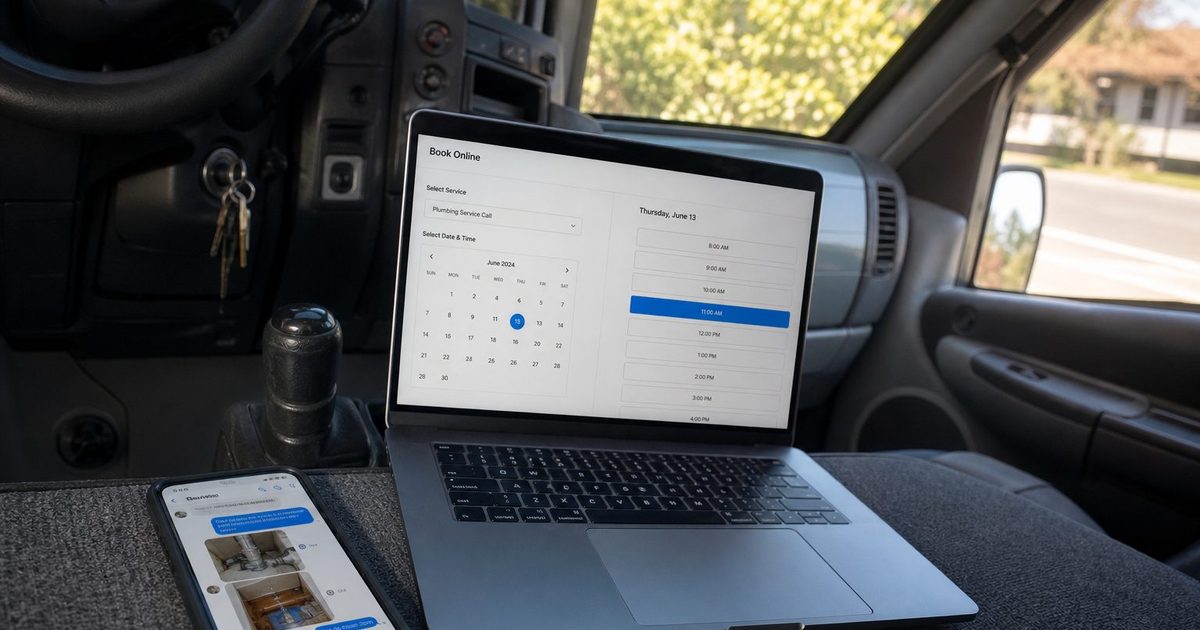
This is what your client sees—a clear, simple notification that confirms their commitment. It’s a small touch that makes a huge difference in keeping your schedule locked in.
Enhance Professionalism and Client Experience
The way you communicate with clients speaks volumes about your business. A professional, automated reminder system immediately tells them you're organized, reliable, and that you value their time as much as your own.
By automating routine communications, you create a seamless and reliable experience for your clients, building trust and encouraging repeat business from the very first interaction.
This kind of polish doesn't just help with client retention; it builds a brand image that people trust. For example, in fields like patient care, a reliable reminder app is just as critical for efficiency as a chatbot for healthcare is for managing initial inquiries. It all works together to create a smooth, positive relationship from the start.
Comparing Four Types of Reminder Solutions
Picking the right app for appointment reminders isn't a one-size-fits-all kind of deal. The market is full of options, each with its own way of working, different price points, and a specific type of business it's best for. To make a smart choice, you really have to understand what makes these tools tick and how they line up with your own business goals.
Let's break down the four main categories you'll run into: standalone reminder apps, SMS/email marketing services, basic calendar integrations, and all-in-one platforms. This isn't just a simple pros-and-cons list; we’re going to look at how easy each one is to use, if it can grow with you, and what kind of experience it creates for your clients. Getting these details right is the key to finding a tool that fixes today's headaches and supports your business down the road.
This infographic really gets to the heart of the operational pain points that a good reminder system is built to solve.
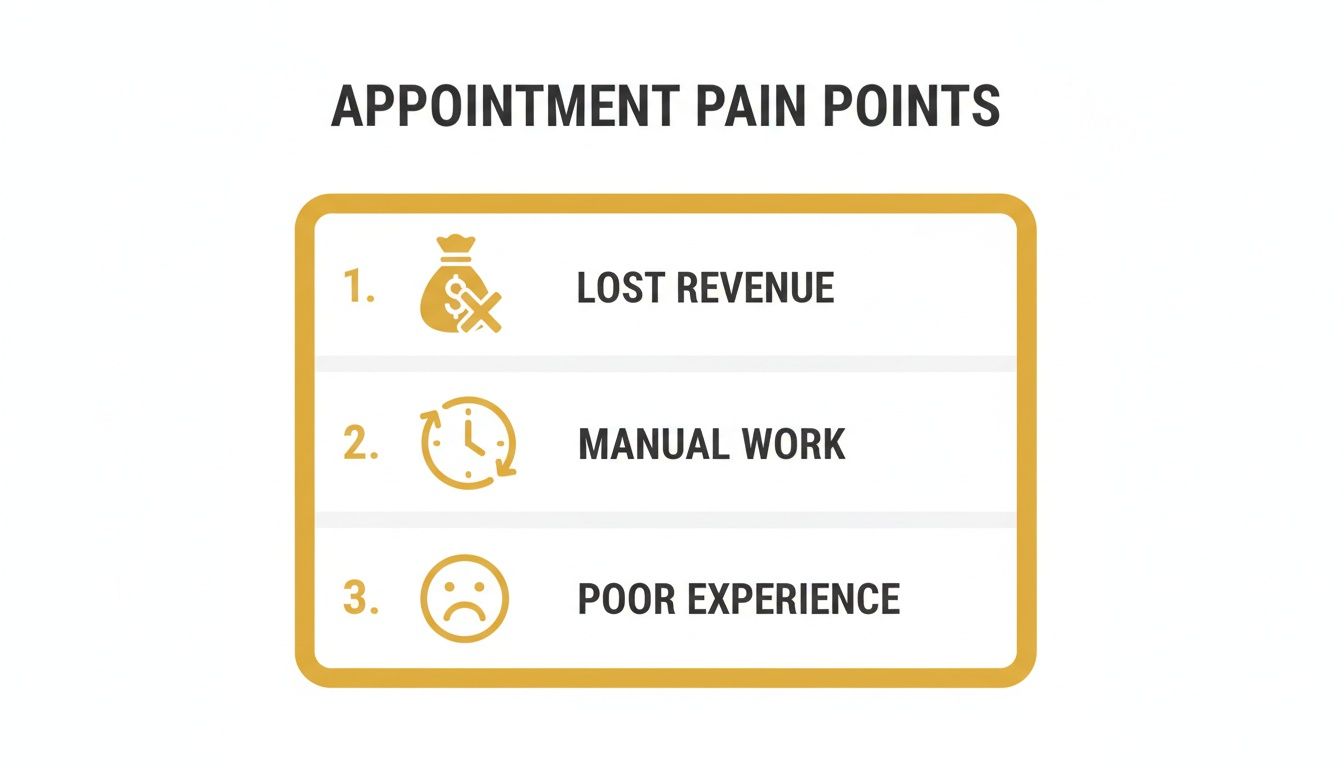
These three issues—lost revenue, tedious manual work, and a clunky client journey—are all connected, and the right automation tool can tackle them head-on.
Standalone Reminder Apps
Standalone reminder apps are specialist tools. They are designed to do one thing and do it well: send reminders. You’ll typically enter client details and appointment times by hand or upload a CSV file, then you set up your message and schedule.
These apps are usually dead simple to use and can be up and running fast. That makes them a popular first step for solo operators or small businesses just dipping their toes into automation. But that simplicity is also their biggest weakness.
Since they don't connect to a booking system, every single appointment has to be entered manually. This means double the work and a much higher chance of someone making a typo. This disconnected approach also creates data silos—your client list is in one place, your schedule in another, and your messages somewhere else entirely.
SMS and Email Marketing Services
Some businesses try to bend their existing SMS or email marketing platforms, like Mailchimp or Twilio, into appointment reminder tools. These services are powerful and offer a ton of customization, letting you build out pretty complex messaging flows.
If you’re already paying for one of these for your marketing, it can feel like a clever, cost-effective workaround. You can use the contact lists and templates you already have, which seems efficient at first glance.
But these platforms weren't built for scheduling. They have no native calendar integrations, which means you’re still stuck with a manual, error-prone process for getting appointment info into the system. More importantly, they almost never support true two-way communication for clients to confirm or reschedule—a feature that’s absolutely essential for managing appointments effectively.
Basic Calendar Integrations
Calendar integrations are a definite step up from doing everything by hand. These are usually add-ons or simple tools that plug directly into your Google Calendar or Outlook.
Their main advantage is automation. They can pull appointment details straight from your calendar and send reminders automatically. This gets rid of the manual data entry for every booking, which saves a ton of time and cuts down on mistakes. For a solo professional who practically lives in their calendar, this can feel like a game-changer.
The catch is that the functionality is often very basic. Customization for message timing and content can be rigid, and you can forget about advanced features like client replies or follow-up sequences. These tools solve one small piece of the puzzle but don't help with the bigger picture of the client journey.
All-in-One Booking Platforms
This is where you find the most complete solution. All-in-one platforms like Kejoola build appointment reminders directly into a full-scale system for booking, client management, and even your website. The entire process—from a client finding you online to booking a time and getting reminders—is handled in one smooth, connected system.
This approach completely eliminates data silos. When a client books, their info is saved, your calendar is updated, and the confirmation and reminder messages are sent out automatically, all without you lifting a finger.
An all-in-one platform doesn't just send reminders; it creates a seamless, professional experience from the first click. It automates the entire administrative workflow, freeing you to focus on delivering your service, not managing your schedule.
This tight integration pays off big time when it comes to scaling your business and improving the client experience. Features like two-way messaging, easy rescheduling options for clients, and automated follow-ups asking for reviews are all part of the package. While the initial setup might take a bit more effort than a simple app, the long-term ROI from time saved, fewer no-shows, and a more professional image is massive. For any service business serious about growth, an integrated solution is the smartest path forward. Explore how Booking-ready websites for service pros can truly transform your operation.
Feature Comparison Across Reminder Solutions
To give you a clearer picture, here’s a side-by-side look at key features. This should help you pinpoint which type of reminder tool actually fits what your business needs, whether you're looking for basic notifications or a comprehensive client management system.
| Feature | Standalone Apps | SMS/Email Services | Calendar Integrations | All-in-One Platforms (like Kejoola) |
|---|---|---|---|---|
| Automated Reminders | ✅ (Manual Entry) | ✅ (Manual Entry) | ✅ (From Calendar) | ✅ (From Booking) |
| Two-Way Communication | ❌ | ❌ (Limited) | ❌ | ✅ |
| Online Booking | ❌ | ❌ | ❌ | ✅ |
| Client Management (CRM) | ❌ (Basic list only) | ✅ (Marketing-focused) | ❌ | ✅ (Integrated) |
| Custom Message Templates | ✅ (Limited) | ✅ (Advanced) | ✅ (Limited) | ✅ (Advanced & Automated) |
| Rescheduling Link | ❌ | ❌ | ❌ | ✅ |
| Post-Appointment Follow-up | ❌ | ✅ (Manual setup) | ❌ | ✅ (Automated) |
| Ease of Setup | Very Easy | Moderate | Easy | Moderate to Advanced |
Ultimately, the best choice hinges on where your business is today and where you want it to be tomorrow. A simple tool might solve an immediate problem, but an integrated platform provides the foundation you need to build a more efficient and professional service business for the long haul.
Essential Features That Separate Good from Great
Sending a basic text alert is one thing, but a truly effective app for appointment reminders is packed with features designed to actually engage your clients, tighten up your operations, and protect your revenue. The real difference between a simple notification tool and a powerful business asset is found in these critical functions. You have to move beyond just blasting out information if you want to slash no-shows and give clients a better experience.
These features work in concert to create a seamless communication loop, making every interaction feel both personal and professional. They turn what could be a passive reminder into an active conversation that locks in a client's commitment and simplifies your day.
Interactive Two-Way Messaging
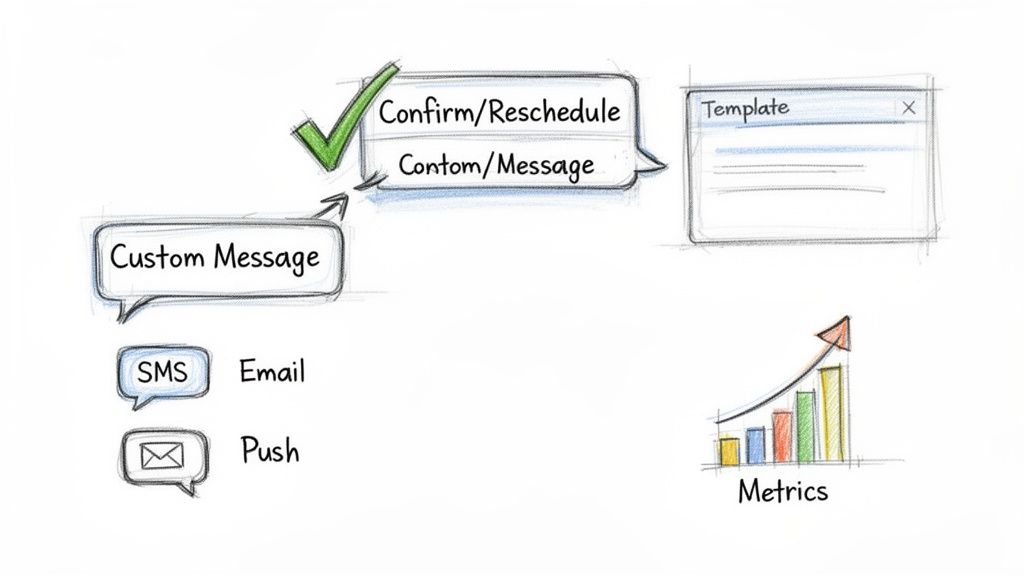
This is a complete game-changer. Two-way messaging lets clients reply directly to a reminder with simple commands like "YES" to confirm or "RESCHEDULE" to make a change. It's not just a convenience for them; it's a massive time-saver for you and your staff.
Instead of playing phone tag or wading through a dozen different DMs, your system just automatically updates the appointment status on your calendar. This simple interaction skyrockets confirmation rates because it takes almost zero effort from your client.
The ability for a client to confirm or reschedule directly via text message transforms a passive reminder into an active engagement, drastically reducing the mental load for both parties and solidifying the appointment in their schedule.
This one feature essentially turns your reminder system into a virtual assistant, handling confirmations and cancellations on its own. It's a small detail that has an enormous impact on your daily administrative workload.
Fully Customizable Message Templates
Nobody likes getting a generic, robotic message. It makes your business feel impersonal. The best reminder apps let you fully customize your templates so you can inject your brand's unique voice and personality into every text and email.
This means you can go way beyond just the date and time. Use your templates to:
- Share pre-appointment instructions: A massage therapist can send a quick note reminding clients to arrive hydrated. A salon can ask clients to come with clean, dry hair.
- Provide crucial location details: Drop in a link to Google Maps or explain a tricky parking situation to prevent people from showing up late and flustered.
- Set clear expectations: A business consultant could include a brief agenda to help their client come prepared for a productive meeting.
This level of detail shows you're on top of things and care about the client's experience, which starts long before they even walk through your door. It also proactively solves the little problems that can derail an appointment.
Multi-Channel Delivery Options
SMS is king, with open rates often topping 90%, but relying on just one channel is a rookie mistake. Everyone has different communication preferences. The top-tier solutions offer multi-channel delivery, so you can reach clients via SMS, email, and sometimes even push notifications.
A smart reminder sequence might look like this:
- Immediate Email Confirmation: Fired off the moment they book, containing all the detailed information.
- 24-Hour SMS Reminder: A short, friendly text sent the day before the appointment.
- 2-Hour SMS Nudge: A final, quick ping just before they're due to arrive.
This layered approach makes sure your message gets seen, whether your client lives in their email inbox or their text messages. When this is part of a larger platform, like a website builder with a booking system, it all works together seamlessly.
Automated Post-Appointment Follow-Ups
The relationship doesn't stop when the service is complete. A truly great app will automate your follow-ups to gather valuable feedback or, even better, generate fresh reviews.
For example, you can create a rule that automatically sends a text a few hours after an appointment asking the client to share their experience. This message can include a direct link to your Google Business Profile or Yelp page, making it incredibly simple for them to leave a review. This single automation is one of the most powerful and effective ways to build your online reputation and bring in new business.
Insightful Analytics and Reporting
At the end of the day, you can't improve what you don't measure. A top-tier app for appointment reminders has to include an analytics dashboard that gives you a clear picture of what’s actually working.
Key metrics you need to watch are:
- Confirmation Rates: What percentage of clients are actually confirming through your reminders?
- No-Show Rates: Is that dreaded no-show number actually going down over time?
- Delivery and Open Rates: Are your messages getting through and being read?
This data gives you the power to fine-tune your message content, timing, and delivery channels to get the best possible results. Without analytics, you're just guessing. With them, you're making smart, informed decisions that directly boost your bottom line.
Which Reminder App Is Best for Your Business?
The final step in picking the right app for appointment reminders is translating a list of features into real-world value for your business. The best tool isn't the one with the longest feature list; it's the one with the right features that solve your specific problems. What works wonders for a solo therapist could easily create chaos for a growing salon.
To make this crystal clear, let's walk through four common service businesses. By digging into their unique day-to-day challenges and goals, we can pinpoint the best type of reminder solution for each and explain the "why" behind it. These scenarios should help you see your own business in them and make a decision you feel good about.
Scenario 1: The Solo Massage Therapist
First up is a solo massage therapist. She's a one-woman show, handling every booking and client herself. Her biggest headaches are cutting down on admin time, preventing no-shows that hit her income directly, and keeping that personal, calming touch with clients. Right now, she’s juggling manual texts and a paper calendar.
For a professional in this position, a basic calendar integration or an entry-level all-in-one platform is the perfect place to start. The goal is automation without the complexity. A simple tool that connects to her Google Calendar or iCal can fire off reminders automatically the moment she adds an appointment, getting rid of manual follow-ups for good.
For a solo service provider, the primary goal is efficiency. The right app automates the tedious administrative tasks, freeing up valuable time to focus on client care and service delivery, which are the true drivers of their business.
This straightforward setup drastically lowers the risk of forgotten appointments and gives her business a more polished feel than last-minute manual texts. It solves the biggest pain point—lost revenue from no-shows—without adding a heavy technological or financial burden.
Scenario 2: The Multi-Stylist Hair Salon
Now, picture a bustling hair salon with five stylists, a front desk coordinator, and a packed schedule. Their main struggles are coordinating all those different schedules, dealing with last-minute cancellations, filling empty slots fast, and making sure every client communication feels consistent and on-brand.
A standalone app or a simple integration would be a nightmare here. This business needs an all-in-one platform built for this kind of complexity. A system that brings together online booking, shared team calendars, and automated reminders is non-negotiable. When a client books with a specific stylist, the platform should instantly trigger a branded confirmation and a series of reminders.
Features like two-way messaging are also a game-changer. Clients can confirm or ask to reschedule right from a text, which automatically updates the main calendar and saves the front desk from being tied to the phone. Even better, automated waitlists can instantly offer newly opened slots to other clients, keeping stylists busy and protecting the bottom line. To aid your selection, explore our analysis of the 12 best AI appointment booking tools that are changing how businesses manage their schedules.
Scenario 3: The Online Coaching Business
An online coach works entirely in the digital world. Their challenges revolve around managing clients in different time zones, sending out session links securely, and automating follow-ups to get feedback or encourage future bookings. Professionalism and a smooth digital experience are everything.
The obvious choice here is an all-in-one platform made for service professionals. It acts as a central hub for everything: a client books a session on the coach’s website, pays online, and instantly gets a confirmation email with a unique video conference link.
Automated reminders via both email and SMS are crucial for making sure clients are ready and on time for their virtual sessions. The automation doesn't stop there. After the session, the system can send a follow-up asking for a testimonial or prompting them to book their next package, creating a seamless client journey from start to finish. This is a topic we cover more deeply in our article on the best appointment scheduling software.
Scenario 4: The Local Auto Repair Shop
Finally, think about a local auto repair shop. They juggle appointments of all different lengths, order parts, and need to communicate clearly when a job is done. Their biggest needs are reminding customers about drop-off times and, just as importantly, letting them know when to come pick up their vehicle.
An all-in-one system with strong SMS capabilities is the perfect match. The key is customizable SMS templates. The shop can set up reminders for the initial appointment, but more importantly, they can send a quick text—manually or automatically—to tell a customer their car is ready. This cuts down on endless phone tag and makes the pickup process so much smoother.
Text reminders are incredibly effective here; 75% of millennials actually find them useful. Plus, the cost savings are huge. An automated notification can cost as little as €0.14, while a manual phone call can cost around €0.90. A system like this makes the shop run better and keeps customers happy.
Why Go All-in-One? It’s About More Than Just Reminders.
If you're serious about growing your service business, patching together a bunch of different tools will eventually hold you back. Sure, a standalone app for appointment reminders solves one specific headache, but an all-in-one platform is designed to solve the entire puzzle. It’s the most professional and efficient way forward because it connects every single part of your client's experience.
Think about it: a smooth, unbroken line from the moment someone finds your website to the automated follow-up after their visit. Instead of jumping between different logins and trying to sync up spreadsheets, everything—your schedule, your client list, your reminders—lives in one place. This isn't just a small convenience; it’s a fundamental shift in how you run your business.
Stop Juggling, Start Integrating
The real magic of an all-in-one system is that it kills data silos for good. When a client books an appointment on your website, their info instantly populates your client list, the slot is blocked off on your calendar, and the confirmation and reminder sequence kicks off automatically.
This single, unified process stops common, costly mistakes in their tracks. No more double bookings. No more awkward reminders sent for an appointment that was already cancelled. Everything is consistent and accurate, and you didn't have to lift a finger to enter the data yourself.
An integrated platform takes your admin work from a daily grind to a system that runs itself. It puts your client communication, scheduling, and reminders on autopilot, freeing you up to focus on what you actually do best—serving your clients.
This approach works whether you're a solo practitioner or a growing team. A one-person shop gets a polished, professional online presence up and running in no time. A business with multiple staff members gets the powerful client management tools needed to coordinate schedules and deliver consistently great service.
From First Click to Loyal Client
A true all-in-one platform doesn’t just manage the clients you already have; it actively helps you get new ones. Many modern systems, like Kejoola, include an SEO-optimized website right out of the gate, built to help you show up in local search results where new clients are looking.
Once a potential client lands on your site, the path forward is clear and simple:
- Book Anytime: They see your live availability and can book a time that suits them, even if it's midnight on a Sunday.
- Personal Client Hub: Every client gets their own secure portal to check their appointment history, leave notes for you, or reschedule if needed.
- Flawless Communication: The system handles everything automatically, from the booking confirmation to the final thank-you note, making your business look professional at every turn.
This seamless journey builds incredible trust and keeps clients coming back. It shows them you're organized, you respect their time, and you're serious about what you do. For any professional building a business meant to last, investing in Booking-ready websites for service pros isn't just an option; it's the most direct route to a sustainable, scalable operation.
Putting Your New Reminder System into Action
Choosing the right app for appointment reminders is a huge step, but the real magic happens when you put it to work. A little bit of thoughtful setup goes a long way, ensuring you cut down on no-shows, keep clients in the loop, and really get your money's worth from day one. Let's walk through how to get your system dialed in for immediate success.
The heart of any great reminder strategy is timing. It’s a bit of an art—you want to send messages at just the right moments to stay top-of-mind without being a nuisance.
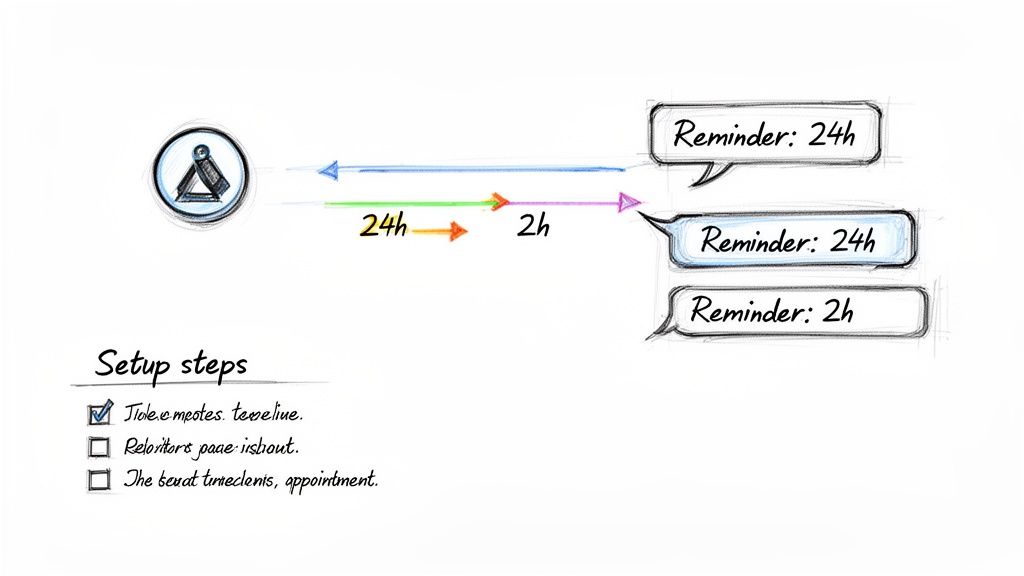
This simple sequence is a proven winner. It strikes the perfect balance between being helpful and respecting your client’s time and attention.
Crafting Messages That Connect
The words you use in your reminders matter just as much as when you send them. Generic, robotic messages are easy to ignore. Your goal should be a tone that's clear, friendly, and genuinely helpful.
Take a few minutes to build out templates that sound like your brand while giving clients everything they need to know. A solid template should always include:
- Client's Name: A touch of personalization makes a world of difference.
- Appointment Date & Time: Be direct and clear. No room for confusion here.
- Your Business Name & Location: Make it obvious who the message is from and where they need to go.
- Clear Call-to-Action: Tell them exactly how to confirm, cancel, or reschedule.
This simple structure keeps your communication professional and makes it easy for clients to take action.
Setting the Right Cadence and Policies
For most service-based businesses, a two-step reminder sequence is the sweet spot. The first reminder, sent 24 to 48 hours ahead, gives clients plenty of time to adjust their schedule if something has come up. The second one, sent 2 to 4 hours before the appointment, acts as a final, friendly nudge.
Your cancellation policy is the backbone of your reminder system. Don't be shy about it—state your policy clearly in your messages to set expectations and protect your time.
Don't forget to give your existing clients a heads-up! A quick email or text announcing the new system and explaining how it benefits them will make the transition feel smooth and positive. You're not just adding a new tool; you're improving their experience.
It's no surprise that over 92% of users prefer a mix of email and SMS reminders. This multi-channel approach just works. For a deeper dive into market trends and the impact of automation, check out these insights on the appointment reminder market.
Frequently Asked Questions
When you're looking for the right tool to manage your client appointments, a few questions always seem to pop up. Let's tackle some of the most common ones that service pros ask when trying to find the perfect app for appointment reminders.
What Is the Most Effective Type of Appointment Reminder?
Hands down, SMS text messages are king. The open rates are incredibly high—we're talking over 90%—and most people read them within just a few minutes of delivery. You just can't beat that for getting someone's immediate attention.
But the real magic happens when you use a multi-channel approach. The best setup is an instant email confirmation right after booking, followed by an SMS reminder a day or two before the appointment. This covers all your bases and makes sure the message gets through, no matter how your client prefers to communicate.
How Much Do Appointment Reminder Apps Cost?
The price tag can really swing depending on what you're getting. A basic, standalone app that only sends reminders might be free or cost up to about $30 a month. They do one job, and that's it.
I've found that the best bang for your buck comes from an all-in-one platform. When reminders are bundled with online booking, client management, and even a professional website, you end up with a much more powerful and cost-effective system than trying to duct-tape a bunch of separate tools together.
Can I Customize the Reminder Messages?
You absolutely can, and you absolutely should. If an app doesn't let you customize your messages, walk away. It's that important.
Think about it—customization is what makes your business feel personal and professional. It lets you:
- Sound like you: Keep your brand's voice and personality consistent.
- Share key details: Add important info like "don't forget to bring your forms" or "parking is available behind the building."
- Give clear instructions: Tell clients exactly how to confirm, cancel, or reschedule their appointment with a simple reply.
Will a Reminder App Integrate with My Current Calendar?
Yes, any decent reminder app is built to play nicely with the calendars you already use, like Google Calendar, Outlook, or iCal. This is a must-have feature, so make sure to check for it.
All-in-one platforms like Kejoola make this even simpler by building the calendar right into the system. When a client books through your site, the appointment, reminders, and all the details sync automatically. This is a lifesaver for preventing double-bookings and saves you from the headache of manually updating everything.
Ready to stop juggling tools and create a seamless client experience? With Kejoola, you get more than just reminders—you get an entire system designed to grow your service business. Explore our Booking-ready websites for service pros and see how easy it is to get started.