Mastering the Appointment Confirmation Email: A Complete Guide
Learn how to craft the perfect appointment confirmation email to reduce no-shows, build client trust, and streamline your business. Includes templates and best practices.
Josh · Feb 13, 2026 · 16 min read
- email marketing
- client communication
- scheduling
- small business tips
Why Your Confirmation Email Is More Than Just a Reminder
Let's be honest, no-shows hurt your bottom line and disrupt your entire day. We've all been there. That's why so many top service professionals are transforming their standard appointment confirmation email from a simple reminder into a strategic asset. This isn't just about sending a date and time; it's your very first opportunity to build real client trust.
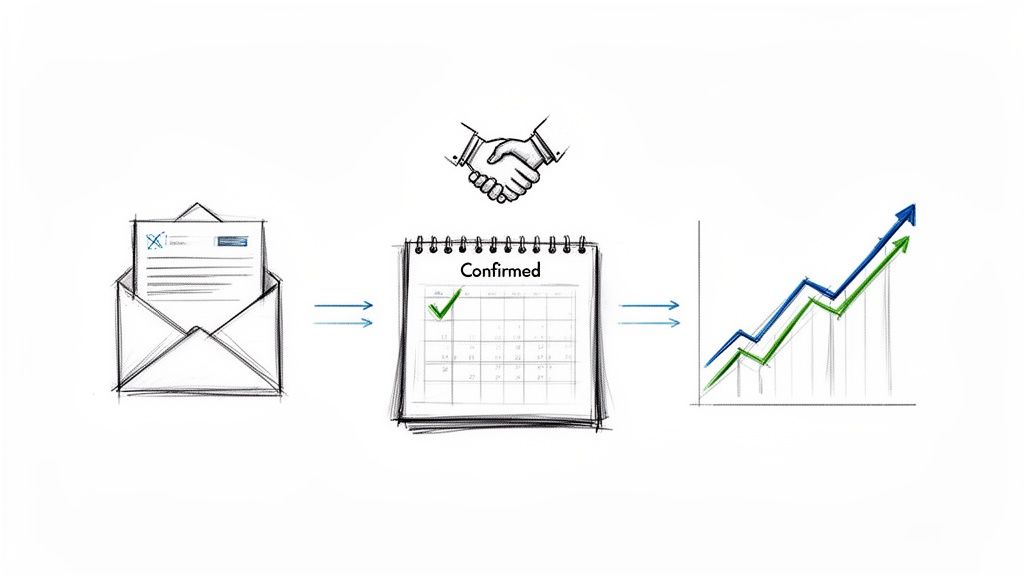
An appointment confirmation email is that automated message that lands in a client's inbox right after they book with you. It locks in the essential details—date, time, location—but its real power goes so much deeper. It’s a critical business tool that cuts down on no-shows, sets a professional tone, and builds client confidence from the absolute start.
Reinforce Value From the First Touchpoint
A well-crafted, automated email has a direct impact on your revenue. It immediately establishes a seamless, professional experience that manual texts or messy spreadsheets simply can't compete with.
Think of it this way: the confirmation email is the first tangible piece of communication your client gets after deciding to book with you. It validates their choice and starts shaping their entire perception of your brand. A clear, helpful, and professional email implies that the service they receive will be just as organized and high-quality.
Drastically Reduce Costly No-Shows
Missed appointments are a massive drain on time, energy, and money. A structured confirmation workflow is one of your most powerful weapons against them. In fact, businesses that switch to automated confirmations often report 25-40% fewer no-shows, with some seeing that number climb as high as 90%.
For solo providers and small teams, this is a game-changer. It frees you from manual follow-ups and ensures clients get all the clear details on date, time, and cancellation policies right away. Need more proof? We've got more tips right here: https://kejoola.com/blog/how-to-reduce-no-shows-appointments.
A confirmation email does more than just inform; it creates a micro-commitment. When a client sees their appointment details officially logged and sent to them, it reinforces their intention to show up.
Set the Stage for Client Loyalty
This first interaction is a cornerstone of customer retention. It’s where you start proving you’re reliable and you care—two of the biggest drivers of repeat business. These emails are a key part of broader retention marketing strategies, turning what could be a boring reminder into a powerful engagement tool.
Ultimately, an effective email system delivers peace of mind for both you and your client. When you nail this step, you’re not just confirming an appointment. You’re starting a positive relationship.
The Anatomy of a Perfect Confirmation Email
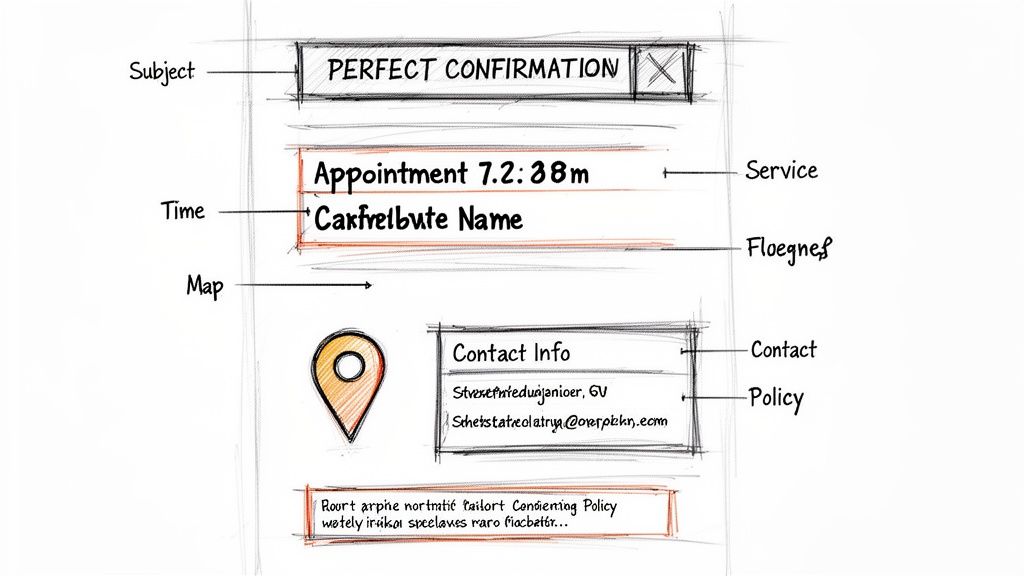
Ever stared at a blank confirmation email template and wondered what really matters? What separates an email that gets ignored from one that actually prevents a no-show? It’s not about over-the-top design or jargon. The best confirmation emails are deceptively simple, built on a handful of key elements that create clarity and give your clients peace of mind.
Let’s break down the essential pieces that make these emails click. Think of this as your blueprint for a message that not only confirms a booking but also starts the client experience off on the right foot, protecting your time and building trust from day one.
Crafting a Subject Line That Gets Opened
Your subject line is the gatekeeper to your message. In a sea of promotions and spam, it has to be instantly recognizable and valuable. If it's vague, it's likely to get lost, or worse, deleted.
A great subject line is short, specific, and reassuring. Its primary job is to tell the client, "Yes, your booking worked, and here are the details."
- Avoid: "Your Booking"
- Better: "Confirmed: Your Consultation on Tuesday at 10 AM"
- Best: "You're All Set! Your Massage Appointment with Serene Spa is Confirmed"
I always recommend including your business name or the service booked. It makes the email easy for your client to search for later, which is a small detail that they’ll appreciate when they're looking for the details an hour before the appointment.
The Core Details Every Email Must Have
Once they've opened the email, don't make them work for the information. The body of the message needs to deliver the crucial details with zero fluff. I've found that using clear headings, bold text, and a simple bulleted list makes the information easy to scan and digest.
Here’s a quick rundown of the essential elements that I’ve found make the biggest impact on a high-quality confirmation email.
| Essential Elements of a High-Impact Confirmation Email | | :--- | :--- | :--- | | Email Component | Purpose & Impact | Best Practice Example | | Client's Name | Creates an immediate personal connection and shows the email isn't just a generic blast. | "Hi, Sarah," or "Dear Mr. Jones," | | Service Booked | Eliminates any confusion about what the appointment is for, especially if you offer multiple services. | "Service: 90-Minute Deep Tissue Massage" | | Date and Time | This is the most critical detail. Including the day of the week helps prevent simple mix-ups. | "When: Tuesday, November 5th at 2:00 PM" | | Location/Link | Provides clear directions. A map link for in-person or a direct link for virtual meetings is non-negotiable. | "Where: 123 Wellness Ave, Suite 4 (Directions)" or "Join your virtual call: [Meeting Link]" | | Your Contact Info | Makes it easy for clients to ask questions, which reduces their anxiety and your no-show rate. | "Questions? Reply to this email or call us at (555) 123-4567." |
Think of these components as the non-negotiable foundation. Getting them right, every single time, sets a professional tone and ensures everyone is on the same page.
Including Your Cancellation and Rescheduling Policy
This is one of the most important—and surprisingly, most often fumbled—parts of a confirmation email. Life happens. Clients will need to cancel or reschedule, and how you handle that sets the tone for your business.
A clear, upfront policy protects your time and your bottom line. But more importantly, you need to make the process easy.
Instead of forcing a client to call or dig through your website, give them a direct link to manage their booking. This is a game-changer. It empowers them, cuts down on your admin time, and dramatically increases the chances you can fill that newly opened slot.
For example, a simple line like this works wonders: "Need to make a change? You can reschedule or cancel your appointment here up to 24 hours in advance."
This small touch shows you respect their time, which in turn makes them respect yours. If you're looking to automate this, platforms that offer Booking-ready websites for service pros often have this functionality built right in.
Crafting a Message That Actually Connects
Let's be honest, real personalization is so much more than just dropping a [First Name] tag into a generic template. The real magic happens when you craft a message with a tone that feels genuinely human and reflects your unique brand. This is your chance to turn a robotic notification into a real opportunity to build a relationship.
Think about it. A client booking with a financial consultant has a completely different set of expectations than someone scheduling a session with a personal trainer. One requires a tone of professionalism, security, and expertise. The other can be much more energetic, motivational, and informal. A one-size-fits-all email just doesn't cut it and misses a golden opportunity to connect from the very first interaction.
Tailoring Your Tone for Different Industries
Adjusting your communication style is a subtle but incredibly powerful way to build rapport. It immediately shows you understand your client’s world and what they value in a service provider.
Here’s how you might adapt your tone for different fields:
-
Professional Services (Consultants, Lawyers): Keep it formal, confident, and crystal clear. You want to convey efficiency and expertise. Something like, "We look forward to our productive session," sets a very different expectation than a more casual sign-off.
-
Health & Wellness (Therapists, Coaches): Use a warm, reassuring, and supportive voice. The email itself should feel like a safe and welcoming space. A simple phrase like, "We're excited to support you on your wellness journey," can make a client feel genuinely cared for before they even walk through the door.
-
Creative Services (Photographers, Designers): Feel free to be more enthusiastic and inspiring! This is a perfect place to let your brand's creativity shine. You could say something like, "We can't wait to bring your vision to life!"
Getting this detail right makes clients feel seen and validates their decision to book with you. Personalization in an appointment confirmation email isn't just a nice touch; it dramatically boosts engagement. The data backs this up: personalized subject lines can get 29% higher open rates. And with 35% of recipients opening an email based only on the subject line, a direct address like 'Hi Sarah, Your Photography Session is Confirmed' is non-negotiable.
Acknowledging the Relationship
Another powerful layer of connection comes from simply acknowledging your history with the client. A small tweak in your messaging for a returning customer can make a world of difference.
Instead of the standard "We look forward to seeing you," try something like, "It's great to have you back, [Client Name]! We're excited to see you again."
This tiny change validates their loyalty and makes the whole interaction feel less transactional. You're not just confirming a slot in your calendar; you're actively continuing a relationship. For a deeper look at building these connections, check out our guide on client communication best practices. When you master these nuances, your confirmation email stops being just a utility and becomes a powerful tool for keeping clients coming back.
Actionable Templates for Your Service Industry
Staring at a blank screen trying to cook up the perfect confirmation email is a real drag. To help you get past that hurdle, I’ve put together a few practical, ready-to-use templates you can grab and adapt for your business right now.
These aren't just generic fill-in-the-blanks. They’re designed for different service industries to show you how a few small tweaks in tone and content can completely change the client experience. I've also included a quick breakdown for each one, explaining why certain words were chosen and what key information is non-negotiable for that industry. Think of these as a solid starting point to get a professional and effective appointment confirmation email out the door today.
Template for Professional Services
This one is tailor-made for consultants, financial advisors, or lawyers. The tone here needs to be buttoned-up, direct, and confident. It’s exactly what clients in this space expect and respect.
Subject: Confirmed: Strategic Planning Session on [Date] at [Time]
Body:
Hi [Client Name],
This email confirms your upcoming Strategic Planning Session with [Your Name/Business Name].
We have you scheduled for:
- Date: [Day], [Date]
- Time: [Time] (including time zone)
- Location: [Video Conference Link] or [Office Address with map link]
To make sure our session is as productive as possible, please take a moment to review the attached agenda. If you have any questions or want to add discussion points, just let us know.
Should you need to make a change, you can reschedule or cancel up to 48 hours in advance using this link: [Reschedule Link]
We look forward to our discussion.
Best regards,
[Your Name] [Your Title & Company] [Your Phone Number]
Why it works: This email is all business. Calling it a "session" instantly adds value over a simple "meeting." And by asking them to review an agenda, you're subtly prompting them to prepare, which reinforces your role as the expert guiding the process.
Template for Health and Wellness Pros
For massage therapists, personal trainers, and wellness coaches, the vibe needs to be completely different—think warm, reassuring, and supportive. This template helps create a welcoming and calm experience right from the get-go.
Subject: You're Booked! Your Wellness Session with [Your Name]
Body:
Hi [Client Name],
We're so excited to see you for your upcoming [Service Name] appointment at [Your Business Name].
Here are your details:
- When: [Day], [Date] at [Time]
- Where: [Studio Address with map link]
- What to Expect: Please arrive 5-10 minutes early to fill out a brief intake form. Wear comfortable clothing.
Your well-being is our priority. If you have any specific concerns or goals you'd like to discuss beforehand, simply reply to this email.
Life happens! If you need to make a change, you can easily reschedule or cancel here: [Reschedule Link]. Please note our 24-hour cancellation policy.
We look forward to helping you feel your best!
Warmly,
[Your Name] [Your Business Name]
Template for Creative Experts
Photographers, designers, and other creative pros can—and should—get away with a more enthusiastic and inspiring tone. This email isn’t just a confirmation; it’s part of the hype, building excitement and reinforcing the collaborative magic you’re about to create.
Subject: We're Official! Your Creative Session on [Date] is Confirmed!
Body:
Hi [Client Name],
This is it! We are officially confirmed for your [Service: e.g., Headshot Photography Session]. I can't wait to help bring your vision to life.
Here’s everything you need to know:
- Date & Time: [Day], [Date] at [Time]
- Location: [Studio Address or Meeting Spot]
- Quick Tip: Check out our [Link to a 'What to Wear' guide or portfolio] for some inspiration!
Need to adjust the details? No problem. You can manage your booking here: [Reschedule Link].
Get ready to create something amazing!
Best,
[Your Name] [Your Photography/Design Studio]
Using a platform that offers Booking-ready websites for service pros can automate this entire process, ensuring every client receives the perfect message without you lifting a finger.
Putting Your Confirmation Workflow on Autopilot
Let's be honest: manually sending every single confirmation email is a soul-crushing task. It's not just tedious; it's a huge time-sink and leaves too much room for human error. The good news is, you can stop chasing clients and let technology do the heavy lifting for you.
Automating your appointment confirmation emails is probably the single biggest efficiency boost you can give your business. You set it up once, and the system handles sending the right message at the right time, every time. This guarantees every client gets a professional, consistent experience from the moment they book. More importantly, it frees you up to focus on what you actually do best—delivering an incredible service.
This is what a simple, automated service flow can look like across different types of businesses.
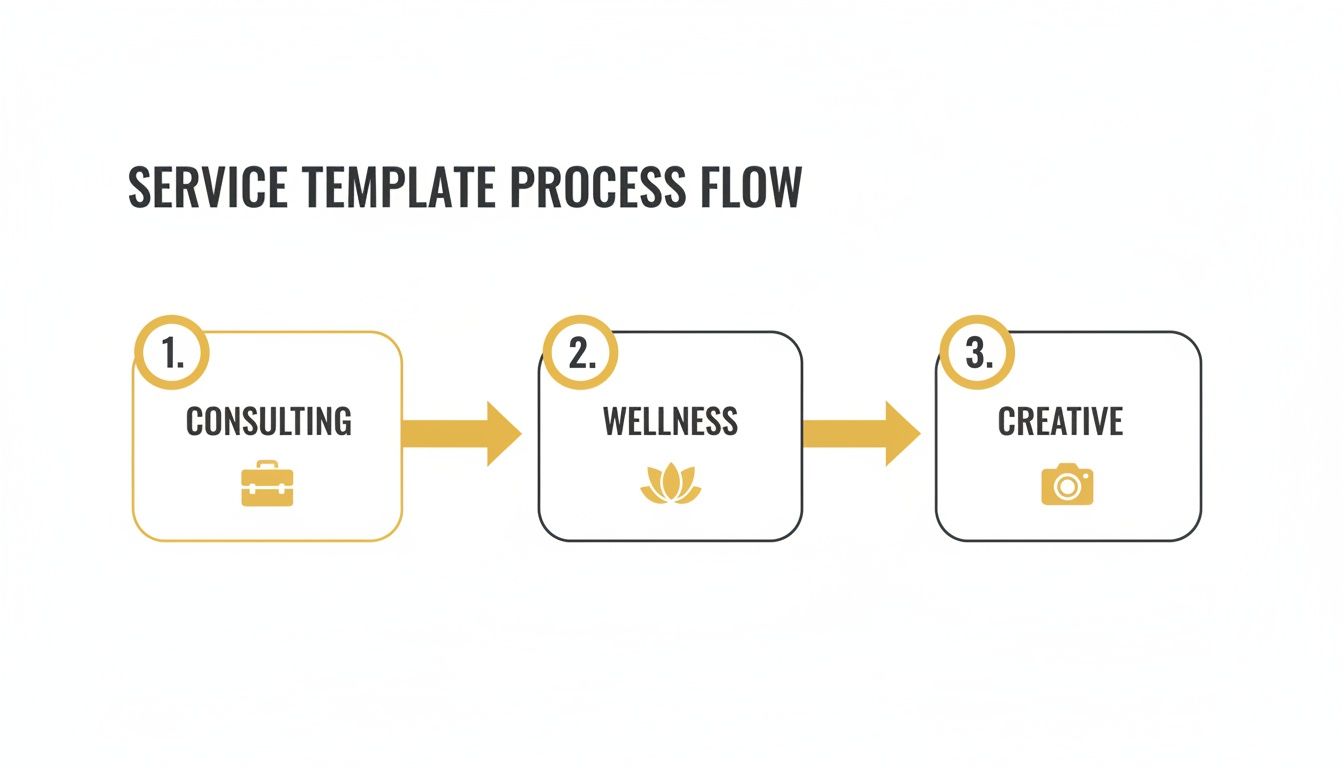
As you can see, the core process is the same whether you're a consultant, a wellness coach, or a creative professional. Automation provides a reliable framework for professional communication, no matter your industry.
Setting Up Your Automated Triggers
The magic of automation really comes down to triggers—specific actions that kickstart your email sequence. The most important trigger, of course, is the booking itself. The second a client picks a time and hits 'confirm,' your system should instantly fire off that first confirmation email. No delays, no forgetting. Just immediate peace of mind for your client.
But a great workflow doesn't stop there. Smart automation is all about layering in timely reminders.
- Immediate Confirmation: This goes out the moment the booking is made. It locks in the details and tells the client, "We've got you."
- 24-Hour Reminder: A quick, friendly nudge sent the day before the appointment. In my experience, this is the single most effective tool for slashing no-show rates.
- Post-Appointment Follow-Up: This is sent after the service is complete to thank the client, ask for a quick review, or invite them to book their next session.
This multi-step approach keeps you on your client's radar without ever feeling pushy. To really get this right, a solid grasp of email marketing automation is invaluable for scaling your client communication without losing that personal touch.
Automation isn't just about saving time. It's about building a flawless, professional journey for your client. Every automated touchpoint reinforces that you're organized, reliable, and value their business.
Integrating Essential Links and Information
A truly effective automated email does more than just confirm a date and time. It gives your clients everything they need to manage their appointment on their own. This means including direct links to reschedule or cancel. You'll be amazed at how much this one simple thing cuts down on administrative back-and-forth.
Think about other helpful links, too. Do they need to fill out an intake form beforehand? Send them a link. Is there a client portal where they can manage their details? Point them to it. Getting this information to them automatically ensures clients show up prepared, making the actual appointment far more productive for everyone.
Many of the best appointment scheduling software platforms have these features built right in. Look for tools that offer Booking-ready websites for service pros, as they make this level of powerful automation accessible to everyone, not just tech wizards.
Common Questions I Hear About Confirmation Emails
Even with the best templates and automation in place, you'll probably still run into a few tricky spots when you’re perfecting your client communication. Let's dig into some of the most common questions service providers ask when setting up their confirmation emails.
These are the real-world details that separate a smooth, professional system from a frustrating, confusing one. Getting this stuff right means your appointment confirmation email is actually doing its job.
When Is the Best Time to Send an Appointment Confirmation Email?
Timing is everything. That first confirmation email needs to go out immediately after your client clicks "book." It's that instant feedback that reassures them everything went through correctly and the appointment is officially in the system.
When it comes to reminders, the sweet spot is usually 24 to 48 hours before the appointment. That's your best defense against no-shows. But what if someone books weeks or even months out? I always recommend adding an extra reminder about a week beforehand just to keep it on their radar.
What Is the Most Critical Information to Include?
While a personal touch is great, some details are simply non-negotiable. Your email has to be crystal clear and easy to scan at a glance.
Here are the absolute must-haves:
- The client's full name.
- The specific service they're coming in for.
- The exact date and time (don't forget the day of the week!).
- Your physical address (with a map link) or a direct link for a video call.
- Your business name and contact info that's easy to spot.
If there's one thing you can't skip, it's a clearly stated cancellation or rescheduling policy. This sets expectations right from the start and protects your most valuable asset: your time.
Should I Ask Clients to Reply or Click to Confirm?
Absolutely. This is a simple but incredibly powerful move. Adding a straightforward call-to-action—like a big button or even just asking them to "Reply YES to confirm"—creates a small but meaningful commitment.
This little step does two brilliant things. First, it mentally reinforces their plan to show up. Second, it gives you an early warning if someone is likely to bail, giving you a chance to follow up or offer that slot to someone on your waitlist. It’s a tiny action that can have a huge impact on your schedule.
Can I Add Marketing Content to My Confirmation Email?
You can, but tread carefully. The main goal here is to confirm the appointment, not to make a sales pitch. Piling on too much promotional fluff can be distracting and, even worse, might get your email flagged as spam.
If you really want to add something extra, keep it subtle. A small link to your latest blog post, a gentle nudge to follow you on social media, or a quick mention of a complementary service usually works well. Just make sure the core appointment details are still the star of the show.
Ready to stop juggling texts and spreadsheets? Kejoola offers Booking-ready websites for service pros that automate your confirmations, reminders, and client management, so you can focus on your craft.