Finding the Best Client Portal Software for Your Business
Discover the best client portal software to streamline communication, enhance security, and elevate your client experience. Our guide covers must-have features, top solutions, and key selection criteria.
Josh · Jan 24, 2026 · 21 min read
- client portal
- business software
- client management
If you're juggling client work using a messy combination of emails, spreadsheets, and random text messages, you already know the pain. It’s a recipe for chaos. Files vanish into the digital ether, vital conversations get buried, and clients are left in the dark, constantly asking, "What's the status?" This is precisely the headache that client portal software was built to cure.
Think of it as moving from a cluttered, disorganized workshop into a clean, professional, and private office for each one of your clients. It's a single, secure place where they can find everything related to their project.
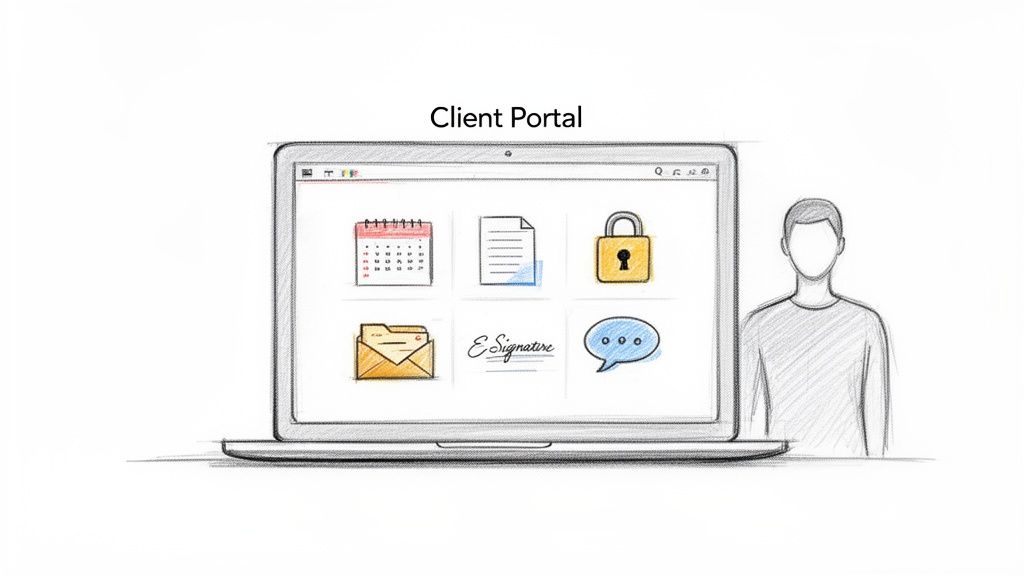
Making this shift isn’t just about getting organized; it's a strategic decision that completely changes the way your clients see you. It creates a single source of truth for every project, making sure everyone is on the same page, all the time.
A Central Hub That Screams Professionalism
Imagine giving every client a secure, 24/7 digital space where they can access everything they need without having to hunt you down. They can book appointments, check on an invoice, sign a contract, or just review project files on their own schedule. This kind of self-service access doesn't just make clients happy; it frees you up to do what you do best.
This isn't a niche trend, either. The global market for client portal software has already hit $1.81 billion in 2024. Experts predict it will nearly double to $3.38 billion by 2031, which tells you one thing: businesses are scrambling for better ways to manage client relationships and look professional while doing it. You can read the full research about client portal market growth.
A dedicated client portal transforms your service from a series of disjointed emails into a smooth, branded experience. It tells your clients you're organized, professional, and serious about keeping their information safe.
Real-World Benefits for Service Businesses
Bringing the right software into your business pays off almost immediately. It directly solves some of the most common headaches that service professionals deal with every day. Good client portal software is a cornerstone for improving customer communication.
Here’s a quick look at what a portal can actually do for you:
- Centralize All Communication: Forget digging through endless email chains. All messages, files, and feedback live in one organized place.
- Seriously Upgrade Your Security: Sharing sensitive documents over email is risky. A portal provides a secure, encrypted environment for all client information.
- Get Your Time Back: Automate all the tedious stuff—appointment reminders, payment collection, and routine check-ins—and save yourself hours of admin work.
- Elevate the Client Experience: Give clients a slick, professional, and branded hub to interact with your business. This builds major trust and keeps them coming back.
At the end of the day, a client portal isn't just about being tidy. It's about building stronger client relationships and a business that can actually scale. It shows you respect your clients' time and are committed to giving them a modern, top-tier experience.
What to Look for: The Must-Have Features in a Client Portal
When you're shopping for client portal software, it's easy to get distracted by flashy designs or a long list of features you'll never use. The real value isn't in the bells and whistles—it's in the core functions that solve your biggest headaches and make your clients' lives easier.
Think of it this way: a great portal isn't just a gadget; it's a central hub that makes your business run smoother, look more professional, and scale without chaos. So, let's get into the features that truly matter.
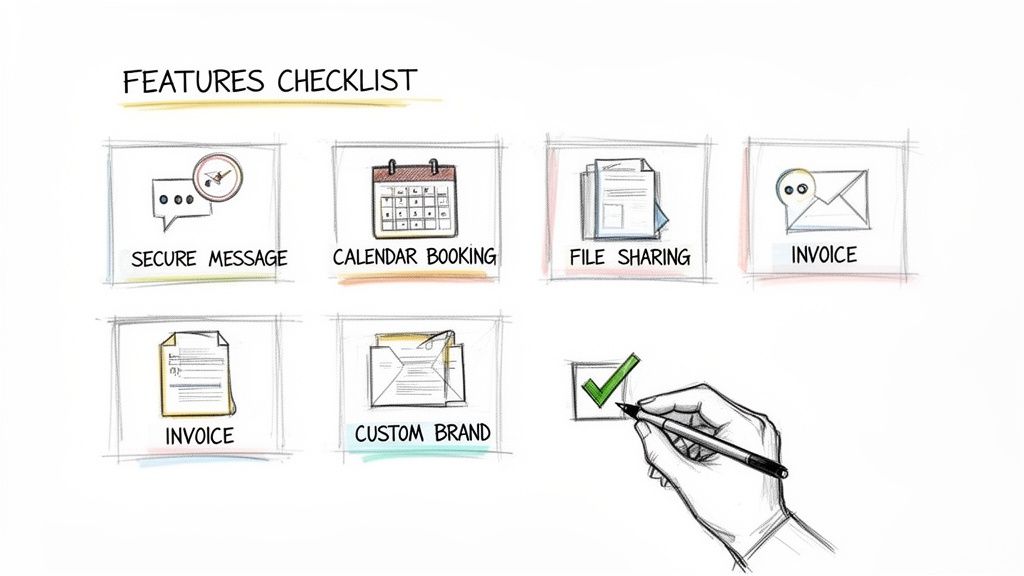
To help you cut through the noise, here’s a breakdown of the essential features and why they’re game-changers for service businesses.
Must-Have Client Portal Features and Their Business Impact
| Feature | Description | Key Business Impact |
|---|---|---|
| Secure Messaging | A dedicated, private messaging channel within the portal for all client communication. | Ends chaotic email threads and lost DMs. Creates a single, searchable record for every conversation, reducing misunderstandings. |
| Appointment Scheduling | A self-service booking system where clients can see your availability and schedule meetings 24/7. | Eliminates phone tag and back-and-forth emails. Drastically cuts down on no-shows with automated reminders. |
| Secure File Sharing | An encrypted space to upload, share, and organize all project files, contracts, and documents. | Protects sensitive client data and builds trust. Keeps all documents organized and accessible in one place. |
| Invoicing & Payments | The ability for clients to view invoices, see payment history, and pay directly within the portal. | Gets you paid faster. Reduces time spent on administrative tasks like chasing late payments. |
| Custom Branding | Options to customize the portal with your logo, brand colors, and a custom domain (white-labeling). | Reinforces your brand identity and professionalism. Creates a seamless, high-end experience for your clients. |
Having this checklist helps, but let’s dig a little deeper into what makes each of these features so powerful in the real world.
A Central Hub for All Communication
The biggest and most immediate win from a client portal is getting all your communication in one place. No more digging through your inbox for an attachment from three weeks ago or trying to remember what you agreed to in a DM. A secure messaging system creates a single, organized, and searchable history for every client interaction.
This isn't just about tidiness; it's a fundamental part of good service. Having an official record of every message, file, and decision minimizes confusion and saves you countless administrative hours. This organized approach is a cornerstone of effective client management, and you can explore more on these client communication best practices to see just how critical it is.
Let Clients Book Themselves
Playing phone tag to schedule a meeting is a massive time-waster for everyone. A modern client portal must have a self-service booking system. This feature lets your clients see your real-time availability and book a time that works for them, whenever they want—even at 2 AM.
Look for a system that includes:
- Real-time Calendar Sync: Connects to your Google Calendar, Outlook, or other calendars to prevent you from ever being double-booked.
- Automated Reminders: Sends out automatic email or SMS reminders to clients before their appointment, which can reduce no-shows by over 90%.
- Easy Rescheduling: Gives clients a simple way to reschedule based on your predefined rules, so you don't have to manage it manually.
Share Files Without the Security Risks
If you’re a service business, you’re likely handling sensitive information—contracts, financial records, project plans, you name it. Emailing these documents back and forth is a huge security risk just waiting to happen.
A proper portal gives you a secure, encrypted place to exchange files. You can set up project-specific folders, control who has access to what, and easily track different versions of a document. This is absolutely essential for building trust and protecting both your business and your clients.
The ability for a client to log in and find every document related to their project in one organized space isn't just a convenience—it's a powerful statement about your professionalism and commitment to security.
Get Paid Faster with Integrated Invoicing
Let’s be honest: chasing down payments is one of the worst parts of running a business. The best client portals solve this by integrating invoicing and payment processing right into the dashboard.
This means clients can log in, see their outstanding invoices, review their payment history, and pay you instantly with a credit card or bank transfer. When the process is this smooth and transparent, the result is simple: you get paid faster and spend way less time on financial admin.
Make the Portal Your Own with Custom Branding
Your client portal shouldn't feel like a generic, third-party tool. It's a direct extension of your brand. That’s why the ability to add your own logo, brand colors, and even use a custom domain (white-labeling) is so important.
When a client logs into a space that looks and feels like your business, it builds confidence and makes your service feel premium. It shows you’ve invested in their experience from start to finish, setting you apart from competitors who just send a generic link. Getting these core features right means you’re not just buying software; you’re investing in a fundamentally better way to run your business.
A Look at the Top Client Portal Software Solutions
With so many options out there, trying to pick the right client portal software can feel like a chore. The secret isn't finding the one with the longest feature list; it's about identifying the platform that actually solves your unique business problems, whether you're a solopreneur or a growing agency.
To cut through the noise, you need a straightforward comparison of the real contenders. We’ll look at the big names based on what truly matters: how they feel to use, what they can actually do, what they cost, and who they’re really for.
There's a reason this market is exploding. The client portal software space is projected to grow from $1.81 billion in 2024 to an estimated $3.38 billion by 2031. Powerhouses like Zendesk, Freshdesk, Zoho Desk, and HubSpot Service Hub are leading the charge, alongside comprehensive tools like SuiteDash and Salesforce. They all succeed by offering secure, self-service hubs that bring client communication, ticketing, and brand identity under one roof. For a deeper dive into market trends, you can find more industry analysis on MarketResearch.com.
All-in-One vs. Specialized Platforms
Your first big decision is whether to go with a dedicated portal tool or an all-in-one business management platform. Specialized tools are built to do one thing—provide a secure portal for messaging, file sharing, and project updates—and they often do it exceptionally well.
On the other hand, all-in-one solutions take a much broader approach. Platforms like the Dubsado client management platform bundle a client portal with CRM, invoicing, proposals, and scheduling. For many service businesses, this is the most logical route. You avoid the headache and expense of juggling multiple subscriptions and trying to make them all play nicely together.
Deep Dive on Key Competitors
Let's break down some of the most popular names in the client portal space to see what they're all about.
-
Zendesk: Think big-league customer support. Zendesk is an enterprise-level machine perfect for larger companies drowning in client inquiries. Its portal is focused on letting clients track support tickets and find answers in a knowledge base.
-
SuiteDash: This one is a true all-in-one workhorse. It rolls a client portal, CRM, project management, invoicing, and email marketing into a single, highly customizable package. It's a fantastic fit for agencies that want granular control over their entire client workflow.
-
Zoho Desk: As a key piece of the massive Zoho ecosystem, Zoho Desk delivers a powerful, context-aware help desk with a slick client portal. If you’re already using other Zoho apps, this is a no-brainer.
The best client portal software isn't about having the most features; it's about having the right features integrated seamlessly into your daily workflow. The goal is to simplify, not to add another layer of complexity.
To help you visualize the differences, here's a side-by-side comparison of some leading options. We're focusing on the features that matter most to service-based businesses, especially the integration of a website and booking system, which can be a game-changer for efficiency.
Feature Comparison of Leading Client Portal Software
| Software | Ideal For | Key Features | Integrated Website/Booking | Starting Price |
|---|---|---|---|---|
| Kejoola | Solo service pros & small businesses | Client portal, scheduling, website builder, CRM | Yes, fully integrated | $29/month |
| SuiteDash | Agencies & businesses needing customization | Portal, CRM, project management, invoicing, LMS | No (Integrates with others) | $19/month |
| Dubsado | Creative entrepreneurs & freelancers | CRM, proposals, contracts, invoicing, scheduling | No (Embeddable forms only) | $40/month |
| Zendesk | Large businesses with high support volume | Ticketing, help center, community forums, analytics | No | $55/agent/month |
| Zoho Desk | Businesses within the Zoho ecosystem | Multi-channel support, AI assistance, workflow automation | No (Integrates with Zoho Apps) | $14/agent/month |
As the table shows, while many platforms offer robust portal features, they often require you to bring your own website and booking tools to the party. This creates gaps in the client experience and more administrative work for you.
The Kejoola Advantage: Integrated Simplicity
While the platforms we've looked at are powerful, they often leave service businesses feeling like something is missing. You might get a fantastic portal, but you’re still stuck patching together a separate website builder and a different scheduling tool. This is exactly the headache Kejoola was designed to eliminate.
Kejoola is different because it bundles the three pillars of a modern service business into one clean, simple solution:
- A Professional Website: Your digital front door.
- A Smart Booking System: The end of endless email chains.
- A Secure Client Portal: A private, organized space for every client.
This integrated approach creates a single, unified system for your business. When a new client books a session on your Kejoola website, their client portal is automatically created and populated. From there, they can log in anytime to check appointment history, share notes, or book their next session—no extra steps for you or for them.
Ultimately, this saves you money, but the real win is getting your time back. Instead of logging into three different systems, you have one central dashboard. To see why this matters so much, check out our guide on the best website builder for service businesses.
With Kejoola, you’re not just buying software; you’re getting Booking-ready websites for service pros. This singular focus on what service providers actually need is what makes it a standout choice for anyone who values efficiency and a truly seamless client experience.
How to Choose the Right Client Portal for Your Business
Picking the right software isn't just about ticking boxes on a feature list. The best client portal for your business is the one that fits your budget, grows with you, and keeps your clients' sensitive information locked down. Think of it as a strategic investment, not just another monthly expense.
Making a smart choice means asking the tough questions now to avoid major headaches later. How will this platform handle things when my client list doubles? What does "per-user" pricing actually cost my business in the real world? Answering these questions today can save you from a painful and expensive migration down the road.
Ultimately, you're looking for a long-term partner for your business—a tool that's powerful today and ready for whatever you throw at it tomorrow.
Understanding the True Cost
Client portal pricing can be deceptively complex. What seems like a great deal at first glance can quickly get expensive as you bring on more clients and team members. You'll want to get a firm grip on the common pricing models out there.
- Per-User Pricing: This is a popular one. You pay for each team member or "seat" that needs access. It sounds simple, but the costs can creep up fast if you plan on hiring or bringing in contractors. Always double-check if clients or guest accounts count toward your user limit.
- Tiered Plans: Most companies offer different packages (think Starter, Pro, Business) that unlock more features and raise your limits on things like clients or projects. The trick is to find a tier that gives you what you need without forcing you into a pricey upgrade just for one or two key functions.
- Hidden Fees: Keep an eye out for the extras. Things like one-time setup fees, charges for migrating your existing data, or paid add-ons for integrations can turn a low monthly price into a much bigger investment.
Planning for Future Growth
The software that works perfectly for you as a one-person shop might become a bottleneck in a year. Scalability is all about making sure your portal can keep up with your ambition without breaking your budget or your workflows.
Think about how the platform will perform as you add more clients, manage more projects, and store more data. A scalable solution lets you add team members, launch new services, and handle a higher volume of work without slowing down. For a deeper dive on this, our article on the best appointment scheduling software touches on how booking tools need to adapt as you grow.
A truly scalable client portal doesn't just put up with growth; it helps drive it. Your software should make it easier to serve more clients, not harder.
Prioritizing Security and Support
When you're dealing with client information, security isn't just a feature—it's a requirement. Your portal will be home to contracts, invoices, and confidential messages, so rock-solid security is non-negotiable. Don't just take a company's word for it; look for proof.
Essential Security Checklist:
- SSL Encryption: This is the baseline. It makes sure any data moving between your client and the portal is kept private.
- Secure Data Storage: Find out where your data lives. Reputable cloud providers with built-in security layers are the gold standard.
- User Permissions: You need granular control over who sees what. The ability to set different access levels for your team versus your clients is critical for maintaining privacy.
Just as crucial is the support you get when something goes wrong. When you hit a technical wall, you need help, and you need it fast. Look for companies that offer multiple ways to get in touch, like live chat, email, and phone. And before you commit, read reviews to see what actual customers say about how quickly—and how well—the support team solves problems. A great tool with terrible support is a liability waiting to happen.
Getting Your New Client Portal Up and Running
Picking the right client portal is a big win, but the real magic happens when you launch it successfully. A great implementation means your new portal becomes an essential tool for clients, not just another password to forget.
The trick is to make the switch feel like a genuine upgrade for them. This means having a solid plan to move your data, set up the new space, and—most importantly—get your clients excited to use it. A smooth rollout makes all the difference and can cement the portal's value from day one.
The process starts way before you send that first invitation. It begins with making a smart choice based on core business needs.
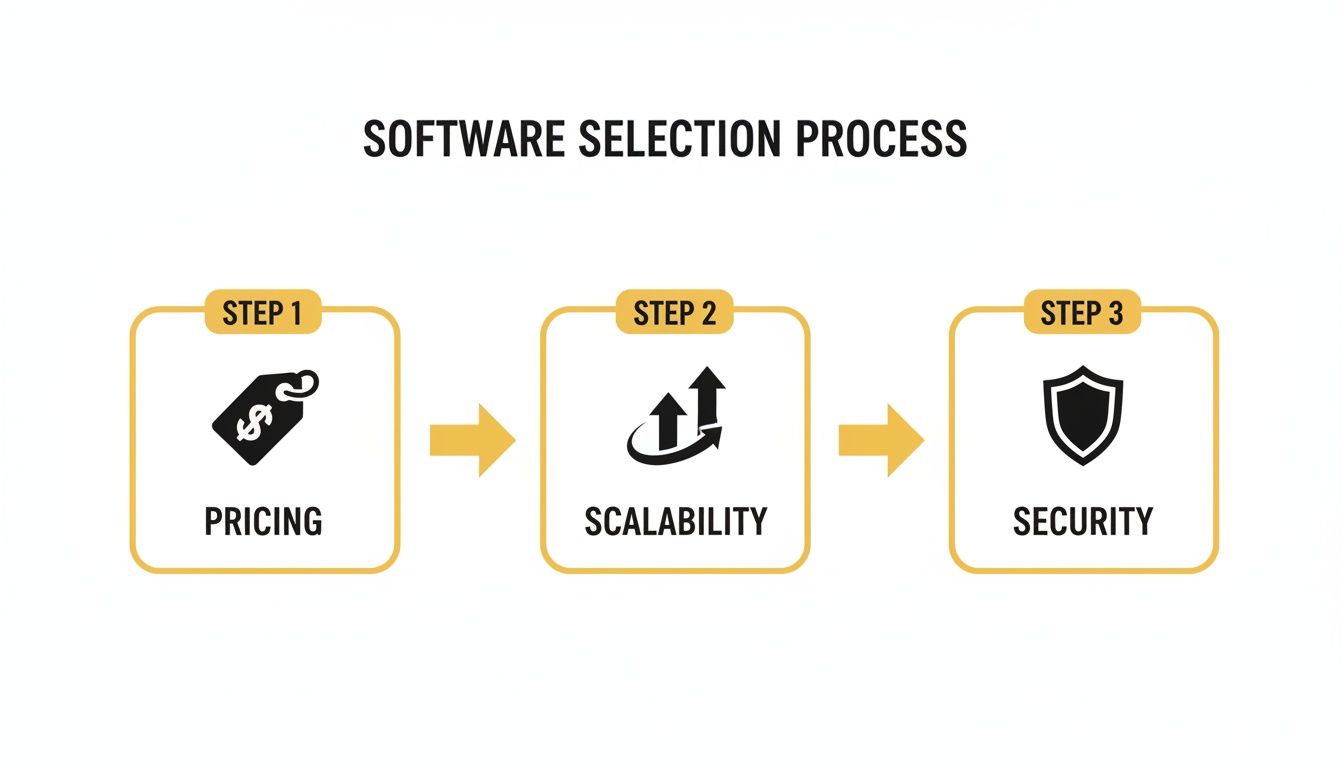
As you can see, a successful portal is built on a foundation of smart decisions around pricing, scalability, and security.
Handling the Data Migration
First things first, you need to get your existing client information into the new system. This part can feel a little overwhelming, but breaking it down into simple steps keeps it manageable and ensures nothing important gets left behind.
Start by figuring out what data is absolutely essential to bring over. For most service businesses, this includes:
- Contact Details: Names, emails, and phone numbers are the bare minimum.
- Project Information: Details on all active projects, including key files and deadlines.
- Key Documents: Think past invoices, signed agreements, and important message threads.
Most modern portals offer tools to help with this, like letting you import a CSV spreadsheet. Before you do anything, take a moment to clean up your existing data. Get rid of duplicate contacts, fix typos, and archive old information. Starting with a clean slate will make your new system feel organized from the get-go.
Setting Up and Branding Your Portal
With your data in place, it’s time for the fun part: making the portal feel like yours. This is where you turn a generic piece of software into a seamless extension of your brand.
Start with the visuals. Upload your logo and set the color scheme to match your website and other business materials. A consistent look builds trust and makes the experience feel professional and cohesive. Then, dig into the functional setup. Configure your services, create project templates, and build out any intake forms you use. Doing this work upfront will automate a ton of your future workflow.
A well-branded portal isn't just about looking good. It's about showing your clients you've invested in a secure and dedicated space designed specifically for them.
Onboarding Your Clients (The Right Way)
How you introduce the new portal will make or break its adoption. You need to sell it as a benefit to them—an upgrade designed to make their lives easier, not more complicated.
Frame the announcement around the value they’ll get. Talk about 24/7 access to their files, simpler ways to book appointments, or more secure messaging. Your first email is your best shot at getting them on board, so make it clear, concise, and genuinely enthusiastic.
Here’s a simple email template you can adapt:
Subject: A new, easier way for us to work together!
Hi [Client Name],
I'm excited to share that we're launching a new client portal to make everything from booking to file sharing smoother and more secure.
This is your new private hub where you can:
- Schedule appointments anytime you like
- Instantly access all our shared files
- Track project progress and view invoices
Getting started is easy. Just click here to set up your account: [Portal Login Link]
I'm confident this will make our collaboration even better.
Best, [Your Name]
By focusing on a smooth transition and clear communication, your new client portal will quickly become a cornerstone of how you do business.
With Kejoola, you're not just getting software; you're getting Booking-ready websites for service pros.
Common Mistakes to Avoid With Client Portals
Even the absolute best client portal software on the market will fail if you don’t get the rollout right. I’ve seen it happen time and again: a business invests in a powerful tool, but it ends up collecting digital dust because of a few avoidable missteps.
The biggest assumption businesses make is that "if you build it, they will come." They expect clients to jump on board immediately and for their own team to change ingrained habits overnight. The reality is, a successful launch needs a real strategy—one that guides everyone toward this new, better way of working.
Let's walk through the most common pitfalls so you can sidestep them and make your portal a genuine asset, not just another frustrating login for your clients.
Mistake #1: No Real Onboarding Process
The fastest way to ensure your portal fails is to simply email your clients a login link and hope for the best. This "set it and forget it" approach is a recipe for disaster. Without any guidance, your shiny new portal just feels like another chore, an unnecessary hurdle standing between them and the help they need.
Instead, think of it as a mini-launch. Create a short, friendly welcome video that gives a quick tour of the key features. Better yet, make it standard practice to gently guide every interaction back to the portal. When a client emails a file, reply with, "Great, thanks! Could you upload this to the 'Project Files' section in your portal? That way, we'll both have it." You're training them to use it.
A client portal's success isn't measured by how many features it has, but by how easily it slips into your client's day. The whole point is to make their life easier, not to give them another piece of software to learn.
Mistake #2: Choosing a System That's Too Complicated
It's so easy to get wowed by a platform that has a feature list a mile long. But more often than not, complexity is the enemy of adoption. If your portal is a maze of confusing menus and obscure functions, your clients and your own team will give up and go right back to what they know: email and phone calls.
The solution is to ruthlessly prioritize simplicity. During your evaluation, put yourself in the shoes of your least tech-savvy client. Is the interface intuitive? Or does it feel like you need a user manual just to find the "send message" button? The best client portal software isn't the one with the most bells and whistles; it's the one people will actually use.
Keep these simple checks in mind as you look at different options:
- Test the client's view. Most good platforms have a feature that lets you "impersonate" a client. Use it. See exactly what they see.
- Focus on your core problems. Don't get distracted by a dozen features you might use someday. What are the biggest pain points you need to solve right now?
- Get your team's buy-in. Let your team play around with your top choices. If they hate using it, they'll never encourage your clients to use it either.
Nailing the implementation is just as important as picking the right tool. By avoiding these common mistakes, you can make sure your client portal truly becomes a cornerstone of efficiency and stellar client service.
Frequently Asked Questions
When you're looking into client portal software, a few questions always seem to pop up. Let's tackle some of the most common ones I hear from service professionals so you can feel confident moving forward.
Is My Client Data Secure in a Portal?
Yes, and that's one of its biggest selling points. Any reputable client portal is built with security as a top priority, using things like SSL encryption and top-tier cloud servers to lock down your data.
Think about it this way: sending sensitive information over email is like sending a postcard—it can be easily intercepted. A client portal, on the other hand, is like using a secure, armored courier. It creates a private, encrypted space for you and your clients to share files and messages, giving everyone some much-needed peace of mind.
Do I Need to Be Tech-Savvy to Use a Client Portal?
Honestly, no. The best client portal software is designed for business owners, not developers. The whole point is to make your life easier.
Top platforms come with clean, intuitive dashboards and guided setups that walk you through the process step-by-step. You don't need to know a single line of code. You can have a professional, branded portal up and running in just a couple of hours.
The goal of a great portal is to simplify your operations, not add technical complexity. It should feel easy to manage from day one, allowing you to focus on your clients instead of troubleshooting software.
How Does a Portal Improve Client Retention?
It all comes down to the client experience. A portal makes working with you incredibly simple and convenient. Imagine your clients having 24/7 access to book their next appointment, check their project status, or find an old invoice without ever having to call or email you.
This kind of seamless, professional service builds incredible trust and loyalty. When clients feel valued and find it effortless to get what they need from you, they have zero reason to look elsewhere. They'll stick around, and that's how you boost retention without even trying.
With Kejoola, you're not just getting software; you're getting Booking-ready websites for service pros. Learn more at https://kejoola.com.