Best Salon Booking Software: Streamline Appointments & Grow Your Business
Discover the best salon booking software to streamline your appointments, reduce no-shows, and grow your business with integrated marketing and SEO tools.
Josh · Feb 10, 2026 · 22 min read

- salon software
- booking software
- appointment scheduling
- small business
Still managing your salon with a paper appointment book, text messages, and a flurry of Instagram DMs? If that sounds familiar, you're not just creating extra work for yourself—you're actively leaving money on the table.
This old-school, hands-on approach might feel personal, but it's a fast track to burnout. It's a system riddled with friction, for both you and your clients. Think about it: double bookings, forgotten appointments, and hours spent playing phone tag just to schedule a simple trim. That's time you're not spending with clients or growing your business.
The best salon booking software isn't just about replacing your paper diary. It's about taking back your time and creating a smoother, more professional experience for everyone.
Moving from Chaos to Control
The difference is night and day. Imagine a world where you aren't constantly interrupted by the phone. Instead, clients visit your website or booking page, see your real-time availability, and book their own appointments—anytime, day or night. No more back-and-forth. No more losing a potential client to a competitor because you couldn't answer their call fast enough.
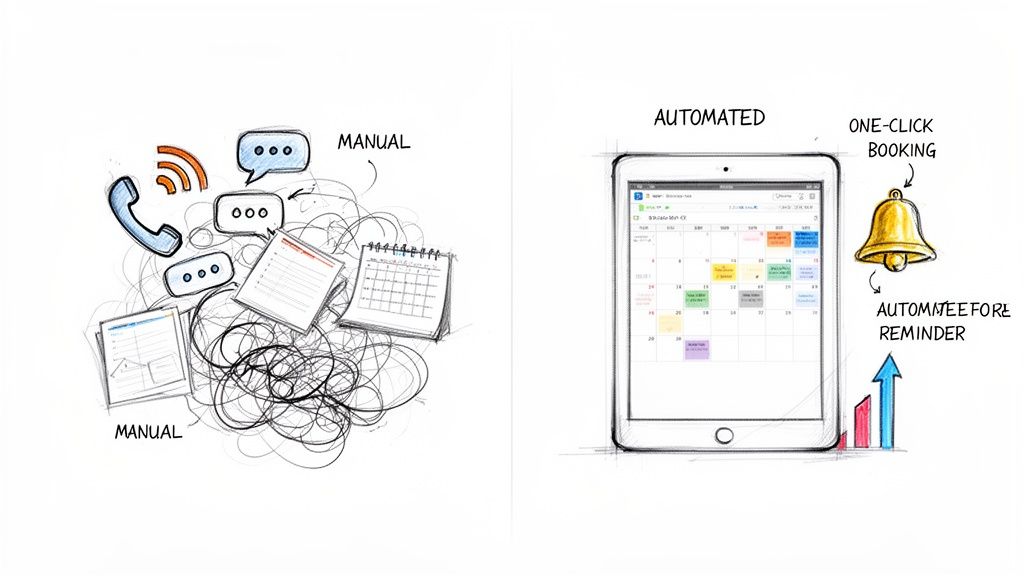
This shift is more than just a convenience. It's a powerful business move. The salon management software market is expected to hit $1.97 billion by 2030, which tells you everything you need to know: salons that don't adapt will get left behind. You can read the full research about these market trends to see where the industry is heading.
The real magic happens when your software works for you. The right platform becomes a silent partner in your business.
Key Takeaway: The best salon booking software does more than manage appointments. It automates reminders to reduce no-shows, processes payments to secure revenue, and provides marketing tools to drive repeat business.
What Are Your Real Software Options?
Not all booking systems are built the same. They're designed for different needs, from a solo stylist just starting out to a bustling multi-location salon. Figuring out which category you fall into is the first step to making a smart decision.
To simplify things, I've broken down the main software types you'll encounter. This table gives you a quick snapshot to help you identify which category best fits your current business needs.
Salon Software Tiers at a Glance
| Software Type | Best For | Core Functionality | Typical Pricing Model |
|---|---|---|---|
| Simple Booking Widgets | Solo providers adding booking to an existing website. | Basic calendar embeds, appointment scheduling. | Free with transaction fees or low-cost subscription. |
| All-in-One Platforms | New or growing salons needing a complete web presence. | Website builder, SEO, booking, and client management. | Flat monthly subscription (e.g., Kejoola). |
| Marketplace Apps | Stylists seeking client discovery on a public platform. | Public profile, booking, and client reviews. | Commission per booking or monthly fee. |
| Enterprise Systems | Multi-location salons and large spas. | Advanced reporting, payroll, and inventory control. | Higher-tier subscription, often custom-priced. |
Once you know where you fit, you can start digging into the details. This guide will walk you through a clear comparison, helping you evaluate your options based on the features that truly matter: smart scheduling, client management, marketing tools, and features that actually help you grow.
Core Features Every Modern Salon Software Needs
Choosing the right salon software isn't about finding a fancy digital calendar. It's about finding the central nervous system for your entire business—a tool that handles the tedious stuff so you can focus on your clients and your craft. The right platform solves real, everyday operational headaches and opens up new ways to grow.
Lots of software companies will throw a long list of features at you, but only a handful truly move the needle on your daily operations and, more importantly, your bottom line. Let's break down the capabilities that separate a basic scheduling tool from a genuine business partner.
1. Intelligent 24/7 Scheduling
The most crucial feature is the one that works when you’re not. Your booking system needs to give clients the power to book their own appointments, whenever they want, from whatever device they’re using. This isn't just a nice-to-have anymore; it's what clients expect, and it saves you from the endless game of phone tag.
But truly "intelligent" scheduling goes deeper than just an open calendar. You need to look for:
- Automated Reminders: This is your secret weapon against no-shows. Automatic appointment confirmations and reminders sent via SMS or email are proven to drastically reduce empty chairs.
- Smart Buffer Times: You know you need 15 minutes to clean up between clients. Your software should know that, too. Smart buffers automatically block out that time, preventing burnout and keeping your day running smoothly.
- Waitlist Management: Don't let a fully booked day mean lost revenue. A waitlist feature lets eager clients sign up for a spot if someone cancels. The system then automatically notifies them, filling the slot without you lifting a finger.
This shift toward automation is huge. The global appointment scheduling market is expected to hit $546.31 million by 2026, a massive leap from $205.85 million in 2018. This explosive growth shows just how essential automation has become for salon owners who can’t be glued to a phone during business hours. You can discover more insights about these market trends to get a better sense of where the industry is heading.
2. Integrated Client Management
Your client list is your single most valuable asset. The best software helps you treat it that way by keeping all client information in one secure, easy-to-reach place. A solid client management system is so much more than a digital address book.
It should give clients their own secure portal to see their appointment history, leave notes for their next visit, or rebook their favorite service with just one click. On your end, it means having a complete client story at your fingertips—service history, product purchases, and crucial notes like color formulas or skin sensitivities. This data is gold; it’s what lets you deliver that personal, professional touch that keeps people coming back.
3. Multi-Staff Calendar Syncing
If you’re running a salon with more than one stylist, trying to manage everyone’s schedule without a shared calendar is a recipe for chaos. A synchronized, team-wide calendar is non-negotiable. It acts as the single source of truth for everyone's availability, putting an end to double bookings and confusion for good.
Look for software that lets you assign specific services only to the stylists qualified to perform them. You should also be able to see all schedules at once, giving you a bird's-eye view of who's busy and who's free. This ensures clients book with the right person every time. If you're just starting to explore digital tools, a resource like The Ultimate Guide To An Online Booking System For Small Business can offer some great foundational knowledge.
Key Insight: A synchronized calendar doesn't just prevent mistakes. It actively optimizes your salon's capacity, making sure you're maximizing billable hours across the entire team without having to manually coordinate a thing.
4. Seamless Payment and POS Systems
These days, your booking software should also be your cash register. An integrated Point-of-Sale (POS) system connects the dots from booking to checkout, making the entire payment process seamless. This is essential for protecting your revenue and giving your business a professional polish.
Your payment toolkit should absolutely include:
- Online Deposits: Requiring clients to pay a deposit or put a card on file to book is the single best way to reduce last-minute cancellations.
- In-Person and Online Payments: Give clients the flexibility to pay how they want, whether it’s with a credit card, a mobile wallet, or an online payment link.
- Retail and Service Sales: Selling products should be just as easy as selling services. A good system lets you manage both, tracking inventory and sales all in one place.
5. Built-in Marketing and SEO
Finally, your software shouldn't just manage your business—it should help you grow it. Built-in marketing tools can turn your booking platform into a client-generating machine. These features help you attract new people and keep your regulars coming back, often without needing a separate marketing budget.
Look for things like automated review requests that build your reputation online, simple email and SMS campaign builders, and—this is a big one—strong foundational SEO. The right platform will help new local clients find you on Google, filling your appointment book for you.
Choosing the Right Salon Booking Software: A Side-by-Side Look
Let's be real—picking the best salon booking software isn't a one-size-fits-all deal. What works for a solo stylist just starting out will feel completely different from what a bustling, multi-location studio needs. The right platform depends entirely on where your business is right now and where you want it to go.
Forget generic pro-and-con lists. To find your perfect match, you have to look at these platforms through the lens of your specific business challenges. We'll break down the top contenders by matching their features to real-world salon scenarios, so you can see which one truly clicks with your goals.
At the end of the day, any solid salon software has to nail three things: booking, client management, and payments. It's the foundation of your entire operation.
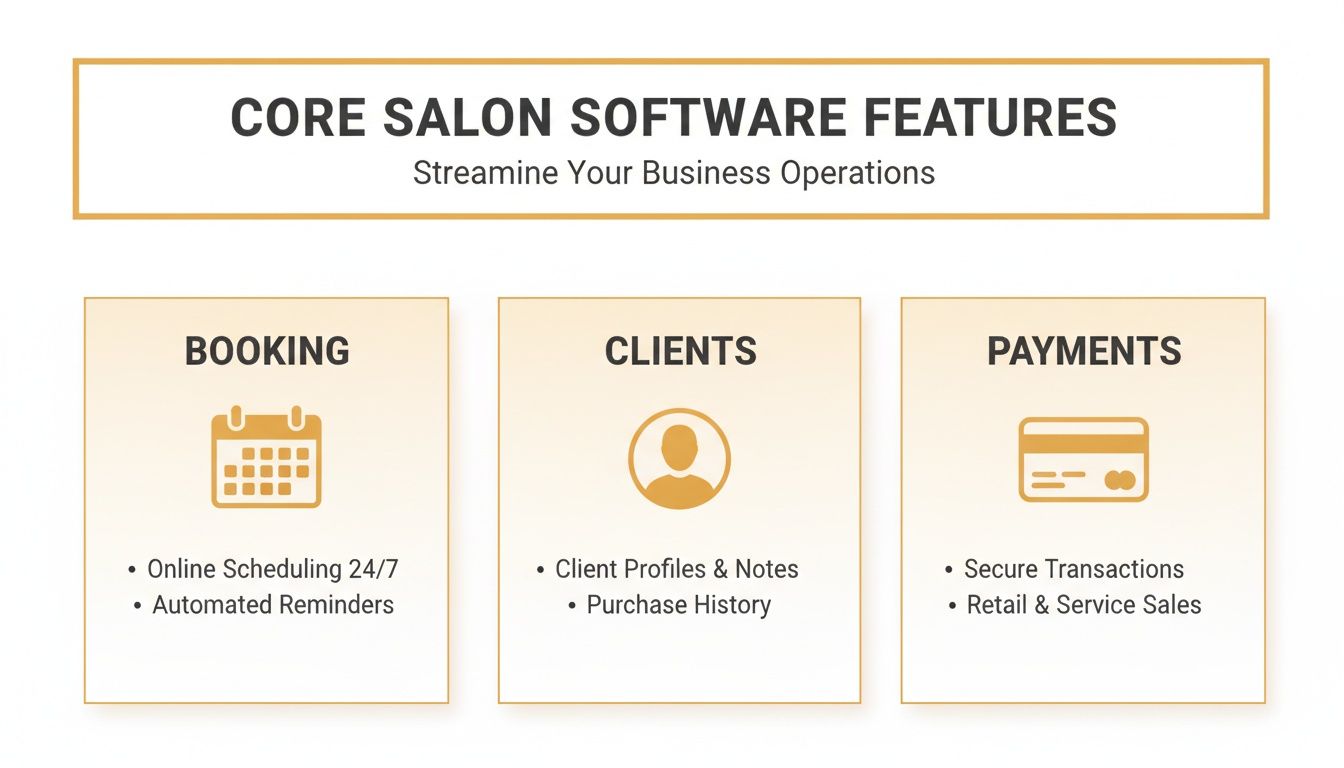
As this shows, the magic happens when these three pillars work together seamlessly. It should feel effortless for both you and your clients, from the moment they land on your site to the final tap of their card.
The Solo Stylist Building a Brand
When you're an independent professional, you’re everything—the artist, the marketer, the receptionist. Your main goal is getting found by new clients and building a brand that stands out. You need software that acts like a partner, making you look polished and professional without breaking the bank.
- What you really need: A great online presence, easy 24/7 booking for clients, automated reminders (a lifesaver!), and a way to show up in local searches.
- A look at the options: Marketplace apps like Fresha or Square Appointments are popular because they offer free booking. The catch? You're often hit with high payment processing fees and are essentially just another listing on their platform, which does little to build your brand.
- How Kejoola fits in: This is where Kejoola really changes the game for solo pros. It's not just a booking tool; it delivers complete, Booking-ready websites for service pros. This is huge. It means you get a professional online home that you own and control, designed to rank on Google from day one.
Key Differentiator: For a solo stylist, a platform that builds your website and handles your bookings solves two massive problems at once. It's a growth engine that helps you attract and keep clients without juggling multiple, expensive tools.
The Growing Salon with a Team
The moment you bring on your first few team members, everything changes. Your focus pivots from building your own brand to managing your team and making sure the salon runs like a well-oiled machine. The best software for this stage needs to kill the scheduling chaos.
Now, it's all about coordinating multiple calendars, making sure the right services are booked with the right stylists, and keeping everyone's schedule full. It's a big step up in complexity.
If you want to dive deeper into the nuts and bolts of scheduling, our guide on the best appointment scheduling software has some great insights.
- What you really need: Shared team calendars that everyone can access, the ability to assign specific services to specific staff, individual logins, and straightforward sales reports.
- A look at the options: A platform like Vagaro has a ton of features for managing a team, but it can get complicated fast, and the price tag grows with every new stylist you add.
- How Kejoola fits in: Kejoola is built to grow with you. Its professional plan is designed for teams, giving you shared calendars and client management tools that are intuitive enough for everyone to pick up quickly. It avoids the feature-creep that can overwhelm a busy team.
The Multi-Location Studio Scaling Up
Running multiple locations is a whole different ballgame. You need a central command center. Your software has to give you a bird's-eye view of the entire business, helping you maintain brand consistency and make smart, data-driven decisions for expansion.
The hair salon software market, valued at USD 297 million in 2025 and expected to hit USD 401 million by 2034, is growing precisely because of this demand for sophisticated tools. Salons need systems that can handle the complexity.
- What you really need: Centralized reporting across all locations, different permission levels for staff and managers, advanced inventory tracking, and marketing automation to keep clients coming back.
- A look at the options: Big enterprise systems like Zenoti are designed for this scale, with powerful analytics and corporate-level controls. The downside? They’re incredibly expensive and often too complex for smaller chains.
- How Kejoola fits in: Kejoola’s business tier gives you the powerful tools you need for managing multiple staff and locations, but without the enterprise price shock. You get unlimited bookings and dedicated support, ensuring your tech keeps pace as you expand.
At the end of the day, the right choice is the one that fixes today’s headaches while leaving you room to grow. This table breaks it down so you can see how the options stack up.
Salon Software Feature Comparison for Different Business Needs
This table offers a direct comparison of how leading platforms cater to different salon needs, from building your brand to managing a growing team.
| Feature | Software A (e.g., Square) | Software B (e.g., Vagaro) | Kejoola | Software D (e.g., Fresha) |
|---|---|---|---|---|
| Best For | Solo stylists & simple payment processing | Growing salons needing feature depth | Solo to mid-sized teams focused on growth | Salons wanting a free marketplace option |
| Website Builder | Limited landing page capability | Offered as an add-on feature | Core feature, fully integrated & SEO-optimized | A basic profile on their marketplace |
| Client Management | Basic contact list and history | Detailed profiles, notes, and marketing tools | Secure client portals with appointment history | Good client tools with review management |
| Pricing Model | Free for solo, high transaction fees | Tiered subscription per feature/staff member | Simple, flat monthly subscription with no hidden fees | Free, but takes a cut of new clients & payments |
| Marketing Tools | Basic email campaigns | Advanced email and SMS marketing suites | Built-in SEO & automated review generation | Marketplace discovery and in-app promotions |
Ultimately, comparing these features side-by-side against your own business goals is the clearest way to see which platform will truly support your vision.
Choosing the Right Software for Your Growth Stage
The "best" salon software is a moving target. What works for a solo stylist just starting out will be completely different from what a growing salon with five employees needs, let alone a multi-location operation. The key is to match the software's capabilities to where your business is right now and where you want it to be in a year or two.
Let's break down what really matters at each stage, so you can move beyond a generic feature list and find a tool that genuinely solves your problems.
Think of this as finding a business partner. You need one that can handle today’s challenges while being ready for tomorrow's growth, without overcomplicating things or breaking the bank.
For the Solo Provider Building a Brand
When you're flying solo, you wear all the hats—stylist, receptionist, marketer, bookkeeper. Your biggest headache isn't just managing appointments; it's getting your name out there and looking professional while you do it. Trading DMs and text messages to book clients just doesn't cut it anymore.
Your software needs to be your number one client-getter.
- Your Core Needs: A simple way for clients to book 24/7, a professional online presence that builds trust, and tools that help local customers find you online.
- The Right Software: Look for a solution that bundles a website builder directly with the booking system. Juggling a separate domain, website hosting, and a booking plugin is a technical and financial headache you just don't need.
This is exactly where a platform like Kejoola shines. It’s built around the idea of giving service pros Booking-ready websites for service pros. This isn't just about convenience; it's a strategic move. Your booking tool becomes part of your marketing engine, working to fill your calendar while you focus on your clients.
For a solo provider, software that only manages existing clients is a missed opportunity. Your system's primary job should be to bring in new business. A built-in, SEO-friendly website isn't a "nice-to-have"—it's essential for growth.
For the Established Salon Migrating Systems
Once you have a few team members, the game completely changes. You're likely dealing with the pain of an outdated, clunky system or are finally ready to ditch the paper appointment book for good. Your focus pivots from just getting clients in the door to running a smooth, efficient operation.
The migration process itself is a huge deal. A messy switch can cause chaos, frustrate your staff, and even cost you appointments.
- Your Core Needs: A painless way to import your client list and appointment history, a system so intuitive your team can pick it up quickly, and synchronized calendars that eliminate double bookings for good.
- The Right Software: Don't underestimate the value of great customer support and a clean user interface. The best features in the world are useless if your team finds the software confusing. A smooth adoption means you see the benefits immediately.
Also, look for tools like role-based permissions. This lets you control who can see and do what—a must-have for keeping things organized as you add more staff.
For the Multi-Location Business Scaling Up
Running multiple locations introduces a whole new level of complexity. Now, it's all about centralization, maintaining a consistent brand experience, and making smart, data-backed decisions. Your software has to be the central nervous system for the entire business.
- Your Core Needs: Centralized reporting to see how each location is performing at a glance, the ability to standardize service menus and pricing across all branches, and granular permissions for regional managers versus front-desk staff.
- The Right Software: You need a powerhouse platform. It must handle a high volume of bookings and complex staff schedules across different locations without lagging. Scalability isn't just a buzzword here; it's a requirement.
The real magic is in the data. The ability to pull consolidated reports on revenue, client retention, and staff productivity is what will guide your biggest decisions, from where to run your next marketing campaign to which location is ripe for expansion.
How Your Software Can Boost Local SEO
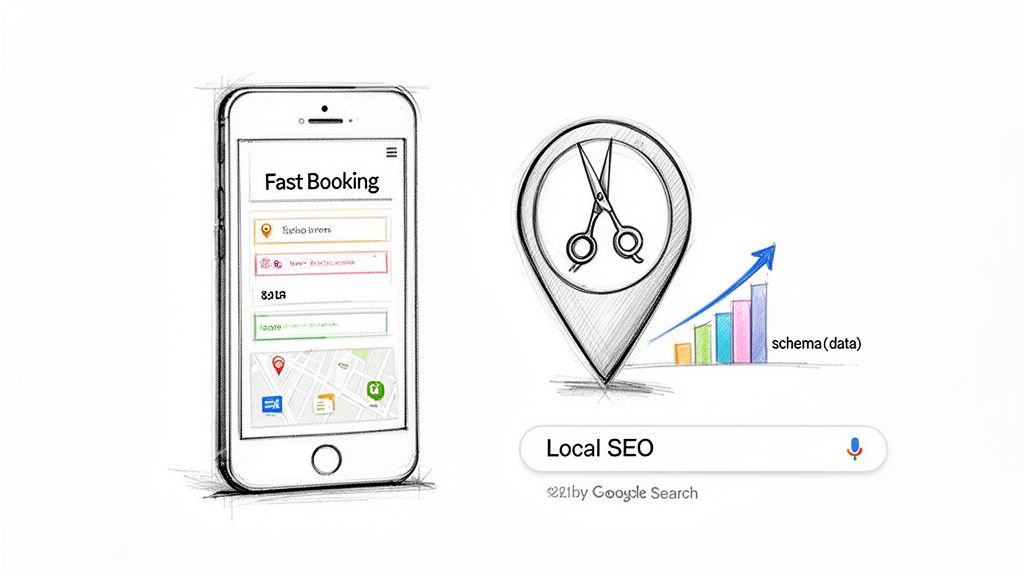
It’s easy to think of your booking software as just a digital calendar, a tool to keep your appointments straight and avoid double-booking. But if that’s all it’s doing, you're missing out on its most powerful secret: its ability to become your number one marketing tool for attracting new local clients.
The best salon booking software goes way beyond scheduling. It actively helps people in your neighborhood find you on Google. Suddenly, that monthly software fee isn't just an expense—it's a direct investment in your salon's growth.
From Simple Booking to Strategic Marketing
Think about it. When someone nearby searches for "balayage near me," Google’s algorithm instantly sifts through countless signals to decide which salons pop up first. A surprising number of those signals are tied directly to your booking software and the website it powers.
This is where a basic booking widget just doesn't cut it. Slapping a generic calendar onto a slow, clunky website won’t do you any favors in search rankings. The platforms that actually drive new business are built with SEO at their core, not as a bolt-on feature.
The Power of Structured Data and Schema
One of the most critical, yet often overlooked, factors in local SEO is something called structured data, or schema markup. Don't let the technical term scare you. It’s simply a special bit of code that spells out exactly what you offer—your services, prices, hours, and location—in a way search engines can perfectly understand.
When your booking platform automatically applies this schema, it gives Google the confidence to showcase your salon in special search results, like service menus or prominent info boxes. This helps you stand out from the crowd and grab a searcher's attention immediately.
Key Insight: Without proper schema, your salon is just another website to Google. With it, you're a well-defined local business with specific services, making it far easier for Google to recommend you to the right people.
To really get your online presence firing on all cylinders, you need to optimize your Google Business Profile for local success, as it works hand-in-hand with the SEO of your main website.
Why a Fast Booking-Ready Website Matters
Google cares immensely about user experience, and nothing kills that experience faster than a slow website, especially on a phone. If a potential client finds you online but has to wait for a clunky booking page to load, they're gone. They'll just hit the back button and book with your competitor down the street.
This is exactly why all-in-one platforms like Kejoola give you such a big leg up. By providing Booking-ready websites for service pros, the whole experience is built into a fast, mobile-friendly site from the ground up. This tight integration delivers:
- Lightning-Fast Load Times: No heavy, third-party code to drag your site down.
- Mobile-First Design: The booking flow is seamless and easy, no matter the device.
- Cohesive Branding: From the moment they land on your site to the final confirmation, the client's journey feels professional and trustworthy.
The industry is clearly moving in this direction. Projections show that business intelligence and reporting tools in salon software are set to grow at an 11.6% CAGR. Salon owners are no longer just managing schedules; they're demanding data-driven tools to actively grow their business. For more practical tips on this, check out our guide on how to improve local SEO.
Executing a Smooth Transition to Your New System
Switching your salon's booking software can feel like a huge project, but with a solid plan, it's more of a strategic upgrade than a stressful overhaul. The real goal here is to keep things running smoothly for your clients and team, so business doesn't skip a beat.
A well-planned switchover is all about protecting your most important assets: your client data and your team's workflow. Getting it right means you sidestep common headaches like lost appointments or a chaotic launch day, helping you see a return on your investment that much faster.
Migrating Your Essential Data
First things first: getting your data moved over safely. We're not just talking about a list of names and numbers. This is the entire history of your client relationships, and it's priceless.
Your migration checklist should be simple and secure. Start by exporting three key pieces of information from your old system or spreadsheets:
- Client Lists: This includes names, contact info, and any personal notes you've jotted down over the years.
- Appointment History: This data is gold for understanding how often clients visit and what they book.
- Service Menus: Make sure every service, description, duration, and price makes the jump accurately.
Most modern platforms have tools or dedicated support to help with this. For example, systems like Kejoola often provide guided setup to make sure no client data gets left behind, which takes a lot of the pressure off. If you're juggling multiple schedules, you might also find our guide on how to manage multiple calendars useful.
Training Your Team Effectively
A new system is only as good as the people using it. That’s why getting your team properly onboarded is non-negotiable. It’s the key to avoiding frustration and mistakes during those first few critical weeks.
Block out time for a dedicated training session before you go live. Walk everyone through the day-to-day essentials: how to book a new appointment, reschedule a client, process a payment, and pull up client notes. This is also the perfect time to set user permissions, so each team member only has access to what they need for their job.
A team that feels confident with the new system from day one is your greatest asset during a transition. Their comfort translates directly to a smooth, professional client experience.
Communicating with Your Clients
Now it's time to get your clients excited about the change! Frame the new software as an upgrade for them—a simpler, more convenient way to book and manage their appointments.
A little positive communication goes a long way.
- Send an Email: About a week before you launch, send a quick email to your client list announcing the new, easy-to-use booking system.
- Post on Social Media: Share the news on your Instagram and Facebook, highlighting perks like 24/7 online booking.
- In-Salon Signage: A small, friendly sign at the front desk is perfect for catching people's attention as they check out.
This heads-up builds a bit of buzz and prepares everyone for the better experience you're about to deliver.
Launching with Confidence
Finally, put together a simple "go-live" checklist for launch day. Before you officially flip the switch, run a few practice runs. Book a test appointment, process a fake payment, and send a test reminder. This final check helps you spot any little quirks before your clients do.
With your data moved, your team trained, and your clients in the loop, you’re all set. You can launch your new system with confidence and start enjoying the benefits of a smarter, more automated salon.
Still Have Questions? Let’s Clear Things Up.
Making the final call on your salon’s software is a huge decision. I get it. To help you feel confident in your choice, let's tackle a few of the most common questions I hear from salon owners just like you.
What’s the Real Cost? How Much Should I Budget?
Salon software pricing is all over the map. You’ll see some platforms advertising "free" plans, but you have to be careful—they often make their money by taking a big slice of your payment processing fees, which can really sting as you get busier.
A much clearer approach is a flat monthly fee. For a solo stylist, you might find something solid starting around $29 a month. For salons with a full team, comprehensive systems can run upwards of $150 per month.
My Two Cents: Don't just look at the sticker price. Think about the total value. A system with a slightly higher monthly fee that bundles in a professional website, hosting, SEO tools, and real-person support is almost always a smarter long-term play than a "cheap" tool with hidden costs and limitations.
Will My Clients Genuinely Use Online Booking?
Without a doubt. People live on their phones, and they expect to be able to book anything and everything online, 24/7. Offering them a simple, mobile-friendly way to book an appointment isn't just a perk anymore; it's a competitive edge.
When you introduce it, frame it as a win for them. They get the power to check your schedule in real-time, book their favorite service, and even reschedule—all without having to call and play phone tag. The best salon booking software actually makes your client's life easier, which means they'll use it, and you'll get more of your time back.
Out of Everything, What’s the Single Most Important Thing to Look For?
It's so easy to get wowed by a massive list of features, but here’s the truth: the single most important factor is how well the software solves your salon's biggest problem right now. You need to know what you're trying to fix.
- Need to attract new clients? Then you absolutely need a platform with built-in SEO and a professional website. End of story.
- Struggling to manage a growing team? Your non-negotiables are detailed reporting and flexible staff scheduling tools.
Don't get sidetracked by shiny features you’ll never touch. Zero in on a system that tackles your main challenge head-on, is a breeze for both your team and your clients to use, and has room to grow with you.
Ready to upgrade your salon's operations and marketing? Kejoola provides Booking-ready websites for service pros. Get a professional online presence with integrated scheduling, client management, and SEO tools designed to help you grow. Start your free trial today.