Best Scheduling Software for Small Business: The 2024 Guide
A comprehensive guide to the top scheduling and booking software for small businesses, from solo providers to multi-staff teams. Compare features, pricing, and use cases.
Josh · Jan 29, 2026 · 22 min read
- scheduling software
- small business
- booking apps
- appointment scheduling
Finding the best scheduling software for your small business can feel overwhelming. The right tool eliminates the back-and-forth emails, reduces costly no-shows, and empowers clients to book your services 24/7. The wrong one creates more manual work, frustrates customers, and fails to integrate with your existing workflow. This guide cuts through the noise to help you make an informed decision without endless trial-and-error.
We’ve analyzed the top platforms on the market, focusing on the critical features that matter to service-based businesses. This isn't just a list of features; it’s a detailed breakdown of how each tool performs in real-world scenarios. We cover everything from solo providers needing a simple booking link to multi-staff teams requiring complex calendar coordination and resource management.
In this comprehensive review, you will find:
- Detailed analysis of each software’s core strengths and limitations.
- Direct comparisons of pricing tiers and key features.
- Specific "best for" recommendations tailored to different business types.
- Screenshots and direct links to explore each option for yourself.
Our goal is to provide a clear, actionable resource that directly addresses the challenges small businesses face when managing appointments. While selecting core scheduling software, it's also worth considering the best appointment reminder software options to complement your system and further reduce no-shows. Let’s dive in and find the perfect scheduling solution to help you save time, streamline operations, and grow your business.
1. Kejoola
Best For: Solo providers and small teams needing an all-in-one website and booking system without technical overhead.
Kejoola stands out by bundling a professional, SEO-ready website with a powerful, integrated scheduling engine. Instead of piecing together a separate site builder, hosting service, and booking plugin, Kejoola’s AI-powered platform generates a booking-ready website in minutes. This approach makes it one of the best scheduling software for small businesses that currently operate without a formal web presence or rely on manual methods like texts and spreadsheets.
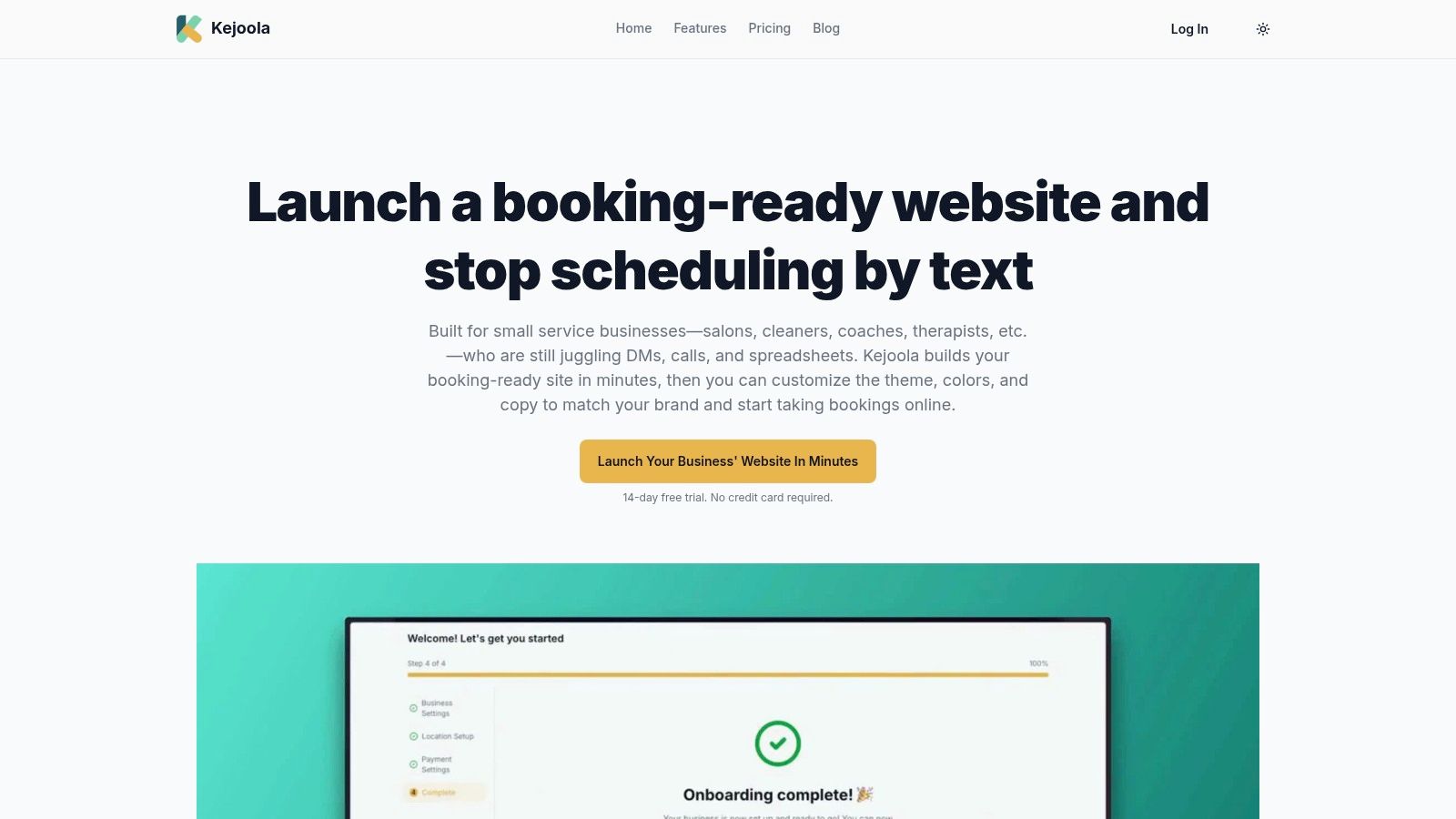
The platform’s core strength is its speed to launch and zero-maintenance design. Business owners answer a few prompts, and the AI drafts a complete site with integrated smart booking and automated reminders. Every site is built on a fully managed foundation, handling hosting, security, updates, and performance optimization automatically.
Key Features and Pricing
- AI-Powered Website Builder: Instantly generates a customizable, mobile-first website with booking functionality built-in.
- Integrated Smart Booking: Includes self-serve scheduling, automated confirmations, and bookings that sync to your Google Calendar automatically.
- Built-in Local SEO: Sites are optimized with schema, structured data, and guided copy prompts to help businesses get found by local customers.
Kejoola offers transparent pricing tiers that combine all necessary features, ensuring no surprise costs. The plans scale with business growth, from solo operators to owners who invite teammates as Admin, Manager or Member. Understanding the core components of a modern booking platform can help you select the right tier, and you can explore this topic further by reading about choosing a booking system for a small business.
Pricing:
| Plan | Monthly Price | Key Feature |
|---|---|---|
| Lite | $24 | Website only, no online booking |
| Starter | $39 | Website with online booking |
| Professional | $89 | Most Popular |
| Business | $159 | Top-tier plan |
All plans include a 14-day free trial without requiring a credit card.
Pros:
- Launch a booking-ready, SEO-optimized website in minutes with AI.
- Fully managed hosting, security, and performance means zero maintenance.
- Transparent, all-in-one pricing combines website and booking tools.
Cons:
- The entry Lite plan is website-only; online booking starts on Starter.
- Lacks extensive third-party integrations compared to some standalone tools.
Visit Kejoola
2. Calendly
Calendly has become a household name in scheduling automation, and for good reason. It excels at providing a frictionless booking experience for your clients, making it ideal for consultants, sales teams, and service providers who need to eliminate back-and-forth emails. Its core strength lies in its simplicity for the end-user and its powerful integrations for the business owner. You can create various event types, embed your calendar directly on your website, and automate reminders to reduce no-shows.

For small businesses focused on growth, Calendly’s deep integrations with CRMs like Salesforce and HubSpot are invaluable. These connections allow for seamless lead routing and tracking, turning your scheduling tool into a vital part of your sales funnel. While its free plan is quite capable for solo users, and there are many excellent free online scheduling tools available, growing teams will need paid plans to access team-based features like round-robin or collective event types.
Key Features & Considerations
- Best For: Sales teams, consultants, and businesses prioritizing lead generation and CRM integration.
- Pricing: Offers a functional free-forever plan. Paid plans start at $10 per seat/month (billed annually) for features like multiple calendar connections and unlimited event types.
- Pros: Extremely intuitive client-facing interface, robust integrations with sales and marketing platforms, and scalable from individual to enterprise use.
- Cons: Per-seat pricing can become costly for larger teams, and advanced security features like SSO are gated behind the most expensive plans.
Visit Calendly's Website
3. Squarespace Scheduling (formerly Acuity)
Squarespace Scheduling, widely known by its former name Acuity, is a powerful and highly customizable solution for service-based businesses. It shines for those offering a diverse range of services, including one-on-one appointments, group classes, workshops, and even bundled packages or memberships. Its deep feature set allows you to manage everything from client intake forms and deposits to gift certificates and recurring appointments, making it a comprehensive business management tool rather than just a simple scheduler.
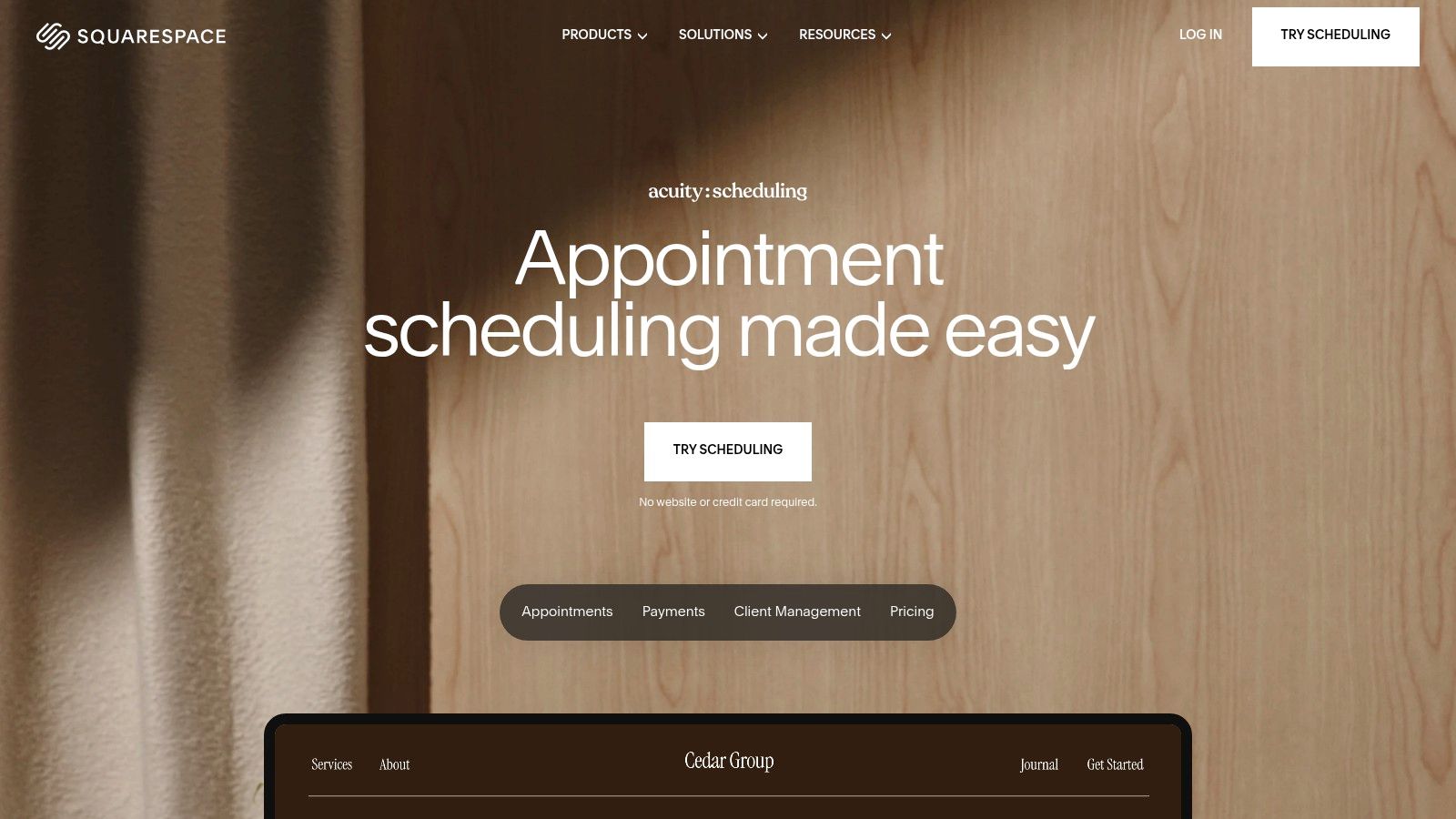
This platform excels at automating client communications. With customizable email and SMS reminders, you can significantly reduce appointment no-shows. While it integrates seamlessly into the Squarespace ecosystem, it works perfectly well as a standalone tool that can be embedded on any website. This flexibility makes it some of the best scheduling software for small business owners who need robust commerce features like payments via Stripe, Square, and PayPal, without being locked into a specific website builder.
Key Features & Considerations
- Best For: Service businesses with multiple offerings, multi-staff teams, and those needing integrated payment and client management.
- Pricing: Plans start at $16/month (billed annually) for one staff member, with higher tiers offering more advanced features and staff calendars.
- Pros: Highly customizable with strong client communication and commerce add-ons, supports complex offerings like classes and packages, and offers a HIPAA-compliant option.
- Cons: The extensive feature set can present a steeper learning curve for beginners, and while it's a standalone product, the experience is most streamlined when paired with a Squarespace website.
Visit Squarespace Scheduling's Website
4. Square Appointments
Square Appointments is an all-in-one solution designed for service-based businesses that manage clients both online and in-person. Its biggest advantage is the seamless integration of appointment scheduling with Square’s robust ecosystem of payments, point-of-sale (POS) hardware, and marketing tools. This creates a unified command center for businesses like salons, spas, and wellness studios, linking every booked appointment directly to a transaction and client history.
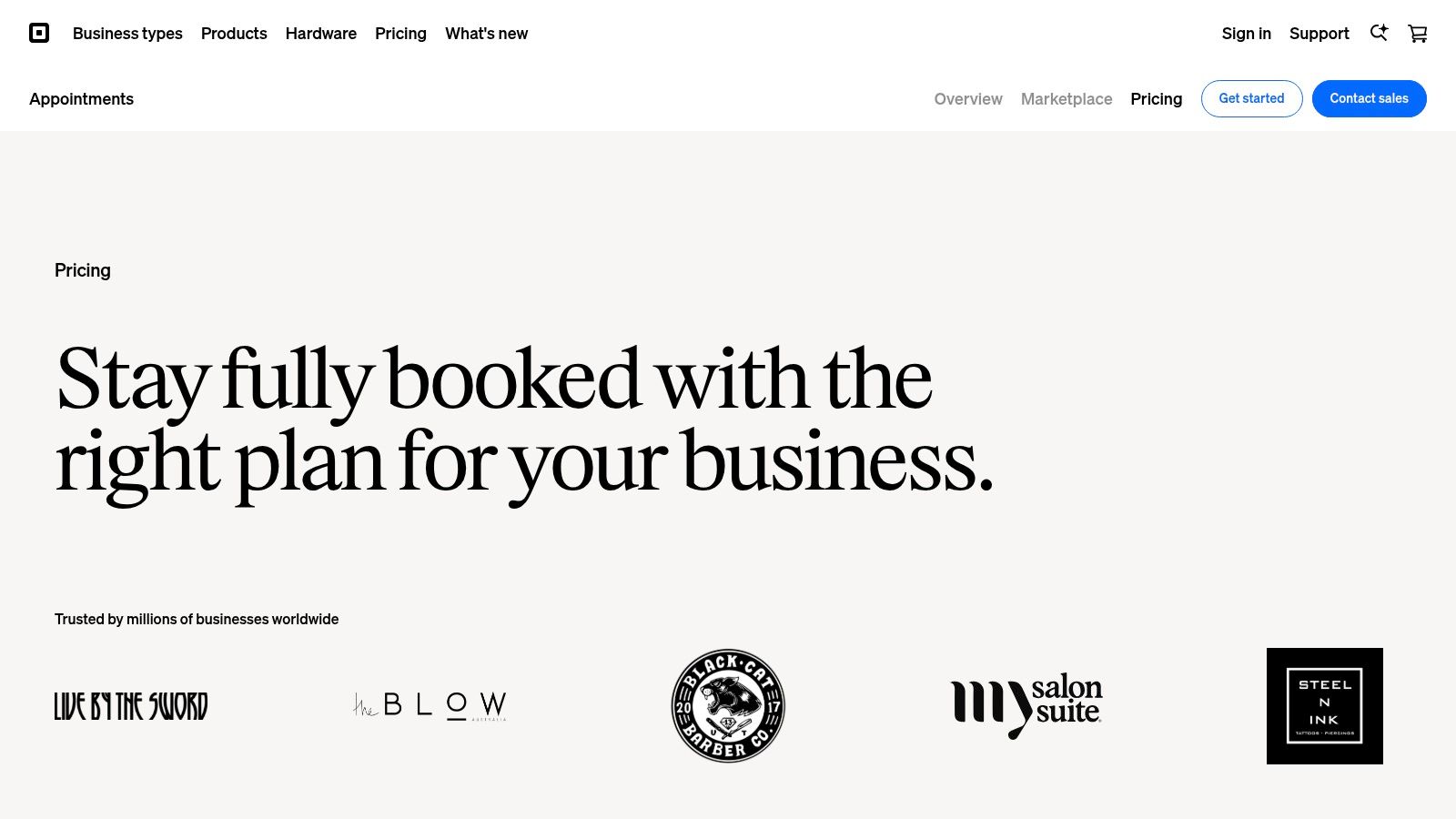
The platform supports unlimited staff members even on its free plan, making it highly scalable for growing teams. Features like automated reminders, no-show protection with upfront deposits, and integrated loyalty programs help businesses maximize revenue and client retention. As one of the best scheduling software for small business owners who need to manage inventory and in-person checkouts, Square provides a powerful link between their digital and physical operations. The ability to accept various payment types, from online pre-payments to in-person card swipes with Square hardware, is a standout feature.
Key Features & Considerations
- Best For: Salons, spas, barbers, and any service business needing an integrated POS and payment processing system.
- Pricing: A comprehensive free plan is available for individuals. Paid plans start at $29 per month per location, adding features like multi-location management and reduced processing fees.
- Pros: Deep end-to-end integration between booking, payments, and POS hardware. Includes a full suite of business tools like marketing, loyalty, and payroll in one stack.
- Cons: Paid plans are priced per location, which can become costly for businesses with multiple sites. Optional features like Afterpay carry higher transaction fees.
Visit Square Appointments's Website
5. Setmore
Setmore positions itself as an accessible and feature-rich platform, particularly for service-based businesses that need a robust free option and excellent customer support. It empowers small businesses to manage appointments, staff, and clients from a single dashboard. A key differentiator is its emphasis on multi-channel booking, allowing clients to schedule appointments directly from your website, social media profiles like Facebook and Instagram, and even through Google Search and Maps via the "Reserve with Google" integration. This makes it one of the best scheduling software options for businesses focused on local client acquisition.
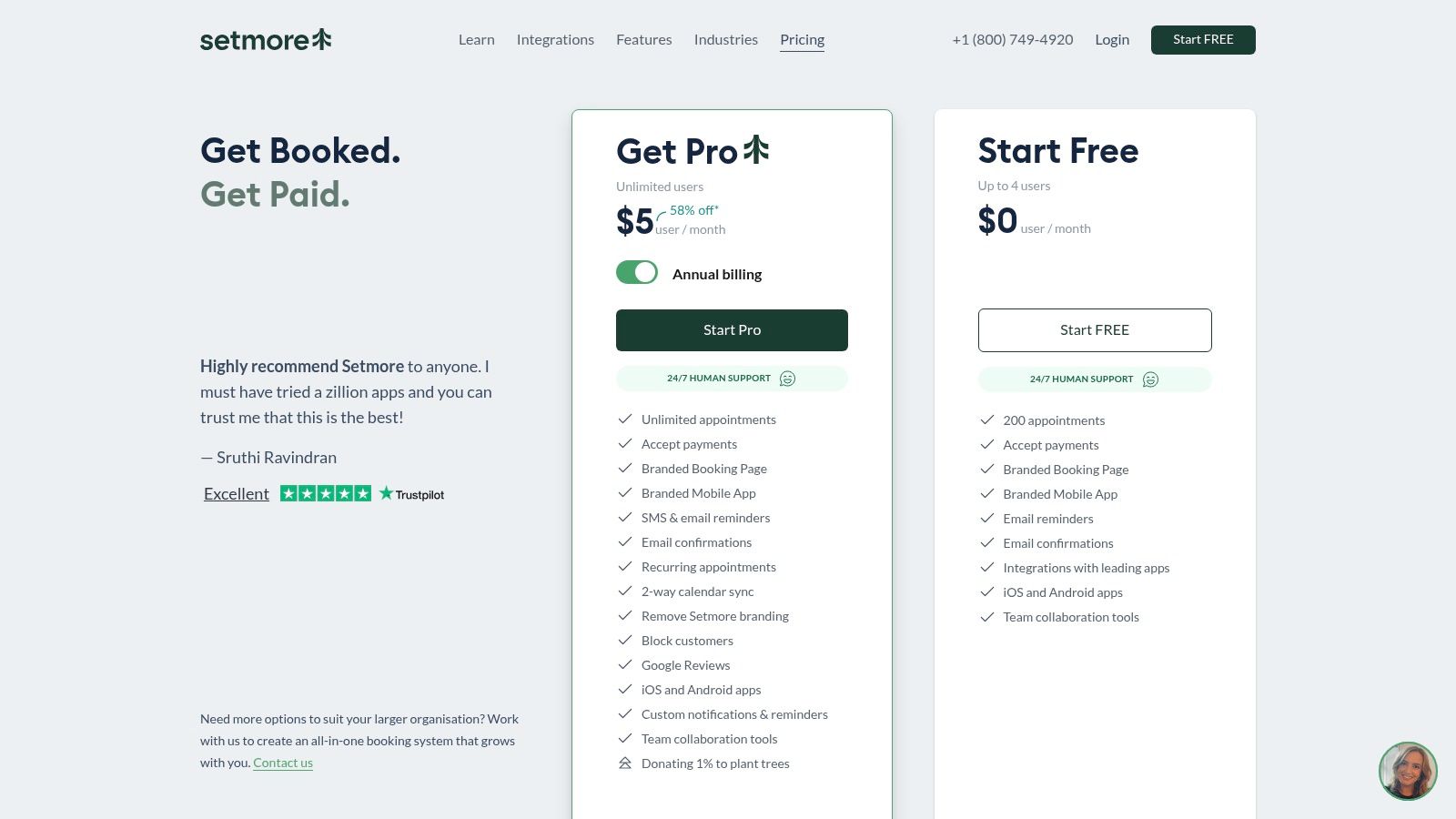
The platform supports online payments through integrations with Stripe, Square, and PayPal, making it easy to require deposits or full payment at the time of booking. For businesses in the healthcare sector, the Setmore Health plan offers HIPAA compliance, ensuring client data is handled securely. While its free plan is one of the most generous available, upgrading unlocks crucial features like recurring appointments, SMS reminders, and two-way calendar sync.
Key Features & Considerations
- Best For: Salons, spas, consultants, and local service businesses wanting to capture bookings from multiple online channels.
- Pricing: Offers a powerful free plan for up to 4 users. Paid plans start at a very competitive $5 per user/month (billed annually) for advanced features.
- Pros: Generous free tier and affordable paid plans, 24/7 human support, and excellent integrations for social media and Google booking.
- Cons: The free plan has an appointment cap and lacks recurring appointments; native CRM functionality is less extensive than some all-in-one competitors.
Visit Setmore's Website
6. SimplyBook.me
SimplyBook.me is a highly versatile and customizable booking platform designed to adapt to a wide array of service-based industries. Its standout feature is an extensive library of over 70 "custom features," which are essentially plug-and-play modules you can activate to tailor the system to your exact needs. This includes everything from client memberships and class bookings to accepting deposits and offering coupons, making it a powerful choice for businesses with specific operational requirements.
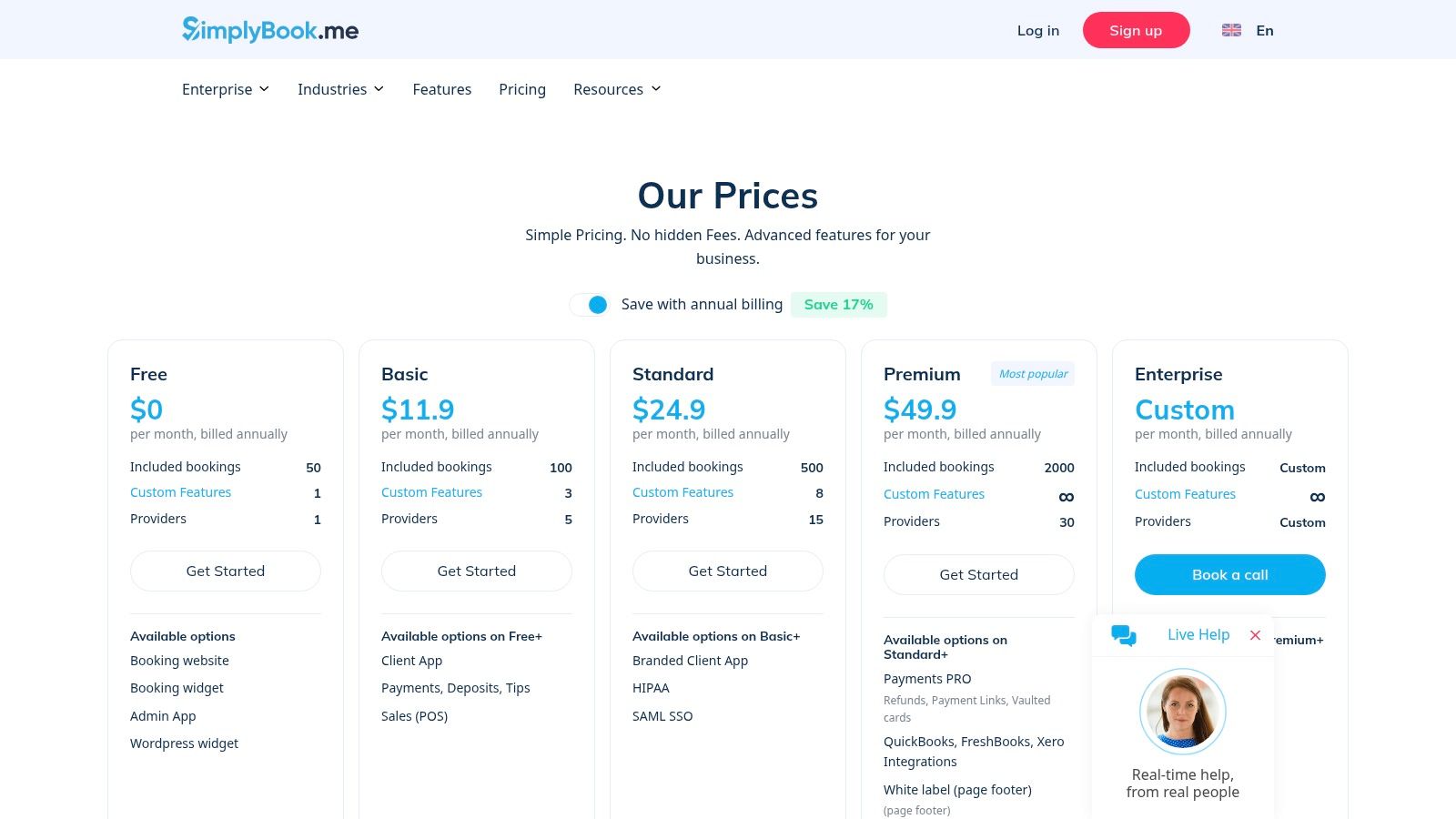
This modular approach makes it one of the best scheduling software for small business owners who need more than just a simple calendar link. For instance, a yoga studio can enable the classes feature, while a medical clinic can activate HIPAA compliance on higher-tier plans. While this level of customization is a major strength, the sheer number of options can be overwhelming during the initial setup. Users should be prepared to invest some time to configure the platform perfectly for their workflow.
Key Features & Considerations
- Best For: Service businesses with unique needs, such as spas, clinics, educational institutions, and multi-staff studios requiring specific features like memberships or HIPAA compliance.
- Pricing: A limited free plan is available. Paid plans start at $8.25/month (billed annually) and scale based on the number of bookings and custom features needed.
- Pros: Extremely customizable with industry-specific modules, provides a full booking website, and offers advanced security options like HIPAA and SAML SSO on premium tiers.
- Cons: The setup can feel complex due to the vast number of features, and costs can increase with add-ons like extra bookings or SMS credit packs.
Visit SimplyBook.me's Website
7. Appointy
Appointy is a robust scheduling solution designed for local service-based businesses, with strong features for wellness, education, and professional services. Its key advantage is the "Reserve with Google" integration, which allows clients to book directly from Google Search and Maps, significantly boosting visibility and reducing booking friction. The platform is built to scale with your business, offering a clear upgrade path from a solo operation to a multi-staff, multi-location enterprise. It handles not just appointments but also resource scheduling, like booking a specific room or piece of equipment.
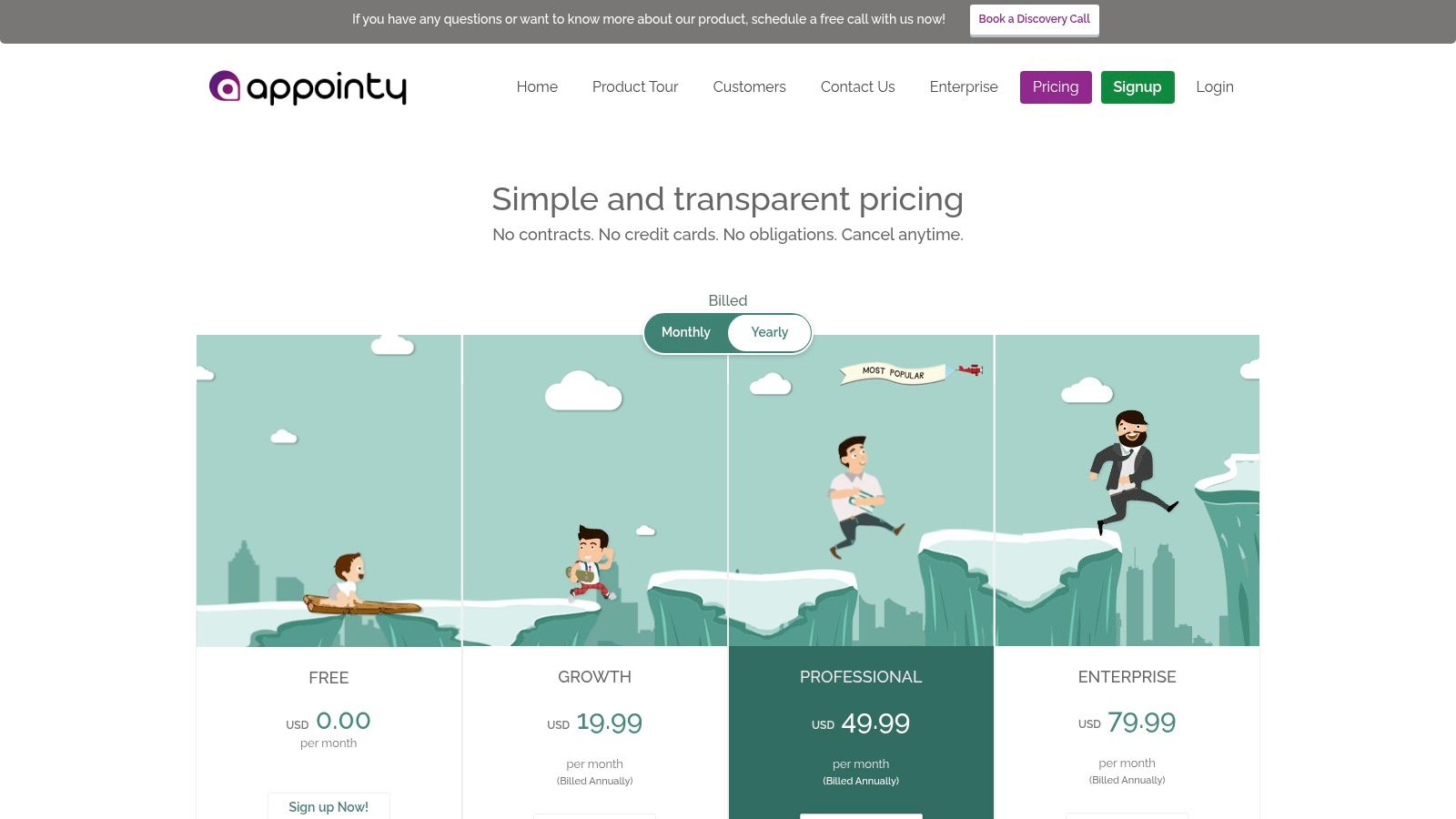
For small businesses that want to manage everything under one roof, Appointy provides tools for marketing, client management, and payments. It integrates with Square POS, Stripe, and PayPal, and allows for gift certificate sales, making it a comprehensive business management tool. While the free plan is generous, more advanced branding options and the removal of Appointy's own branding are reserved for higher-tier plans. This makes it an excellent piece of scheduling software for small business owners who anticipate future growth.
Key Features & Considerations
- Best For: Salons, spas, consultants, and local service businesses wanting to increase online visibility and manage multiple staff or locations.
- Pricing: Offers a free plan with 100 appointments per month. Paid plans start at $20 per staff/month (billed annually), adding features like Square POS integration and gift certificates.
- Pros: Powerful "Reserve with Google" feature boosts local SEO and bookings, clear scalability for growing teams, and strong resource management capabilities.
- Cons: Per-staff pricing can add up, and some desirable branding customizations require upgrading to more expensive plans.
Visit Appointy's Website
8. Fresha for Business
Fresha for Business is a powerhouse platform designed specifically for the beauty and wellness industry. It goes beyond simple appointment setting by integrating a full-fledged point-of-sale (POS) system, client management tools, and a consumer-facing marketplace to help salons and spas attract new clients. This all-in-one approach simplifies operations, allowing business owners to manage bookings, payments, and marketing from a single dashboard. Its industry-specific features, like consultation forms and client profiles, make it an indispensable tool for service providers in this vertical.
The platform's standout feature is its marketplace, which actively promotes listed businesses to potential customers in their area, acting as a built-in lead generation engine. While it was once known for being completely free, Fresha has shifted to a subscription model, but its pricing remains competitive, especially for multi-staff locations. For businesses in the salon, spa, or wellness sector, Fresha offers a tailored solution that many generalist schedulers cannot match, making it some of the best scheduling software for small business owners in that niche.
Key Features & Considerations
- Best For: Salons, spas, barbershops, and wellness clinics looking for an all-in-one management and booking generation platform.
- Pricing: Offers a free plan for individuals. Paid plans start at $29 per month plus a one-time setup fee for team features and advanced tools.
- Pros: Marketplace exposure can drive significant new business, integrated POS and marketing tools create a seamless workflow, and strong features for client retention like reviews and forms.
- Cons: Highly specialized for the beauty/wellness industry, so it's less suitable for other types of businesses. The 7-day trial is shorter than many competitors.
Visit Fresha's Website
9. Booksy (for Business)
Booksy carves out a specific niche, targeting professionals in the beauty, barber, and wellness industries with a powerful all-in-one solution. It combines robust scheduling and business management with a unique client-facing marketplace called "Boost." This integrated ecosystem allows service providers not only to manage existing clients but also to attract new ones who use the Booksy consumer app to discover and book local services. The platform is designed to be a complete business hub, handling everything from appointments and payments to marketing and client retention.
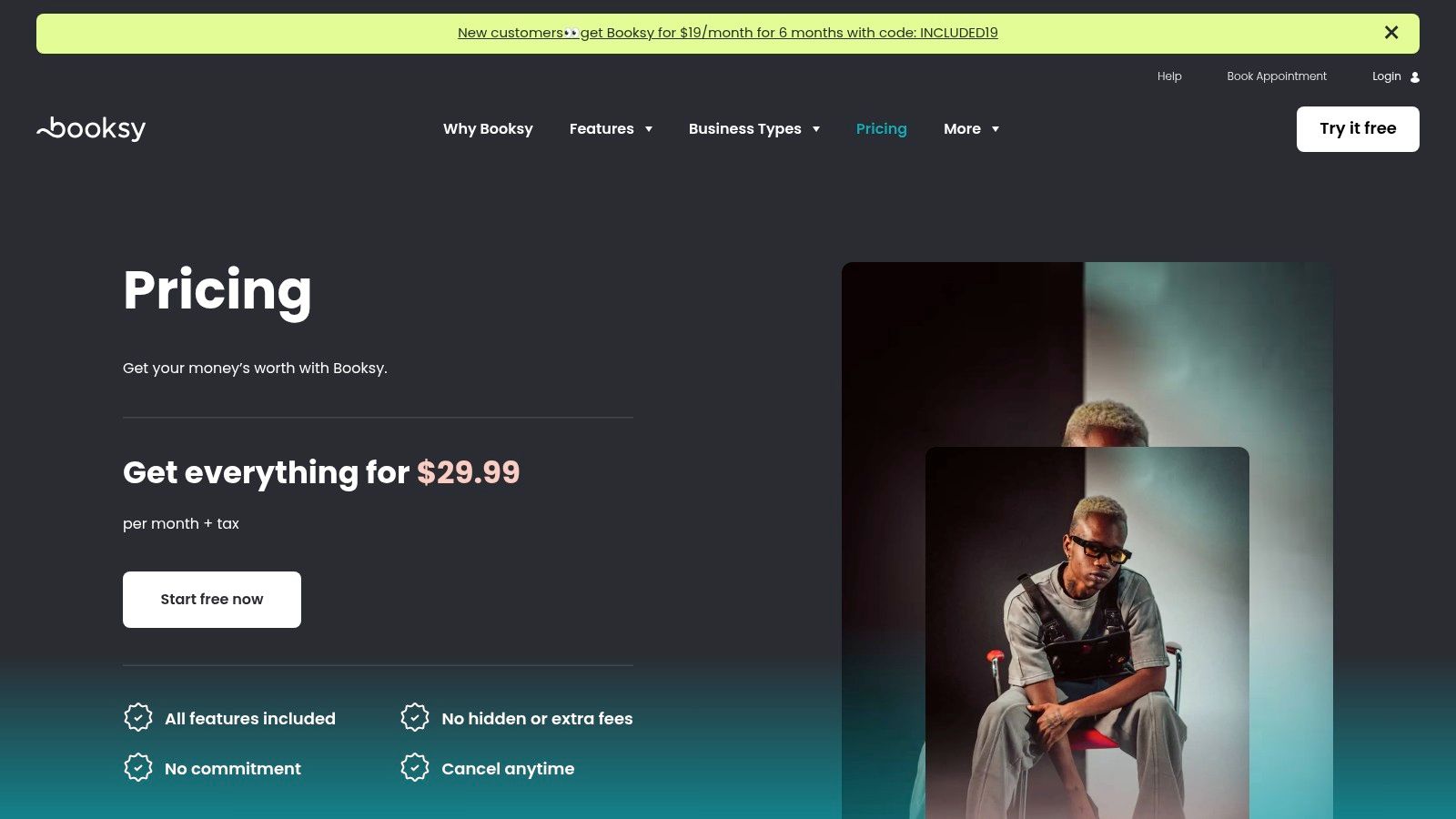
This tool stands out as one of the best scheduling software options for small businesses in its target verticals because it actively helps fill your calendar. The simple, flat-rate pricing is another major draw, eliminating the complexity of feature-gated tiers. However, businesses should be aware of the Boost feature's commission model, which takes a percentage of the first service booked by a new client sourced through the marketplace. For salons and barbershops looking for a specialized system that fuels growth, Booksy is a compelling choice.
Key Features & Considerations
- Best For: Salons, barbershops, spas, and wellness professionals who want a client marketplace to attract new customers.
- Pricing: Starts at a flat rate of $29.99 per month, which includes the core software and Boost. Additional staff members can be added for a fee.
- Pros: The consumer-facing marketplace helps generate new leads, simple and predictable flat-rate pricing, and industry-specific features are tailored to beauty and wellness workflows.
- Cons: Primarily focused on beauty and wellness, making it less suitable for other service industries. The Boost marketplace charges a 30% commission on the first service from new clients it finds for you.
Visit Booksy's Website
10. Vagaro
Vagaro is a comprehensive platform designed specifically for businesses in the salon, spa, and fitness industries. It goes far beyond simple appointment booking, integrating point-of-sale (POS), client management, and robust marketing tools into a single system. Its key differentiator is the Vagaro Marketplace, which lists your business and services, helping you attract new local clients who are actively searching for what you offer. This makes it an excellent all-in-one solution for beauty and wellness professionals looking to manage operations and drive growth simultaneously.
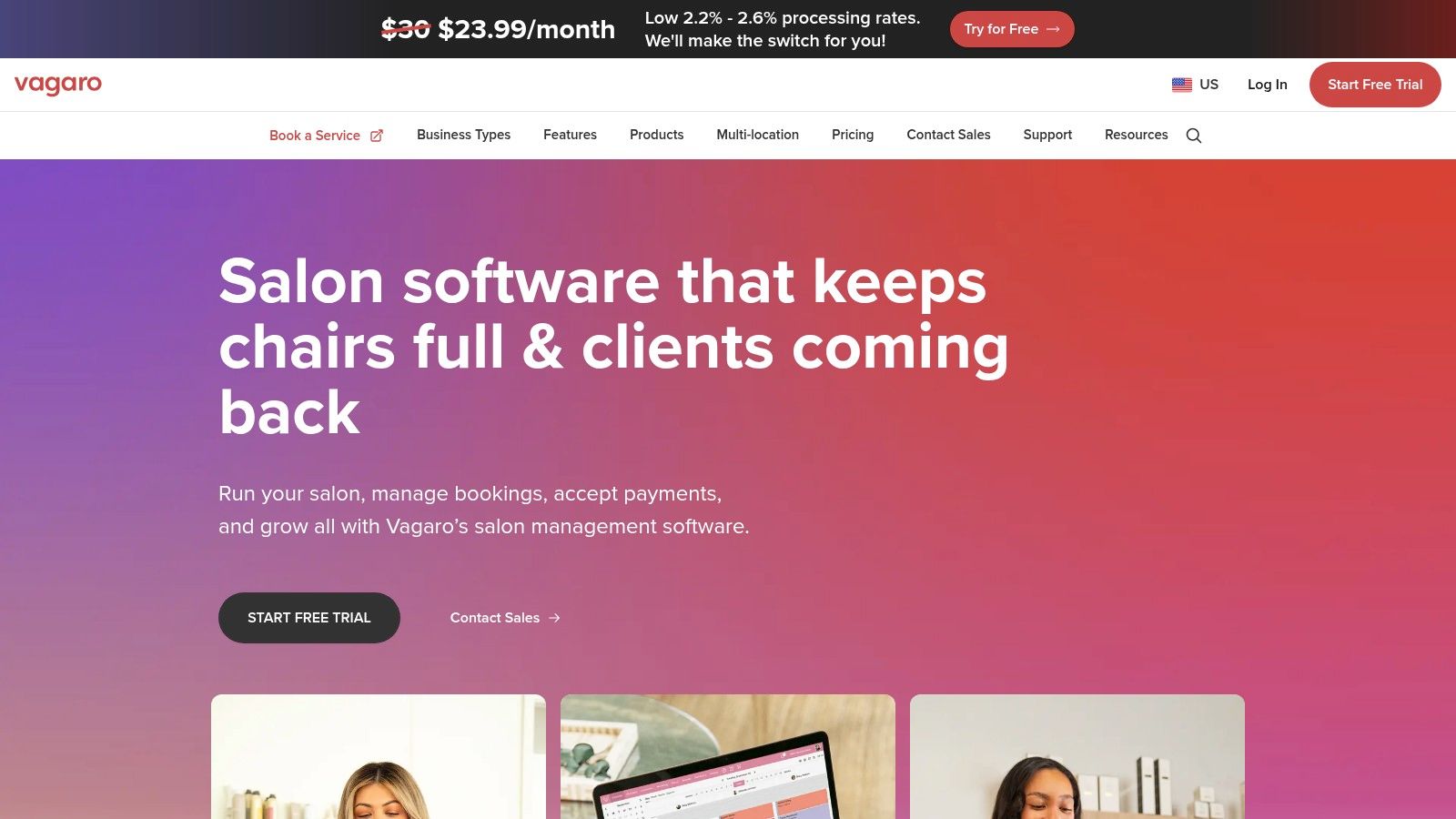
The platform supports complex scheduling needs like resource allocation (e.g., booking a specific room or piece of equipment) and waitlists. It also allows you to sell memberships, packages, and gift certificates directly through the system. For businesses migrating from another platform, Vagaro offers data migration assistance, and their 24/7 support is a significant plus for business owners who work outside traditional hours. While its industry-specific focus is a strength, businesses outside the beauty and wellness sectors may find its features overly specialized for their needs.
Key Features & Considerations
- Best For: Salons, spas, barbershops, and fitness studios needing an all-in-one management and marketing platform.
- Pricing: Starts at $30 per month for a single calendar. Each additional staff calendar costs extra, making the pricing model straightforward and scalable.
- Pros: Includes a free marketplace listing to attract new clients, offers robust reporting and growth tools like memberships, and provides strong customer support.
- Cons: Per-calendar pricing and optional add-ons can increase the monthly cost as your team grows, and its powerful features are highly tailored to the beauty and wellness verticals.
Visit Vagaro's Website
11. Zoho Bookings
For businesses already invested in the Zoho ecosystem, Zoho Bookings is a natural and powerful extension. Its greatest strength is its seamless integration with other Zoho products like Zoho CRM, Meeting, and Desk. This creates a unified system where scheduling, customer relationship management, and communications work together, reducing manual data entry and streamlining client workflows. The platform is a strong contender for consultants, agencies, and service providers looking for an all-in-one business management solution.
Beyond its native connections, Zoho Bookings stands on its own with comprehensive features. It offers branded booking pages, robust two-way calendar sync with Google and Outlook, and integrations with major payment gateways like Stripe and PayPal. This makes it a versatile piece of best scheduling software for small business owners who need more than just a simple appointment tool. While the interface has a distinct Zoho feel that might take some getting used to for newcomers, the value it provides, especially when bundled with other Zoho apps, is exceptional.
Key Features & Considerations
- Best For: Existing Zoho users, consultants, and SMBs seeking an integrated business software suite.
- Pricing: Offers a free plan for one user. Paid plans start at a very competitive $6 per user/month (billed annually), unlocking more integrations and features.
- Pros: Extremely affordable per-user pricing, deep integration with the wider Zoho ecosystem, and generous features even on lower-tier plans.
- Cons: Some payment and CRM features are reserved for premium plans, and the UI can feel less intuitive if you are not familiar with other Zoho products.
Visit Zoho Bookings' Website
12. Capterra
While not a scheduling tool itself, Capterra is an indispensable resource for finding the perfect software. It's a massive online marketplace where you can research, compare, and read verified user reviews for hundreds of appointment scheduling applications. For a small business owner overwhelmed by options, Capterra provides the structure needed to make an informed decision by allowing you to filter solutions by industry, specific features, budget, and company size.
The platform's strength lies in its user-generated reviews and side-by-side comparison tools. You can create shortlists of promising candidates and see how they stack up on key criteria, offering a more objective view than marketing materials alone. It helps you discover niche, industry-specific schedulers you might otherwise miss, ensuring you find a tool that truly fits your unique workflow. Think of it as the first step in your research process to build a list of top contenders to trial.
Key Features & Considerations
- Best For: Business owners in the research phase who want to compare multiple options and read authentic user reviews.
- Pricing: Free to use for research and comparison. Pricing for individual software is found on vendor sites.
- Pros: Extensive database of software, verified user reviews provide real-world insights, and powerful filtering tools help narrow down choices efficiently.
- Cons: Sponsored placements can influence the default order of listings, and it's crucial to always verify pricing and feature specifics directly on the vendor’s website.
Visit Capterra's Website
Top 12 Small-Business Scheduling Software Comparison
| Product | Core features ✨ | UX / Quality ★ | Value & Pricing 💰 | Target audience 👥 | Unique selling point 🏆 |
|---|---|---|---|---|---|
| 🏆 Kejoola | AI‑drafted booking-ready websites, smart booking, SEO‑ready hosting | ★★★★★ — fast, zero‑maintenance | 💰 Lite $24 / Starter $39 / Professional $89 / Business $159; 14‑day trial | 👥 Solo pros and owners with a small team | ✨ AI site drafts + integrated booking + fully managed hosting |
| Calendly | Unlimited event types, routing, payments, deep integrations | ★★★★☆ — simple & reliable | 💰 Free → per-seat paid plans (can scale costly) | 👥 Sales, consultants, teams | ✨ Strong CRM & marketing integrations |
| Squarespace Scheduling (Acuity) | Services, packages, SMS reminders, deposits, intake forms | ★★★★☆ — polished client flows | 💰 Tiered; best with Squarespace; HIPAA on top tier | 👥 Classes, coaches, multi-staff service pros | ✨ Commerce + client communications focus |
| Square Appointments | Online booking + POS, gift cards, loyalty, multi-location | ★★★★☆ — tight POS integration | 💰 Per-location fees; built-in payments & hardware | 👥 Salons, spas, retail with in-person checkout | ✨ End‑to‑end booking → payments → hardware |
| Setmore | Branded booking page, mobile app, calendar sync, payments | ★★★★☆ — easy & supported | 💰 Generous free tier; low-cost Pro; 24/7 support | 👥 Solo practitioners, small teams | ✨ Affordable + 24/7 human support & receptionist option |
| SimplyBook.me | Booking site, widgets, 70+ add-on modules, HIPAA/SSO options | ★★★☆☆ — feature‑dense | 💰 Flexible base pricing + add-on packs (SMS, extras) | 👥 Vertical businesses needing customization | ✨ Highly configurable industry modules |
| Appointy | Resource & multi-location scheduling, Google integration | ★★★★☆ — growth-oriented | 💰 Free tier (100/month); scalable paid plans | 👥 Local services, education, wellness | ✨ Clear growth path + Google bookings exposure |
| Fresha for Business | Calendar, POS, marketing, reviews, marketplace listing | ★★★★☆ — salon/wellness focused | 💰 Competitive per-team pricing; 7‑day trial | 👥 Salons, spas, wellness studios | ✨ Marketplace demand generation |
| Booksy (for Business) | 24/7 booking, payments, marketing, consumer marketplace | ★★★☆☆ — marketplace-driven | 💰 Flat pricing for core features; Boost fees apply | 👥 Beauty & barber businesses | ✨ Simple pricing + consumer Boost marketplace |
| Vagaro | Calendar, POS, memberships, reports, marketplace listing | ★★★★☆ — robust reporting | 💰 Per-calendar pricing; add-ons as you scale | 👥 Salons, spas, fitness multi-locations | ✨ Strong reporting & membership tools |
| Zoho Bookings | Two‑way calendar, Zoom/Meet integrations, widgets, payments | ★★★★☆ — integrated with Zoho suite | 💰 Affordable per-user; best value with Zoho apps | 👥 Consultants, agencies, SMBs using Zoho | ✨ Native Zoho CRM & app ecosystem |
| Capterra | Category rankings, side‑by‑side comparisons, user reviews | ★★★★☆ — research & discovery | 💰 Free to use; links to vendor pricing | 👥 Buyers researching scheduling software | ✨ Comprehensive reviews & shortlist tools |
Final Thoughts
Navigating the crowded market of scheduling software can feel overwhelming, but making the right choice is a pivotal step in streamlining your operations and enhancing your client experience. We've explored a dozen powerful contenders, from the all-in-one website and booking solution of Kejoola to the focused appointment-setting prowess of Calendly and the industry-specific features of tools like Vagaro and Fresha. The journey to finding the best scheduling software for small business isn't about finding a single "perfect" tool; it's about identifying the one that aligns perfectly with your unique business model, budget, and growth ambitions.
The most critical takeaway is to move beyond a simple feature checklist. Instead, focus on the practical application of these tools within your daily workflow. How will a specific platform reduce your administrative burden? Will it make booking easier and more intuitive for your target clientele? Does it integrate with the other software you already rely on, like your payment processor or CRM? Answering these questions will guide you to a solution that not only solves today's scheduling headaches but also supports your business as it scales.
Your Action Plan for Choosing the Right Software
To make a confident decision, follow these actionable steps:
- Define Your Core Needs: Start by listing your absolute must-have features. Are you a solopreneur needing a simple booking link for your social media bio, or a multi-staff salon requiring complex resource management and individual staff calendars? Be specific about your top three to five requirements.
- Set a Realistic Budget: As we've seen, pricing varies dramatically. Determine what you can comfortably invest per month. Remember to factor in potential transaction fees and the cost of any essential add-ons. Free plans are excellent starting points, but be honest about whether their limitations will hinder your growth.
- Utilize Free Trials: Nearly every platform we've discussed offers a free trial or a permanently free tier. Take full advantage of this. Set up a test service, make a few sample bookings, and experience the platform from both an administrative and a client perspective. This hands-on testing is invaluable and reveals usability quirks that a feature list can't.
- Consider Your Client Journey: Think about your customers. Are they tech-savvy or do they prefer a more straightforward process? The best system is one your clients will actually use. A clunky or confusing booking experience can lead to abandoned appointments and lost revenue.
Looking Beyond the Booking Calendar
Once your scheduling is automated and running smoothly, you'll free up valuable time to focus on other critical areas of business growth, like marketing and client acquisition. A streamlined booking process is a foundational element of a strong online presence. With that in place, you can explore other avenues to attract more clients. For guidance on getting found by more local customers, you can find helpful resources on discovering the best affordable SEO services for small businesses to complement your new, efficient system.
Ultimately, the goal is to invest in a tool that works for you, not one that creates more work. By carefully evaluating your options against your specific business context, you can implement a scheduling solution that saves time, reduces no-shows, delights your clients, and provides a solid foundation for sustainable growth.
Ready to combine powerful, simple scheduling with a professional online presence? Kejoola offers all-in-one, SEO-friendly websites with integrated booking calendars designed specifically for service-based businesses. Stop juggling multiple tools and get your entire business online in minutes.


