The Ultimate Guide to Cleaning Service Scheduling Software
Discover how cleaning service scheduling software can transform your business by automating bookings, streamlining operations, and unlocking real growth. This guide covers core features, how to choose the right software, and an implementation checklist.
Josh · Jan 31, 2026 · 16 min read
- cleaning service
- scheduling software
- small business
- automation
What Is Cleaning Service Scheduling Software
At its core, cleaning service scheduling software is a specialized tool designed to automate and centralize the day-to-day operations of a cleaning business. Think of it as the air traffic control tower for your company. Instead of juggling appointments, staff, and payments with a chaotic mix of spreadsheets and phone calls, everything is managed from one organized, digital platform.
The Modern Command Center for Your Cleaning Business
Ever feel like you're trying to direct rush-hour traffic with a flip phone? That’s what running a cleaning business with manual methods can feel like. You're constantly fielding client texts, updating messy spreadsheets, and playing phone tag. This not only leads to double bookings and lost revenue but also an incredible amount of stress. It's a reactive way to run a business, and it’s a massive barrier to growth.
This is where cleaning service scheduling software steps in. It’s the definitive solution to the chaos, acting as a central command center that brings order to your operations. It helps you shift from being reactive to proactive, putting all the information you need right at your fingertips.
From Manual Chaos to Automated Order
The real magic of this software is how it automates the most time-draining parts of your day. It cuts out the endless back-and-forth, giving you back precious hours to focus on what actually matters: providing fantastic service and growing your business.
Here’s how that transformation typically looks:
- Automated Client Bookings: Clients can book services 24/7 directly through your website. No more missed calls or losing leads because you were on another job.
- Organized Staff Assignments: You can build clear schedules, plan efficient routes, and send real-time updates, making sure your team is always in the right place at the right time.
- Streamlined Payments and Invoicing: Integrated payment processing lets you send invoices automatically and get paid faster, without having to chase down clients.
This isn’t just a passing trend; it’s a fundamental change in how successful cleaning companies operate. The market for this type of software is exploding—it was valued at around $500 million in 2025 and is on track to hit $1.8 billion by 2033. This growth shows just how many businesses are moving away from frantic manual work and toward sleek, tech-driven platforms. You can read more about the growth of the scheduling software market for a deeper dive.
By bringing this technology into your business, you're laying the groundwork for a more professional, scalable, and ultimately more profitable operation.
The Core Features That Make It All Work
Thinking about a central command center for your business is one thing, but the real magic happens in the tools you use every day. Good cleaning service scheduling software isn't just a fancy digital calendar—it’s a toolkit built to solve the biggest headaches that come with running a cleaning company. Each feature is designed to directly improve your daily workflow, saving you time and headaches.
These aren't just bells and whistles; they are the fundamental building blocks of a more efficient and profitable business. They help you leave behind the world of sticky notes and frantic phone calls for a smooth, automated system that works for you 24/7.
This is the shift from chaos to control. It's about taking all the messy, tangled parts of running your business and organizing them into a clear, predictable system.
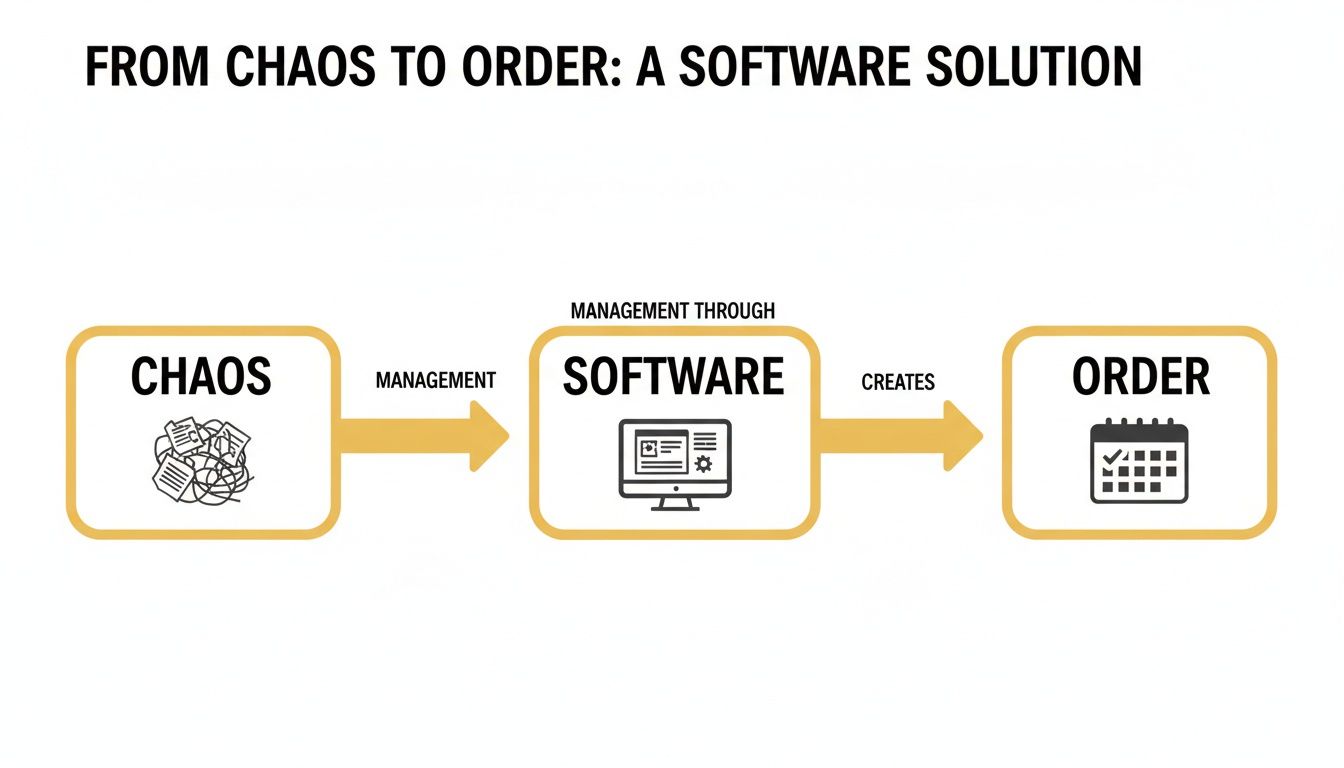
This kind of software is the bridge from operational mess to structured success. Let's break down the core features that get you there.
24/7 Online Booking
One of the best things you can do for your business is let clients book whenever it suits them. Instead of playing endless phone tag or trying to answer emails at 10 PM, an online booking portal on your website lets customers see your availability and schedule a cleaning on their own terms. It’s a huge convenience for them and a lead-capture machine for you, catching business you might otherwise lose.
Automated Reminders and Confirmations
No-shows are a quiet drain on your profits. Every appointment a client forgets is lost revenue and a hole in your schedule you can't fill. Sending out automated SMS and email reminders is a simple but incredibly effective way to cut down on no-shows. It gives clients a friendly nudge, protecting your time and your income without you having to lift a finger.
An automated system keeps everyone—your team and your clients—on the same page. This builds a foundation of reliability and trust, which is exactly what you need to keep loyal customers coming back.
Smart Scheduling and Route Optimization
Trying to coordinate multiple cleaners across town can feel like a game of Tetris you can't win. Smart scheduling tools help you assign jobs based on who's available, who has the right skills, and who's closest. Some platforms, like Kejoola, even offer route optimization that groups appointments by location to cut down on travel time and gas costs. That means your team spends more time cleaning and less time sitting in traffic.
If you're already juggling multiple calendars, you know how tough it can be. You can learn more about how to manage multiple calendars to get a better handle on things.
Integrated Invoicing and Payments
Chasing down payments is one of the worst parts of the job. It's frustrating and terrible for your cash flow. With integrated payment systems, an invoice can be automatically created and sent the second a job is marked complete. Clients can pay you instantly online with a credit card, which means you get your money faster and spend way less time on admin.
To really see how much of a difference this makes, let's compare the old way of doing things with the new, software-driven approach.
Manual Methods vs. Scheduling Software Features
The table below breaks down the stark contrast between traditional, manual processes and the streamlined solutions offered by cleaning service scheduling software.
| Task | The Old Manual Way (Without Software) | The New Automated Way (With Software) |
|---|---|---|
| Booking | Answering calls, replying to texts, manually updating a paper calendar. | A 24/7 online booking portal that lets clients schedule themselves. |
| Reminders | Calling or texting every client one by one the day before. | Automatic SMS and email reminders are sent out without you doing anything. |
| Scheduling | Guessing the best routes, manually assigning jobs, and hoping for no conflicts. | Optimized routes, simple drag-and-drop calendars, and real-time updates for your team. |
| Payments | Mailing paper invoices, chasing down late payments, and handling cash or checks. | Automatic invoicing, secure online payments, and instant payment confirmations. |
Looking at it side-by-side, it becomes clear that moving to an automated system isn't just a small upgrade—it’s a complete operational overhaul that frees you up to focus on growing your business.
Unlocking Real Business Growth and Efficiency
The individual features are nice, but the real magic happens when they all work together. Bringing cleaning service scheduling software into your business isn't just about making things a little easier; it's a strategic move that hits your bottom line. You're turning all that saved time and effort into real, measurable growth.
The first thing you'll notice is how much of your time you get back. Think about it: every hour you spend on the phone playing schedule-tag or manually chasing invoices is an hour you can't spend on marketing, training your team, or just making your services better. This software puts all that administrative busywork on autopilot, freeing you up to actually run your company.

From Saving Time to Making Money
All that reclaimed time translates directly into money. When you're not drowning in admin, you can finally focus on the stuff that grows your revenue.
- Protect Your Revenue: Automated reminders are a game-changer for cutting down on no-shows and last-minute cancellations. Every appointment you save is income you didn't have to fight for.
- Sharpen Your Professional Image: A slick online booking system makes you look organized and trustworthy from the very first click. That first impression builds confidence, which leads to better reviews and loyal clients who stick around.
- Boost Your Cash Flow: When clients can pay online instantly, you get your money faster. That means you have the cash on hand to invest back into the business, whether it's for better equipment or a new marketing push.
The difference this kind of tech makes is huge. Cleaning businesses that adopt it often slash their administrative overhead by 35-45% and see their teams become 20-30% more productive.
Paving the Way for True Scalability
This might be the most critical benefit of all: this software is what lets you grow without breaking everything. Without a solid system, hiring more cleaners just means more phone calls, more confusion, and more chaos. Scheduling software gives you the operational foundation you need to expand your team and service area.
A centralized system means that as you grow, your service quality and control don't suffer. You stop being the bottleneck holding the entire operation together.
This technology makes it easy to add new staff, assign jobs, and manage a packed schedule, no matter how big your team gets. It’s what separates a small, busy operation from a business that's truly built to grow. And when you're ready, you can even explore ways to scale your business further by offloading other tasks. With the right systems in place, there’s no ceiling on your growth.
How to Choose the Right Software for Your Company
Picking the right cleaning service scheduling software feels like a huge decision, and it is. But you don't have to get overwhelmed. The trick is to break it down into a few key areas to find a platform that solves today's headaches and grows with you tomorrow.
The first step is a gut check on your own business. Are you a one-person show just trying to ditch the paper calendar, or are you managing a growing team and need something more robust for dispatching and routing? Knowing exactly where you are and where you want to go will immediately help you cut through the noise and narrow down your options.
Evaluate Key Criteria
Once you’ve got a clear picture of your needs, you can start sizing up software based on a few make-or-break factors. These are the things that determine whether a tool will actually make your life easier or just become another login you never use.
Here’s what you should be looking for:
- Ease of Use: This is non-negotiable. If you and your team need a manual to figure it out, it’s the wrong tool. A clean, simple interface means everyone gets up to speed quickly, and you start seeing a return on your investment right away.
- Mobile Functionality: Your cleaners are out in the field, not tied to a desk. Your software needs to live on their phones. A solid mobile app for checking schedules, updating job statuses, and getting directions is an absolute must.
- Scalability: The software that works for you today needs to work for you two years from now when you've doubled your client list. Look for a platform that can easily handle more staff, more bookings, and more services without you having to jump ship and start this whole process over again.
- Customer Support: When a problem pops up (and it will), you need to know someone has your back. Look for real, responsive support—whether it's live chat, email, or a phone number—so you’re never left stranded.
Doing a bit of homework on the different best employee scheduling software options can give you a better feel for the landscape, including typical features and pricing, which helps you spot the solutions that are a good fit for a service business like yours.
Ask the Right Questions
When you get a demo or sign up for a free trial, this is your time to grill them. Don’t hold back. Ask pointed questions that apply directly to how you run your business. You need to see if the software can handle your real-world workflow, not just a perfect-world demo.
A great piece of software should feel like a natural extension of your business. It should simplify your processes, not add new layers of complexity.
Here are a few questions to get you started:
- Honestly, how long does it take to get set up and import my existing client list?
- Can I customize the booking forms to match the specific services and add-ons I offer?
- How does it connect with the other tools I already use, like my accounting software?
- Can you walk me through exactly what my clients will see when they book and pay online?
In the end, it all comes down to finding a tool that fits your reality. For a deeper dive, our guide on the best scheduling software for small business has even more insights. This is precisely why platforms like Kejoola exist—they are built from the ground up to provide booking-ready websites for service pros, hitting that sweet spot between powerful, scalable features and true ease of use.
Your Simple Implementation Checklist
Making the switch to new software should be an exciting step forward, not a stressful ordeal. A smooth transition all comes down to good preparation. This simple checklist breaks the whole process into manageable steps, taking the guesswork out of it and helping you get your new system up and running without a hitch.
The goal here is to get you enjoying the perks of your new cleaning service scheduling software as quickly as possible, without throwing your daily operations into chaos. A thoughtful rollout builds confidence for both your team and your clients.
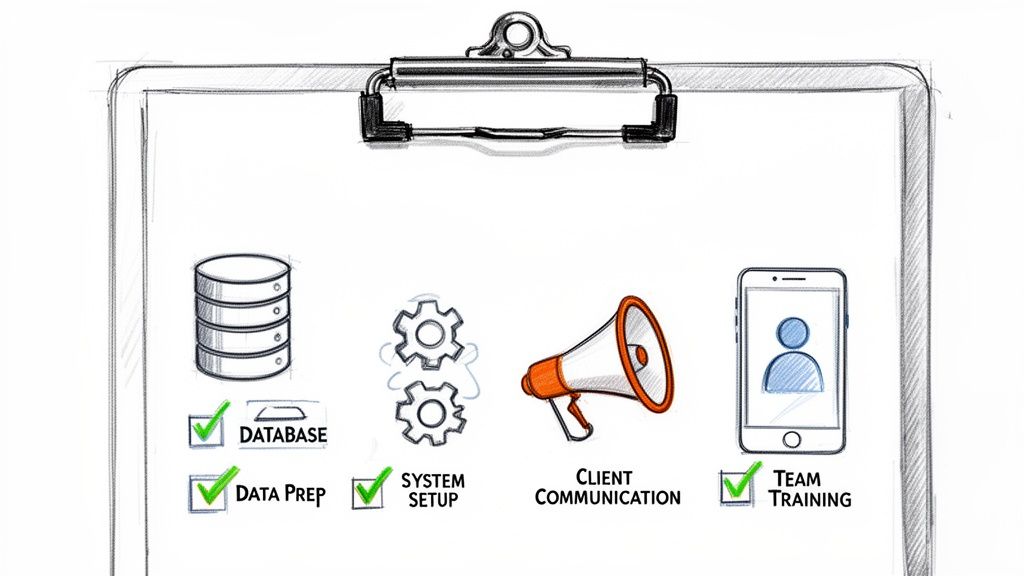
Step 1: Data Preparation
Before you do anything else, you’ve got to get your data in order. This is the foundation of your new system, and having clean, organized information will make the rest of the setup so much easier.
- Gather Client Information: Pull your client list from wherever it currently lives—spreadsheets, an old contact manager, or even your accounting software. Make sure you have accurate names, addresses, phone numbers, and email addresses.
- Compile Service Details: Create a crystal-clear list of all the cleaning services you offer. Include standard pricing, typical durations, and any special notes or add-ons that go with each one.
Taking the time to clean up your data now prevents major headaches later. Think of it like prepping a room before you paint—a little work upfront ensures a much better final result.
Step 2: System Setup and Configuration
Alright, now it’s time to build out your new digital command center. Log in to your chosen software and start plugging in the data you just prepared. This is where you bring the system to life.
- Enter Services and Pricing: Input each of your services, setting the correct price and estimated time for completion. This is exactly what clients will see when they book online, so double-check it.
- Set Your Availability: Block out your business hours, holidays, and any personal time off. This is crucial for making sure the system only offers booking slots when you and your team are actually available.
- Customize Your Booking Page: Make it your own! Add your logo and a friendly message to welcome clients, and pick a palette and your brand color. A platform like Kejoola makes this a breeze with its Booking-ready websites for service pros, giving you a professional look right out of the box.
Step 3: Client Communication and Team Training
With the system all set up, the final pieces are about getting people on board. You need to prepare both your clients for the change and your team for the new way of working.
First, let your clients know about the awesome new way they can book appointments. Send out a friendly email announcing your new, easy-to-use online booking system. Focus on the benefits for them, like 24/7 access and instant confirmations.
Next, set aside some dedicated time to train your staff. Walk them through how to view their schedules, update job statuses, and use any mobile app features. The more comfortable they are with the new tool, the smoother the transition will be for everyone involved.
Why an All-In-One System Is a Game Changer
While just getting a scheduling tool is a solid first step, the real magic happens when you bring everything under one roof. Think bigger than just a calendar. The ultimate setup is an integrated system that merges your professional website with your booking engine, creating one smooth, powerful experience for every customer.
This isn't just a small upgrade; it’s a total game-changer. It transforms your website from a static online brochure into an automated sales machine that works for you 24/7.
Creating a Seamless Customer Journey
Picture this: a potential client finds you on Google. With an all-in-one system, they land on your polished website and can get a quote and book a cleaning in just a few clicks—without ever having to leave the page. This seamless flow builds trust instantly and removes the friction that causes people to give up and go elsewhere.
A truly integrated experience delivers huge wins:
- Round-the-Clock Lead Capture: Your website becomes your best salesperson, one that never sleeps and is always ready to secure a booking.
- Instant Credibility: A professional, branded booking process makes your business look buttoned-up and reliable from the very first impression.
- Simplified Tech Stack: Forget juggling multiple logins and subscriptions. You manage everything from a single dashboard, which saves a ton of time and money.
From Brochure to Booking Engine
When your website and booking system are disconnected, you're forcing customers to jump through hoops. They might find you online, but then they have to call or send an email just to schedule a cleaning. Every extra step is a chance to lose a sale. An integrated platform knocks down those barriers completely.
An all-in-one system ensures your branding and professionalism are consistent at every touchpoint, from the moment a client finds you to the final payment confirmation.
This is exactly the principle platforms like Kejoola are built on—they offer Booking-ready websites for service pros. The benefits extend beyond booking, too. It makes managing ongoing client relationships a breeze. Wondering how? You can learn more about what a client portal is and see how it brings all your communication, appointments, and payment history into one secure, convenient hub for each customer.
Frequently Asked Questions
Jumping into new software always brings up a few questions. Let's tackle some of the most common ones I hear from cleaning business owners just like you.
Is This Software Expensive for a Small Business?
Honestly, it's more affordable than you might think. Gone are the days of clunky, expensive enterprise software. Today’s platforms are built specifically for small businesses, and many offer all-in-one packages—scheduling, a professional website, and client management—for a simple monthly fee.
Think of it this way: how much is your time worth? When you add up the hours saved on phone tag, manual scheduling, and chasing payments, the software usually pays for itself. It's less of an expense and more of an investment in getting your time back.
How Long Does It Take to Get Started?
You can be up and running surprisingly fast. Most modern scheduling tools are designed to be incredibly user-friendly. You can realistically set up your services, block out your availability, and have your online booking page live in under an hour.
The goal of these systems is to get you taking bookings the same day you sign up. There’s no lengthy, complicated setup process, which means you can start seeing the benefits almost immediately.
The best scheduling tools are intuitive enough for anyone to use. The whole point is to spend less time fighting with software and more time running your business.
Is This Software Useful for a Solo Cleaner?
Absolutely. In fact, for a solo cleaner, it's a game-changer. It’s like having a virtual assistant working for you 24/7. It fields booking requests, sends appointment reminders, and handles confirmations while you're out on a job. No more missed calls or playing phone tag between clients.
Plus, it gives your one-person operation a polished, professional image that helps you compete with the bigger players. It builds instant trust with new clients and shows you’re serious about your business. You get the efficiency of a large company without the overhead.
Ready to stop juggling spreadsheets and start automating your growth? Kejoola delivers Booking-ready websites for service pros.