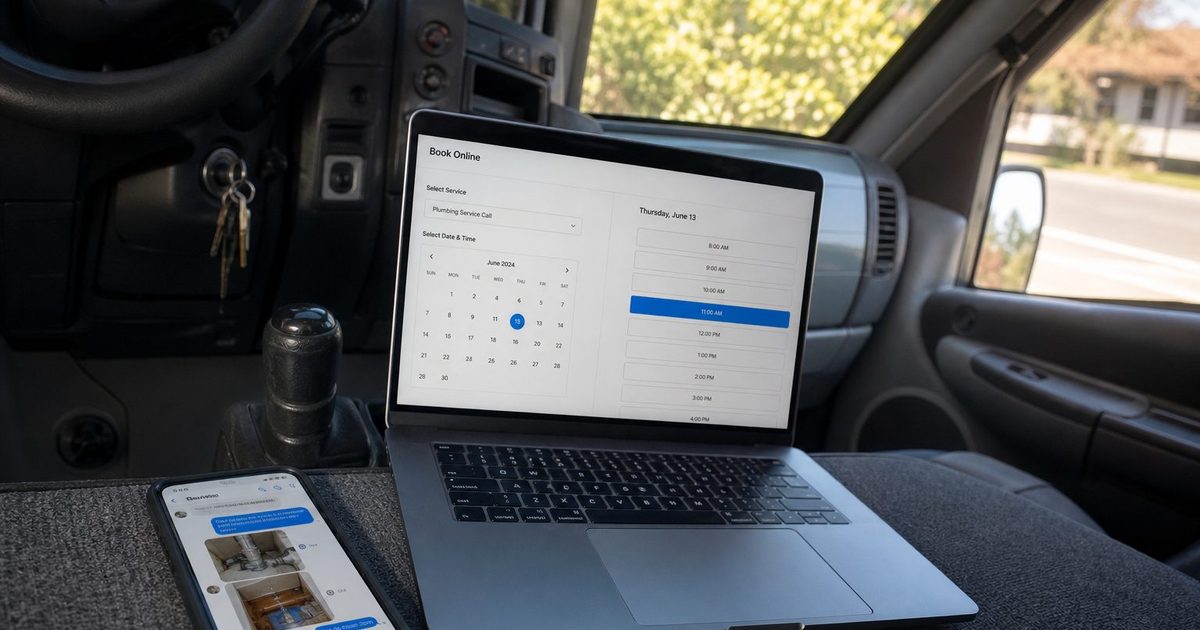
What is client portal: A Quick Guide to Streamlined Service
Discover what a client portal is, its key features, and how it can transform your service business by improving efficiency, professionalism, and client relationships.
Josh · Jan 25, 2026 · 20 min read
- client management
- business efficiency
- customer service
What Is a Client Portal in Simple Terms
Ever wish you had a private, digital front desk for your business that's open 24/7? That, in a nutshell, is a client portal. It's your own secure, branded online space where clients can handle everything they need—booking, messaging, payments—without the endless back-and-forth emails and phone tag.
Your Central Hub for Client Management
Think of all the places client information ends up: text messages, social media DMs, random email threads, maybe even a sticky note on your desk. A client portal wrangles all that chaos and puts it in one professional, organized hub. It’s the single source of truth for each client relationship.
This isn’t just about being tidy. It's about empowering your clients with easy self-service options, which in turn frees you up to focus on the work you love.
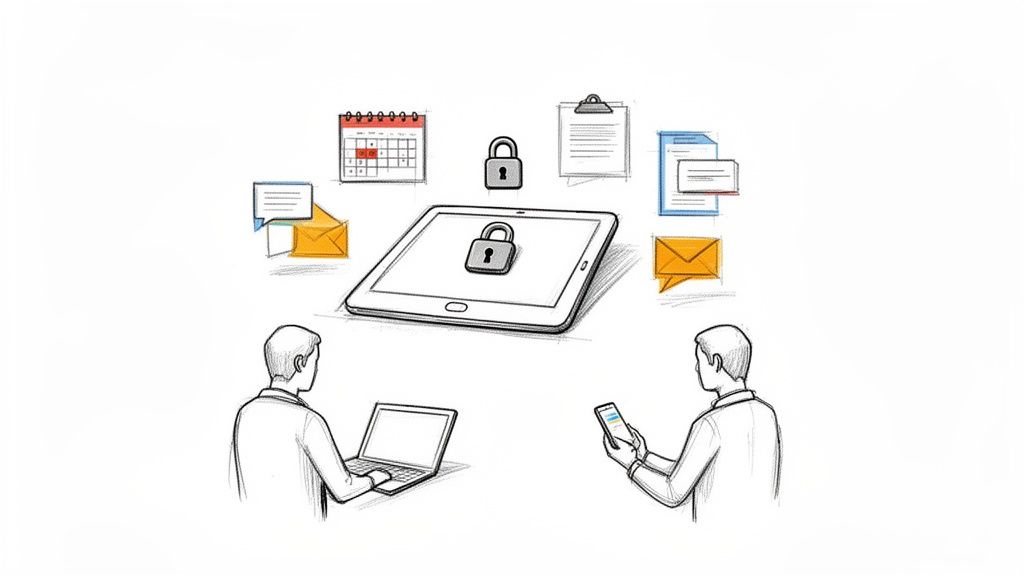
A good portal solves some of the biggest headaches for any service provider. It’s built to handle specific, crucial tasks:
- Secure Document Sharing: No more emailing sensitive contracts or invoices. Share and store important files in a protected space.
- Centralized Communication: All your client conversations live in one place. No more hunting for lost messages—just a clear, searchable history.
- Self-Service Booking: Let clients book, reschedule, or cancel appointments based on your live availability, all on their own time.
- Complete Service History: Give clients a transparent view of their past appointments, payments, and conversations.
At a Glance: Manual Methods vs. Client Portal
To see the difference clearly, let's compare the old way of doing things with the modern portal approach.
| Feature | Manual Methods (Texts, DMs, Spreadsheets) | Client Portal (like Kejoola) |
|---|---|---|
| Communication | Scattered across multiple platforms, hard to track, unprofessional feel. | Centralized, secure messaging with a full conversation history. |
| Booking & Scheduling | Constant back-and-forth to find a time, prone to double-booking. | Automated, self-service booking based on your real-time availability. |
| Document Sharing | Insecure email attachments, difficult to find later. | Secure, organized file sharing and storage within the client's profile. |
| Client Onboarding | Manual data entry from emails or paper forms. | Streamlined intake forms that automatically populate the client's profile. |
| Availability | Only available when you are actively checking messages. | 24/7 access for clients to manage their account and find information. |
As the table shows, a portal replaces fragmented, time-consuming tasks with a single, automated system that benefits both you and your clients.
Why Portals Are Becoming a Must-Have
The demand for smooth, digital experiences is everywhere, and the service industry is no exception. In fact, the global Client Portal Software Market, valued at USD 1.81 billion in 2024, is projected to rocket to USD 3.38 billion by 2031. This isn't just a fleeting trend; it’s a fundamental shift in how clients expect to interact with businesses.
This growth is driven by a need for more than just convenience. Providing a portal instantly elevates your business, making it feel less like a side gig and more like a professional, trustworthy operation.
A client portal transforms your service from a series of scattered interactions into a cohesive, branded experience. It's the digital equivalent of a dedicated account manager—always on, perfectly organized, and ready to help.
The journey to a better client relationship often starts at the very first touchpoint. A portal acts as the perfect home for a seamless client intake form, gathering all the essential information upfront in a structured way. This organized onboarding sets the tone for a professional and efficient partnership from day one.
Okay, let's dive into what makes a client portal tick. It's one thing to call it a "central hub," but what does that actually mean for your day-to-day work?
Think of it this way: a good client portal isn't just a collection of random features. Each tool is built to solve a real, often frustrating, problem you face as a service provider—like chasing down messages, digging through emails for a file, or reminding clients about an unpaid invoice.
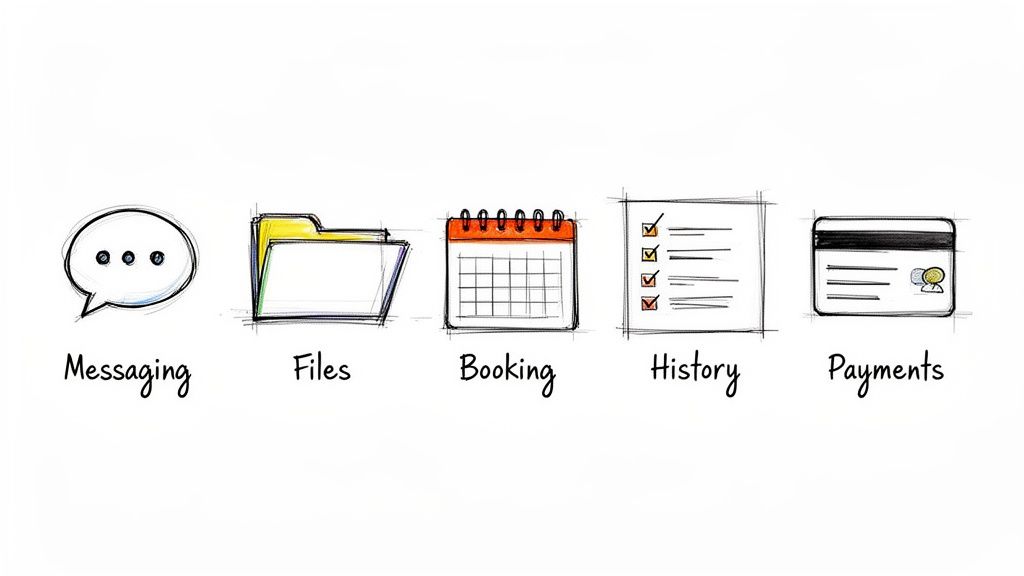
Secure Messaging and Communication
Let's be honest, trying to find a specific client conversation across emails, texts, and maybe even a Facebook message is a nightmare. A client portal cuts through that chaos by giving you one secure, organized thread for every client.
It becomes the single source of truth. If you're a consultant, all your project feedback lives in one spot. If you're a therapist, you know every sensitive conversation is completely private and protected. No more confusion, just a clean, chronological record of everything you've discussed.
Centralized File Repository
Relying on email attachments for important documents is messy and, frankly, not very secure. A portal gives you and your clients a dedicated space to upload, share, and organize all the files related to your work together.
This is the perfect spot for contracts, design proofs, intake forms, or final reports. Clients can upload their files, too, creating a shared library that either of you can access at any time. It's like having a private digital filing cabinet for each client relationship.
By providing a single, secure location for communication and files, a client portal builds immense trust. Clients feel confident that their information is protected and that nothing will fall through the cracks.
Integrated Booking and Scheduling
The endless email chain of "Does Tuesday at 2 work for you?" is a huge time-waster. An integrated booking system puts an end to that by letting clients see your real-time availability and book appointments themselves.
This is a massive win for coaches coordinating sessions or studios managing class schedules. It handles the confirmations, sends out reminders, and even lets clients reschedule on their own, which means fewer no-shows and less admin work for you. We actually explore this more in our guide on choosing the best website builder for a service business, where seamless booking is a key factor.
Service History and Account Management
Putting clients in the driver's seat gives them a sense of control and transparency. With a portal, they can log in and see a complete history of their journey with you—past appointments, paid invoices, and every document you've ever shared.
This self-service access means they aren’t bugging you for a copy of last year's invoice or to confirm when their last session was. It empowers them, cuts down on your administrative back-and-forth, and subtly reminds them of all the value you've provided over time.
Secure Payment Processing
Nobody enjoys chasing down late payments. By building payment processing right into the portal, you make it incredibly easy for clients to view and pay their invoices in the same place they do everything else.
This convenience almost always leads to faster payments and healthier cash flow. Plus, it keeps sensitive financial information out of insecure channels like email. The shift toward this model is undeniable; since the pandemic, 80% of clients now expect this kind of self-service access, which can cut your admin time by a whopping 25%. The industry is taking note, as you can see in this detailed market forecast.
How Client Portals Transform Your Service Business
It’s one thing to list a client portal's features, but the real magic happens when you see how they fundamentally change the way you do business. This isn't just a software upgrade; it's a strategic shift that solves the everyday headaches that hold service providers back.
The proof is in the numbers. The market for these solutions is on track to hit USD 93.82 billion by 2035, a massive jump driven by clients who now expect seamless, personalized experiences. We're also seeing firms boost their revenue by 15-20% just by improving client engagement through these tools. Even better, service businesses have cut down on repetitive client questions by up to 28%. You can dig into more of these insights on enterprise portal growth from Business Research Insights.
Ultimately, a portal helps you stop reacting to client demands and start proactively managing the entire relationship. Let's break down the four biggest transformations you can expect.
Enhanced Professionalism and Trust
First impressions are everything. Imagine your new client's experience: instead of a plain-text email, they land on a secure, branded login page that looks and feels like your business. That single moment instantly communicates that you’re organized, professional, and serious about their experience.
A dedicated portal makes your solo practice or small team feel as buttoned-up and reliable as a much larger company. This polished image builds immediate trust, which is the absolute foundation of any great service relationship.
Drastically Improved Efficiency
Just think about all the time you lose each week digging through email threads for old files, trading messages to find a meeting time, or chasing down invoice payments. A client portal puts an end to that administrative grind by automating the little things that eat up your day.
With self-service booking, clients schedule themselves without the back-and-forth. A central hub for documents means that signed contract is always just a click away.
By shifting routine tasks into an automated, self-service space, a client portal gives you back your most valuable asset: your time. You can reinvest those reclaimed hours into billable work, finding new clients, or just enjoying a better work-life balance.
This newfound efficiency isn't just a nice-to-have; it directly impacts your bottom line. More time for your core work means more revenue, and fewer administrative headaches make your business far more sustainable and enjoyable to run.
Stronger Client Relationships
One of the best ways to build loyalty is to empower your clients. A portal gives them a clear window into their entire journey with you, from booking their first session to reviewing their complete service history. They feel in control.
They can find what they need 24/7 without having to wait for your reply. This kind of convenience and autonomy creates a smooth, positive experience that makes clients feel truly valued. This is a core part of improving client communication best practices.
To get the most out of it, try incorporating customer onboarding best practices right inside the portal. A well-designed onboarding workflow sets the perfect tone for a successful long-term partnership.
Unbreakable Security and Peace of Mind
Let's be honest: using email or social media DMs to share sensitive client information is a huge risk in today's world. A client portal is built from the ground up with security in mind, giving you an encrypted, protected space for every message and file.
This commitment to security gives both you and your clients peace of mind. They can feel confident their personal data is safe, and you can operate your business knowing you’re meeting modern data protection standards. It's a non-negotiable part of being a professional.
A Day in the Life with a Client Portal
Abstract ideas are one thing, but seeing a client portal in action is where its value really clicks. Let's walk through a few real-world scenarios to show how this single tool can untangle the daily operations for different service professionals. Whether it’s bringing on a new client or managing ongoing work, a portal becomes the central hub that keeps business running like a well-oiled machine.
The Solo Consultant Onboarding a New Client
Meet Sarah, a marketing consultant. Before, when a new client like Mark signed on, her process was a chaotic flurry of emails. There was the contract in one email, the invoice in another, and a long list of questions in a third. It was messy.
Now, her workflow is a world apart.
Sarah's Side (The Provider):
- After their initial call, Sarah creates a project for Mark in her system, which automatically spins up a secure client portal.
- She drops the contract and the first invoice into the portal's file section.
- An automated welcome email goes out to Mark with a link to log in, create his password, and access his new dashboard.
Mark's Side (The Client):
- Mark gets the welcome email and logs into a branded portal that immediately reinforces Sarah’s professionalism.
- He electronically signs the contract and pays the invoice right then and there.
- He then fills out an onboarding questionnaire Sarah embedded in the portal, giving her all the crucial details she needs to get started.
What used to take a week of email tag now takes Mark less than 30 minutes.
The Therapy Practice Managing Recurring Appointments
Next, think about a small therapy practice with two therapists. They used to sink hours each week into playing phone tag to schedule and reschedule appointments. It was not only inefficient but also constantly disrupted their focus on actual sessions.
The Therapist's View:
- The practice sets its availability in a shared calendar, which syncs directly to the client portal.
- When a client needs to book a follow-up, the therapist simply points them to the portal.
- The therapist can see all their upcoming appointments at a glance, all in one centralized dashboard.
The Patient's View:
- The patient logs into their secure portal whenever it’s convenient—no waiting for a callback.
- They see the therapist's real-time availability and can book a recurring session that actually fits their life.
- If a conflict pops up, they can easily reschedule or cancel through the portal (based on the practice's policy), and the therapist gets an automatic notification.
This simple shift has a massive impact, transforming the business by improving professionalism, boosting efficiency, and building stronger client relationships.
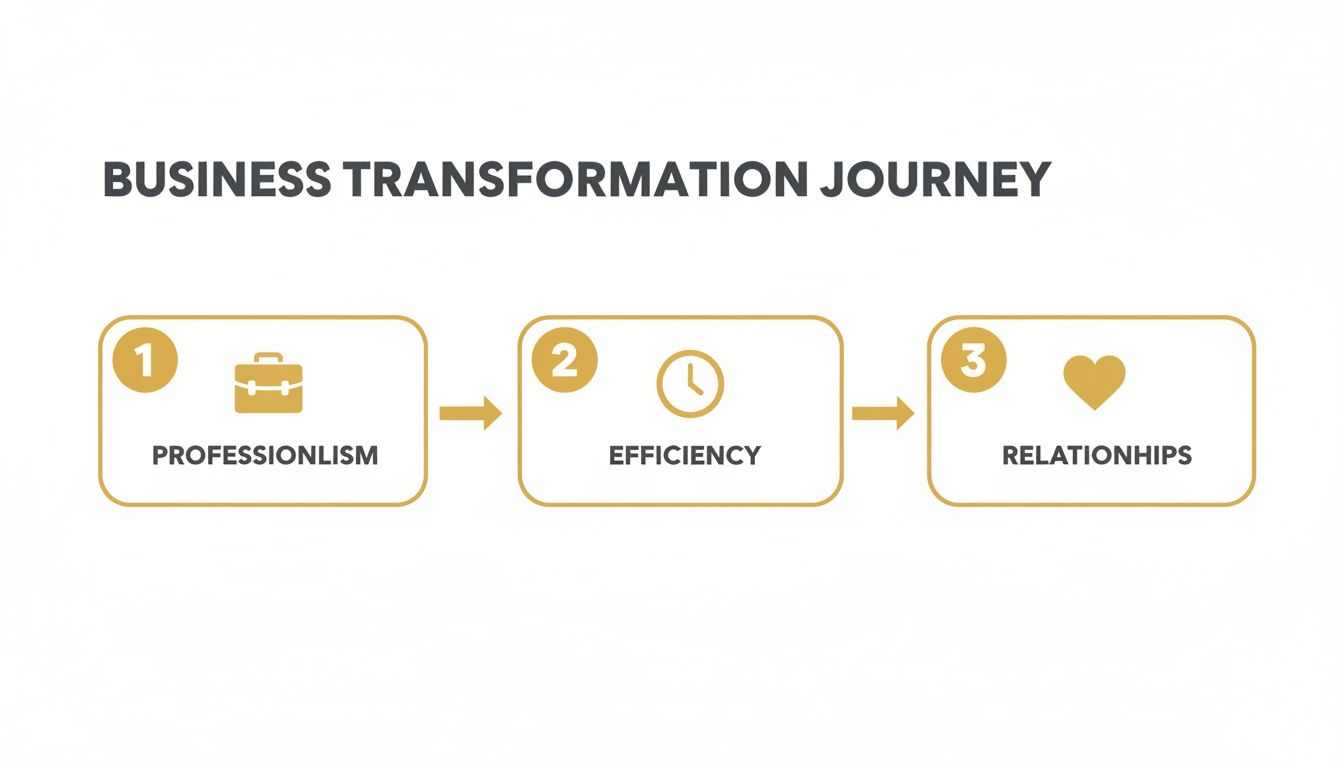
The key insight here is that a portal creates a self-service loop. When you empower clients, you directly reduce your own administrative workload.
The Cleaning Service Coordinating Multiple Jobs
Finally, let's picture a cleaning service with a few different crews. Trying to coordinate schedules, client notes, and job locations over text messages was a recipe for disaster—missed appointments and total confusion were common.
The Admin's View:
- The admin schedules a job and assigns it to a specific crew member. All the details, including critical client notes ("Don't let the cat out!"), are attached to the appointment in the portal.
- The crew can pull up their assigned jobs for the day on a phone or tablet right through the portal.
- Once the job is done, the admin sends the invoice with a click.
The Homeowner's View:
- The homeowner can log in anytime to see their next service date or add new instructions.
- They get an automated reminder the day before their service, so there are no surprises.
- After the cleaning, a notification pops up that their invoice is ready, and they can pay it securely online.
In each of these stories, the portal doesn’t just add another feature; it fundamentally changes the entire dynamic. It replaces administrative friction with a smooth, professional, and self-sufficient experience for everyone involved.
Choosing the Right Client Portal for Your Business
Picking the right client portal can feel like a massive decision, but it really comes down to one thing: finding a tool that makes life easier for both you and your clients. The goal isn't just to add another piece of software to your plate. It's about finding a solution that fits your workflow like a glove and seriously upgrades your client's experience.
After all, the best portal is one your clients will actually use. If they have to jump through hoops to log in or can't figure out the navigation, they’ll just go back to emailing and calling you. That defeats the whole purpose. A clean, intuitive design isn't just a nice-to-have; it's absolutely essential.
Key Criteria for Your Evaluation
Before you sign on the dotted line, you need to run any potential solution through a few practical checks. Think of this as your no-nonsense list for making a smart decision that will pay off for years to come.
- Ease of Use: Is the interface genuinely easy to use for someone who isn't tech-savvy? Can a new client log in and figure out how to book a session or find a file without needing a user manual?
- Mobile Accessibility: Your clients are constantly on the move, and your portal has to keep up. A responsive, mobile-friendly design is crucial so they can manage everything from their phone or tablet, wherever they are.
- Branding and Customization: The portal should feel like your space, not some generic third-party app. Look for options to add your logo, use your brand colors, and create a consistent, professional vibe.
- Essential Integrations: A portal is only as good as the tools it connects with. Make sure it plays nice with the software you already rely on, like your calendar (Google Calendar or Outlook) and payment processors (Stripe or PayPal). This part is non-negotiable.
Standalone Software vs. All-In-One Platforms
When you start looking around, you'll see two main types of solutions: standalone portal software and all-in-one platforms. Standalone tools can be great at what they do, but they often leave you with the job of piecing them together with your website, booking system, and other apps. That can turn into a real technical and financial headache.
An all-in-one platform like Kejoola changes the game by bundling a professional client portal directly with a booking-ready website and hosting. This integrated approach gets rid of the friction that comes from juggling separate tools.
An integrated platform creates one smooth, continuous experience, from the moment a client finds your website to the second they log into their private account. It breaks down data silos and radically simplifies your tech stack.
To help you weigh your options, here's a quick comparison of the different approaches you can take.
Client Portal Solution Comparison
| Consideration | Standalone Portal Software | Custom-Built Solution | All-in-One Platform (like Kejoola) |
|---|---|---|---|
| Setup & Complexity | Moderate. Requires connecting to existing website and other tools. | High. Requires significant development time and technical expertise. | Low. Portal is pre-integrated with the website and business tools. |
| Initial Cost | Low to moderate subscription fees. | Very High. Significant upfront investment for development. | Low. Included as part of an affordable monthly platform fee. |
| Ongoing Maintenance | User's responsibility. Managing multiple subscriptions and integrations. | User's responsibility. Ongoing costs for hosting, updates, and bug fixes. | Included. The platform handles all hosting, security, and software updates. |
| Integration | Can be challenging. Relies on third-party connectors (like Zapier) or APIs. | Fully customizable, but integrations must be built and maintained. | Seamless. Core features (bookings, payments, messaging) are built-in. |
| Best For | Businesses with an existing website who need a dedicated portal solution. | Large enterprises with very specific, complex requirements and a big budget. | Solo providers and small teams who want a simple, unified, and cost-effective solution. |
This table shows there’s a clear trade-off between control, cost, and convenience. While each path has its place, an all-in-one system offers a powerful balance for most service businesses.
With a unified solution, you stop worrying about plugins breaking, subscriptions lapsing, or tools not talking to each other. Everything just works, freeing you up to focus on your clients instead of being your own IT support. We've put together a detailed guide on the best client portal software that explores these options in much more detail.
Ultimately, the best choice depends on your business's unique needs, but the long-term value of a truly integrated system is tough to beat. It gives you a solid foundation that can grow with you, letting you deliver amazing service without the technical headaches.
Alright, let's bring this home and talk about how Kejoola puts all these ideas into practice.
Putting It All Together: Your Client Portal, Powered by Kejoola
We've covered what a client portal is, the features that make it tick, and how it can completely change the game for your service business. So, how does Kejoola actually solve the problems we've been talking about?
Think of it this way: Kejoola wasn't built to just be a website. It’s a complete business command center, and a professional client portal is at its very core—not some clunky add-on you have to wrestle with.
The moment a new client books with you, Kejoola automatically carves out a secure, private space just for them. This becomes their go-to spot for everything related to your business. They can book their next session, check their past appointment dates, or grab a file you shared. It’s all right there.
The All-in-One Advantage
What really makes a difference is having everything under one roof. We’ve handled all the messy tech stuff so you can stay focused on what you do best: serving your clients. Our entire platform was designed from the ground up for service providers who want to look professional and run a tight ship without needing a degree in computer science.
Here’s a glimpse of the Kejoola platform, where your website, booking system, and client management tools all live in perfect harmony.
This screenshot shows how a crisp, modern website is more than just a brochure—it’s the front door to a seamless and powerful client experience.
With Kejoola, you get one system that just works. That means:
- Zero Technical Headaches: We handle all the hosting, security, and software updates. Your website and portal are always safe and current, and you never have to think about it.
- Effortless Upgrades: When we add new features or make improvements to the client portal, they appear in your account automatically. Your business tools just keep getting better.
- Seriously Fast Performance: We've obsessed over speed. Your website and client portal load in a flash, giving your clients a smooth, frustration-free experience.
- Built-in SEO: From day one, your website is structured to help you show up in local search results, making it that much easier for new clients to discover you.
By merging a booking-ready website with an automated client portal, Kejoola lets you ditch the patchwork of disconnected apps. It’s a single, streamlined solution built to make your business run smoother and look more polished.
You can finally stop worrying about plugins that don't play nice or paying for multiple subscriptions that refuse to talk to each other. Everything is designed to work together from the get-go.
Ready to see what an integrated client portal can do for your business? It’s time to stop chasing down texts, DMs, and spreadsheet entries and give your clients the professional, organized experience they’ll love.
Start your 14-day free trial of Kejoola today. Booking-ready websites for service pros.
Still on the Fence? Let's Clear Up a Few Common Questions
It's one thing to see the benefits on paper, but it's another to picture how a client portal will actually work for your business and your clients. It's totally normal to have a few lingering questions. Let's tackle some of the most common ones I hear from service providers.
Is a Client Portal Genuinely Secure for Sensitive Files?
You bet. In fact, it's far more secure than the alternative most of us rely on: email. Modern client portals are built from the ground up with security in mind. They use bank-level encryption to protect your data, both when it's being sent and when it's just sitting on a server.
Think of it this way: your email is like a postcard that anyone could potentially intercept and read. A client portal is like a locked, armored truck. Top-tier portals also add layers like multi-factor authentication and strict access controls, so only the right people can see the right information.
But Will My Clients Actually Use It?
This is probably the biggest hesitation I see, and it's a fair one. The answer? They absolutely will, if you make it easy for them. The data doesn't lie: a whopping 88% of customers now expect a business to have an online portal for self-service. People are used to managing their lives online, and they prefer the convenience of finding what they need 24/7.
The trick is to choose a portal that feels intuitive, not like another piece of clunky software they have to learn. When a client realizes they can book a session, grab a file, or pay an invoice faster than it takes to type out an email to you, they'll adopt it in a heartbeat.
A client portal succeeds when it removes friction from the client's life. If logging in is easier than sending you a text, they will use it every time.
How Much of a Headache Is This to Set Up?
Honestly, this can range from "a bit of a puzzle" to "a full-blown technical nightmare." If you go with a standalone portal software, you're often left to figure out how to duct-tape it to your website, your calendar, and your payment processor. It can get complicated fast.
This is exactly the problem an all-in-one platform like Kejoola was built to solve. Since the client portal is a native part of your website from the start, there's literally no setup required on your end. The moment a client signs up, their secure portal is created and ready to go. All the pieces are already connected, so you can skip the tech headaches entirely.
Can a Portal Sync with My Existing Calendar?
Yes, and this is non-negotiable for any service provider. A good client portal absolutely must have a seamless, two-way sync with your main calendar, whether that's Google Calendar, Outlook, or something similar.
This real-time connection is what makes self-service booking so powerful. When a client looks at your availability, they're seeing a live, accurate snapshot of your real schedule. It completely prevents double-bookings and saves you from the tedious, manual back-and-forth of scheduling. It’s true automation.
Ready to give your clients the professional, streamlined experience they deserve? Kejoola provides an all-in-one solution that’s powerful for you and simple for them. Start your 14-day free trial today. Booking-ready websites for service pros.