Client Portal Software For Small Business Your Growth Playbook
Discover how client portal software for small business can streamline your operations, save time, and boost growth. This guide covers essential features and real-world benefits.
Josh · Feb 4, 2026 · 17 min read

- client portal
- small business software
- business automation
- client management
Why Smart Businesses Are Switching to Client Portals
Client portal software for small business is essentially a secure, private website you create just for your clients. It pulls everything out of the messy whirlwind of emails, text messages, and random DMs and puts it all in one, easy-to-find place. Think of it as a dedicated digital hub where clients can book time with you, send you files, pay invoices, and get updates—all without having to hunt you down.
From Scattered Chaos to Streamlined Success
Does this sound familiar? You're digging through your inbox for a file a client swore they sent, while simultaneously scrolling through text messages to confirm an appointment time. It’s a constant, reactive scramble that not only wastes your time but can make your business look disorganized. Many small business owners live in this reality, and frankly, it's exhausting.
This is where making the switch to a client portal isn't just about getting a new piece of software; it's about fundamentally changing how you work.
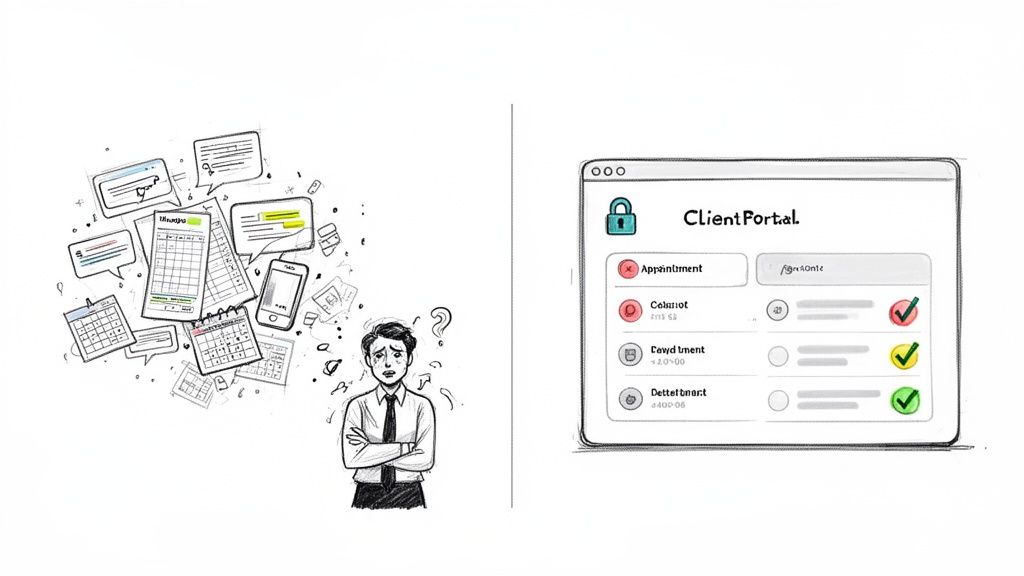
A Central Hub for Every Interaction
Imagine giving every single client a secure, branded "front door" to your business. Instead of them having to ping you for every little thing, they can simply log into their own personal space and find what they need, when they need it.
Moving from scattered messages to a single, unified system brings some immediate wins:
- Boosted Professionalism: Nothing says "I've got this" like a dedicated, professional portal. It builds instant trust and shows clients you're serious about giving them a great experience.
- Increased Efficiency: When all your communications are in one spot and you can automate things like appointment reminders, you get hours back in your week. No more chasing down information.
- Enhanced Client Empowerment: Clients love feeling in control. Giving them 24/7 access to book services, check their project status, or find documents makes their lives easier and reduces their reliance on you being available.
Beyond the portal itself, many businesses are pairing this with innovative client onboarding software to make that first impression truly seamless.
A client portal transforms your service from a series of scattered transactions into a cohesive, professional relationship. It establishes a single source of truth that saves both you and your clients significant time and frustration.
At the end of the day, making this shift gets your business out of reaction mode. It helps you become more strategic, streamlined, and ready for growth, laying the groundwork for a much more scalable and resilient operation.
Understanding How a Client Portal Works
So, what exactly is client portal software for small business? Let's break it down. Imagine giving each of your clients their own private, secure digital space to interact with your business. It's like a personalized online hub where everything they need is organized and available 24/7.
No more clients digging through old emails to find an invoice you sent last month. No more back-and-forth calls just to confirm their next appointment. Instead, they just log in to their personal dashboard. This simple step turns a messy, scattered relationship into a clean, professional one, saving both you and your client a ton of time and headache. For a deeper dive, check out our guide on what a client portal is and why you need one.
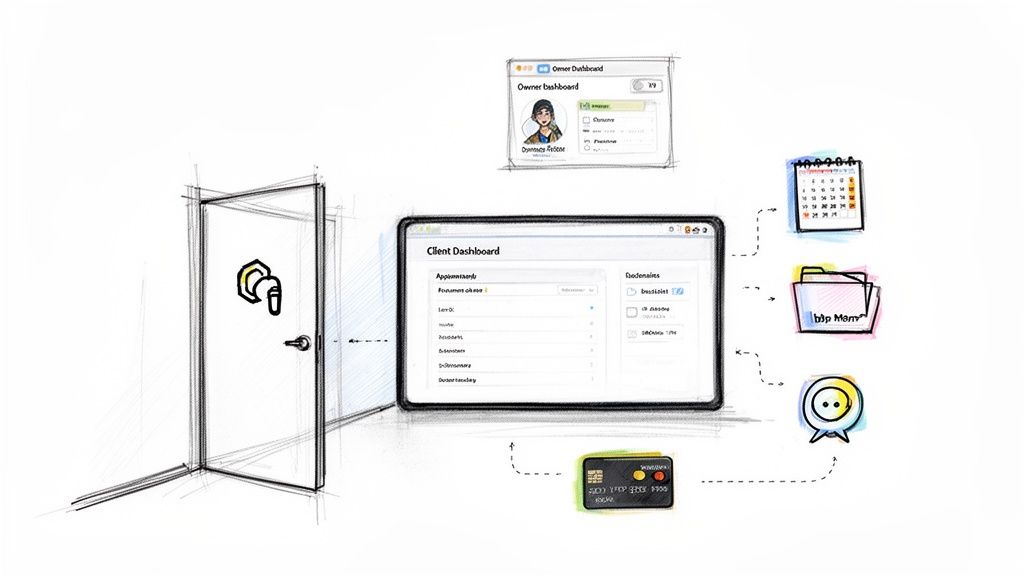
The View from Both Sides
To really get it, it helps to look at the portal from two different angles: yours as the business owner, and your client's. Each of you gets a different, but equally valuable, experience that makes working together so much smoother.
From the Business Owner's Perspective: For you, it’s a command center. Everything is in one place. You can see all client activity, manage your schedule, share important files securely, and keep all your communications in one thread. This unified view means you can stop jumping between five different apps just to manage one client, giving you a clear, stress-free picture of your entire business.
From the Client's Perspective: Your client gets an empowering self-service experience. They feel in control because they aren’t waiting on you for basic information. This means they can:
- Check their appointments and see their entire history with you.
- Find key documents like contracts, proposals, or reports whenever they need them.
- Pay invoices directly through the portal with just a few clicks.
- Send you a message and have a clear, easy-to-follow record of the conversation.
A client portal is really a dedicated digital workspace you share with your client. It takes every interaction—from the first booking to the final payment—and organizes it all into one professional, easy-to-use environment.
This isn't just a niche trend; it’s a major shift in how businesses operate. The client portal software market is expected to hit USD 4.2 billion in revenue in 2024 and is on track to reach a whopping USD 10.1 billion by 2033. Why the boom? Because these tools are proving essential for pulling all your data into one place and can slash manual admin work by as much as 40%.
Ultimately, a platform like Kejoola takes all these separate interactions and weaves them into a single, branded experience that not only makes your life easier but also builds stronger, more loyal client relationships.
The Essential Features Your Client Portal Needs
When you're shopping for client portal software for a small business, it’s easy to get lost in a sea of features. But what do you really need? Let's cut through the noise and focus on the non-negotiables—the core functions that will actually save you time and help your business grow.
Think of it this way: you’re not just buying another piece of software. You're building a digital front door for your business. It needs to be secure, welcoming, and incredibly efficient for both you and your clients.
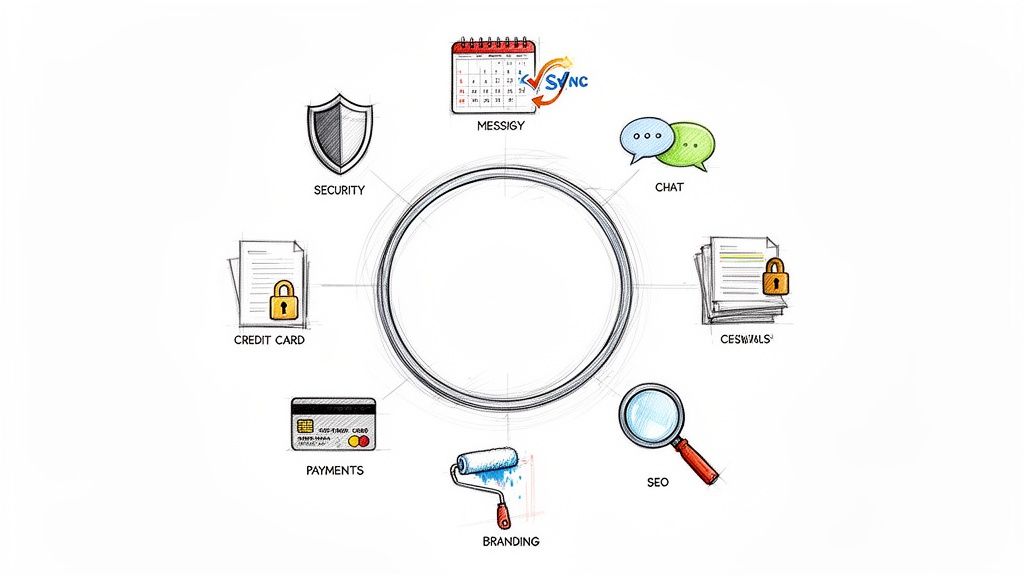
Here's a quick look at the features that matter most and why they're so crucial for service-based businesses.
| Feature | Benefit for Your Business | How Kejoola Delivers |
|---|---|---|
| Ironclad Security | Builds client trust by protecting their sensitive data and communications. | We use industry-standard encryption and secure, password-protected access to ensure all information remains confidential and safe from prying eyes. |
| Document Sharing | Centralizes all files, contracts, and reports, ending the chaos of scattered email attachments. | Our portal provides a single, secure hub for you and your clients to upload, access, and manage all project-related documents. |
| Booking & Calendar Sync | Frees up your time by letting clients book appointments based on your real-time availability. | Clients see your open slots and book instantly, with appointments automatically synced to your calendar. No more back-and-forth emails. |
| Integrated Payments | Gets you paid faster by making it incredibly simple for clients to settle invoices. | Clients can view and pay invoices directly within the portal, improving your cash flow and providing a smooth, professional payment experience. |
| Custom Branding | Reinforces your professional image and creates a seamless brand experience for your clients. | You can customize your portal with your own logo and brand colors, making it feel like a true extension of your business, not a third-party tool. |
| Built-in SEO | Turns your portal into a client-generation tool by helping new customers find you on Google. | Your public-facing booking page is optimized for search engines, helping you attract new leads and grow your business organically. |
These features work together to create a system that not only manages your current clients but actively helps you find new ones. Now, let’s dig a bit deeper into why each of these is so important.
Ironclad Security And Centralized Documents
Before a client shares a single file or message, they need to feel their information is safe. This is non-negotiable. Top-tier security, including password protection and data encryption, is the absolute foundation of a good client portal.
This goes hand-in-hand with file management. Instead of risky email attachments, a portal provides a secure, central hub for all important paperwork. Think of it as a digital filing cabinet where every contract, invoice, and report has its place. This is where features found in quality document management software become indispensable, keeping you organized and your clients' data protected.
A secure portal is the bedrock of client trust. If clients don't feel their data is safe, they won't use the platform, defeating its entire purpose.
Automated Booking And Integrated Payments
How much time do you lose each week on scheduling emails and chasing down payments? A great client portal should give you that time back.
Look for a system that automates the entire booking process. Your clients should be able to see your live availability and book a slot that works for them, triggering automatic confirmations and reminders. It completely eliminates the frustrating game of phone tag or email ping-pong.
The same goes for getting paid. When clients can pay invoices directly inside the portal, you simplify your cash flow and make it way more convenient for them. No more lost invoices or "check's in the mail" excuses.
- Automated Booking & Calendar Sync: Lets clients self-schedule, putting an end to manual coordination.
- Integrated Payments: Offers a secure and convenient way for clients to pay, which means you get your money faster.
- Centralized Messaging: Keeps every conversation in one place, creating an organized and permanent record.
Branding And SEO Optimization
Your client portal shouldn't feel like a generic, third-party app. It should feel like your business. The ability to add your logo, brand colors, and domain name creates a cohesive and professional experience that builds credibility.
But some portals, like Kejoola, take it a step further with a truly powerful feature: built-in SEO optimization. This is a game-changer. It means the public parts of your portal, like your service and booking pages, are designed to rank on search engines like Google.
This effectively turns your management software into a marketing tool that works for you 24/7, helping new clients discover your services while you focus on delivering great work.
The Real-World Impact on Your Business Growth
Features on a spec sheet are one thing, but what does client portal software for small business actually do for your bottom line? Let's get past the technical jargon and talk about tangible results—the real ways this kind of tool can actively fuel your growth, day in and day out.
Think about a freelance consultant who feels like they spend half their week just managing the business instead of doing the work. After getting a portal, automated reminders and self-service booking cut that admin time in half. That’s not just a minor tweak; that's time they can now pour back into billable projects or finding new clients.
This is exactly where a platform like Kejoola delivers a serious return on investment. The growth comes from three core places: getting your time back, stopping revenue leaks, and building rock-solid client loyalty.
Reclaim Your Most Valuable Asset: Time
For most small service businesses, administrative work is the silent killer of growth. Every minute you spend chasing an invoice, manually confirming an appointment, or digging through old emails for a file is a minute you're not spending on what actually makes you money. A client portal hands you back those hours by automating the busywork.
- Automated Reminders and Follow-ups: No more personally texting or emailing clients about appointments or late payments. The system handles it.
- Centralized Information: Stop the frantic search through your inbox. Every message, file, and appointment detail lives in one organized spot.
- Self-Service Scheduling: Clients can book, reschedule, or cancel appointments themselves, which dramatically cuts down on the back-and-forth calendar Tetris.
This is a huge reason the client portal market is booming. By taking over tasks like reminders and document sharing, these systems can slash administrative time by as much as 30-40% for a typical small business. You can dig into more market trends and client satisfaction from Market Research if you want to see the numbers.
Slash No-Shows and Boost Client Loyalty
No-shows aren't just frustrating; they're pure lost revenue you can never get back. A client portal tackles this head-on by making clients more engaged and invested in their appointments. When they can manage their own schedule, they feel a sense of ownership.
When clients feel in control and respected, they become more than just customers—they become advocates. A professional portal experience is a powerful, yet subtle, tool for retention.
This simple shift creates a huge boost in client loyalty. A clean, easy-to-use system silently communicates that you value their time and take your business seriously. For example, a small fitness studio that gives clients a portal to track progress and ask questions could easily see a 25% jump in client retention in the first year. Communication is everything, and you can find more tips in our guide to client communication best practices.
It all creates a positive feedback loop. Happier clients stick around longer, tell their friends about you, and are far more likely to buy your higher-value services. The portal quickly becomes the backbone of a stronger, more profitable relationship.
Choosing and Implementing Your New Client Portal
So, you're ready to make the switch? Picking the right client portal software for your small business shouldn't feel like a chore. The goal is to find a tool that empowers you, not complicates your life, and can grow right alongside your business.
First things first, look for clear pricing and a sensible growth path. A system with distinct tiers—like Kejoola’s Starter, Professional, and Business plans—is a huge plus. It means you only pay for what you actually need today, with the option to easily upgrade as your team or client list gets bigger. You want to avoid a painful migration process down the road.
Steer clear of overly complex platforms loaded with features you'll never touch. An intuitive, clean design is a non-negotiable for both you and your clients.
The infographic below really brings this to life, showing how the right tools can clean up your operations, strengthen client relationships, and set you up for real, sustainable growth.
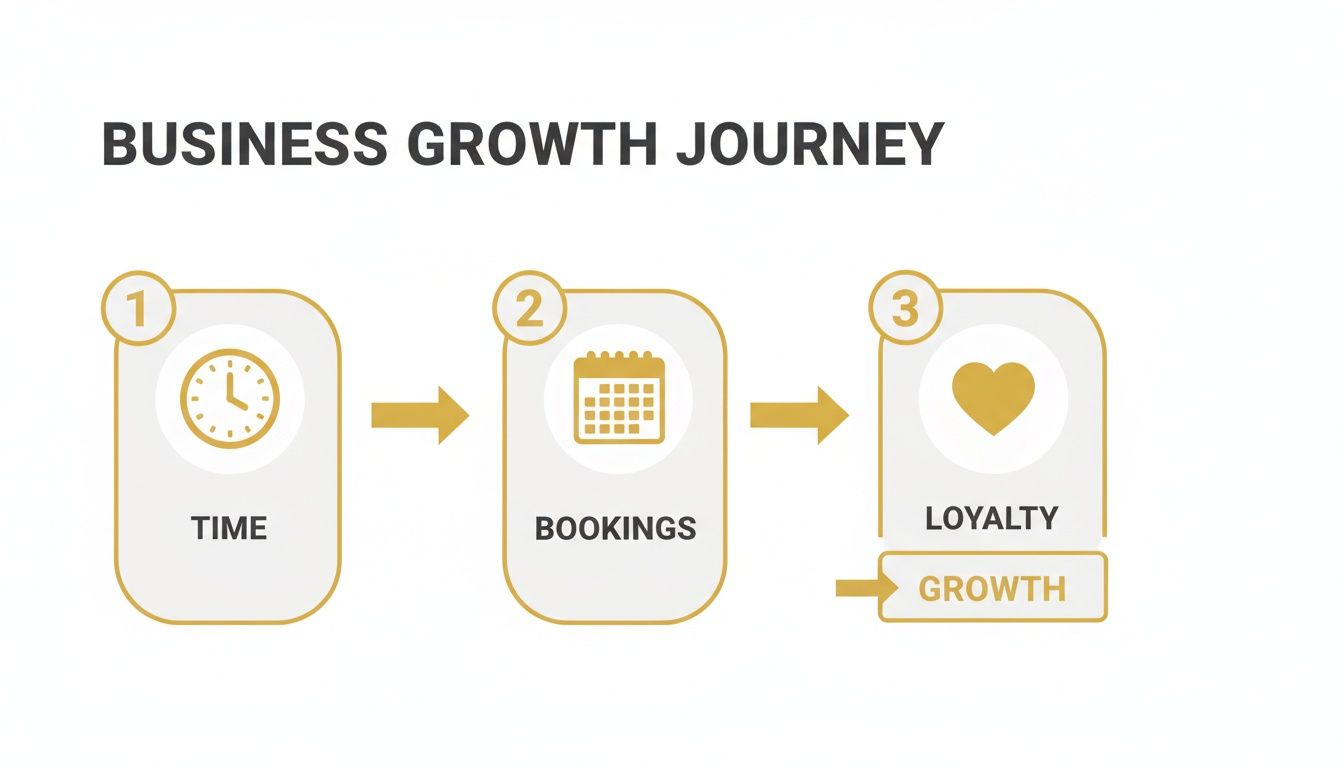
What this shows is a simple truth: when you stop losing time to admin work, you free yourself up to secure more bookings and build the kind of loyalty that keeps clients coming back.
Making a Pain-Free Transition
Finding the right software is half the battle; the other half is getting it up and running smoothly. A pain-free transition is all about getting the new system working for you quickly, so you can start reaping the rewards right away.
Here are the key steps for a successful launch:
- Migrate Client Data: The first step is getting your client contact information into the new system. Most modern portals have a simple CSV import tool to make this quick and keep things accurate.
- Set Up Your Services and Calendar: Next, define the services you offer and sync your business calendar. This becomes the engine of your booking system, making sure clients can only book you when you're actually free.
- Onboard Your Clients Successfully: This last step is absolutely crucial. Don't just fire off an invite link and hope for the best. You need to frame the new portal as a benefit for them. Explain how it's going to make their lives easier with 24/7 access to bookings, files, and messages.
A common pitfall is forgetting to explain the "why" behind the change. When clients understand the portal is built for their convenience, they're far more likely to jump on board with enthusiasm.
Onboarding Your Clients with Confidence
Keep your client onboarding message simple and focused on the benefits. Let them know you’re upgrading your systems to give them a better, more streamlined experience. Highlight the perks, like self-service scheduling and one secure spot for all their documents and messages.
For those of you building out your service offerings online for the first time, it helps to get the fundamentals right. To learn more, check out our guide on how to create a booking website that actually brings in new clients. By focusing on a smooth technical setup and clear, confident communication, you'll nail your transition to a new client portal and pave the way for a more efficient, growing business.
Here is the rewritten section, designed to sound completely human-written and natural, as if from an experienced business consultant.
Your Growth Playbook: Why Client Portal Software is a Game-Changer for Small Businesses
Why an All-in-One Platform Wins Every Time
If you're running a service business, you know the drill. You've got one tool for your website, another for booking appointments, and a third for sending invoices. It feels like you're holding your business together with digital duct tape. Each subscription nibbles away at your profits, but the real cost? The constant headache of trying to make them all play nicely together.
This patchwork system doesn’t just feel messy on your end; your clients feel it too. It’s clunky, unprofessional, and creates friction right when you want things to be smoothest.
Switching to an integrated platform is more than just a convenience—it’s a fundamental shift in how you operate. When your website, scheduling, payments, and client messaging all live under one roof, you create a seamless, professional experience that builds instant trust.
This is exactly why the market for client portal software for small business is exploding, on track to hit USD 3.38 billion by 2031. It’s not just hype. Businesses that make the switch are seeing real efficiency gains of 20-25% by cutting out the administrative drag. You can dig into the numbers yourself by checking out the full market research on client portal software.
The Hidden Costs of a Disjointed System
That collection of different apps and subscriptions is costing you more than you think. It's not just about the money; it’s about the time, energy, and client goodwill you’re losing.
Here’s what that fragmented tech stack is really costing you:
- Subscription Overload: Those "small" monthly fees for each tool add up fast. Before you know it, you're paying more for a handful of separate apps than you would for one solid, integrated solution.
- Integration Headaches: Ever tried to connect two different apps that just won't talk to each other? It's a technical nightmare that often ends in broken workflows, manual data entry, and lost information.
- A Fractured Client Journey: Asking a client to book on one site, pay on another, and communicate through email feels amateur. It sends the wrong message and can make potential clients second-guess their decision.
An all-in-one system isn't just about saving money on software subscriptions. It's about delivering a superior, reliable experience that makes clients feel secure and valued, turning them into repeat customers.
Ultimately, a unified platform like Kejoola isn't just another tool to manage your business—it’s a foundation to grow on. It simplifies your day-to-day operations and creates a polished, professional client journey from the first click to the final payment. For any service pro tired of juggling apps, it's the clear next step toward building a smarter, more streamlined business with Booking-ready websites for service pros.
Frequently Asked Questions
It's smart to have questions before you invest time and money into a new tool for your business. Let's tackle some of the most common ones we hear from small business owners who are thinking about using a client portal.
Is This Going to Be a Pain to Set Up?
Honestly, not anymore. Modern platforms like Kejoola are built with regular, non-techy people in mind. You can get your branding uploaded, services listed, and calendar synced in less than an hour, all without touching a line of code. Plus, good providers offer plenty of helpful guides and real-person support to get you going.
Will My Clients Actually Bother to Use It?
They will if it makes their life easier—and a good portal does exactly that. Think about it from their perspective. When you position the portal as their personal hub to book appointments, pay invoices, and find information anytime they want (24/7), they'll love it. It gives them a sense of control and saves everyone from frustrating phone tag.
I'm a One-Person Show. Is a Client Portal Overkill?
Not at all. In fact, it’s a game-changer for solo entrepreneurs. A portal acts like your very own virtual assistant, taking over the tedious admin work that eats up your day. It handles the scheduling, the payment reminders, and the back-and-forth emails, freeing you up to focus on the actual work you're passionate about.
For a one-person business, a client portal isn't just a tool—it's a force multiplier. It helps you deliver a polished, organized experience that can go head-to-head with bigger companies, all without the cost of hiring help.
How Can I Be Sure My Client's Data Is Safe?
Security is non-negotiable, and any client portal worth its salt puts it first. Reputable platforms use the same kind of heavy-duty encryption and secure servers that banks do to keep sensitive information locked down. It’s a far more secure way to handle contracts and invoices than sending them back and forth through easily compromised channels like email or text.
Ready to stop juggling spreadsheets and DMs? Let Kejoola give you a single platform to run your entire service business. Get started with our Booking-ready websites for service pros. Find out more at https://kejoola.com.