Should Plumbers and Cleaners Hide Their Address on Google Business Profile?
Hide a home address on Google Business Profile when customers do not visit. Service-area rules for US plumbers, cleaners, electricians, and landscapers.
Josh · Sep 1, 2026 · 8 min read
- google business profile
- service area business
- local seo
- plumbers
Should Plumbers and Cleaners Hide Their Address on Google Business Profile?
A Houston plumber runs the shop from a garage. A Raleigh cleaner keeps supplies in a spare room. A Sacramento landscaper parks trailers on a residential lot. None of them want that street on Google Maps. They should not guess the setting.
Google already names this model — cleaning services and plumbers. If customers do not visit, the address should not be public. Help labels can differ from the in-app UI. Quotes are from the Help Center as of 1 September 2026.
The rule Google publishes
On the service-area page: “If you don't serve customers at your business address, remove your address from your Business Profile.” (Google Business Profile Help: service areas)
The representation guidelines add the home-shop case: “If you’re a service-area business, you should hide your business address from customers.” Then: “If you’re a plumber and run your business from your residential address, clear the address from your Business Profile.” (Google Business Profile Help: representation guidelines)
Signup Help is not optional: “If your business doesn't have a storefront where you receive customers, you must hide your business address.” (Google Business Profile Help: sign up)
For a van trade, hide the home or shop address and list the cities and postal codes you actually serve. Google does not publish a ranking lift for hiding versus showing.
Storefront, service-area, or hybrid
Google splits businesses three ways. (Google Business Profile Help: service areas)
- Service-area business: “A business that visits or delivers to customers directly but doesn’t serve customers at their business address.” Help names “cleaning services or plumbers.”
- Hybrid: serves customers at the address and visits or delivers. Help’s example is a dine-in restaurant that also delivers. Representation guidelines use an auto shop with a garage and roadside service. (Google Business Profile Help: representation guidelines)
- Storefront: customers come to you. “If your business doesn’t have permanent on-site signage, it's not eligible as a storefront and should be listed as a service-area business.” Video verification uses the same signage test. (Google Business Profile Help: video verification)
A Minneapolis electrician who only works at the customer’s panel is a service-area business. A shop with walk-in fixture sales and a truck is hybrid. Most US mobile trades are the first type.
Showing an address is a storefront claim. “Businesses showing their address on Google should maintain permanent fixed signage of their business name at the address.” A P.O. box or a mailbox at a remote location is not acceptable. A virtual office (a rented mailing address you do not operate from) is not eligible. A co-working desk counts only with “clear signage,” customers received during hours, and staffing “by your business staff.” (Google Business Profile Help: representation guidelines)
If customers walk in, you need the sign, the staff, and the hours. Wanting a Maps pin because it “looks more real” is not a Google guideline. Hide the address.
One profile, not one per suburb
Service-area businesses “can only have one profile for the whole area that they serve.” (Google Business Profile Help: service areas) Signup Help: “Create only one Business Profile for the metropolitan area you serve. Your Google account may be suspended if we find multiple profiles for the same business in the same metropolitan area.” (Google Business Profile Help: sign up)
If you have different locations “with separate service areas and separate staff at each location, you’re allowed one profile for each location.” (Google Business Profile Help: representation guidelines) A solo cleaner covering Raleigh and Durham is one profile. Separate Houston and Dallas crews, each with staff and territory, can have two. Do not add a second listing for “plumber in Katy” if it is the same van.
How to hide the address
Help labels the control Show business address to customers. The in-app UI may differ.
From Manage your business address:
- Go to your Business Profile.
- Select Edit profile → Location.
- Next to Business location, select Edit.
- Turn off Show business address to customers.
- Select Save.
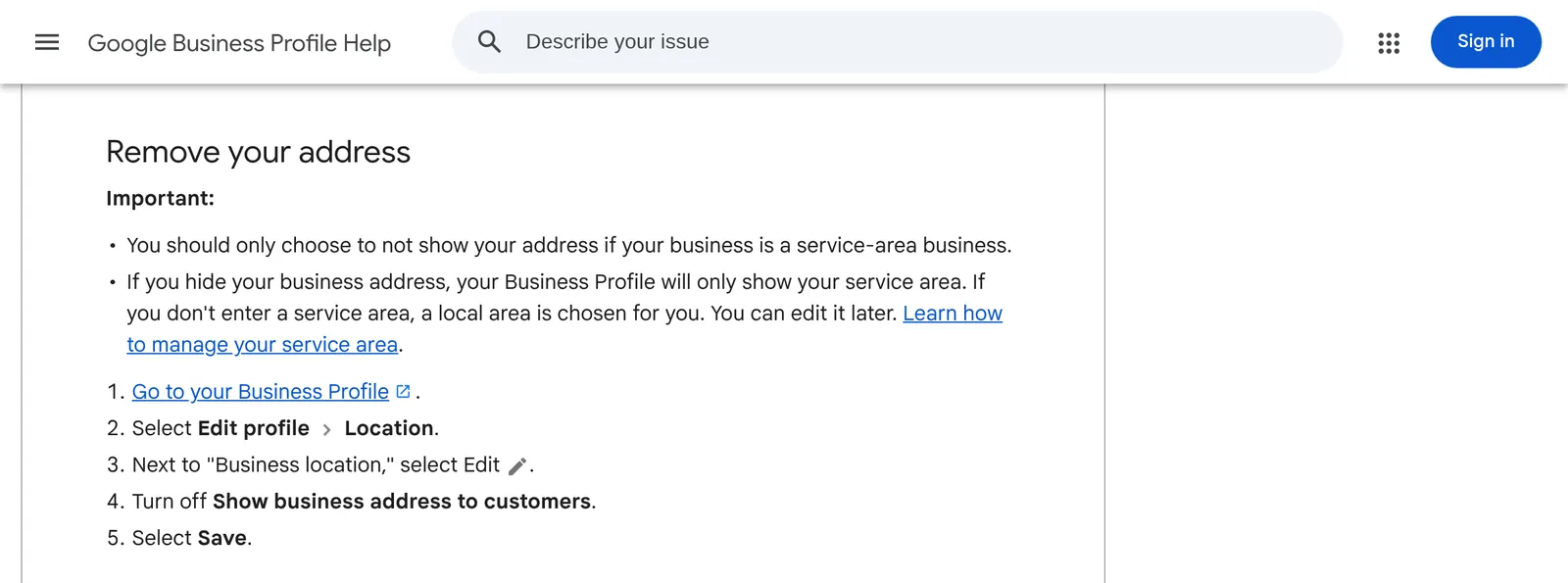
Only hide the address if you are a service-area business. After it is hidden, “your Business Profile will only show your service area.” If you do not enter a service area, “a local area is chosen for you.” On Maps, Help also lists Edit profile → Business information → Location. (Google Business Profile Help: sign up)
Address edits “usually take about 10 minutes to show up. In some cases, it can take up to 30 days.” (Google Business Profile Help: manage address) Google also “determines how best to display your business address based on your business information and information from other sources.” (Google Business Profile Help: representation guidelines) The toggle is your control, not a promise the street never appears elsewhere.
You still give Google a real-world location for verification. Hiding it is not the same as using a P.O. box.
Set cities and zips, not a radius
From Manage your service areas:
- Go to your Business Profile.
- Select Edit profile → Location.
- Next to Service area, select Edit.
- Select a suggested area or enter one.
- Select Save.
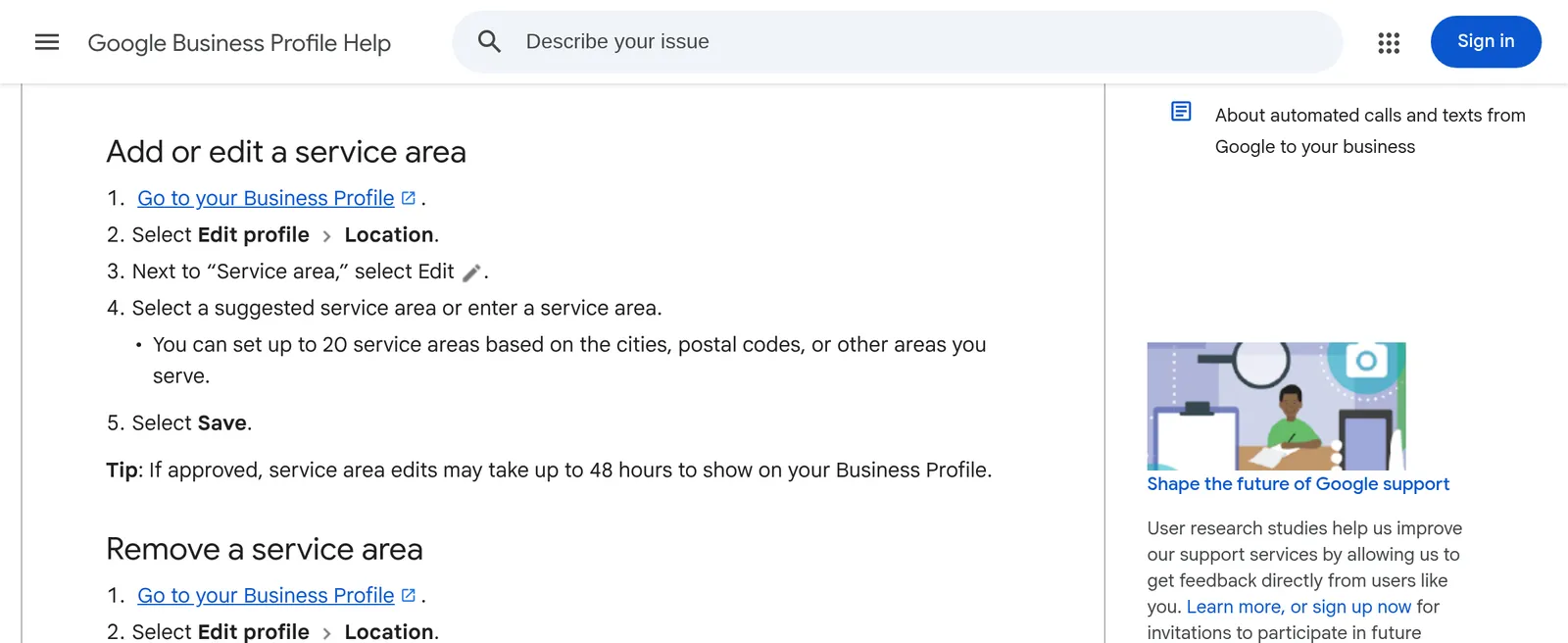
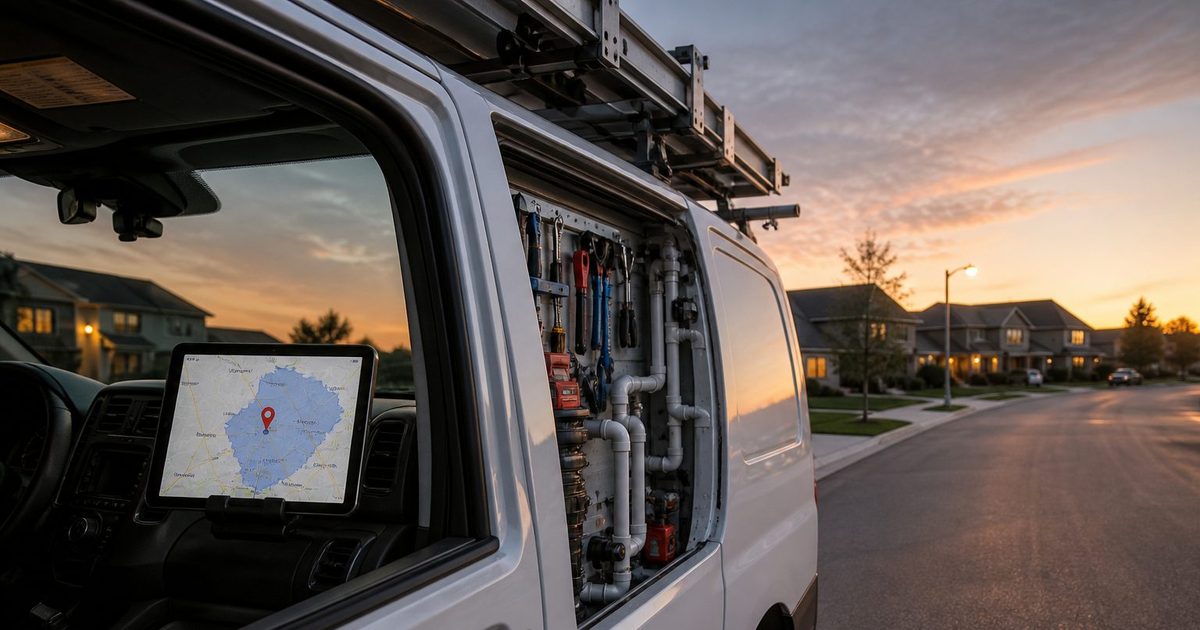
“You can set up to 20 service areas based on the cities, postal codes, or other areas you serve.” You cannot set the area as a radius. If an old listing still has a radius, you cannot edit that radius; replace it with cities, postal codes, or another type of area.
Two more limits on that page: overall boundaries “shouldn’t be more than about 2 hours of driving time from where your business is based,” and you should “be as specific and accurate as possible.” Approved service-area edits “may take up to 48 hours to show.”
A Sacramento landscaper who runs Davis, Elk Grove, and Folsom lists those cities or zips — not “Northern California.” A Minneapolis electrician who drives to St. Paul and Bloomington lists those, not a 50-mile circle. Use the 20 slots on places you take jobs.
Video verification still needs the neighborhood
Hiding the address does not skip verification. Video verification works for storefront, hybrid, and service-area businesses. Help’s service-area examples are a locksmith or a plumber. (Google Business Profile Help: video verification)
Record live from a mobile device. The clip must be unedited, at least 30 seconds, with no breaks. Pre-recorded uploads are not allowed. Review can take up to 5 business days.
For a service-area business, show where you operate (street signs or landmarks; from home, “landmarks and signs in your immediate neighborhood”), that the business exists (tools, workspace, cards, or branded apparel), and that you manage it (doing a job, unlocking a branded van, or a permit, invoice, or utility bill that matches the profile name). “Avoid filming empty land or locations without clear markers.”
Online-only shops with no in-person service are not eligible. A van trade is. Do not un-hide the home address to “make verification easier.” Help for this video type: if you do not serve customers at the location, do not add the business address to the profile.
Ranking: what Google lists, and what it does not
Google’s local ranking page names three factors: relevance, distance, and prominence. There is “no way to request or pay for a better local ranking on Google.” (Google Business Profile Help: local ranking)
- Relevance is how well the profile matches the search. Complete, detailed info helps.
- Distance is how far each business is from the person searching.
- Prominence is how well-known the business is, including sites that link to it and reviews. “More reviews and positive ratings can help your business’s local ranking.”
That page says to provide “your full address, if your business has a location that customers can visit.” It does not say hiding or showing a home address raises or lowers rank. Do not invent that lift.
Make the website match the listing
Google asks for “a website that represents your individual business location.” Do not point the Website field at a social profile. (Google Business Profile Help: representation guidelines)
For a service-area trade, that site should name the same cities and postal codes as the profile. A Houston plumber whose GBP lists 77007, 77008, and 77009, and whose homepage says “we serve all of Texas,” is telling two stories. A Raleigh cleaner whose site names North Hills and Five Points, matching the zips on Maps, is telling one.
Kejoola builds a 4-page bookable site (Home, Services, Blog, Contact) for plumbers, landscapers, electricians, and cleaners. It does not hide the Google address for you. You flip Show business address to customers on the profile. Kejoola is not a Google partner. Put the real service cities and zips on the site so the listing and the pages agree.
If you already have a Maps listing, start at kejoola.com/start/google-business. After publish, Website is the homepage and Booking is the booking page; the click-path is in How to add a booking link to your Google Business Profile.
Live monthly plans: Lite $24, Starter $39, Professional $89, Business $159 (annual billing also listed). 14-day trial, no credit card (sign-up). Lite is website-only. Starter is the floor for Kejoola booking.
A short checklist
- Van only, no walk-ins → service-area. Walk-ins plus a truck, with signage and staff → hybrid. Signage, staff, hours, customers at the door → storefront.
- If customers never visit, turn off Show business address to customers.
- Enter up to 20 cities or postal codes you actually cover, inside about two hours’ drive. Do not use a radius.
- Keep one profile for that metro unless you have separate staffed locations with separate areas.
- Verify with a live video that shows the neighborhood, the tools, and that you run the business.
- Put the same cities and zips on the website.
A Houston garage, a Raleigh spare room, and a Sacramento lot do not need to be public. Hide the street. List the places you drive. Make the site say the same thing.
Sources
- https://support.google.com/business/answer/9157481
- https://support.google.com/business/answer/3038177
- https://support.google.com/business/answer/6279343
- https://support.google.com/business/answer/10514137
- https://support.google.com/business/answer/7091
- https://support.google.com/business/answer/14271705
- https://kejoola.com
- https://kejoola.com/start/google-business