A Practical Guide to online booking system for small business: Boost Bookings
Discover the essential guide to choosing and implementing an online booking system for your small business. Learn about must-have features, hidden benefits, and how to make a seamless transition from manual scheduling to automated efficiency.
Josh · Jan 26, 2026 · 15 min read
- online booking system
- small business
- scheduling software
- appointment booking
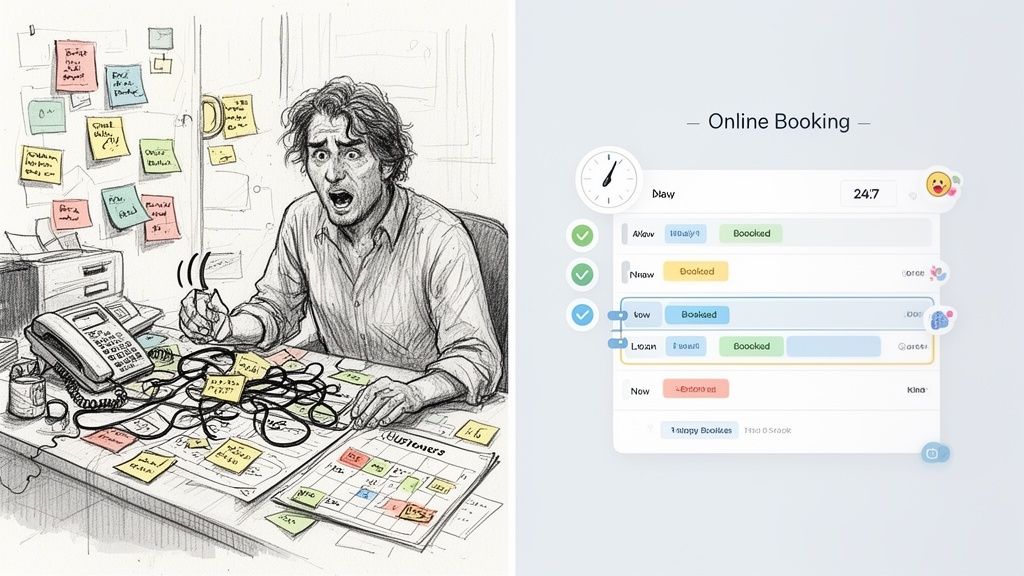
If you're still juggling a paper diary, fielding endless phone calls, and deciphering cryptic text messages to manage your appointments, it's time for a change. You're not just busy; you're caught in a cycle of inefficiency that's holding your business back.
Think of manual scheduling like trying to run a bustling restaurant with nothing but a notepad and a pencil. You might get by for a little while, but the moment things get busy, you’re staring at a recipe for chaos—double bookings, missed calls, and frustrated customers.
This old-school approach isn't just stressful; it directly hurts your revenue. Every minute you spend playing phone tag is a minute you're not actually doing the work you get paid for. It's a system that invites errors and, most painfully, costs you money when clients simply don't show up.
Today's Customers Expect More
Let's be honest, we live in an on-demand world. People want convenience, and they want it now. The numbers don't lie: a whopping 60% of people would rather book an appointment online than pick up the phone.
When a potential customer is ready to book at 10 PM on a Tuesday, they don't want to leave a voicemail and hope you call back. They want to see your availability and lock in their spot immediately. If they can't, they'll just find a competitor who lets them.
An online booking system isn't just a fancy add-on anymore. It's about meeting your customers where they are and giving them the smooth, professional experience they expect from the very first click.
An online booking system is like having a perfectly organized, always-on front desk manager. It handles every reservation flawlessly so you can focus on providing an amazing service.
Manual vs Automated Booking A Quick Comparison
The difference between wrestling with manual scheduling and letting an automated system take over is night and day. Let's break down what your daily reality could look like.
| Aspect | Manual Scheduling (Texts, DMs, Phone) | Online Booking System |
|---|---|---|
| Availability | Only when you're available to answer the phone or reply to messages. | Always open for business, 24/7. Customers book anytime, anywhere. |
| Admin Work | You spend hours confirming, reminding, and updating calendars by hand. | Automated confirmations, reminders, and calendar syncs are sent instantly. |
| Client Experience | Inconsistent and slow, with lots of back-and-forth communication. | Smooth, instant, and professional. Bookings are confirmed in seconds. |
| No-Shows | High. It’s easy for clients to forget without consistent, automated reminders. | Drastically reduced thanks to automated email and SMS reminders. |
| Business Image | Can feel disorganized, making clients wonder if you're reliable. | Polished and modern, building immediate trust and credibility. |
At the end of the day, making the switch is about taking back control. It's a move from chaos to calm.
From Overwhelmed to In Control
Adopting an online booking system for your small business isn't just about saving time—it’s about building a stronger, more reliable operation. Here’s what you stand to gain:
- You're always open for business: Let clients book appointments whenever it suits them, even if it's the middle of the night. You'll wake up to a full schedule instead of a full inbox.
- Slash your admin time: Imagine all those hours spent on scheduling tasks just... disappearing. Automation handles it all, freeing you up for more important work.
- Put an end to no-shows: This is a big one. Automated reminders are incredibly effective at making sure people show up, which directly protects your income.
- Look like the pro you are: A slick, easy-to-use booking process tells clients you're organized, efficient, and serious about what you do.
The gap between digital vs. traditional appointment books has become a chasm. Moving beyond the pen-and-paper method is how you stop being just a service provider and start running a modern, scalable business.
What Are the Must-Have Features in a Booking System?
When you start shopping for an online booking system for a small business, it’s easy to get lost in a sea of feature lists. But the right platform is more than just a digital calendar—it’s a business partner that should make your life easier and your bank account healthier. Let's cut through the noise and focus on the core functions that actually make a difference.
At the end of the day, a great system is all about accessibility for your clients and automation for you. These tools should be working behind the scenes, making sure you never miss a sale, even while you sleep.
Core Functions That Drive Growth
Every feature on your list should solve a real-world problem. A salon stylist needs to prevent a double-booked haircut just as much as a consultant needs to avoid overlapping client calls. The fundamentals are universal.
Here are the absolute non-negotiables:
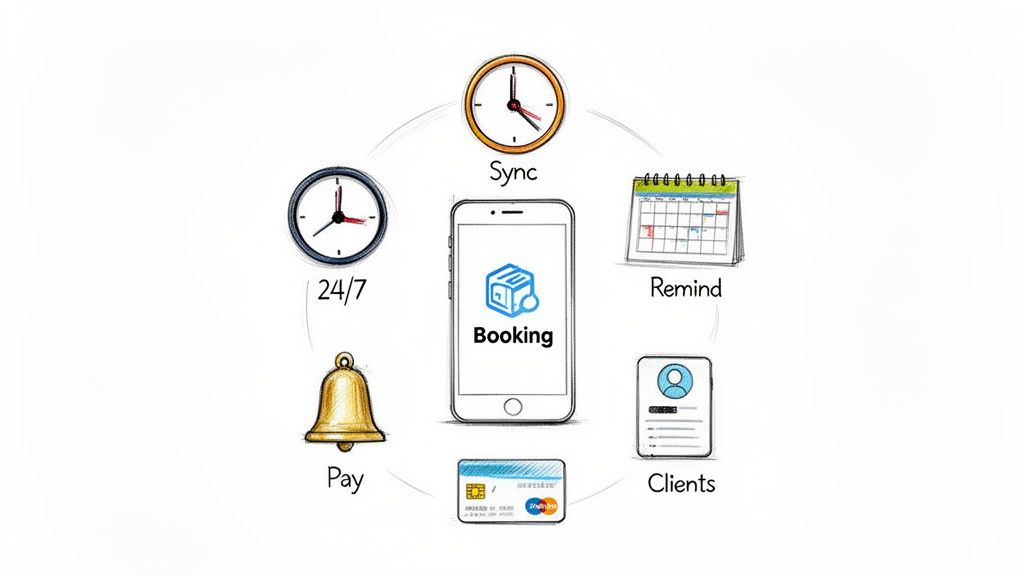
- 24/7 Self-Service Booking: This is the big one. It lets clients book your services the second they think of it—whether that's on their lunch break or late at night. You’re open for business even when you're not, capturing appointments you would have otherwise missed.
- Real-Time Calendar Sync: Think of this as your digital receptionist. It instantly blocks off time on your calendar across all your devices (and for all your staff), making the dreaded double-booking a thing of the past.
- Automated Reminders: This is your secret weapon against no-shows. Sending a gentle nudge via email or text before an appointment dramatically improves attendance. It’s a simple feature that saves you a ton of money.
- Integrated Payments: Securing your cash flow is everything. This allows you to require deposits or full payment upfront. You get paid for your time, and the financial sting of a last-minute cancellation is significantly reduced.
A truly effective booking system does more than just schedule—it protects your time, secures your income, and builds a professional experience that keeps clients coming back.
The Power of a Centralized Client Hub
Beyond the basics of scheduling, a top-tier system gives you a centralized client database. This isn’t just a glorified address book. It’s where you can see a client’s entire appointment history, jot down important notes, and remember their preferences.
This information is gold. A personal trainer can pull up a client's past workouts to plan the next session, or a dog groomer can remember that a particular poodle gets anxious around the blow dryer. It’s what turns a one-off transaction into a lasting relationship.
The impact of these features is huge. Small businesses that switch to these systems see major returns, with some platforms reporting a 10-15x ROI from automation alone. It’s no wonder the global online booking market is expected to hit $320.3 billion by 2030. If you want to dive deeper, you can explore more data on AI's impact on small business scheduling and see just how much these platforms are changing the game.
Uncovering the Hidden Benefits Beyond Simple Scheduling
Getting rid of the constant scheduling back-and-forth is a huge relief, but that’s just the beginning. The real magic of an online booking system for a small business is in the advantages that work for you behind the scenes. Think of it less like a digital calendar and more like a silent partner in your growth.
Right from the first click, a smooth, professional booking experience boosts how potential clients see your brand. When someone can book a service easily, at any time, it immediately signals that your business is modern, efficient, and trustworthy. That fantastic first impression is the perfect start to a lasting customer relationship.
Turn Data into Decisions
Your booking system is secretly a data-gathering machine. Every appointment and client interaction provides powerful insights that help you make smarter, more profitable business moves. You can finally stop guessing and start knowing.
You get concrete answers to the most important questions:
- When are my busiest times? Use this to perfect your staffing schedules or create special offers to fill those quiet gaps.
- What are my most popular services? Double down on marketing what your clients love most or bundle top services into irresistible packages.
- Who are my best clients? Pinpoint your VIPs so you can nurture those relationships with loyalty rewards and encourage referrals.
This shift from guesswork to data-driven strategy gives you a clear, honest picture of your business's health and where the real opportunities are.
Reduce Burnout and Reclaim Your Energy
Let's be honest: the administrative grind is exhausting. It’s one of the biggest reasons small business owners feel burned out. An online booking system takes the most repetitive, mind-numbing tasks off your plate, freeing you up to focus on the work you actually enjoy. This is more than just a time-saver; it’s about protecting your own well-being.
There’s a reason cloud-based booking tech now dominates over 85% of the market—it’s built to eliminate this friction. Features like automatic calendar syncing and timezone conversion are lifesavers, preventing the stressful double-bookings and mix-ups that can derail your day. For a deeper dive, you can explore more insights on how these systems are reshaping the market.
An online booking system doesn't just manage your schedule; it protects your most valuable resource—your time and energy—allowing you to focus on growth instead of administration.
Finally, things like client portals and automated follow-up messages are brilliant for turning one-time customers into loyal fans. By making communication and rebooking completely effortless, you build a foundation for repeat business that keeps your company thriving. If no-shows are a persistent problem, we've put together a practical guide on how to reduce no-shows for appointments.
How to Choose the Right Booking System for Your Business
With so many options out there, picking the right online booking system for your small business can feel overwhelming. The secret is to tune out the marketing noise and focus on what actually matters for your day-to-day operations and future growth. You're not just looking for a piece of software; you're looking for a tool that fits so well it feels like a natural part of your business.
The first question you should ask is simple: Is it genuinely easy to use? Not just for you, but for your clients. If a customer has to jump through hoops and click through five different screens just to book a time slot, they'll probably just give up. A clean, straightforward interface isn't a luxury—it's essential for a good customer experience.
Your Essential Evaluation Checklist
Before you sign up for anything, it's smart to run every potential system through a quick, practical checklist. Think of it as a way to filter out the noise and identify the real contenders. A platform might look fantastic at first glance, but if it doesn't align with how you actually work, it’s just a waste of time.
Here are a few critical questions to ask yourself:
- Can it scale with me? The system that's perfect for you today should still work when you hire your first team member next year. Look for platforms that let you add more staff without forcing you into a ridiculously expensive plan.
- Does it play well with others? Check for integrations with the tools you already rely on. Does it sync with your Google Calendar or Outlook? Can you connect it to payment gateways like Stripe or Square? Seamless syncing is a huge time-saver.
- How good is the support? When something inevitably goes wrong at a critical moment, you need to know you can get help—and fast. Dig into their support options. Is it just an unhelpful chatbot, or can you actually talk to a real person who knows what they're doing?
To see how different platforms stack up, a detailed comparison of the best appointment scheduling software for small businesses can reveal the small but important differences that will matter to you.
Demystifying Pricing Models
Figuring out the pricing is crucial if you want to avoid surprise bills. Most booking systems follow one of a handful of common pricing structures, and each has its own quirks. Knowing the difference can save you a lot of money and headaches.
If you want an even deeper dive into specific tools, we've also reviewed some of the best appointment scheduling software in another guide.
Here's a quick breakdown to help you understand what you're really paying for.
Booking System Pricing Models Explained
| Pricing Model | Best For | Potential Pitfall |
|---|---|---|
| Monthly Subscription | Businesses that want predictable, fixed costs and a full feature set. | Can be expensive for businesses with very low booking volume. |
| Per-User Fee | Growing teams where you can easily add or remove staff members as needed. | Costs can escalate quickly as your team expands. |
| Transaction Fee | Startups or businesses with inconsistent income, as you only pay when you get paid. | Can become the most expensive option for high-volume businesses. |
| Freemium | Solo operators or businesses just starting out who need basic features. | Essential features are often locked behind a paywall, forcing an upgrade. |
Choosing with confidence is all about finding a system that lines up with your budget, your workflow, and your vision for the future. Take your time, do a little research, and you’ll find the perfect partner to help your business run smoothly. At Kejoola, we offer Booking-ready websites for service pros, bringing all these elements together into one simple, powerful platform.
Your Step-by-Step Guide to a Seamless Setup
Jumping into an online booking system for your small business might feel like a huge undertaking, but it doesn't have to be. With a little planning, you can make the switch smoothly and get your clients excited about the upgrade. Let's break it down into a few simple, actionable steps.
First things first: your existing data. Before you flip the switch, you need to import your client list and any appointments you already have on the books. Most modern systems let you upload this info from a simple spreadsheet, making sure your calendar is accurate from the get-go. No double-bookings, no lost appointments.
Getting Your Services and Rules Dialed In
With your client data loaded, it's time to teach the system how your business actually runs. This is where you set the digital ground rules so the software can manage the schedule for you, automatically.
Here’s what you’ll need to set up:
- Services and Pricing: Clearly list every service you offer, making sure to include how long it takes and what it costs.
- Staff Availability: Block out the working hours for each team member. This ensures the system only shows clients times that are actually available.
- Booking Policies: This is crucial. Define your rules for cancellations, rescheduling, and whether you require a deposit. You can also add buffer time between appointments to give yourself a moment to breathe.
This flowchart can help you think through the core decisions you'll face as you choose and set up your system.
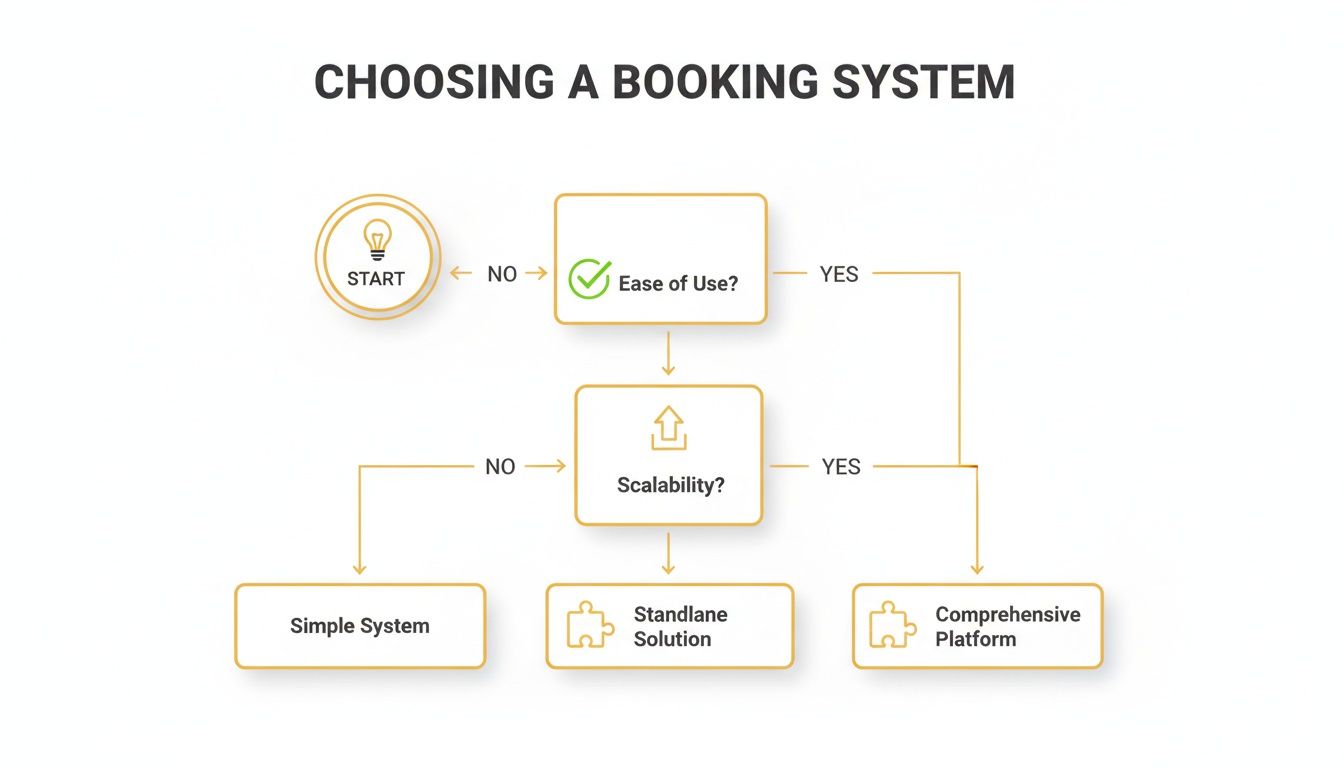
As the flowchart shows, focusing on ease of use, scalability for future growth, and key integrations will point you toward the right solution much faster.
Letting Your Clients Know What's Up
This might be the most important part of the whole process. You need to get your clients on board. A good communication plan avoids any confusion and highlights how this new system makes their lives easier.
Start by announcing the change everywhere—on your social media, in an email newsletter, and maybe even with a sign at your front desk.
"Great news! To make booking your next appointment easier than ever, we're moving to a new online system. You can now see all available times and book 24/7. Click here to schedule your next visit!"
For any clients who aren't as comfortable with technology, offer a helping hand. A quick phone call where you walk them through their first booking can make all the difference. Frame the change as a benefit for them—more convenience, more control. When you manage the rollout with care, everyone will feel confident and ready to go.
If you're starting from square one, our guide on how to create a booking website is a great resource. Here at Kejoola, we specialize in providing Booking-ready websites for service pros.
Frequently Asked Questions
It's totally normal to have a few nagging questions before you jump into a new system for your business. Let's tackle some of the most common ones I hear from other small business owners, so you can feel confident about making the switch.
After all, your time and your client relationships are on the line.
Will I Lose My Personal Connection With Clients?
This is probably the biggest worry I see, and it's a valid one. You've built your business on personal relationships, and the last thing you want is for a piece of technology to make your clients feel like just another number.
Here’s the thing, though: it actually does the opposite. Think about how much time you spend on the phone playing calendar tag or replying to booking emails. An online system takes care of that grunt work, which frees you up to be fully present and engaged when your clients are actually in front of you. You can focus on the conversation, not on who's booking what next week.
A good system also lets you keep notes on your clients—their preferences, past services, little details about their lives. It helps you remember the important stuff, making your service more personal, not less.
"An online booking system automates the transaction so you can personalize the relationship. It's not about less connection; it's about better connection."
How Much Technical Skill Do I Need?
If you're reading this article online, you have all the technical skill you need. Seriously.
Modern booking platforms are built for people like you and me—business owners who are experts in their craft, not in coding. The setup process is usually guided, with simple, step-by-step instructions. If you can set up a social media profile, you can get a booking system up and running. They're designed to make your life easier, not give you a new tech-induced headache.
Can It Handle My Complex Schedule?
Absolutely. In fact, untangling complex schedules is where these systems truly shine.
Whether you're juggling multiple team members, working out of a couple of different locations, or offering services that range from a quick 15-minute consultation to a half-day workshop, a solid booking system can handle it.
You can:
- Set unique schedules for each staff member.
- Block out personal time or holidays.
- Assign specific services to the right people.
- Manage everything from one simple, central dashboard.
This is a core feature of any good online booking system for small business. It’s designed to turn scheduling chaos into a smooth, organized operation.
At Kejoola, we provide everything you need to succeed online. Get started with our Booking-ready websites for service pros.