Photography Studio Management Software That Actually Works
Discover the essential features of photography studio management software and learn how to choose the right platform to streamline your workflow and grow your business.
Josh · Feb 8, 2026 · 22 min read
- photography
- studio management
- business software
- CRM
- automation
Taming the Chaos: What is Photography Studio Management Software?
At its heart, photography studio management software is your digital command center. It's an all-in-one platform built specifically to handle the business side of being a photographer, so you can spend less time on admin and more time creating.
Think of it as the ultimate studio manager—one that never sleeps. It organizes everything from the moment a new client inquires to the day you deliver their final gallery, turning a jumble of tasks into a smooth, predictable process.
Your Digital Studio Manager: The End of "Admin Overload"
Sound familiar? You're drowning in a sea of client emails, chasing down unpaid invoices, and trying to remember if you sent that contract. Your business is scattered across a messy collection of spreadsheets, calendar alerts, social media DMs, and a half-dozen different apps.
This isn't just inefficient; it's holding you back. When you're constantly bogged down by administrative work, you're not just losing time—you're risking missed opportunities, creating a less-than-professional client experience, and draining the creative energy that fuels your best work.
The answer isn't to work harder, but to get a system that works for you. Photography studio management software pulls every piece of your business into a single, organized dashboard.
From First Click to Final Gallery
Picture this: a potential client lands on your website. In just a few minutes, they check your availability, book their session, sign the contract, and pay their deposit. And the best part? You didn't have to do a thing. That's the magic of a dedicated management platform.
- One Place for Everything: All your client conversations, from the initial "hello" to the final "thank you," are neatly organized. No more frantic searches through your inbox or DMs.
- Workflows on Autopilot: The system automatically sends out booking confirmations, payment reminders, and pre-session questionnaires, making sure no detail ever slips through the cracks.
- A Polished Client Experience: When every step is smooth and professional, clients notice. An organized process builds trust from the very beginning, leading to rave reviews and more word-of-mouth referrals.
Consolidating your admin tasks isn't just a time-saver; it's a game-changer. It's far easier to implement a solid system when you're starting out than to try and untangle years of disorganized client data later. A good platform lets you scale your business without scaling the chaos.
Get Your Creative Energy Back
At the end of the day, any business tool should make your life easier. By taking over the repetitive, soul-crushing tasks, a management platform gives you back your most precious resource: your time and creative focus.
Instead of dreading the business side of things, you can get back to what you truly love—capturing incredible images and creating an amazing experience for your clients. This shift doesn't just improve your work-life balance; it directly impacts your bottom line by freeing you up to serve more clients and grow your brand.
Ready to make that change? Let’s see how Kejoola delivers Booking-ready websites for service pros, building these powerful management tools right into the foundation of your online presence.
5 Must-Have Features in Photography Studio Management Software
When you start shopping for studio management software, it's easy to get lost in a sea of features. But let's cut through the noise. To run a truly efficient photography business, you need a system where every part works together seamlessly. These aren't just bells and whistles; they're the non-negotiable engine components that will power your growth and sanity.
Let's break down the "why" behind each of these core functions and see how they come together to completely change how you run your studio.
1. Your Digital Brain: Client Relationship Management (CRM)
Think of a Client Relationship Management (CRM) tool as the central nervous system of your business. It’s so much more than a digital address book. It's the "brain" that remembers every critical detail about your clients—from their first email inquiry all the way to their ten-year anniversary shoot.
A good CRM tracks your entire communication history, key dates, past session details, and even personal notes. When you can recall a client’s child’s name or remember their favorite type of session without digging through old texts, you build a real, lasting connection. It’s how you turn one-time clients into lifelong fans who rave about you to their friends.
2. The Gatekeeper: Automated Booking and Scheduling
How much time have you wasted in back-and-forth email chains just to find a date that works for everyone? This is a massive drain on your time and it doesn't look very professional. An automated booking and scheduling tool acts as your personal gatekeeper.
You set your availability, and it presents a clean, simple calendar to your clients, empowering them to book a session instantly. This single feature practically eliminates the risk of double-booking and can free up hours every single week. It’s often the first real interaction a client has with your process, and it immediately shows them you’re organized and you value their time.
The diagram below perfectly illustrates how this kind of tool can take a photographer's workflow from tangled and chaotic to streamlined and in control.
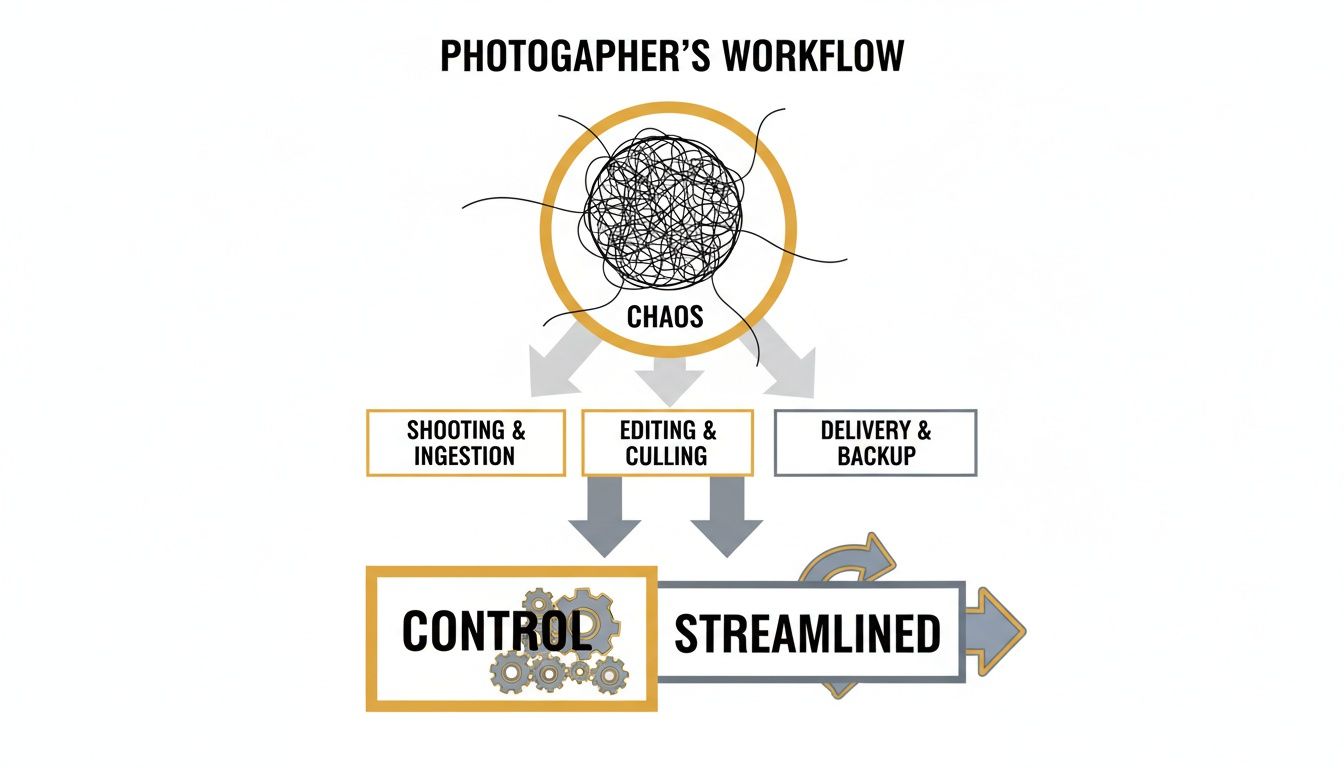
As you can see, implementing the right software moves you from a state of operational chaos to one where every step is logical, repeatable, and efficient.
3. The Lifeblood: Invoicing and Payment Processing
Let's be honest: getting paid is everything. A healthy cash flow is the lifeblood of your business. Integrated invoicing and payment processing tools are what keep that blood pumping smoothly.
You can create professional, branded invoices in minutes, set up automated reminders so you don't have to chase people down, and accept online payments through a secure portal. It removes the awkwardness of asking for money and gives clients a modern, convenient way to pay. The easier you make it for them, the faster you get paid.
4. The Guardian: Contracts and E-Signatures
Contracts are your legal safety net. They protect you, they protect your clients, and they set clear expectations for everyone involved. Software with built-in contract and e-signature features lets you handle everything digitally.
No more printing, scanning, or clunky PDFs. You can send, sign, and store legally binding agreements entirely online. From session agreements to model releases, digital contracts are a fundamental part of running a legitimate, secure business. Providing an easy way for clients to review and sign also elevates their experience, which you can take even further by exploring the benefits of a dedicated client portal software for your small business.
5. The Showcase: Client Galleries and Proofing
After the shoot, the client experience is far from over. How you deliver their images is a massive part of your brand. Professional, private client galleries are essential for showcasing your work in its best light.
These platforms allow clients to view, favorite, and download their photos in a beautiful, branded environment. Many also include proofing tools and even integrated print stores, which can open up a whole new stream of revenue for your business without any extra work. It's the final, professional touchpoint that leaves a lasting impression.
Trying to decide what's truly essential can feel overwhelming. The table below breaks down the absolute "must-haves" from the "nice-to-haves" to help you prioritize as you evaluate different software options.
Must-Have vs Nice-to-Have Software Features
| Feature Category | Must-Have Functionality | Nice-to-Have Functionality |
|---|---|---|
| Client Management | Centralized client database (CRM), lead capture forms, email communication tracking. | Advanced lead scoring, automated email marketing campaigns (drip sequences). |
| Booking & Scheduling | Public booking calendar, automated appointment confirmations and reminders. | Resource scheduling (for studios/equipment), integration with multiple personal calendars. |
| Financials | Professional invoicing, online payment processing (Stripe, PayPal, etc.), payment tracking. | Expense tracking, profit/loss reporting, QuickBooks/Xero integration. |
| Contracts & Forms | Legally binding e-signatures, customizable contract templates, client questionnaires. | Automated contract triggers (e.g., sends after booking), multi-signer workflows. |
| Image Delivery | Branded online client galleries, digital download options, basic proofing/favoriting. | Advanced proofing with comments, integrated print store, video hosting. |
Ultimately, the goal is to start with a solid foundation of must-have features. You can always grow into the more advanced "nice-to-have" tools as your business scales and your needs evolve.
How The Right Software Fuels Growth For Your Niche
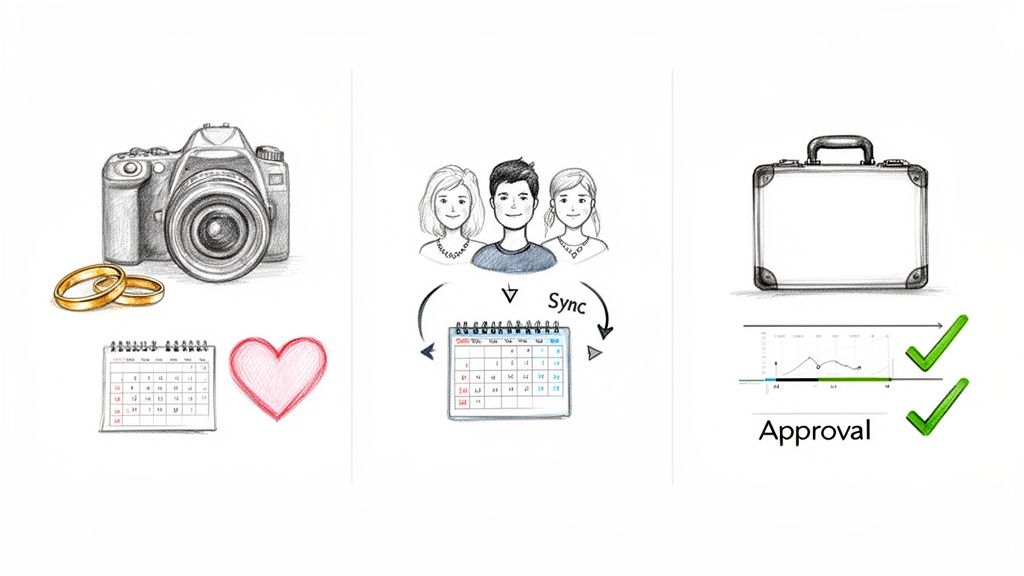
Photography studio management software isn't a blunt instrument; it’s a set of precision tools. A feature that saves a wedding photographer a dozen hours a week might be totally irrelevant to a high-volume commercial studio. The real magic happens when a platform is tailored to solve the specific operational headaches of your particular niche.
Getting this right is everything. The best software doesn’t just organize your business—it actively helps it grow by smoothing out the unique friction points you hit every single day. Let's break down how this actually works for different types of photographers out in the field.
For The Solo Wedding Photographer
Picture a solo wedding photographer trying to juggle ten or more couples at once. The admin load is crushing. You’re drowning in details, from tracking initial consultations to coordinating final album deliveries. Your biggest enemies? Repetitive tasks and the mental gymnastics of remembering every little detail for each client.
This is where workflow automation becomes your best friend.
- Automated Questionnaires: Forget manually emailing shot lists and vendor forms. The software sends them out for you at just the right time before the big day.
- Payment Reminders: The system automatically chases down those final payments, letting you focus on editing instead of having awkward money conversations.
- Templated Emails: Every couple gets that polished, professional touch without you having to type the same welcome email or final gallery link a hundred times.
By automating these touchpoints, the solo photographer gets their weekends and headspace back. The software acts like a tireless virtual assistant, making sure every client feels special while freeing you up to book more weddings—or just take a well-deserved break.
For The Multi-Photographer Portrait Studio
Now, let's shift gears to a busy portrait studio. Maybe you have three photographers, a studio manager, and a constant flow of family sessions, headshots, and newborn shoots. Here, the challenge isn't just managing clients; it's coordinating the team. Without a central command center, things can get chaotic fast. You can find more tips on this in our article about setting up a portraiture photography studio.
In this environment, collaborative features are mission-critical.
- Shared Calendars: Everyone on the team sees all booked sessions, photographer assignments, and studio availability at a glance. No more double-bookings or scheduling mishaps.
- Centralized Client Information: When a client calls, anyone can pull up their entire history—past sessions, communication logs, and payment status—to provide instant, knowledgeable help.
- Task Assignment: The studio manager can delegate specific jobs, like culling images or ordering prints, to different team members with deadlines and notifications to keep the entire workflow moving smoothly.
This central hub transforms a group of individuals into a slick, efficient team. It ensures a seamless client experience, no matter who answers the phone or which photographer is behind the camera.
For The High-Volume Commercial Photographer
Finally, think about the commercial photographer shooting product catalogs for e-commerce brands. Their world is a whirlwind of tight deadlines, multiple stakeholders, and complex approval processes. They aren’t just managing clients; they're managing projects with a ton of moving parts.
For this niche, powerful project management tools are non-negotiable. While wedding and event photography drove 41.28% of the demand for this software in 2024, the commercial sector is booming. It's growing at a 15.18% compound annual growth rate and is expected to top USD 400 million by 2030. This surge is fueled by the endless need for e-commerce imagery, making tools that handle high volume and rapid turnarounds absolutely essential. You can read the full research on the photography studio software market for more on this trend.
Here’s how the right software helps commercial photographers stay on top of it all:
- Client-Facing Proofing Galleries: These are a game-changer. They let brands review images, leave specific comments for revisions, and give final approval right inside the platform.
- Version Control: The system keeps a clear record of every round of edits, so everyone is always working from the latest version. No more confusion.
- Deadline Tracking: With several projects going at once, the software provides a clear dashboard of all upcoming deadlines for shooting, editing, and final delivery.
By choosing photography studio management software with features that match your specialty, you’re not just buying another tool. You’re making a strategic investment in an asset that solves your biggest headaches and opens up new avenues for growth. And with Kejoola's Booking-ready websites for service pros, these specialized workflows are built right in, ready to help you shine.
A Practical Checklist For Choosing Your Platform
Picking the right photography studio management software can feel like trying to find a needle in a haystack. There are dozens of options out there, all promising the world with endless feature lists and confusing pricing. The secret isn't finding the software with the most features, but finding the one that solves your specific problems.
This checklist is designed to cut through the noise. We'll give you the right questions to ask and a clear framework for evaluating your options, so you can invest in a tool that actually fits your workflow, your budget, and your vision for the future.
H3: Evaluating Pricing Models
Let's be honest—the first thing most of us look at is the price tag. But software costs can be deceptive. What looks like a bargain today might become a major expense as your business grows. You need to look beyond the monthly fee and think about the long-term value.
- Subscription vs. One-Time Fee: These days, monthly subscriptions are pretty much the standard. They give you ongoing updates, security patches, and support. A one-time fee might seem tempting, but you risk being stuck with outdated software in a year or two. For most studios, a predictable monthly cost is much easier to budget for.
- Tiered Plans: Take a hard look at the different pricing tiers. A good platform will have a sensible starting point for a solo photographer and logical steps up as you add team members or expand your services. Be wary of plans that lock critical, everyday features behind their most expensive tiers.
- Hidden Costs: This is where they get you. Always ask about transaction fees for payment processing, extra charges for more users or storage, and any one-off setup or data migration fees. The price on the website should be the price you actually pay.
H3: Assessing Scalability and Growth Potential
The software you pick today shouldn't be a bottleneck tomorrow. Where do you see your business in a year? What about three or five years from now? A platform that can't grow alongside you will eventually become a frustrating roadblock.
The goal is to find a partner for the long haul. Migrating your entire business from one system to another is a disruptive and time-consuming process you want to avoid. Choose a platform built to scale from day one.
When you're talking to vendors, ask these crucial questions about scalability:
- How easy is it to add new photographers or admin staff to the system?
- Can the software handle multiple locations, services, or even different brands under one account?
- Are there any caps on the number of clients, projects, or bookings I can manage?
Thinking about growth now ensures your photography studio management software remains a powerful asset instead of a liability. For more on getting set up, our guide to using an online booking system for your small business offers some great foundational tips.
H3: Prioritizing User Experience and Support
Even the most feature-packed software is completely useless if it's a nightmare to use. A clean, intuitive interface means less time wrestling with technology and more time focused on your clients and your craft. Never skip the free trial—it’s your chance to see how the platform actually feels to use day-to-day.
But a slick interface is only half the battle. Think about the support team behind the software. When a client can't pay an invoice or a calendar sync fails right before a big shoot, you need help, and you need it fast.
- Intuitive Design: Is the layout clean? Can you figure out how to send a contract or create a workflow without digging through a help manual?
- Customer Support: What are their support hours? Do they offer live chat, email, or a phone number you can actually call? Look up reviews and see what real users say about their response times.
- Security: How are they protecting your data and your clients' information? Make sure they use industry-standard encryption and have solid security measures in place. When creating a practical checklist for choosing your platform, an in-depth delve into an event management software comparison can offer invaluable insights into various solutions available for managing your studio's diverse projects.
Ultimately, the right platform should feel like a natural extension of your brand—professional, reliable, and easy to work with. Taking the time to properly vet your options with this checklist will pay off for years to come.
How AI And Automation Are Reshaping The Industry
For years, "AI" and "automation" felt more like buzzwords than practical tools. That's changing. These technologies are now being woven directly into photography studio management software, and they’re fundamentally altering how we run our businesses.
The goal isn't just to work faster—it's to work smarter. We're moving away from simply reacting to administrative tasks and towards a place where our software helps us make proactive, intelligent decisions. It's about letting the system predict what's next so you can stay ahead of the curve.
From Guesswork To Intelligent Forecasting
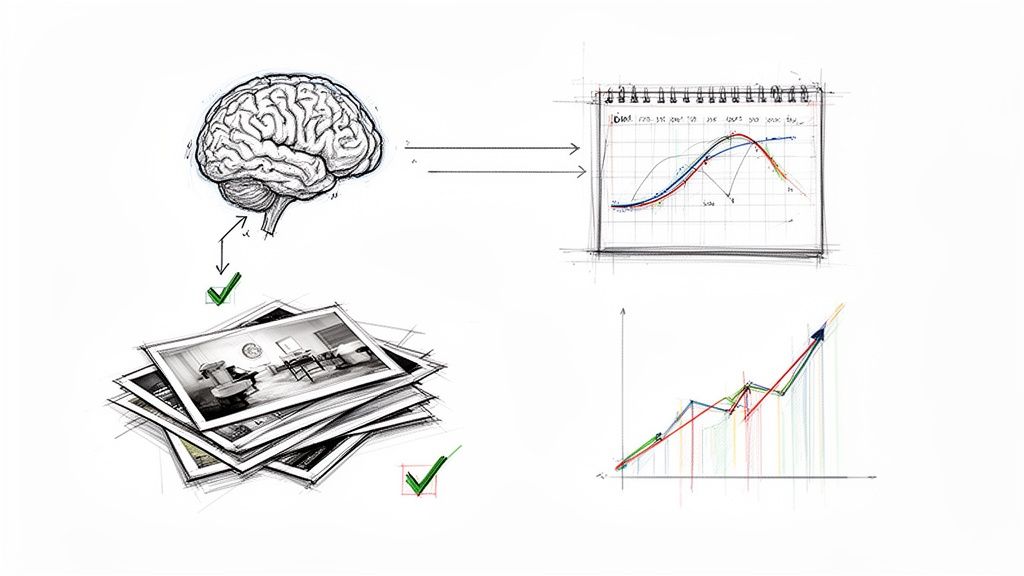
Picture this: your software does more than just show you an empty time slot. AI-driven platforms can dig into your past booking data, spot trends, and predict your busiest seasons with startling accuracy.
This lets you plan your marketing pushes, tweak your pricing for peak demand, and manage your calendar with confidence. It's like having a dedicated business analyst who turns your own history into a clear roadmap for what's ahead.
The real power of AI in studio management isn't about replacing your creative intuition. It’s about offloading the repetitive, soul-crushing tasks that drain your energy. The idea is to automate the predictable so you can focus on the personal.
Saving Hours With Automated Post-Production
We all know the grind of culling and initial editing. It's one of the biggest time sinks in our workflow. This is where automation is delivering a massive win.
New tools can sift through thousands of photos in minutes. They intelligently flag technically bad shots—blurry images, closed eyes—and even group similar poses together to make your selection process a breeze. This first pass alone can shave hours off your post-production time for every single shoot.
As the industry evolves, staying on top of new tech is key. For example, exploring things like AI photo enhancement tools shows just how much the post-production game is changing.
This isn’t just a niche trend. AI is driving a real shift, with post-processing automation contributing to 2.6% market growth in North America and Europe. Studios are ditching guesswork for data, pushing the market forward at a 15.27% compound annual growth rate.
The Future Is Data-Driven Creativity
When you integrate these tools into your daily operations, you don't just become more efficient. You become a better business owner. With the administrative busywork handled, you gain back precious time to connect with clients, hone your craft, and actually build your brand.
The future of studio management is already here, and it's built on a foundation of intelligent automation. Embracing it means you're not just keeping up with the times—you're setting yourself up to thrive and focus on the creative work you love.
Your Roadmap to a Smooth Software Transition
Deciding to switch to a new photography studio management software is a big move. That's the easy part. The real work starts when you begin migrating your entire business into its new digital home. A smooth transition is all about smart planning, not a last-minute scramble.
This roadmap will walk you through the process in simple, manageable stages. Following these steps will help you sidestep the common headaches and get your new system humming along without derailing your client work or your sanity.
Phase 1: Get Your Data in Order
Before you can move into a new house, you have to pack the boxes. For your business, that means gathering up your client data. It's probably scattered everywhere—spreadsheets, your email contacts, old accounting software, you name it. Your first job is to get it all in one place.
Create one master spreadsheet with all the critical client details: names, emails, phone numbers, and maybe the date of their last session. This is also the perfect opportunity for a little digital spring cleaning.
- Ditch the Duplicates: Go through your list and merge any duplicate entries for the same client.
- Standardize Everything: Make sure phone numbers and addresses all follow the same format. It makes a huge difference.
- Archive Inactive Clients: If you haven't heard from someone in years, it might be time to move them to an archive list. This keeps your new system focused on current and potential clients.
Starting with clean, organized data will make the import process into your new software worlds easier and far more accurate.
Phase 2: Set Up Your New Digital Studio
Once your data is prepped, it's time to customize your new software so it actually works for your business. This is more than just dumping in a list of contacts; it’s about building the workflows and brand experience that make you, you.
Think of it like setting up a new physical studio. You wouldn't just throw furniture in randomly. You’d place everything exactly where it needs to be to make your work flow smoothly.
Use that free trial period for all it's worth. Seriously. This is your chance to put the software through its paces. Create a fake client and walk them through your entire process—from sending the initial proposal to delivering the final gallery—to make sure everything works just the way you need it to.
Here are the key things to set up first:
- Load Your Services & Pricing: Get all of your photography packages, products, and any à la carte options entered into the system.
- Upload Your Templates: Bring in your contracts, client questionnaires, and all those canned emails you use over and over.
- Connect Your Tools: Link your calendar, payment gateways like Stripe or PayPal, and any other apps you can't live without.
Getting this foundation right is what lets you hit the ground running the moment you go live.
Phase 3: Let Your Clients Know What's Happening
The final piece of the puzzle is bringing your clients along for the ride. Don't just flip the switch and expect them to figure it out. A little proactive communication goes a long way, showing you’re a professional who values their experience.
Draft a quick, friendly email explaining the change. The key is to frame it around the benefits for them. Tell them how this new system will make their life easier.
For instance, you could highlight new features like:
- Easy Online Booking: "You can now see my live availability and book your next session in just a few clicks—no more back-and-forth emails!"
- A Personal Client Portal: "You'll get your own secure client portal where you can review contracts, pay invoices, and access your photos, all in one spot."
- Helpful Reminders: "The new system will send you automatic reminders for appointments and payments, so nothing falls through the cracks."
A well-managed transition sets the stage for a more organized, efficient, and profitable business. With platforms like Kejoola offering Booking-ready websites for service pros, this new software becomes the engine that powers a fantastic client experience from the first click to the final photo delivery.
Frequently Asked Questions
Diving into the world of studio management software can feel like a big step, and it's natural to have questions. Let's tackle some of the most common ones that come up when photographers are thinking about getting organized.
Do I Need Studio Management Software If I Am Just Starting Out?
Yes, and here's why: starting with a proper system is one of the best things you can do for your new business. It sets a professional tone from your very first client interaction, making you look buttoned-up and reliable right out of the gate.
Think of it this way: software automates all the tedious admin work from day one. This frees you up to do what really matters—shooting, building your portfolio, and finding more clients. It also builds a solid foundation for growth, so you won't be stuck trying to fix a chaotic, spreadsheet-based system when you're suddenly juggling dozens of clients.
How Much Should I Expect To Pay?
The price range is pretty broad. You can find solid, entry-level plans for solo photographers that start around $20 to $30 per month. On the other end, comprehensive platforms designed for bigger studios with multiple photographers can run over $100 per month.
The goal isn't just to find the cheapest option, but the one that delivers the most value for where your business is now. A good rule of thumb is to look for a platform that can grow with you. Always, always take advantage of a free trial. You need to get a feel for the workflow and see if it clicks before you pull out your credit card.
Your software should be an investment that pays for itself through time saved and business gained. It’s far easier to build great business systems from the start than to untangle years of disorganized data later.
Will It Be Difficult To Move My Client Data To A New System?
This is a huge, and totally valid, concern. The good news is that most modern platforms are built with this in mind. They make migration pretty painless by letting you import your existing client info using a standard CSV file—something you can easily export from Google Sheets, Excel, or even your email contacts.
It does take a little bit of upfront work to get your data organized, but it’s usually a one-and-done task. The payoff of having every client conversation, invoice, and project detail in one clean, searchable place is more than worth that initial effort.
Can This Software Integrate With Other Tools I Already Use?
Absolutely, and you shouldn't settle for a system that doesn't. The whole point of good photography studio management software is to be the command center for your business, connecting all the other tools you already love and use.
Here are the key integrations to look for:
- Calendar Apps: Syncing with Google Calendar or Apple Calendar is non-negotiable. It’s the only way to prevent dreaded double-bookings.
- Payment Processors: Look for direct connections to services like Stripe, Square, or PayPal to make getting paid quick and effortless for your clients.
- Online Galleries: Many systems play nicely with popular gallery platforms like Pixieset or Pic-Time, creating a seamless handoff from shoot to delivery.
- Email Marketing Services: Connecting to a tool like Mailchimp helps you put your marketing on autopilot.
When these tools talk to each other, you create a workflow that just works, saving you countless hours of manual data entry and busywork.
Ready to stop juggling spreadsheets and start streamlining your business? Kejoola offers Booking-ready websites for service pros, integrating all these powerful management tools into a beautiful, easy-to-use platform. Start your free trial today