Service Business Website Templates for Booking, SEO, and Growth
Discover how to choose the best service business website templates. This guide covers essential features like booking, SEO, and client portals for business growth.
Josh · Jan 20, 2026 · 17 min read
- service business
- website templates
- SEO
- online booking
Let's be honest: a static online brochure isn't going to cut it for your service business anymore. If your website is just a digital flyer, it's not working for you. It needs to be an active business partner, and the right service business website templates are what get you there.
Move Beyond the Digital Brochure
Having a website isn’t just a nice-to-have for service pros; it's a core part of your operation. And the numbers back this up. A huge 73% of small businesses in the US now have a website because they know it’s where clients are found and managed. Yet, a surprising number still don't, which means they're leaving money and new leads on the table.
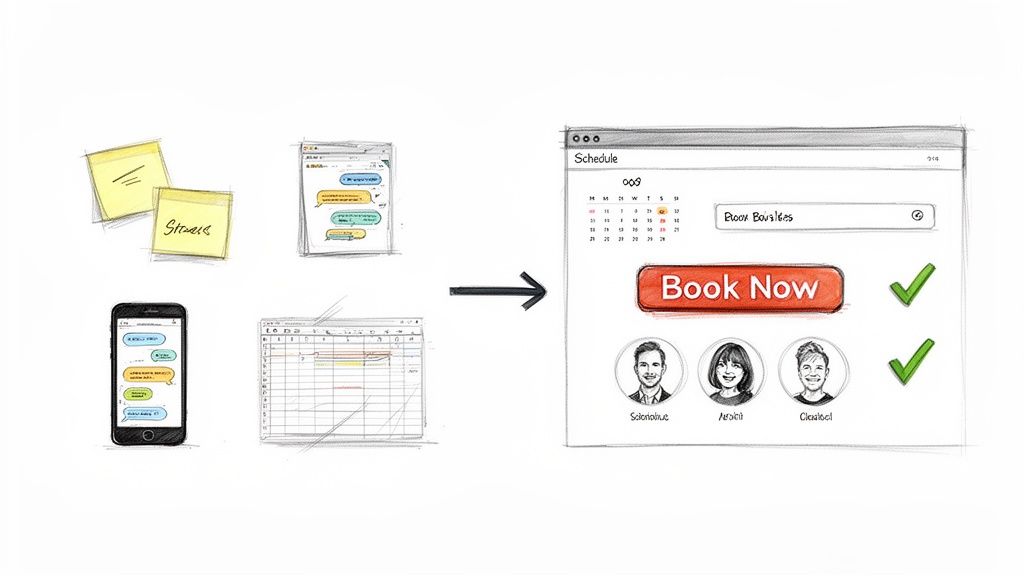
Think about it. Are you a solo provider or a small team juggling appointments through texts, DMs, and a messy spreadsheet? This kind of manual system screams disorganization to potential clients. It introduces friction right when you want things to be smooth, making it harder for them to confidently book with you.
From Chaos to Cohesion
This is where a modern website template completely changes the game. It’s designed to transform that scattered, manual process into a clean, automated system. A good template isn't just about looking professional; it's about creating an interactive hub that works for your business around the clock.
Making this shift brings immediate, tangible benefits:
- Boosts Credibility: A slick, functional site builds instant trust before you even speak to a client.
- Automates Scheduling: It kills the endless email tag and phone calls for booking, giving you back precious time.
- Centralizes Everything: Client messages, appointment details, and project notes all live in one organized place.
The goal isn't just to be online; it's to create an experience that's effortless for your customer and incredibly efficient for you. Your website should be a tool that actively cuts down your admin work, not one that adds to it.
Understanding Your Client's Path
To build a website that actually converts, you have to get inside your customer's head. What steps do they take from finding you online to paying for your service? For a deep dive, here's a complete blueprint for tracking the customer journey. Once you map this out, you can pick a template that perfectly guides visitors from their first click to a confirmed booking without any snags.
In the end, choosing the right service business website templates is what turns your online presence from a static cost into a dynamic asset. It becomes a lead-capturing, appointment-booking machine that strengthens your brand and drives real growth.
Decoding the Must-Have Features of a Winning Template
When you're picking a website template, it's easy to get sidetracked by pretty designs. But for a service provider, the look is secondary to the machinery running under the hood. The best service business website templates are built from the ground up to solve the real-world problems you face every day—like scheduling chaos and client management headaches.
Think of it this way: your website shouldn't just be a digital brochure. It needs to be an automated hub that actively works for you, turning casual visitors into paying clients without you having to lift a finger.
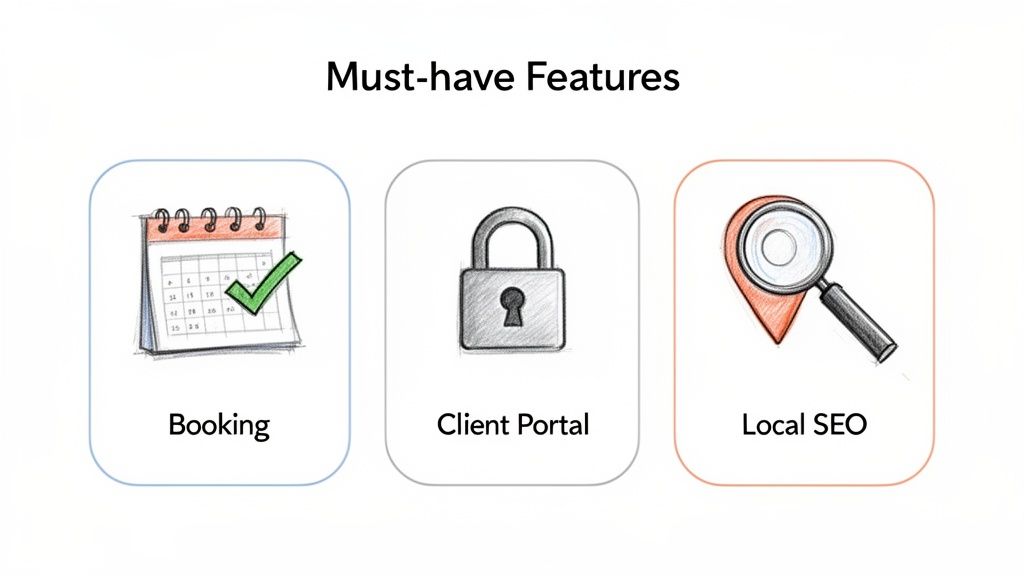
Integrated Booking and Scheduling Systems
Let’s be honest, the back-and-forth emails and phone calls to find a time that works are a massive time suck. That's why a seamlessly integrated booking system isn't just a nice-to-have; it's the most critical feature. It puts the power in your clients' hands, letting them book based on your live availability.
A solid booking system should always include:
- Self-Service Scheduling: Clients can see your open slots and book 24/7, even when you’re not working.
- Automated Confirmations and Reminders: This one feature is a game-changer for reducing no-shows and cutting down on your admin time.
- Waitlist Functionality: Automatically offer canceled spots to eager clients, keeping your schedule full and maximizing revenue.
Having this built directly into the template is crucial. Trying to bolt on a third-party plugin often leads to a clunky, disjointed experience for your clients. We've got a whole guide on this, but you can see the easiest way to add a booking calendar to your service website to understand the mechanics.
Secure Client Portals
Next up, a secure client portal. This feature elevates your business from "just another service provider" to a polished, professional operation. It gives each client their own private, central space to manage everything related to their work with you.
From their personal portal, clients can typically:
- Check upcoming and past appointments.
- Reschedule or cancel bookings based on your set policies.
- Find shared files, notes, or important documents.
It keeps all your communication and history neatly organized in one place, so you’ll never have to dig through your inbox for a stray detail again.
A dedicated client portal transforms your website from a simple marketing tool into a comprehensive client management platform. It's a feature that builds long-term loyalty and streamlines your entire workflow.
Built-In Local SEO Capabilities
Finally, your template absolutely must have a strong SEO foundation. Most service businesses live and die by their local clientele, which means showing up in local search results isn't optional. An SEO-ready template takes care of the technical heavy lifting for you.
Specifically, you should be looking for templates that include:
- Schema Markup: This is code that helps search engines understand exactly what you do and where you're located, drastically improving your chances of appearing in local search packs.
- Mobile-First Design: The vast majority of local searches happen on a phone. A responsive, mobile-friendly design is non-negotiable for both user experience and Google's rankings.
- Fast Load Times: Nobody waits for a slow site. Clean code and optimized images are essential for a fast website, which is a major ranking signal.
These three elements—booking, portals, and SEO—form the trifecta of a high-performing template.
When you're hunting for the right fit, it's helpful to separate the non-negotiables from the nice-to-haves. This table breaks it down.
Essential vs. Optional Template Features for Service Businesses
| Feature | Why It's Essential | Impact on Your Business |
|---|---|---|
| Integrated Booking | Automates scheduling, reduces admin work, and allows clients to book 24/7. | Frees up hours of your time, minimizes no-shows, and directly increases revenue. |
| Mobile-First Design | The majority of clients will find and view your site on a mobile device. | Improves user experience, boosts SEO rankings, and ensures you don't lose leads. |
| Client Portal | Centralizes client communication, history, and files, enhancing professionalism. | Builds client trust and loyalty while making your own record-keeping effortless. |
| Local SEO Features | Helps local customers find you on Google when they're ready to buy. | Drives qualified, local traffic to your site, leading to more bookings. |
| Pre-built Forms | Enables you to collect project details or client information upfront. | Streamlines your intake process and ensures you have all necessary info from day one. |
| Blog/Content Module | Establishes expertise and helps with long-term SEO. (Optional for some) | Can attract new clients over time but requires a consistent content creation effort. |
| E-commerce Add-on | Allows for selling digital products or physical goods. (Optional) | Creates an additional revenue stream but adds complexity to site management. |
Ultimately, choosing a template with these core systems built-in is what turns your website into a client-generating machine instead of just an online placeholder.
Evaluating Website Performance and Load Speed
Let’s be honest. A gorgeous website design means absolutely nothing if it takes an eternity to load. For a service business, your website's speed isn't just a technical detail—it's a direct reflection of your professionalism. It shows you respect a potential client's time. A slow, clunky site experience erodes trust before you've even had a chance to say hello.
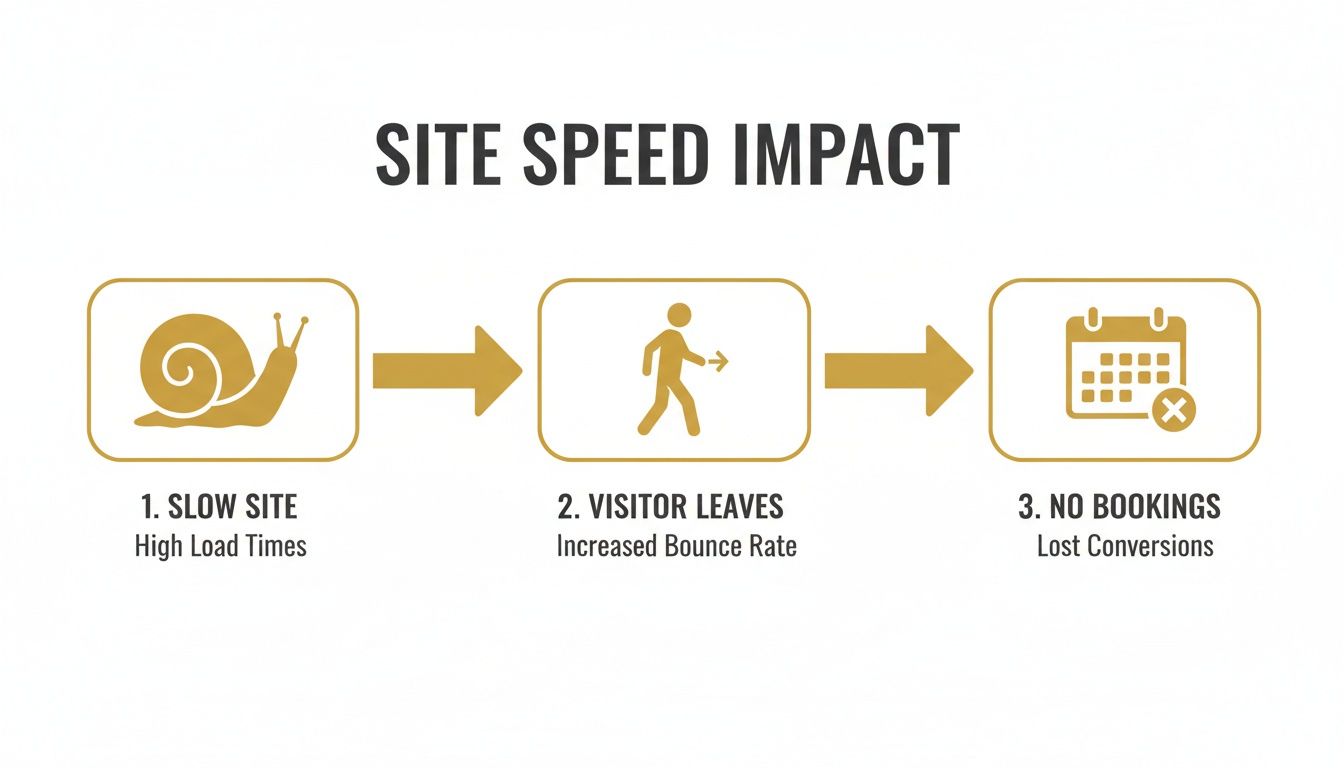
This is exactly why performance is non-negotiable when you're looking at service business website templates. I've seen countless templates, especially those bloated with a dozen plugins and messy code, that can absolutely cripple a site's speed. Every extra second a visitor has to wait is another chance for them to hit the back button and find one of your competitors.
The reality is that speed is make-or-break. A massive 43% of small businesses are focusing on improving their page speed this year, and for good reason: Google's algorithm heavily favors sites that are quick to load. Visitors just won't wait. You can find more data about this in these website statistics at emailvendorselection.com.
The Technical Roots of Poor Performance
So, what actually makes a template slow? It usually boils down to a few common culprits you need to keep an eye out for.
- Bloated Code: I've seen templates packed with so much unnecessary script and CSS that browsers just choke trying to process it all. This kills your page load time.
- Oversized Image Files: This is probably the biggest speed killer. High-resolution images that haven't been compressed are like anchors dragging your site down.
- Reliance on Plugins: When a template needs a pile of third-party plugins just to handle basic functions, it's a huge red flag for performance bottlenecks and security issues.
These problems have a direct impact on your bottom line. Just imagine a potential client trying to book a consultation. If the booking calendar is lagging and stuttering, they're not going to wait around. They'll assume your business is just as disorganized as your website and find someone else.
Your website’s speed is your digital first impression. A fast, responsive site communicates efficiency and reliability, while a slow one suggests the opposite. This perception directly influences a potential client's decision to trust you with their business.
How All-in-One Platforms Solve the Speed Problem
This is where the platform you build on becomes so critical. All-in-one solutions designed specifically for service businesses, like Kejoola, are built to tackle these performance issues from the ground up. They don't rely on a mishmash of third-party plugins because essential features are integrated natively.
On top of that, these platforms almost always come with high-performance managed hosting. This isn't your cheap, shared hosting plan; it's a server environment specifically configured for speed and reliability. Automatic image optimization is another game-changer—the platform just handles compressing and serving your images in the most efficient format without you ever having to think about it.
When you choose a template from a performance-focused platform, you’re getting far more than just a design. You’re investing in a powerful foundation that ensures your site is fast, reliable, and ready to turn visitors into booked clients right out of the gate.
A Practical Checklist for Choosing Your Template
When you’re facing a sea of template options, it’s easy to stall. This guide breaks the decision into five clear areas so you know exactly what to test and why it matters.
Before you dive in, confirm that your chosen platform checks all the boxes. Get the full rundown in our guide on the best website builder for service business.
Checklist Focus Areas
-
Booking & Scheduling
Verify that clients can book themselves, receive automated confirmations, and join waitlists. Automated reminders can cut no-shows by 30%, keeping your calendar full. -
Client Management
Look for secure portals, appointment histories, and seamless document sharing. A centralized portal strengthens trust and streamlines every interaction. -
SEO & Performance
Make sure the template is mobile-first and includes schema markup for better local visibility. Faster pages experience 70% fewer bounces and often rank higher. -
Customization & Branding
Test how quickly you can swap colors, adjust layouts, and update copy. Instant edits let your website evolve alongside your brand identity. -
Scalability
Check for automatic backups, built-in maintenance, and growth-friendly plans. A maintenance-free setup saves you hours on updates and troubleshooting.
How to Run Your Audit
Give each focus area a quick Pass or Fail. This binary check instantly highlights gaps and speeds your decision-making.
For example, if you can refresh your branding without touching code, mark Customization as Pass. If the platform backs up everything automatically, Scalability is a no-brainer Pass.
Your Template Selection Checklist
Use the table below to record your findings. Count your Passes to see which template stands out.
| Evaluation Area | Key Feature to Check | Pass/Fail |
|---|---|---|
| Booking & Scheduling | Self-serve slots with automated reminders | |
| Client Management | Secure portal with appointment history | |
| SEO & Performance | Schema markup and mobile-first responsiveness | |
| Customization & Branding | Flexible themes and instant text edits | |
| Scalability | Automatic backups and maintenance options |
Refer back to this checklist whenever you trial a new design. It ensures you don’t miss any critical feature as your business grows.
Next Steps
After you pick a template, roll out a soft launch. Invite real users to test it, watch your analytics, and tweak any weak spots.
Keep this checklist alive—run it again before major updates or when you add new services. That way, your site never stops working hard for bookings and client success.
Bringing Your Brand to Life Through Customization
You’ve picked a template. Great. Now comes the fun part: making it yours. This is where you move past just dropping in a logo and tweaking a few colors. We're talking about embedding your personality and professional expertise into the very fabric of the site, turning a generic layout into a magnet for your ideal clients.
This is the step that separates a cookie-cutter website from a genuine brand experience. When someone lands on your page, you want them to instantly get who you are and, more importantly, feel that you're the exact person who can solve their problem.
Crafting Website Copy That Actually Connects
Think of your website's copy as the first conversation you have with a potential client. It’s easily one of the most important parts of the whole setup. Don’t just list your services; speak directly to your audience's struggles and goals.
For instance, a freelance photographer could say, "I offer family portrait sessions." That's fine, but it's not compelling. A much better approach hits on the client's real motivation: "Capture your family's story with timeless portraits that feel as joyful and authentic as you are." See the difference? The second one connects on an emotional level and sells the outcome, not just the service.
Pro tip: Settle on a template before you start writing. The pre-built sections give you a roadmap, making it so much easier to write focused, hard-hitting copy for each part of your site.
Selecting Images That Build Trust
Nothing screams "generic" like a bunch of cheesy stock photos. In a service-based business, authenticity is currency. Your photos are your first real chance to build a connection and show the human behind the business.
Here’s what I’ve seen work best for visuals:
- Professional Headshots: Get a good one. A warm, friendly headshot on your "About" page immediately makes you seem more approachable and trustworthy.
- Action Shots: If you're a personal trainer, get pictures of you working with clients (with their permission, of course). A consultant could have shots from a workshop or speaking gig.
- Behind-the-Scenes: Show your process or your workspace. This kind of transparency makes people feel like they know you before they’ve even reached out.
High-quality, real photos signal that you’re a serious professional. They help clients mentally picture themselves working with you, which is a huge part of their decision to hire you.
Designing a Frictionless Booking Process
Finally, all this customization has to extend to how people actually hire you. Your main goal here is to make booking your services ridiculously easy—so simple it feels like a no-brainer. This means your booking page needs to be clean, clear, and totally intuitive.
Put yourself in their shoes. Can they see your availability instantly? Is the "Book Now" button unmissable on every single service page? A smooth booking experience telegraphs professionalism and shows you respect their time. A clunky, confusing one? I’ve seen data suggesting that can cause up to 50% of potential clients to just give up and leave.
By putting real thought into your copy, images, and booking flow, you’re not just filling in a template. You’re building a strategic asset that works around the clock to attract and convert the clients you actually want.
Launching and Growing Your New Service Website
Hitting "publish" on your new website isn't the finish line—it's the starting block. Now the real work begins: turning that beautiful site into an asset that actually generates clients. The right service business website templates give you a powerful foundation, but it’s your post-launch strategy that will drive real, sustainable growth.
Think of your launch as an event worth celebrating. Let your existing clients know about it with an email blast, telling them about the new, easier way to book appointments. Then, shout it from the rooftops on your social media channels, making sure to highlight how much better the client experience is now.
The day you launch your website is often the day your business feels truly official. It’s a milestone that builds confidence and signals to the market that you are ready for new clients.
From day one, you need a basic handle on your website's performance. You don't need to become an analytics guru overnight, but you should know where your traffic is coming from and which pages people are actually looking at.
Monitoring Performance and SEO
Most modern website platforms come with built-in analytics dashboards that make this pretty painless. Keep an eye on a few key metrics to understand what's resonating with your visitors.
- Traffic Sources: Are people finding you through Google, social media, or direct links? This tells you exactly where you should focus your marketing energy.
- Most Visited Pages: Is your "Services" page getting all the attention? That's a good sign, and it tells you where to refine your copy and calls-to-action.
- Booking Conversion Rate: Of all the people who visit your site, what percentage actually books an appointment? Tracking this helps you spot any hiccups in your scheduling process.
This data isn't just a bunch of numbers; it's direct feedback on what's working and what needs a little tweaking.
Leveraging Built-in SEO Tools for Local Visibility
For a service business, local search is everything. This is where your template's built-in SEO tools can give you a massive competitive advantage.
Start with the basics: make sure your business name, address, and phone number are consistent on every single page. Use the prompts in your template to add your service areas and pack your page titles with local keywords. As you move forward, a good small business SEO checklist can be a lifesaver, ensuring you don't miss any critical steps.
Beyond that, a well-structured site with proper schema markup—something quality templates often handle for you—tells Google exactly what you do and where you do it. This behind-the-scenes SEO work is what gets you into those all-important local map packs and search results. If you want to go deeper, check out our guide on how to improve local SEO for businesses just like yours.
By pairing a strong launch announcement with consistent performance monitoring and a sharp focus on local SEO, you’ll turn your template-based site into a dynamic engine for long-term growth.
Frequently Asked Questions
When you're diving into the world of service business website templates, a few questions always seem to pop up. Let's tackle some of the most common ones I hear from service providers to help you make your decision with confidence.
Can I Really Build a Professional-Looking Website Myself with a Template?
Absolutely. You really can. The days of needing to be a coding whiz are long gone. Modern website platforms are built for business owners, not developers. With intuitive drag-and-drop editors and beautifully designed themes, you can get a polished, booking-ready site live in a matter of hours. The goal is to achieve a high-end result without ever touching a line of code.
Will a Website Built from a Template Actually Rank on Google?
Yes, but with one big caveat: you have to choose the right platform. The secret is finding a template provider that obsesses over built-in SEO features.
Look for platforms that automatically take care of the technical stuff, like:
- Schema markup for services and local businesses
- Blazing-fast hosting
- Designs that are 100% mobile-friendly right out of the box
This kind of solid foundation means you can focus on what you do best—writing great content about your services—while the platform handles the technical SEO heavy lifting.
It's a huge myth that template sites are bad for SEO. Honestly, a well-built template on a performance-first platform will often crush a custom-coded site that’s dropped the ball on technical SEO basics.
What Happens When My Business Starts to Grow?
That's the beauty of using a quality, service-focused platform—it's designed to scale with you. You can start out on a simple plan as a one-person show and then easily upgrade as you bring on more staff or expand your offerings. Adding features like multi-staff calendars or a full-blown client portal doesn't mean you have to start over. You just graduate to a plan that matches where your business is headed.
What’s This Going to Cost Me?
The price can range quite a bit, but I've found that all-in-one platforms usually offer the best bang for your buck. These services bundle everything you need—the website builder, hosting, security, and the all-important booking software—into one monthly payment.
You can expect plans to start around $29 per month for a solo provider and go up to $149 per month or more for larger teams that need advanced features.
Ready to stop juggling DMs and spreadsheets? Kejoola gives you an AI-powered, booking-ready website in minutes. Start your 14-day free trial and see how easy it is to look professional, automate scheduling, and grow your business. Get started with Kejoola today!