Website Maintenance Cost Per Month: A Complete Breakdown
Discover the real website maintenance cost per month, from $20 for a blog to over $5,000 for e-commerce. This guide breaks down essential expenses and helps you budget.
Josh · Jan 17, 2026 · 20 min read
- website maintenance
- monthly cost
- business website
So, what's the real story behind monthly website maintenance costs? The numbers can swing wildly, from as little as $20 a month for a simple personal blog to over $5,000 for a high-traffic e-commerce machine. For most small businesses, a realistic budget usually lands somewhere between $75 and $500 per month.
The final figure really depends on how complex your site is and what kind of support you need to keep it humming.
Understanding Your Monthly Website Maintenance Cost
One of the biggest misconceptions is thinking of a website as a one-and-done project. That's a surefire way to run into trouble down the road.
A better way to think about it is like owning a car. You don't just buy it and drive it forever without changing the oil or getting a tune-up. Your website is the same; it needs regular fuel (content), insurance (security), and check-ups (updates) to perform reliably and safely.
This isn't just about fixing things when they break. It’s about making a strategic investment in your digital storefront. Without consistent care, your site can become slow, a target for hackers, or just plain outdated. Any of those outcomes can do serious damage to your brand and your revenue.
A Quick Financial Snapshot
The cost of keeping a website in top shape has definitely evolved. Today, businesses are spending anywhere from $20 to $5,000 a month just on maintenance. For a typical small business, that monthly investment often falls between $35 and $500, which shakes out to about $420 to $6,000 per year.
This wide range isn't arbitrary; it reflects the real technical demands of staying competitive online. As detailed in industry analyses, these costs cover a growing list of essential services. You can learn more about the factors influencing these web development costs to see how the numbers add up.
To give you a clearer picture, let's look at some typical cost brackets based on the type of website you run.
Estimated Monthly Website Maintenance Costs by Site Type
This table offers a quick overview of typical monthly maintenance expenses based on website complexity and purpose.
| Website Type | Typical Monthly Cost Range | Common Services Included |
|---|---|---|
| Personal Blog or Portfolio | $20 – $75 | Basic hosting, domain renewal, simple plugin updates. |
| Small Business Website | $75 – $500 | Managed hosting, SSL, CMS updates, security scans, regular backups. |
| E-commerce Store | $500 – $5,000+ | Robust hosting, PCI compliance, payment gateway support, inventory sync. |
As you can see, the more features and traffic a site handles, the more intensive—and expensive—its upkeep becomes.
The Strategic Value of Maintenance
If you only see maintenance as a line item on your expense report, you're missing the bigger picture. Its real job is to protect and grow the investment you've already made in your website.
A well-maintained site delivers clear, tangible benefits that easily justify the monthly fee.
- Enhanced Security: Think of it as a 24/7 security guard. Regular updates and monitoring shield your site and your customers' data from a constant barrage of threats like malware and hacking attempts.
- Optimal Performance: A fast, snappy website keeps visitors happy. That positive user experience is a huge factor in Google's search rankings and is critical for turning a casual browser into a paying customer.
- Business Continuity: Things go wrong. It happens. But with consistent backups and professional support on standby, you can restore your site in minutes, not days, avoiding costly downtime and lost sales.
When you're building your budget, remember that specialized services also play a role. For instance, understanding how much SEO costs can be a key part of your overall digital strategy. Ultimately, ongoing maintenance is what keeps your online presence healthy, effective, and ready to drive your business forward.
Breaking Down The Essential Monthly Expenses
Before we get into the advanced stuff, it's crucial to understand the foundational costs that keep your website online, accessible, and secure. These are the non-negotiable "utilities" for your digital property. Without them, your site simply can't function.
Think of these as the absolute baseline for any website maintenance cost per month. They form the bedrock upon which all other performance and growth activities are built. Let’s unpack each one.
Domain Name Renewal: Your Digital Address
Your domain name (e.g., yourbusiness.com) is your unique address on the internet. It's usually an annual fee, but it helps to think of it as a small monthly expense.
For standard domains like .com or .org, renewals typically run $15 to $60 per year, which is just $1.25 to $5 per month. Premium or specialized domains can cost a lot more, but for most businesses, this is a minor, predictable cost.
Registrars like GoDaddy often bundle domains with other services, showing how this small fee is just the first step. Though a tiny piece of the total website maintenance cost per month, letting it expire means losing your address and potentially your entire online identity.
Web Hosting: Renting Your Online Space
If your domain is your address, web hosting is the plot of land where your website lives. This service stores all your site's files and makes them available to visitors 24/7. It's one of your most significant recurring costs.
Hosting expenses vary dramatically based on what you need:
- Shared Hosting: The cheapest option, costing $5 to $20 per month. It's fine for brand-new sites or personal blogs with low traffic, but you're sharing server resources with lots of other websites.
- VPS Hosting: A solid step up, giving you more power and control for $20 to $100 per month. This is a great fit for growing businesses that need better performance.
- Dedicated Hosting: The premium choice, where you get an entire server to yourself. Costs range from $100 to $500+ per month and it’s ideal for high-traffic sites and e-commerce stores.
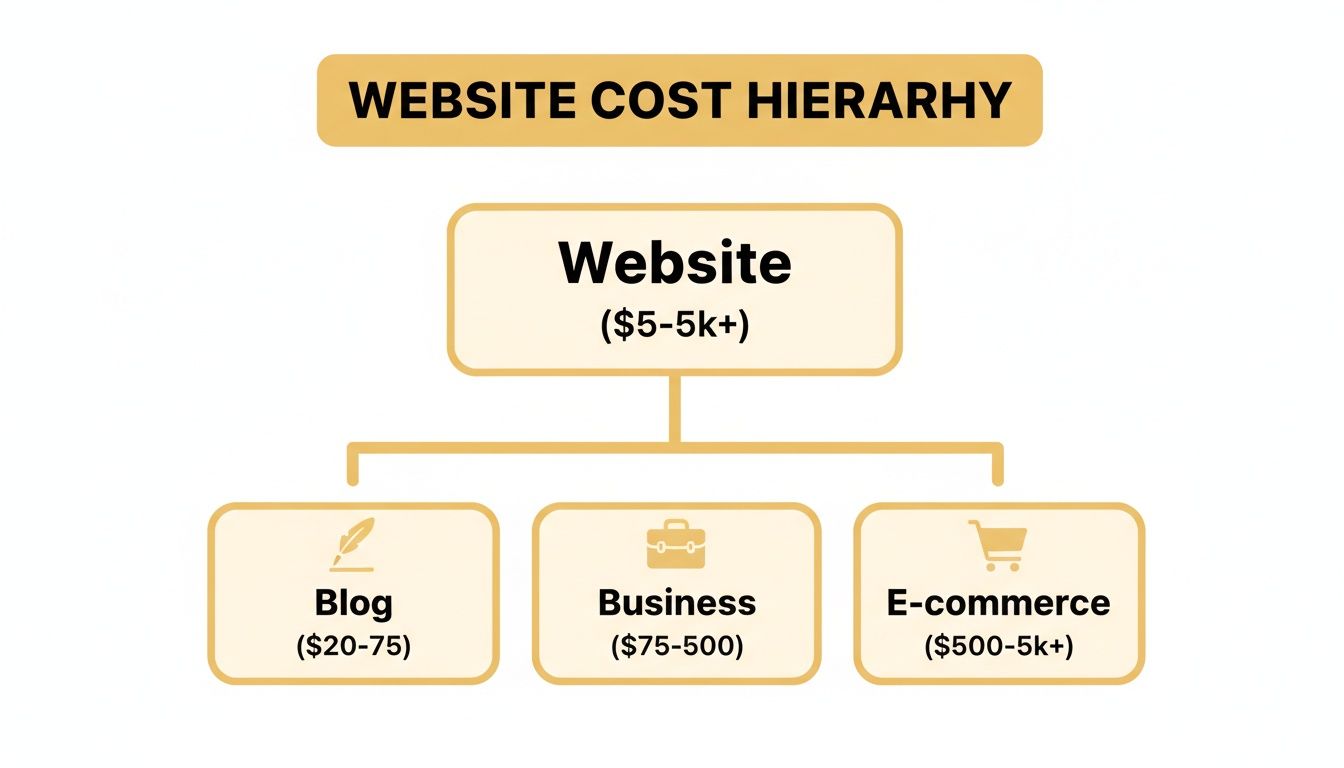
The diagram below gives you a visual sense of how these costs scale depending on your website's complexity.
As you can see, the budget grows quickly from a simple blog to a full-fledged e-commerce platform, with hosting being a primary reason for that jump.
SSL Certificate: The Digital Lock
An SSL (Secure Sockets Layer) certificate is what puts the "s" in "https" and displays that little padlock icon in a visitor's browser. It encrypts the data moving between your site and its users, protecting sensitive information like passwords and credit card numbers.
An SSL certificate is no longer optional. It's a fundamental requirement for building trust, protecting user data, and achieving good search engine rankings. Modern web browsers actively warn users when a site is not secure, which can scare away potential customers instantly.
Many hosting providers now include a free, basic SSL certificate. However, for e-commerce or sites handling sensitive data, an advanced certificate might be necessary, costing anywhere from $50 to over $1,000 per year. This is a critical investment in your site's security and credibility.
Platform Fees: The Cost of Convenience
If you're using a platform like Shopify, Wix, or an all-in-one solution like Kejoola, your hosting and other essentials are often bundled into a single monthly fee. These platforms simplify everything by handling the technical backend for you.
For example, a basic Shopify plan starts at around $39 per month, which covers hosting, an SSL certificate, and core e-commerce features. While that might seem higher than basic shared hosting, it saves you from juggling multiple vendors and services. This makes your total monthly cost more predictable and manageable, especially for business owners focused on growth, not technical upkeep. These fees are a direct and clear component of your website maintenance budget.
Going Beyond the Basics: Advanced Maintenance and Growth Services
Once you've covered your domain and hosting, you're officially online. But just being online isn't the same as growing your business. That's where advanced maintenance comes in. These aren't just costs; they're investments that turn a static website into a secure, high-performing asset that actively works for you.
Think of it like owning a retail shop. Hosting and a domain are like having the keys to the building. Advanced maintenance is everything else: the security system, the regular cleaning crew, the updated window displays, and the efficient checkout process that keeps customers happy. These proactive services are what really shape your website maintenance cost per month, but their return on investment is undeniable.
Let's unpack what these essential services look like in practice.
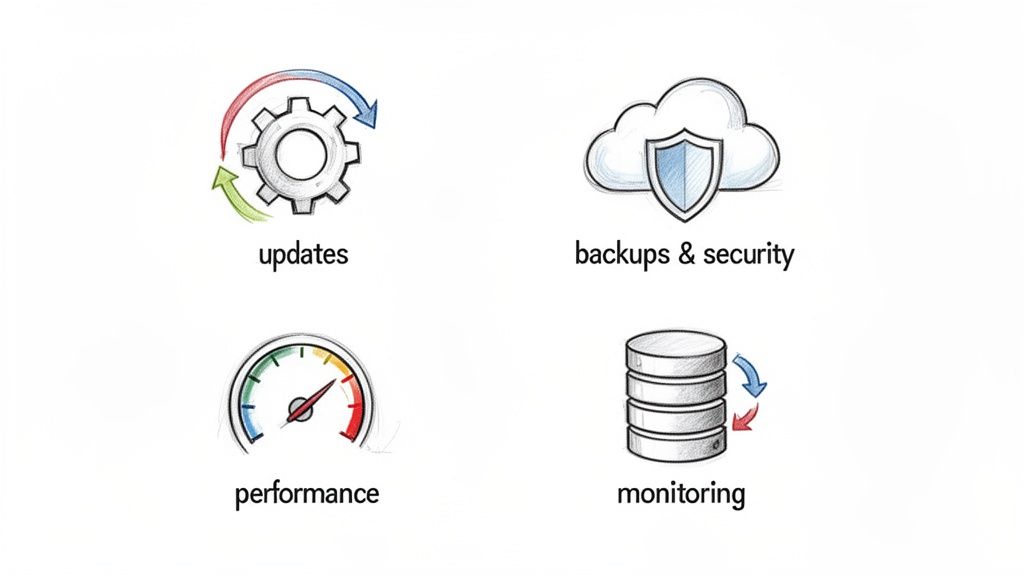
Software and Plugin Updates: Your First Line of Defense
If your website runs on a platform like WordPress, it’s built with a core software, a theme for its design, and plugins for added functionality. Each of these components needs regular updates. It’s easy to dismiss these as minor tweaks, but they are absolutely critical.
These updates aren't just for adding cool new features. More often than not, they contain vital security patches. Developers are in a constant race against hackers, and when they find a vulnerability, they release a fix. Ignoring these updates is like leaving your shop's back door wide open overnight. It's an unnecessary risk and a fundamental part of any serious maintenance plan.
Regular Backups: Your Digital Insurance Policy
Imagine the worst happens: your site gets hacked, a critical file is corrupted, or a simple mistake takes everything offline. What’s your plan? Without a recent backup, you could lose years of work, content, and customer data in an instant.
A solid backup strategy is your safety net. It’s not about just having one copy saved somewhere; it’s about having frequent, automated backups stored in a separate, secure location. This allows for a quick restoration, drastically reducing downtime and protecting your revenue.
Professional maintenance services handle this for you, often with daily backups stored off-site. That peace of mind alone is worth a significant portion of your monthly maintenance investment.
Security Monitoring: The 24/7 Watch Guard
While software updates patch known security holes, active security monitoring is the digital equivalent of having a 24/7 guard patrolling your property. This is a proactive service that’s always on the lookout for trouble.
A good security monitoring service will typically include:
- Malware Scanning: Constantly checking your website's files for any malicious code.
- Firewall Protection: Setting up a barrier to block hacking attempts and suspicious traffic before they even reach your site.
- Blacklist Monitoring: Making sure your site hasn't been flagged as unsafe by Google or other search engines, which would kill your traffic.
A security breach can cripple your reputation and your business. This constant vigilance is non-negotiable. For businesses that want to get online quickly and securely, understanding how a fully booked website can be built efficiently shows the value of having these technical details handled by experts.
Performance Optimization: Keeping Your Visitors (and Google) Happy
Let’s be honest: nobody waits for a slow website to load. Performance optimization is the behind-the-scenes work that makes your site fast and responsive. This isn't just a "nice-to-have"—it's a core driver of business success. A mere one-second delay in page load time can lead to a 7% drop in conversions.
Here’s what goes into making a site fast:
- Image Compression: Shrinking image file sizes so they load instantly without losing quality.
- Browser Caching: Telling a visitor's browser to "remember" parts of your site, so it loads much faster on their next visit.
- Database Cleanup: Regularly tidying up your website’s database so it can retrieve information quickly and efficiently.
- Code Minification: Stripping unnecessary characters and spaces from code files to make them smaller and faster.
A zippy, seamless user experience keeps visitors engaged, encourages them to convert, and boosts your rankings on Google. This is where modern website maintenance truly shines, shifting from simple "keep the lights on" tasks to actively fueling your growth.
When your website is the business, the whole game changes. For e-commerce stores or any site pulling in serious traffic, maintenance isn't just about keeping the lights on—it's about protecting your primary revenue stream. Even a few minutes of downtime can mean thousands in lost sales and, just as importantly, a hit to your reputation.
This is why the website maintenance cost per month shoots up. It stops being a simple line item and becomes a core investment in keeping your business running smoothly. These aren't just digital pamphlets; they're sophisticated machines processing transactions, juggling live inventory, and serving a constant stream of visitors. That kind of machinery needs a much higher level of care.
Why The Budget Gets Bigger
That price jump isn't random. It’s directly tied to the complexity of the operation and the real financial risk involved. A simple brochure site might get by with basic security scans and a few updates, but an online store needs a far more aggressive, multi-layered strategy to stay secure and functional.
Here’s a look at what drives those costs skyward:
- Payment Gateway Security: This is non-negotiable. You're handling people's financial data, which means you have to meet strict PCI (Payment Card Industry) compliance standards. That requires constant, validated monitoring.
- Complex Integrations: Your website is likely talking to a dozen other systems—inventory management, shipping carriers like FedEx, accounting software like QuickBooks. If those connections break, your entire operation grinds to a halt.
- High-Performance Hosting: A standard hosting plan will crumble under the pressure of a Black Friday sale or a viral marketing campaign. E-commerce sites need hosting that can scale instantly to handle massive traffic spikes without slowing down.
- Dedicated Developer Support: When the "Add to Cart" button stops working at 2 AM, you can't submit a support ticket and hope for an answer the next day. You need a developer on standby, ready to fix critical issues immediately.
Breaking Down The Specific Monthly Costs
For an online store, the maintenance budget has to cover specialized services a regular site wouldn't even think about. These costs are stacked right on top of the basics like your domain and hosting.
E-commerce sites are easily the most expensive to maintain, with monthly costs typically falling between $750 and $5,000, and sometimes much more for larger operations. Diving into the numbers, you'll see this covers things like e-commerce platform fees ($29-$299+ a month), specialized security and PCI compliance ($50-$200 a month), and comprehensive maintenance retainers ($150-$500+ a month). If you want to dig deeper, you can discover more insights about e-commerce maintenance breakdowns that really spell out these investments.
An e-commerce site is a living, breathing entity. Neglecting its health doesn't just lead to technical debt; it leads to lost sales, abandoned carts, and a damaged brand reputation. Proactive maintenance is your best defense against revenue loss.
A Financial Roadmap for Online Retailers
Budgeting properly means you’re not just paying bills; you're anticipating problems. A smart monthly plan for an online store earmarks funds for a few key areas to prevent those five-alarm-fire emergencies.
A realistic monthly maintenance budget should probably look something like this:
- Robust Hosting and CDN: You'll be paying for a powerful VPS or even a dedicated server, plus a Content Delivery Network (CDN) to make sure your site loads fast for customers anywhere in the world.
- Advanced Security Subscriptions: This means a Web Application Firewall (WAF), daily malware scanning, and services that continuously check for PCI compliance.
- Plugin and Extension Licenses: Those cool features on your store—like product subscriptions, advanced shipping calculators, or loyalty programs—usually come from premium plugins that have annual renewal fees.
- Dedicated Support Retainer: Setting aside a budget for a developer or agency retainer is like having insurance. It guarantees an expert is there the second something goes wrong.
By planning for these higher costs from the get-go, online retailers can build a resilient digital storefront that not only protects revenue but also delivers a flawless, secure experience for every single customer.
Choosing Between DIY and Professional Maintenance
Sooner or later, every website owner faces a critical choice: should I handle maintenance myself, or is it time to hire a professional? This decision goes far beyond just your budget. It’s a classic trade-off that pits your time and technical comfort against the peace of mind that comes with expertise.
The Do-It-Yourself (DIY) path has an obvious appeal, especially for new businesses where every dollar is accounted for. The main draw? No monthly maintenance bill. But don't be fooled—the payment comes in a different form: your time.
The DIY Approach: Control vs. Risk
Going it alone means you have total control. You decide which plugins to use, when to run backups, and how to handle updates. For some, this level of control is empowering, and the immediate cost savings feel like a big win.
But this path isn't without its pitfalls. Website maintenance has a surprisingly steep learning curve. The hours you spend watching tutorials to fix a weird glitch are hours you can't spend finding new customers. And one wrong move—like a botched plugin update—can easily crash your entire site. Suddenly, you're scrambling to find an emergency developer, and that "free" maintenance just became very expensive.
The Professional Service Approach: Peace of Mind for a Price
Hiring a professional service or agency flips the script. Yes, you pay a predictable monthly fee, but what you get in return is expertise, reliability, and security. Think of it as insurance for your most important digital asset.
Professionals live and breathe this stuff. They can spot a security vulnerability before it becomes a problem, handle updates without breaking your layout, and jump on emergencies the moment they happen.
This frees you up to focus on what you do best—running your business. The cost is no longer a potential emergency repair bill but a stable, operational expense. A well-maintained site also tends to perform better, which can lead to better search rankings and more conversions. For businesses that rely on appointments, knowing how to create a booking website that's professionally managed from day one can prevent these exact headaches.
DIY vs Professional Website Maintenance: A Head-to-Head Comparison
To help you decide, let's break down the key differences. This table puts the two approaches side-by-side, highlighting the real-world trade-offs you'll be making.
| Factor | DIY Approach | Professional Service |
|---|---|---|
| Monetary Cost | Lower upfront cost. Risk of high, unexpected repair bills from mistakes. | Higher, predictable monthly fee. Prevents large emergency expenses. |
| Time Investment | Very high. Involves a constant cycle of learning, troubleshooting, and manual tasks. | Minimal. The service handles everything, freeing you to focus on your business. |
| Required Expertise | High. You need a solid grasp of hosting, security, backups, and your CMS. | Low. You're paying for their expertise, so you don't need to be the expert. |
| Emergency Response | Slow and stressful. You're on your own to diagnose and fix critical errors, often under pressure. | Fast and efficient. A dedicated team is on standby to resolve issues quickly. |
Ultimately, the right choice boils down to what you value more: your time or your money. If your website is a critical tool for generating revenue, a site-down emergency isn't just an inconvenience—it's a financial hit. In those cases, the predictable monthly cost of professional maintenance isn't just an expense; it's a smart investment in your business's stability.
How All-In-One Platforms Can Tame Your Monthly Costs
If you've ever felt like you're herding cats while managing your website, you're not alone. Juggling separate bills for hosting, security plugins, backup services, and a developer on retainer creates a messy, unpredictable, and expensive headache. It's a fragmented system that pulls your focus away from actually running your business.
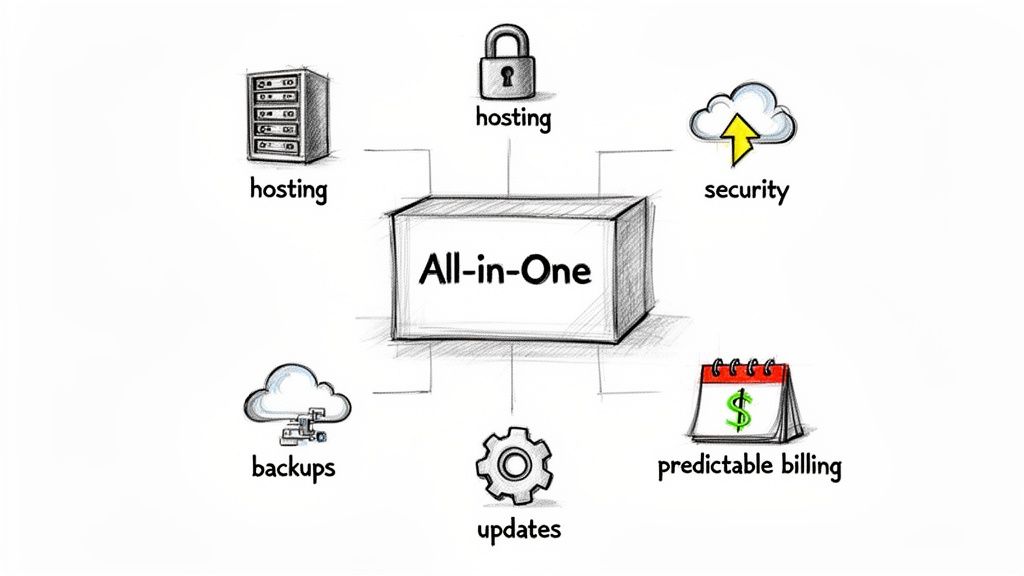
Thankfully, there’s a much simpler way. All-in-one platforms are built to solve this exact problem. They bundle every technical necessity—hosting, security, updates, and support—into a single, predictable monthly payment. It completely changes the game for managing your online presence.
Instead of paying a hosting company, a security firm, and a freelance developer separately, you have one partner and one bill. Everything is under one roof.
The Power of Predictable Budgeting
The biggest win here is financial clarity. When your website maintenance cost per month is a fixed number, you can finally budget with confidence. No more surprise invoices for an emergency plugin fix or an unexpected software license renewal.
This kind of predictability is a lifesaver, especially for service-based businesses where managing cash flow is critical. Knowing exactly what your website will cost each month helps you plan better and allocate your resources where they matter most.
All-in-one platforms shift website maintenance from a reactive, variable expense to a predictable, operational investment. This stability allows business owners to focus on client service and growth, not on managing technical overhead.
Reducing Operational Headaches
Beyond the clear financial perks, these platforms also give you back your time. Think of all the hours spent trying to get your hosting provider to talk to your developer, tracking down multiple invoices, or figuring out who’s responsible when something breaks. All of that vanishes.
With a unified platform, a dedicated team handles all the technical grunt work for you.
- Managed Hosting: Your site sits on high-performance hosting that's already optimized for speed and reliability.
- Automated Backups: Your data is backed up automatically, so you never have to think about it.
- Proactive Security: Experts are constantly monitoring for threats and keeping your site secure.
- Unified Support: You have one single point of contact for any question or issue that comes up.
When you look into what these platforms offer, you can see how they simplify more than just the technical basics. Many integrate other essential business tools, like software reputation management platforms, right into the package. For a service business, having everything from online booking to site security managed in one place is a massive advantage. We actually break down why this model works so well in our guide to the best website builder for a service business. This approach lets you step away from the tech and get back to what you do best—serving your clients.
FAQs: Your Website Maintenance Cost Questions, Answered
Let's wrap up by tackling some of the most common questions that come up when business owners start thinking about website maintenance. Getting clear on these points will help you budget with confidence and avoid those nasty financial surprises down the line.
How Often Does My Website Really Need Maintenance?
This is a great question, and the answer isn't a simple "once a month." It's more of a two-layered approach.
Some tasks need to be running all the time, no exceptions. Think of this as your website's immune system.
- Constant Monitoring: Security scans, firewall protection, and uptime checks have to be on 24/7. Hackers and server glitches don't take weekends off, so your defenses can't either.
Other tasks are more like a scheduled check-up with a doctor. You should be doing these at least once a month.
- Monthly Health Checks: This is when you or your provider should be rolling up your sleeves to apply software updates, run full backups, hunt down broken links, and review the site's overall performance.
It's a lot like owning a car. You expect the safety systems to work every second you're on the road, but you still take it in for a regular oil change and tune-up. This combo of constant vigilance and monthly upkeep is what ensures stability and long-term health.
Can I Get A Discount If I Pay Annually?
Absolutely. In fact, you should always ask. Most hosting companies and maintenance providers are more than happy to offer a discount if you commit to a full year upfront. It's a win-win.
They get a guaranteed long-term customer, which helps them manage their business better. In return, you can usually expect to see a discount anywhere from 10% to 25%. That's often like getting one or two months of service completely free.
What Are The Biggest Hidden Costs I Should Watch Out For?
The most painful costs are always the ones you never planned for. Knowing what they are is half the battle.
The real cost of poor maintenance isn't the small monthly fee you tried to save. It's the four-figure emergency invoice you get when everything hits the fan. Hidden fees have a nasty habit of showing up when you're most vulnerable—right after a hack, in the middle of a site crash, or when a key feature suddenly breaks.
Here are the top three budget-killers to keep on your radar:
- Emergency Hack Recovery: If your site gets compromised, the cleanup bill can be staggering. You'll be paying premium, emergency rates for a developer to remove malware and restore your data, which can easily climb into the thousands.
- Premium Plugin & Theme Renewals: Remember that cool slider or advanced form you added last year? Many of them come with annual license fees. If you forget to budget for the renewal, you could lose important features or, even worse, be left with an insecure, outdated plugin.
- "Scope Creep" on Content Updates: Be very clear on what your maintenance plan includes. Many plans strictly cover technical upkeep. If you start asking your provider to upload blog posts or swap out images, you might find yourself being billed extra at their standard hourly rate.
Ready to eliminate unpredictable costs and maintenance headaches for good? With Kejoola, you get a lightning-fast, secure, and SEO-optimized website with all maintenance, hosting, and updates bundled into one predictable monthly fee. Start your 14-day free trial and see how simple it can be at https://kejoola.com.