How to Send a Reminder Email That Actually Gets a Reply
Learn how to send a reminder email that gets results. This guide covers subject lines, templates, timing, and automation to reduce no-shows and get paid faster.
Josh · Jan 3, 2026 · 16 min read
- email marketing
- client communication
- small business tips
The Anatomy of a Reminder Email That Actually Works
Let's be honest: a reminder email is a simple tool, but a surprisingly powerful one when done right. Sending an effective reminder isn't just about nudging someone; it's about crafting a message that cuts through the noise of a crowded inbox and gets an immediate, positive response.
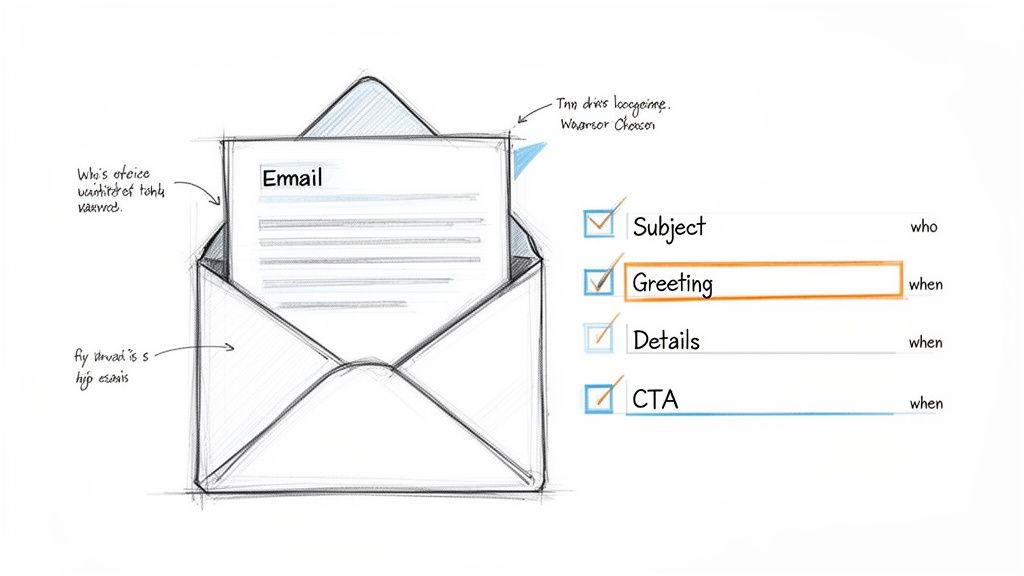
The secret isn’t some complex formula. It really boils down to four key pieces: a sharp subject line, a warm, personal greeting, the essential details laid out clearly, and a single, obvious action you want the person to take. Get those four things right, and you'll turn a forgettable notification into a tool that prevents no-shows and keeps your business running smoothly.
More Than Just a Nudge: Why a Good Reminder Matters
Think of a reminder email as a critical customer service touchpoint. It shows you're organized and professional, and most importantly, it makes your client's life easier. A sloppy, vague reminder creates confusion and friction. A great one? It can be the difference between a missed appointment and a client who feels valued and respected.
Before you even start typing, it's worth mapping out the core structure. Every piece has a job to do, guiding your client from opening the email to taking the exact action you need them to.
The Four Pillars of Every Great Reminder
I like to think of these as a mental checklist before hitting 'send.' If you can tick off all four, you're in a great position.
- A Punchy Subject Line: This is your opening pitch. In a sea of unread emails, it needs to be direct, informative, and instantly recognizable. No fluff.
- A Personal Greeting: "Hey [First Name]" is infinitely better than "Dear Customer." It’s a small detail that immediately signals the message is specifically for them.
- A Lean, Clear Body: Get straight to the point. What’s happening, when is it happening, and where? All the critical info needs to be front and center.
- An Unmistakable Call-to-Action (CTA): This is the most important part. Tell them exactly what to do next. "Confirm Your Spot," "Pay Invoice," or "Reschedule Here." A clear CTA is the engine that drives a fully booked website.
Here’s a quick breakdown of how these components come together to create a message that’s impossible to ignore.
Anatomy of a High-Impact Reminder Email
| Component | Purpose | Best Practice Example |
|---|---|---|
| Subject Line | Grab attention and convey urgency in a crowded inbox. | Reminder: Your [Service] Appointment is Tomorrow |
| Personalized Greeting | Build an immediate connection and show it's not spam. | Hi Sarah, |
| Concise Body | Provide all critical details (what, when, where) at a glance. | Just a friendly reminder about your upcoming haircut with Alex tomorrow, June 10th, at 2:00 PM at our downtown location. |
| Clear CTA | Tell the user exactly what action to take next. | [Confirm Your Appointment Button] |
This structured approach ensures clarity and directs your client to the desired outcome without any guesswork.
The Power of Being Clear and Quick
The proof is in the numbers. Service businesses that nail their reminder emails can slash missed appointments by 40-50%. That’s a massive impact on your bottom line.
Consider the reality: with over 361.6 billion emails flying around every single day, people are ruthless with their inbox. You get an average of just 10 seconds of their attention. If they can’t find the key details in that time, your email is history.
A great reminder email anticipates the client's needs. It provides all necessary information upfront, eliminating the need for them to search through past messages or contact you for clarification. This small act of consideration elevates the entire client experience.
Writing Subject Lines That Cut Through the Noise
Think of your subject line as the gatekeeper. If it doesn't immediately signal that your email is important and relevant, it’s going to get lost in a sea of promotional junk. A bland "Appointment Reminder" might do the job, but it's completely forgettable. You need to be informative, sure, but also compelling enough to earn a click.
With a mind-boggling 4.5 billion people checking their email daily, and over 376 billion messages flying around every single day, your reminder has to fight for attention. We know that 99% of people check their inbox daily, and a whopping 58% do it first thing in the morning. A sharp subject line is your best shot at getting noticed in that initial scroll.
It's no surprise that average open rates have crept up to 22.7%—that's largely thanks to better personalization. People are getting smarter about what they open, and specifics are what grab them. You can dive deeper into these email marketing stats to see just how much the game has changed.
Crafting a Subject Line with Clarity and Urgency
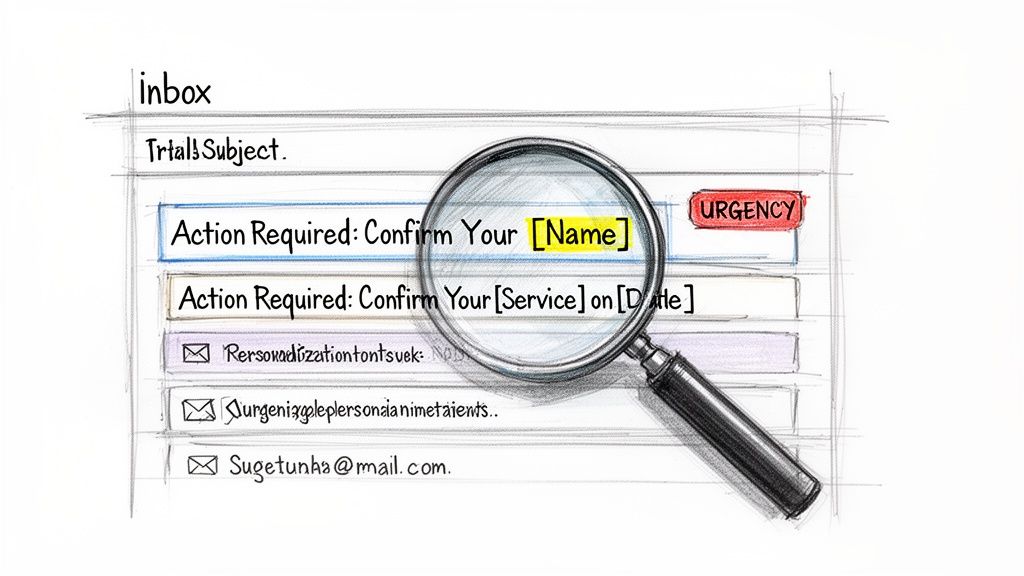
A great subject line nails three things right away: what the email is about, who it’s from, and if the recipient needs to do something. It’s that perfect mix of clarity, recognition, and a little nudge of urgency that gets people to open the email instead of archiving it.
Let's look at a real-world example. Say you run a salon. Which of these is more likely to get a response?
- The Generic Way:
Reminder: Your Appointment - The Better Way:
Action Required: Confirm Your Haircut with Alex on Tuesday
The second one is miles better. It tells the client the exact service, who they’re seeing, and when. It immediately clicks in their brain. Plus, adding "Action Required" sets a clear expectation that they need to do more than just read it.
Proven Formulas for Different Scenarios
You don't need to reinvent the wheel every time you send a reminder. Instead, lean on a few proven formulas and adapt them to your situation.
For appointments, I’ve found that a direct and informative structure works best. It cuts down on the mental work for your client.
My Go-To Formula for Appointments:
[Action]: Your [Service] with [Provider] is on [Day/Date]
This template is super easy to customize and gives your client all the key details in a single glance. For other types of reminders, like payments, the focus shifts slightly to highlight the invoice information.
Here are a couple of other examples:
- For a payment reminder:
Reminder: Invoice [#12345] for [Service] is due Friday - For a follow-up:
Following Up: Your Quote for [Project Name]
The real magic happens when you use personalization tokens—like the client's name, the specific service, or the invoice number. This simple step makes the subject line feel like it was written just for them. It doesn't just boost your open rates; it makes you look more professional and organized. When you’re figuring out how to send a reminder email, getting the subject line right is absolutely the first, most critical piece of the puzzle.
Field-Tested Reminder Email Templates You Can Use Today
It’s one thing to talk about theory, but what you really need are tools that work right now. So, let’s get straight to it. Here's a playbook of templates I've seen work time and again for the most common situations service providers face: upcoming appointments, overdue payments, and those tricky follow-ups.
These aren't just generic filler text. Each one is built to be clear, polite, and effective. I've also added a quick breakdown of the psychology behind why they work, so you can tweak them for your own brand without losing what makes them effective.
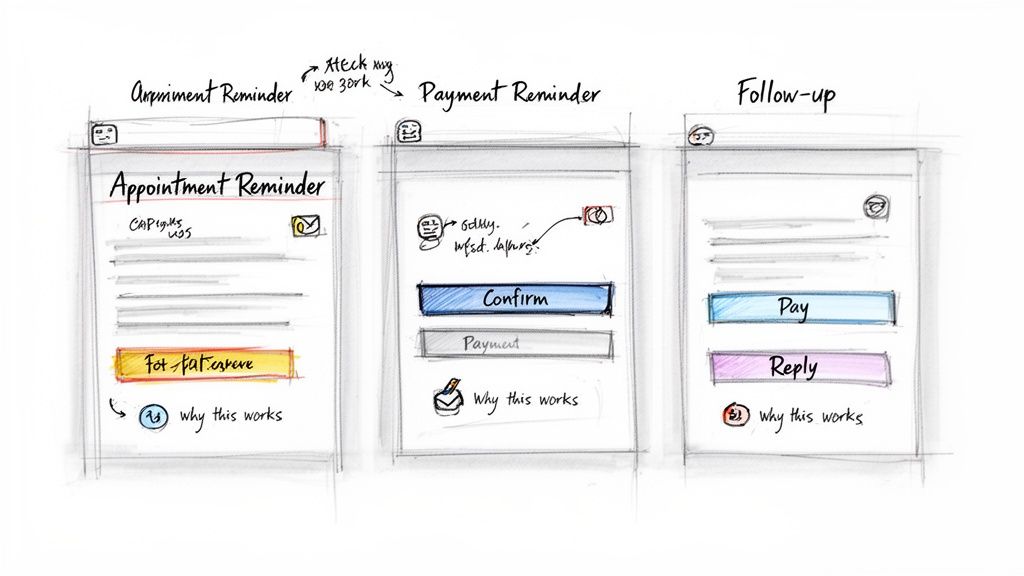
Template 1: The Appointment Confirmation
The entire point of this email is to eliminate no-shows. Send it 24-48 hours before the appointment. It needs to give your client all the key details at a glance and have a call-to-action they can't miss.
Subject: Reminder: Your [Service] with [Provider Name] is on [Date]
Hi [Client Name],
This is a friendly reminder about your upcoming [Service Name] appointment with [Provider Name] scheduled for [Date] at [Time]. We're looking forward to seeing you at our [Location/Online Link] location.
If you need to reschedule or have any questions, just let us know. Otherwise, please click the button below to confirm you're all set.
[Confirm Your Appointment Button]
Best,
The [Your Company Name] Team
Why this works: It's direct and helpful, not demanding. All the critical info is right there, and the single, clear CTA makes it effortless for the client to confirm. Less friction means more confirmations. For more tips on striking the right tone, our guide on email etiquette samples is a great resource.
Template 2: The Gentle Payment Nudge
Chasing down payments is awkward for everyone. This template is designed to make it less so by starting with a polite, professional tone that assumes the client simply forgot. The real key here is making it incredibly easy for them to pay you on the spot.
Subject: Friendly Reminder: Invoice [#12345] is due
Hi [Client Name],
Hope you're having a great week.
This is just a quick reminder that invoice [#12345] for [$Amount], covering the [Service Provided], is due on [Due Date].
You can view and pay the invoice securely online by clicking the link below.
[Pay Invoice Now Button]
If you've already taken care of this, please disregard this email. Just let us know if you have any questions!
Thanks,
[Your Name]
Why this works: The tone is helpful, not accusatory. It immediately provides the invoice number and, most importantly, a direct payment link. My experience (and the data) shows that removing steps in the payment process drastically shortens how long it takes to get paid.
Template 3: The No-Response Follow-Up
Ever send a proposal and hear nothing back? It happens. A gentle nudge is often all it takes to get the conversation going again. This email is intentionally low-pressure; it just opens the door for a reply.
Subject: Following up on [Topic of Previous Email]
Hi [Client Name],
Just wanted to quickly follow up on the email I sent last week regarding [Topic]. I know how busy things can get!
There's no pressure at all, but I wanted to check if you had any questions or needed any more information from my end.
Let me know what you think when you have a moment.
Best regards,
[Your Name]
Key Takeaway: The best reminder emails feel less like a demand and more like a helpful service. They are concise, contain all the necessary details, and make it incredibly simple for the recipient to take the desired next step.
Getting the Timing and Automation Right
Sending the right message at the wrong time is the same as sending the wrong message altogether. If you want to get a response and drastically cut down on no-shows, your timing isn't just a factor—it's everything. A great reminder email falls flat if it doesn't land in the inbox at just the right moment.
So, what's the sweet spot? Most of the data, and my own experience, points to waiting 2-3 days after an initial message before following up. Any sooner and you risk coming off as pushy. Wait any longer, and you've probably fallen off their radar completely.
The Ideal Rhythm for Appointment Reminders
For any service-based business, a simple three-email sequence is the gold standard. It keeps the appointment on your client’s mind without flooding their inbox, giving them multiple chances to confirm or make a change.
Here’s how it breaks down:
- First Touch: The Instant Confirmation. The second a client hits "book," they should get an automated email. This confirms all the key details and gives them immediate peace of mind that the booking went through.
- Second Touch: The Detailed Nudge. This is your main reminder, and it should go out 48-72 hours before the appointment. It's the perfect time to restate the what, when, and where, and include any necessary links to confirm, reschedule, or ask a question.
- Third Touch: The Final Check-In. A short, simple reminder sent 24 hours ahead of time acts as a final, gentle nudge. This last message is often the one that cements the appointment in a client's busy schedule.
Following this simple cadence makes your communication feel helpful, not annoying.
Building a "Set-and-Forget" Automation Machine
Now, the real magic happens when you stop doing this manually. Trying to track and send every reminder yourself is a one-way ticket to burnout and mistakes. The solution is to build a workflow that runs on its own.
The key is connecting your booking calendar directly to your email system. Most modern booking platforms, like Kejoola, have this capability baked right in. You can design a sequence that triggers automatically based on the appointment date. Once a client books, the system just takes over, firing off each email at the exact interval you set.
A well-automated reminder system is like a silent partner for your business. It works 24/7 to protect your schedule, slash revenue loss from no-shows, and free you from the headache of manual follow-ups.
This set-it-and-forget-it approach means every client gets the same professional, timely communication without you having to lift a finger. It turns reminders from a tedious chore into a powerful tool that works for you. If you want to dig deeper into the mechanics, understanding how to schedule emails in Outlook can offer more granular control over your communications. This is how you stop chasing clients and let your systems do the work.
Personalizing Your Reminders Without Sounding Like a Robot
Automation is a game-changer, there’s no doubt. But if you’re not careful, it can strip the humanity right out of your client communication. The real trick is to make your automated reminders feel less like a system alert and more like a helpful, personal note straight from you. That's how you maintain and build rapport, even when a machine is doing the heavy lifting.
And let’s be clear: true personalization is about more than just slotting [First Name] into a template. You have to use the specific details you already know about your client to make the message feel like it was written just for them.
Mentioning the exact service they booked or the name of their favorite practitioner instantly bridges the gap between a generic notification and a personal message.

It’s a small detail, but it shows your client you see them as a person, not just an appointment on your calendar.
Defining Your Brand Voice
Every single email you send is a piece of your brand. Before you even think about setting up an automation workflow, you need to lock in the voice and tone you want to convey. Are you the friendly, casual expert, or the formal, authoritative professional?
A consistent voice builds trust and makes your business feel reliable. This voice needs to echo through every part of your reminder, from the subject line all the way to your sign-off.
A brand's voice is its personality in written form. It's not just what you say, but how you say it. Consistency here is key to building a recognizable and trusted brand identity through every client interaction.
Think about it: a yoga studio's payment reminder would probably feel warm and encouraging. A financial consultant's would be more direct and buttoned-up. Neither approach is wrong, but they are perfectly aligned with their brand.
Tailoring Tone for Different Services
Let's look at how two very different businesses could tackle the same reminder. The core message is identical—an invoice is due—but the delivery is worlds apart, tailored to fit the brand and the client relationship.
Scenario: A client has an outstanding invoice.
-
Yoga Studio (Friendly & Casual):
- Subject: A little reminder about your invoice
- Body Snippet: "Hi Alex, hope you enjoyed your class this week! Just a friendly heads-up that your invoice for the month is ready. You can settle it right here: [Link]. Can't wait to see you on the mat again soon!"
-
Financial Consultant (Formal & Authoritative):
- Subject: Invoice #INV-2024-03A Due
- Body Snippet: "Dear Mr. Davis, This email is a reminder that invoice #INV-2024-03A for services rendered is due for payment. Please use the secure portal link to complete the transaction: [Link]. Regards, [Your Name]."
Both emails get the job done. They both remind the client to pay. But each one does it in a way that reinforces the brand’s identity and feels appropriate for that specific client relationship. By being deliberate with your words and tone, you can make sure even a simple, automated reminder strengthens the client experience.
Answering Your Top Questions About Reminder Emails
Even with a solid plan, you're bound to run into some specific questions as you put it into practice. I've heard a lot of them over the years, so I've gathered the most common ones service providers ask about sending effective reminder emails.
Think of this as a quick-reference guide to help you iron out the details. Getting these small things right is often what separates a reminder that gets results from one that gets deleted.
How Many Reminder Emails Should I Send for an Appointment?
The sweet spot is a three-email sequence. Anything less can get lost in a crowded inbox; anything more starts to feel like nagging. This multi-touch approach keeps the appointment top-of-mind without overwhelming your client.
Here’s a cadence that works wonders:
- The Instant Confirmation: Send this the moment they book. It’s not just a receipt; it’s peace of mind for your client, confirming all the details are locked in.
- The Primary Reminder: This one should go out 48-72 hours before the meeting. It's the most important one, containing all the key info and clear options to confirm or reschedule.
- The Final Nudge: A short, friendly check-in sent 24 hours before you meet. This is your secret weapon against last-minute no-shows.
This structure gives your client multiple, low-pressure opportunities to engage. It shows you're organized and respectful of their time. For really high-value appointments, I've even seen coaches add an SMS reminder a few hours beforehand to practically guarantee attendance.
What Is the Best Tone for a Payment Reminder Email?
Polite, professional, and direct. You have to walk a fine line here, but the goal is to be helpful first and firm later—only if you have to.
Always start with the assumption that your client has simply forgotten. A gentle, helpful reminder preserves the relationship, which is almost always worth more than a single late payment.
For that initial email, stick with friendly phrasing like, "Just a friendly reminder..." or "This is a quick note about invoice #123." Make sure the invoice number, amount, and due date are front and center. Most importantly, give them a direct, one-click link to the payment page. The fewer steps they have to take, the faster you’ll see the money.
Can I Automate Reminder Emails Without Expensive Software?
Absolutely. You don't need a clunky, enterprise-level marketing suite for this anymore. The game has changed.
Many of the newer booking platforms built for service businesses have powerful automation features baked right in. These tools hook directly into your calendar and client list, allowing you to build simple "set-it-and-forget-it" workflows. It's a far cry from the old days of manually sending reminders from your Gmail.
This kind of functionality is often included in surprisingly affordable plans. When you calculate the time saved and the revenue protected from no-shows, the return on investment is a no-brainer.
Stop juggling texts and DMs and give your clients the professional experience they deserve. Kejoola gives you an AI-powered, booking-ready website in minutes, complete with automated reminders, client portals, and SEO built-in. Start your 14-day free trial and see how easy it is to get organized at https://kejoola.com.