Cleaning Business Website: What a Bookable Site Needs
A cleaning business website that wins house cleans is booking-ready: recurring and deep-clean nouns, booking notes for address and access, and Google Website + Booking links that finish the appointment.
Josh · Sep 13, 2026 · 7 min read
- cleaning business website
- cleaning company website
- house cleaning booking
- online booking
- google business profile
- home services
Cleaning Business Website: What a Bookable Site Needs
When a homeowner types “house cleaning near me,” they want a crew that can do a recurring clean, a deep clean, a move-out scrub, or an Airbnb turnover — and leave an address, access notes, and a time without another “can you come Thursday?” text.
If you run a house cleaning or maid service, this checklist covers a short, bookable cleaning business website. See also Home service website.
What booking-ready cleaning business website means
For house-call cleaning crews, design is less about hero animations and more about whether the site can finish a clean booking. A booking-ready cleaning company website should:
- Look like a real local cleaning business (name, phone, service area), not a chat thread.
- List services a homeowner would actually search — recurring house clean, deep clean, move-out clean, Airbnb turnover, office clean — not only “cleaning services” or “free estimate.”
- Let customers leave the job address and access notes (gate, pets, parking, key or lockbox) in the booking notes box, because the crew has to get into the right unit on time.
- Be honest about visit length and what’s in scope so a standard recurring clean is not priced or scheduled like a move-out deep scrub.
- Expose the same bookable URL on Google Business Profile as Website and Booking — not Messenger, Instagram, or a shortener.
Without a bookable page, “cleaning business website” collapses into a contact form that still ends in phone tag. If your Maps listing still points at Facebook or has no site, see Turn your Google Business listing into a bookable website.
The short site shape that works for cleaning crews
You do not need a twenty-page brochure to take house cleans. Kejoola, for example, publishes a fixed 4-page site — Home, Services, Blog, and Contact — with online booking for cleaning and other home services. Themes include schema aimed at “your service + your city” visibility.
Use that shape as a checklist of what has to exist, regardless of which tool you use:
| Site piece | Job for the homeowner | Job for the crew |
|---|---|---|
| Home | Prove you are a real local cleaning company | Match name/phone/area to your Google listing |
| Services | Pick recurring, deep, move-out, Airbnb, office | Map each clean to duration and what’s included |
| Blog | Optional trust and “service + city” support | Not required to finish a booking |
| Contact | Phone, supplies notes, after-hours path | Backup when booking is closed |
| Booking flow | Pick service + time + leave the address in the notes box and access notes | Calendar, buffers, confirmations |
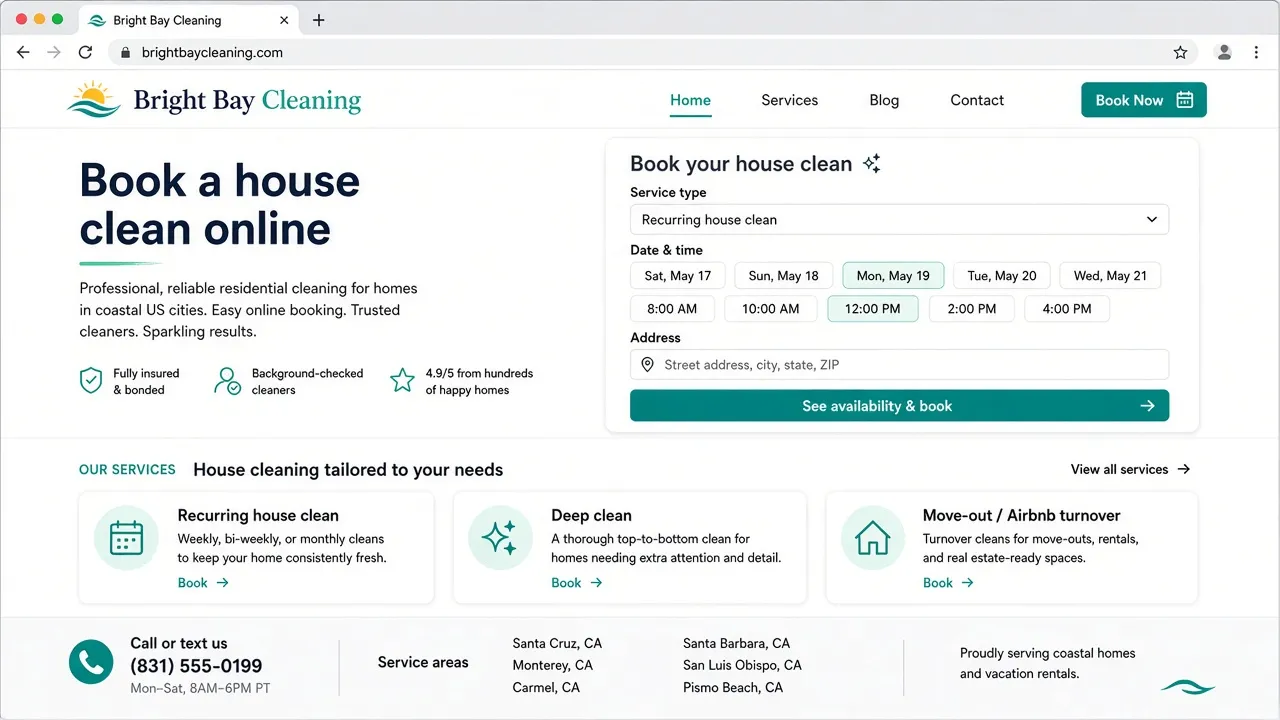
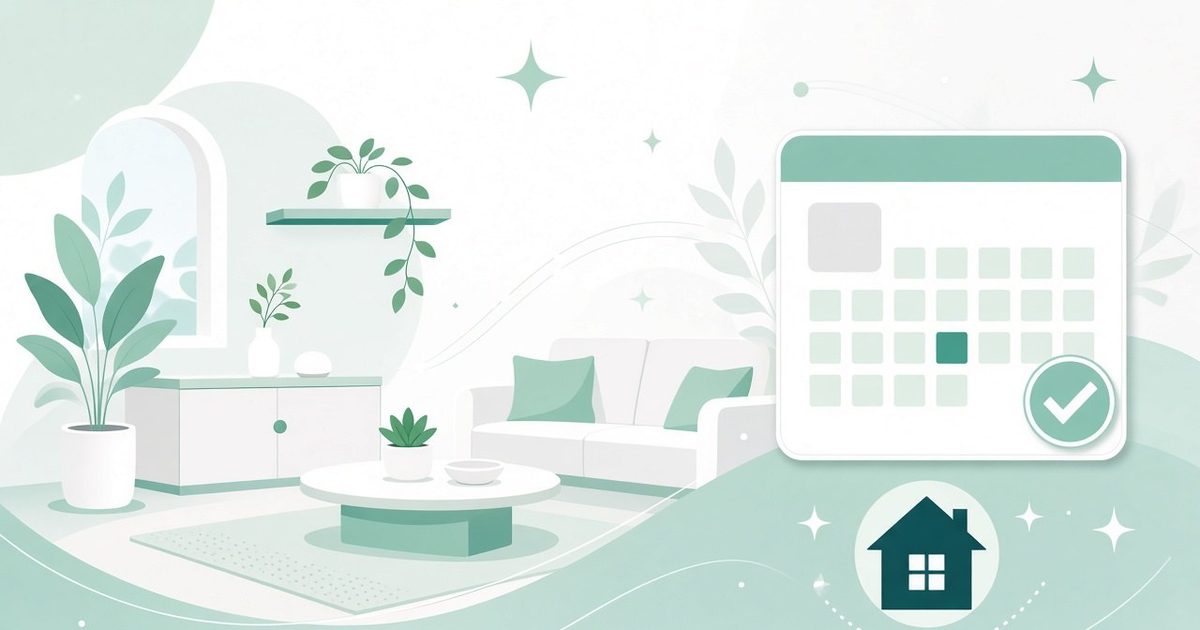
Sample bookable cleaning shopfront (fictional Bright Bay Cleaning — illustrative mock, not a live booking site).
Services page: cleaning nouns, not vague “projects”
List jobs the way people search and text: “biweekly house clean,” “deep clean kitchen and baths,” “move-out clean,” “Airbnb turnover,” “office clean after hours,” “one-time post-party clean.” Avoid only “cleaning” or “call for quote” as the sole bookable option.
Each service should answer:
- What it is (one plain sentence a homeowner understands — recurring vs deep vs move-out).
- Rough visit length (a standard recurring clean is not a three-bedroom move-out scrub).
- Whether it is house-call / on-site only (almost always for mobile cleaning crews).
- What you need before arrival (access notes, pet notes, parking, key or lockbox instructions, whether supplies are provided).
Clarify frequency early. Recurring weekly or biweekly cleans need calendar rules and reminders; one-time deep cleans and move-outs need clearer scope and longer slots. See Handyman website and Junk removal website for the same booking pattern with different nouns. This article stays on cleaning jobs.
House-call booking: address, access notes, pets, and keys
Cleaning is not a Zoom consult. When customers book, they can leave a note about the job, so ask them to include the service address plus access details in the notes box. Phone and name alone cannot route a crew to the right gate, unit, or lockbox.
Build the flow so the homeowner:
- Chooses the cleaning service (recurring house clean, deep clean, move-out, Airbnb turnover, office clean).
- Sees open times that already include your drive buffers between homes.
- Leaves a note about the job: address, gate/parking notes, pet notes, and key or lockbox instructions.
- Gets a confirmation they can forward to a spouse, landlord, property manager, or Airbnb host.
Access honesty, without invented prices: Design Services and booking copy so access expectations are clear before the crew arrives — locked side gates, dogs that need crating, tight street parking, and “key under mat vs lockbox code” should not surprise anyone at the door.
Aim for booking behavior like this: online booking with confirmations and reminders, plus cancel/reschedule that notifies the client — the behavior your stack should deliver. For multi-trade booking requirements, see Booking website for home services.
Google Website + Booking links
Google says a Business Profile can include links that help customers learn more, and action links that help them book an appointment from Search or Maps.
- Website — your shopfront (homepage that represents this cleaning business).
- Booking — a dedicated URL where they finish the appointment.
Add the Booking URL (Search and Maps)
From Google’s Help (Manage your local business links): on Search, open your Business Profile → Booking → Add link → paste the bookable URL → Save. On Maps, open the profile → Edit profile → transaction type Booking → Add link → paste → Save.
You can set a preferred link when more than one booking link is present. Local business links are not available via the Business Profile API or spreadsheet upload. Follow the link limits your profile UI allows (Google documents up to 10 per category on the manage-links page and up to 20 per transaction type on the policies page).
Rules that block Messenger and shorteners
Google requires a dedicated landing page for the business and a link that completes the designated action. Local business links cannot be social media sites, messaging links, app store links, or link shorteners. The profile must be verified. Google may remove non-compliant or uncrawlable links. (Business links policies & guidelines)
That is why Messenger, Facebook/Instagram profiles, link shorteners, and a homepage with no way to finish a booking fail even when the tap “works” on your phone.
For deeper Website vs Booking fields, see How to add a booking link to Google Business Profile. Make the destination cleaning-ready before you paste it.
Name, categories, and service-area honesty
Google’s representation guidelines ask you to use your real-world business name as customers know it — the same name on vans, uniforms, and your site — and to choose the fewest categories that describe your core business. Stuffing city names, taglines, or “#1 house cleaning” keywords into the Business Profile name is not allowed and can put the listing at risk. (Guidelines for representing your business on Google)
Many cleaning crews visit customers and do not serve walk-ins at a storefront. Google’s Help defines a service-area business as one that visits or delivers to customers directly but does not serve customers at the business address — and explicitly lists cleaning services (alongside plumbers) as examples. House cleaners and maid services who work the same way fit that pattern. You can set up to 20 service areas by city, postal code, or other area types; you cannot set a radius distance. (Manage your service areas)
If you do not serve customers at your business address, remove the address and keep service areas. Overall boundaries should not exceed about two hours of driving from where the business is based. See Hide your address on Google Business Profile for service-area businesses and Home services marketing.
When a 4-page bookable site fits
If you want a booking-first cleaning business website instead of assembling a general site only to host a calendar, start at kejoola.com for a 14-day free trial with no credit card. Plans run $24/month for Lite (website only), $39 for Starter, $89 for Professional, and $159 for Business (annual billing also available). Import from the listing you already have at kejoola.com/start/google-business — paste your Google Maps or Business Profile link (Share → Copy link) — or go straight to sign-up.
Owner checklist
- Home shows a real cleaning company name, phone, and service cities.
- Services lists recurring house clean, deep clean, move-out, Airbnb turnover, office clean — with visit-length and scope notes.
- Booking lets customers leave the job address, gate, pets, parking, and key/lockbox notes in the notes box.
- Recurring vs one-time cleans are clear; calendars leave drive buffers between homes.
- Google name/categories match the real-world brand; service areas are honest (cleaning is a named SAB example).
- Website and Booking URLs finish the clean booking — never Messenger or a shortener.
Put it together
A cleaning business website that works in 2026 is booking-ready: cleaning nouns on Services, house-call job notes (address and access details), honest visit length and scope, service-area honesty on Google, and Website + Booking URLs that finish the job — never Messenger. Build the destination first, then wire Search and Maps.