Compare Scheduling Software for Service Businesses in 2026
A guide for service professionals on choosing scheduling software, comparing all-in-one platforms vs. standalone tools like Calendly, Acuity, and Square.
Josh · Mar 6, 2026 · 22 min read

- scheduling software
- appointment booking
- small business tools
- client management
When you start to compare scheduling software, it’s easy to get lost in feature lists. But for most service professionals, the real decision boils down to one key question: do you need an all-in-one platform that includes a website, or a standalone tool to plug into the site you already have? If you're just starting out or looking to consolidate, an integrated solution gives you a professional online headquarters right out of the box.
Moving Past Manual Booking Chaos
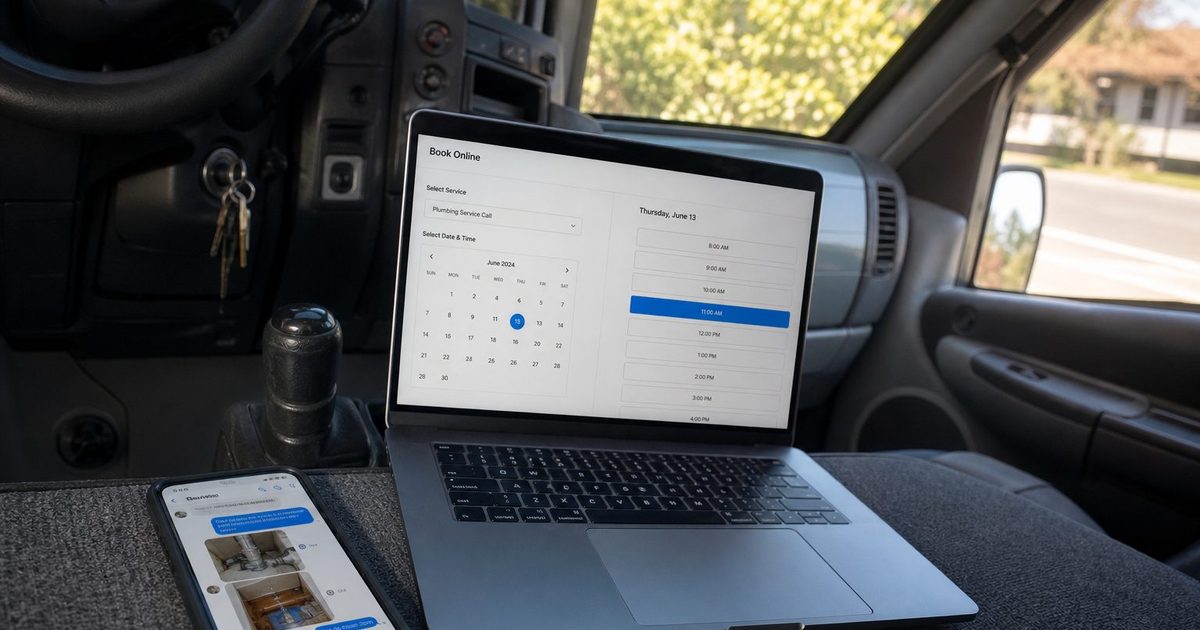
Let’s be honest. Is your "booking system" a chaotic mess of Instagram DMs, missed phone calls, and a spreadsheet you swear you'll update later? If you’re a service pro—whether you're a plumber, tutor, or hair stylist—that disorganization isn't just costing you time. It's actively costing you clients and creating revenue leaks. That administrative drag is one of the biggest roadblocks to growth.

Think of modern scheduling software less as a nice-to-have and more as a fundamental part of your business operations. It’s what transforms your time-sucking manual process into an efficient, self-service machine that works for you 24/7.
The True Cost of Old-School Methods
Relying on old-school methods puts all the friction on your potential clients. Every unanswered message or game of phone tag is another opportunity for them to jump to a competitor who lets them book instantly online. This creates a few big problems:
- Lost Revenue: When booking is a hassle, people simply go elsewhere. It's that simple.
- Poor Client Experience: A clunky process makes your business feel amateur and disorganized, no matter how great your services are.
- Wasted Time: Every hour you spend playing scheduler is an hour you could have spent on billable work—or just taking a well-deserved break.
This isn't just an anecdotal observation; it's a massive market shift. The global Calendar & Scheduling Software market was valued at USD 2.59 billion in 2025 and is expected to skyrocket to USD 4.73 billion by 2032. This rapid growth shows just how fast service pros are ditching outdated systems for tools that actually work.
Reclaiming Your Workday and Professional Image
Adopting automated scheduling isn't just about saving a few minutes here and there. It's a strategic decision to professionalize your brand and take back control of your day.
By automating confirmations, reminders, and follow-ups, you slash no-shows and kill the endless back-and-forth that drains your energy. It lets you get back to focusing on your craft, not your calendar.
For example, a freelance photographer can let clients book photo shoots and pay deposits online, even while they sleep. A local cleaning service can show its real-time availability, completely eliminating double bookings and keeping the team's schedule running smoothly.
To truly move beyond the chaos, you need to think bigger. Integrating your booking tool is a key part of smart marketing for small business because it puts the customer's experience first. Making the right choice when you compare scheduling software is the foundation for building a business that can actually scale.
Establishing Your Core Evaluation Criteria
Before you start comparing popular tools like Calendly, Acuity Scheduling, or Square Appointments, you need to step back and figure out what a "great" scheduling tool actually looks like for your business. If you jump straight into feature lists, you’ll get lost. It's like shopping for a car without knowing if you need a family minivan or a work truck—you'll end up wowed by bells and whistles that don't solve your real problems.
The only way to compare scheduling software effectively is to have a solid checklist. This isn't just about features; it’s about how the tool supports your growth and makes your life easier. After seeing countless service businesses make this choice, I've found it all boils down to five critical pillars. These are what separate a simple booking link from a true business management partner.
And making the right choice matters now more than ever. The appointment scheduling market was valued at USD 546.59 million in 2025 and is on track to hit USD 1,804.34 million by 2033. With web-based platforms already making up over 55% of that market, it's clear where things are headed. Businesses are tired of wasting 8-10 hours every week on manual back-and-forth, and the right software is the solution. For a deeper dive into these market trends, you can check out the analysis on SkyQuestt.com.
The Five Pillars of Software Evaluation
Think of these five areas as your scorecard. If a tool falls short in any of these, it’s probably not the right fit for a client-focused service business that wants to grow.
- Seamless Client Experience: How easy is it for a client to book with you, especially on their phone? The process should feel smooth, professional, and almost invisible.
- Powerful Automation: Does it automatically send confirmations, reminders, and follow-ups? This is how you'll crush no-shows and reclaim your time from admin tasks.
- Core Business Integration: Does it play well with the tools you already rely on, like your calendar and payment processor? A system that doesn't connect just creates more headaches.
- Ease of Use for You: Honestly, how fast can you get it set up and running? Your time is too valuable to spend a week trying to configure a piece of software.
- Scalability and Growth: Will this tool grow with you? Consider what happens when you add new services, bring on staff, or open another location. You don't want to be forced into a painful migration in a year.
Client Experience Is Everything
Out of those five pillars, the client experience is the one you can't compromise on. A clunky, confusing, or ugly booking page reflects poorly on your entire brand. It creates friction and doubt at the exact moment a potential customer is ready to pay you.
A great scheduling tool makes booking feel like a natural extension of your professional service—it's fast, reassuring, and builds confidence from the very first click. A bad one makes you look disorganized before you've even met.
For instance, picture a client trying to book a home cleaning service on their phone. If they’re forced to pinch-and-zoom on a desktop site that isn’t mobile-friendly, they'll get frustrated and leave. But if your booking page is clean, shows your availability clearly, and just works on their device, they'll book without a second thought and feel great about their decision.
A huge part of creating that smooth flow is mastering your availability behind the scenes. Using features like buffer time correctly ensures you aren't overbooked and that every client gets the focused attention they deserve.
Alright, let's get to the heart of it. This is where we put the top scheduling tools side-by-side to see how they really stack up for a service business. We’re going to cut through the marketing fluff and compare Kejoola, Calendly, Acuity Scheduling, and Square Appointments based on what actually matters.
If you're still getting a feel for the market, it helps to see what others are using. Looking at lists of the best Doodle Poll alternative tools can give you a solid baseline for what makes a scheduler great, which is useful context for this direct comparison.
My goal here isn’t to name a single "best" tool. It’s to show you the trade-offs. You'll quickly see where each one shines, making it easier to match a platform's strengths to your business's needs.
Feature Comparison for Top Scheduling Software
To give you a quick, at-a-glance overview, I've put together a table that breaks down the core features every service professional should care about. This isn't just a list of bells and whistles; it’s a practical look at how these platforms handle the essentials.
| Feature | Kejoola | Calendly | Acuity Scheduling | Square Appointments |
|---|---|---|---|---|
| All-in-One Platform | Yes (Website + SEO + CRM + Booking) | No (Scheduling plugin only) | No (Plugin, part of Squarespace) | No (Plugin, part of Square ecoystem) |
| Payment Processing | Yes (via Stripe/PayPal integration) | Yes (Stripe/PayPal on paid plans) | Yes (Stripe, Square, PayPal) | Yes (Integrated with Square Payments) |
| Client Experience | Native, branded experience on your site | Clean but often off-site link/widget | Highly customizable booking page | Simple, fast, and mobile-friendly |
| Automation | Advanced (Email/SMS reminders, follow-ups) | Good (Reminders on paid plans) | Very Advanced (Customizable workflows) | Good (Integrated with Square Marketing) |
| Best For | Service pros needing a complete web presence | Individuals/teams for meeting scheduling | Businesses needing deep customization | Retail/service pros using Square POS |
As you can see, the biggest difference isn't in a single feature but in the fundamental approach. Kejoola aims to be your entire online business hub, while the others are specialized tools designed to plug into an existing setup.
Client Experience and Ease of Use
The very first impression a client gets of your business is often your booking page. A smooth, professional process builds instant trust. A clunky one? It can send potential clients running.
- Kejoola: This is where an all-in-one platform really delivers. The booking flow is built right into your website, so it feels like a natural part of your brand instead of a bolted-on, third-party tool.
- Calendly: It's famous for being incredibly simple and clean. But that simplicity comes from being a scheduling link or an embed. The experience often feels separate from your website, which can come across as less polished.
- Acuity Scheduling: If you love to tinker, Acuity is for you. It offers deep customization options, letting you match your booking page to your brand and create detailed intake forms. This flexibility does mean there's a bit more of a learning curve.
- Square Appointments: As part of the wider Square ecosystem, the booking process is dead simple, especially for clients who already use Square to pay for things. The interface is clean, fast, and works great on mobile.
Powerful Automation and Reminders
This is where you buy back your time and slash no-shows. Good automation isn't just about a single reminder—it's about a smart communication sequence that guides clients from the moment they book until you ask for a review.
An effective automation engine is your unpaid administrative assistant. It handles confirmations, sends perfectly-timed reminders, and can even prompt clients for reviews after the service, all without you lifting a finger.
The infographic below really nails the three pillars we're using to evaluate these tools: the client's experience, the power of automation, and how well it plays with other business software.

What this shows is that the best tools don't just do one thing well. They strike a balance between a frictionless experience for your clients and powerful, time-saving features for you on the back end.
Core Business Integration
No scheduling tool is an island. Its real value comes from connecting to your calendar, payment processor, and website. This is where we see the biggest philosophical split between these platforms.
- Kejoola is an integrated platform. Think of it as your website, booking engine, client management system, and marketing tool rolled into one. You don't have to duct-tape different services together.
- Calendly, Acuity, and Square are primarily scheduling plugins. They are designed to be added to a website you already have or used as standalone booking links. This gives you flexibility but often means juggling multiple subscriptions and dashboards.
The demand for these tools is exploding for a reason. The market for scheduling apps, specifically for service pros, was valued at USD 663.1 million in 2025 and is projected to hit a staggering USD 1,813.1 million by 2033. Cloud-based solutions are completely dominant, holding a 60.85% revenue share because they work. They help businesses reduce no-show rates from a painful 20-30% down to under 10% thanks to simple, automated reminders.
The All-In-One vs. The Plugin
So, what's right for you? Your choice really comes down to one big question: do you want a single, unified system to run your online presence, or do you prefer piecing together a custom stack of best-in-class tools?
Choose an All-in-One Platform Kejoola if:
- You're just starting out and need a professional website and booking system from scratch.
- You want to show up in local Google searches (e.g., "therapist in Austin") and need SEO tools built-in.
- You crave simplicity and prefer managing your entire online operation from a single dashboard.
Choose a Plugin (Calendly, Acuity, Square) if:
- You already have a website you love and just need to bolt on a scheduling function.
- Your main goal is scheduling internal team meetings or sales calls, not attracting new service clients.
- You're tech-savvy and don't mind managing and integrating several different software subscriptions.
Ultimately, understanding this core difference is the key. Kejoola is built to be your business's digital headquarters, focused on generating leads and managing clients from start to finish. The others are fantastic at one specific job: scheduling. The right choice simply depends on whether you need a specialized tool or a complete business solution.
Choosing Your Tool Based on Business Scenarios
A features list on a pricing page tells you what a tool does, but not if it’s the right tool for you. To really compare scheduling software, you have to see how it performs in the wild, solving the actual problems service businesses face every day. After all, the "best" software isn't the one with the most bells and whistles; it's the one that fits your specific needs right now.
Think of it like this: a massive warehouse needs a complex Yard Management System (YMS) to track every container and truck. But a small workshop just needs a simple dock scheduling tool to stop delivery trucks from showing up all at once. The scale of the problem dictates the right solution.
Let's walk through three common scenarios I see all the time. Find the one that feels most familiar—it will make your choice a whole lot easier.
Scenario 1: The Day-One Entrepreneur
Meet Alex, a newly certified photographer. Alex has a ton of talent but no website, no clients, and no real online presence. The immediate goal is simple: look professional and start getting paid bookings without spending a fortune or getting bogged down in tech.
Alex doesn’t just need a way for people to book; Alex needs an entire digital storefront.
- The Problem: There’s no website to showcase a portfolio, no booking system, and no way for local clients to even find the business. Sending a plain Calendly link just doesn't feel professional and does nothing to build a brand.
- The Wrong Tool: A standalone scheduler. While it handles the booking part, it doesn’t fix the bigger issues of visibility and credibility. Alex would still be stuck building a separate website and then trying to awkwardly embed a booking widget, creating a clunky experience for potential clients.
- The Right Tool: An all-in-one platform like Kejoola. In about an hour, Alex can launch a professional, mobile-friendly website that’s already structured to rank for local searches like "photographer in Brooklyn." The booking system is built right in, so a client can go from browsing a portfolio to booking a session and paying a deposit in one smooth flow.
For a new entrepreneur, an integrated platform isn’t just a nice-to-have; it's a business-in-a-box. It solves the problem of getting found and the problem of getting booked all at once.
Scenario 2: The Scaling Solo Pro
Now, let's look at Maya, a business consultant with a great following on Instagram. Her DMs are constantly flooded with inquiries, but trying to schedule calls manually is becoming a nightmare. It’s not just inefficient; the chaos is starting to undermine the premium, expert brand she's worked so hard to build.
Maya's biggest headache is the friction in her booking process. She has the audience, but she's losing clients—and her sanity—in a mess of back-and-forth messages.
- The Problem: A chaotic inbox and a manual booking process that looks disorganized. High-value clients are likely falling through the cracks because it takes too long to get a call on the calendar.
- The Wrong Tool: Sticking with DMs or using a free scheduler plastered with third-party branding. Both options cheapen the professional image Maya needs to command her rates.
- The Right Tool: A platform that pairs a polished, professional front-end with powerful scheduling automation. By directing Instagram followers to a sleek booking page on her own domain, Maya instantly looks more organized and professional. She can set her availability, send automated reminders, and take payments, turning her messy DMs into a clean, self-service pipeline. An integrated platform like Kejoola gives her this professional hub right out of the box.
Scenario 3: The Growth-Focused Team
Finally, we have a local cleaning service with three employees. They have a website with a basic booking link, but it's a ghost town. They're buried on page five of Google for "house cleaning in Denver," and their team's schedule is full of unprofitable gaps.
Their real challenge isn't just about scheduling; it's about lead generation. They desperately need to attract local customers who are actively searching online for their services.
- The Problem: They have almost no visibility in local search results, and their booking tool is an isolated feature on a website that isn't pulling its weight. Their current setup is not an asset that brings in new business.
- The Wrong Tool: Any standalone scheduler that’s just embedded on their existing, poorly-optimized site. That only solves half the problem. It lets people book if they find the site, but it does absolutely nothing to help new customers find them in the first place.
- The Right Tool: A platform offering booking-ready websites for service pros with built-in local SEO. When they use an all-in-one system like Kejoola, their service descriptions, location-specific pages, and booking calendar all work together in a single, search-engine-friendly structure. This integrated approach is designed to help them rank for those crucial local keywords, turning their website from a digital brochure into a lead-generation machine that actually fills their team's schedule.
The Strategic Value of an Integrated Platform
Let's be blunt: a simple booking link isn't a marketing strategy. While standalone schedulers do one thing well—letting people book time with you—they don’t help you build a real, long-term asset for your business. For any local service pro, the most valuable thing you can have is a professional online hub that you actually own and control.
This is where the discussion to compare scheduling software gets interesting. It moves beyond a simple feature checklist and becomes a core business strategy decision. You're not just picking a tool for today; you're choosing how you'll find and manage clients for years to come.
Too many business owners fall into the "patchwork" trap. They start with a basic website from one company, embed a scheduling tool from another, and then tack on a third service for email marketing. Sure, it can work, but it often creates a clunky, disjointed system that's a headache to manage and rarely gives you the best results.
Beyond Just a Booking Link
An all-in-one platform has hidden strengths that a simple scheduling widget just can't match. These are the advantages that separate businesses that just scrape by from the ones that really start to dominate their local area.
What are we talking about?
- Owning the top search results for "service + city" keywords: A website with booking built right in is structured from the ground up to attract high-intent local customers on Google.
- Building unshakable credibility: A polished, unified website acts as your digital headquarters. It builds trust far more effectively than a messy collection of separate tools ever could.
- Actually owning your client relationships: When you have a dedicated client portal, you centralize everything—communication, appointment history, and payments. This creates a sticky, professional experience that keeps people coming back.
This unified approach is what turns your website from a passive digital brochure into an active client-getting machine. If you want to see how this works in the real world, learn more about the benefits of a website builder with a booking system.
The All-In-One vs. The Patchwork Method
To really get the strategic difference, think about a busy warehouse. You could use a simple dock scheduling tool just to manage appointments at the loading bay. This is your standalone scheduler—it solves one very specific problem and nothing more.
But a full Yard Management System (YMS) gives you control and visibility over the entire operation, from the front gate to the dock and back again. That’s the integrated platform approach. It connects all the moving pieces so everything runs with maximum efficiency.
A patchwork of different tools creates frustrating information silos. An integrated platform creates one seamless workflow, giving you a clear view of your entire client journey—from the moment they find you to the day they become a repeat customer.
When you start to compare scheduling software from this perspective, the right choice becomes much clearer. Are you looking for a tool that just prevents double-bookings, or do you need a system that can run your entire online business?
Building an Asset You Actually Control
Here’s the biggest takeaway: with an integrated platform, you are building a tangible asset. Every blog post you write, every service page you publish, and every single client who books an appointment adds to its value.
Your website becomes a lead-generation engine that works for you 24/7, not just a digital placeholder where you’ve stuck someone else's booking tool.
This is especially critical for winning at local search. Standalone schedulers do absolutely nothing for your SEO. But a platform where your service descriptions, location info, and bookable calendars are all part of one search-engine-friendly structure is built to capture that valuable local traffic.
In the end, the goal isn't just to schedule appointments a little more efficiently. It's to build a resilient, profitable service business. An integrated platform gives you the foundation for that long-term growth by creating a central asset that you fully control—your website. It’s the difference between renting space on someone else's platform and owning your own digital real estate.
Your Smooth Migration Checklist
After you compare scheduling software and finally pick a winner, the real work begins: making the switch. Moving your entire booking operation can feel overwhelming, but a solid plan makes all the difference. It prevents lost appointments, confused clients, and a lot of headaches for you.
Think of this checklist as your roadmap. Following these steps turns what could be a messy transition into a straightforward upgrade for your business.

Pre-Launch Preparation
A little prep work before you flip the switch will save you from major issues down the road. Let's lay the groundwork.
- Audit Your Current System: First, take a hard look at what isn't working right now. What parts of your current booking process are clunky? What manual tasks drive you crazy? Answering these questions gives you a clear goal for setting up your new system the right way.
- Export Your Data: You need to get your client list and all upcoming appointments out of your old software. Most tools let you export this as a CSV file. This step is non-negotiable—you absolutely must have a backup of this information.
- Communicate with Clients: Give your clients a heads-up that a change is on the way. A quick email explaining that you're upgrading to a new, easier booking system is all it takes to prevent confusion.
Don't underestimate the power of a simple announcement. When you frame the migration as an improvement for them, clients see it as a positive step, not a disruption.
Configuration and Testing
With your data safely exported and your clients in the loop, it’s time to start building your new booking experience.
- Configure Services and Availability: This is where you recreate your business inside the new software. Input your services, set your prices, and block out your availability. This is also the perfect moment to sync all your calendars to kill any chance of double-bookings. If you're juggling a few different schedules, our guide on how to manage multiple calendars has some great tips.
- Test the Full Client Journey: This is the most important step of all. Put yourself in your clients' shoes and walk through the entire booking flow. Book an appointment, check for the confirmation email, and try rescheduling or canceling. You need to be 100% sure everything works perfectly from their perspective before you go live.
Once you’ve tested everything and are happy with the result, it’s time to launch. Just swap out the old booking links on your website, social media, and email signature with the new ones. That’s it—your smooth transition is complete.
Frequently Asked Questions About Scheduling Software
When you're trying to compare scheduling software, the same few questions always seem to pop up. Let's get them answered so you can feel confident in your choice. I’ve worked with countless service business owners, and these are the things they most often want to know.
Can I Just Use a Free Scheduling Tool for My Business?
You absolutely can, and many people start that way. But think of a free tool as a temporary fix, not a long-term strategy. The moment your business starts to gain traction, those free plans can make you look unprofessional.
Most free versions have some pretty glaring downsides:
- Someone else's branding: Your booking page will probably be covered in the provider's logo. It just doesn't feel like your business.
- Strict feature limits: You're often stuck with just one type of appointment, very basic reminders, and no way to take payments upfront.
- A generic look: There’s usually no way to customize the page to match your brand's colors or style, making it feel disconnected from your website.
Honestly, a paid tool stops being a "cost" and becomes an "investment" the second you want to present a polished brand and actually automate your client workflow.
How Exactly Does a Scheduler Improve Local SEO?
A standalone scheduler plugin or a simple booking link won't do much for your local SEO on its own. The real magic happens when your booking system is built directly into your website, turning it into a powerful tool for attracting local customers.
Here's how that works:
- It creates content people are searching for: Your service pages, where clients book, are naturally filled with keywords like "deep tissue massage in Boston." Google sees this and connects you with people looking for exactly what you offer.
- It keeps people on your site longer: When visitors can learn about a service and book it in the same place, they stick around. This is a huge signal to Google that your website is helpful and relevant.
- It speaks Google's language: An integrated system automatically adds structured data—a type of code—to your services and location, making it incredibly easy for search engines to understand and feature your business.
An all-in-one platform connects your bookable services directly to high-intent local searches. This transforms your website from a simple brochure into an asset that actively attracts customers who are ready to buy.
Is It Hard to Switch Scheduling Systems?
Switching scheduling systems is much less painful than you might think. Most modern platforms are designed to make the move pretty smooth, as long as you have a clear plan.
The key is to tackle it step-by-step. Just export your client list and appointment history from your old system, set up your services and availability in the new one, and then do a test run. Booking an appointment for yourself is the best way to see the experience from your client’s point of view before you go live. A little bit of planning upfront saves a lot of headaches later.
Ready to stop juggling DMs and spreadsheets? Kejoola offers Booking-ready websites for service pros. Launch in minutes and get back to doing what you love.