Best Lawn Care Software for Small Lawn Businesses
Compare 7 best lawn care software picks for small U.S. lawn businesses: Jobber, Housecall Pro, LawnPro, Yardbook, Service Autopilot, LMN, and a bookable website option.
Josh · Oct 4, 2026 · 13 min read
- best lawn care software
- lawn care software
- landscaping software
- lawn business scheduling
- home services
- google business profile
The best lawn care software for a small U.S. lawn business depends on crew size and what you need first: routes and recurring mows, quotes and invoices, or a site customers can book. This roundup covers seven tools that show up for lawn and landscaping owners, with a quick pick by situation below. Prices checked October 2026 on each vendor's site.
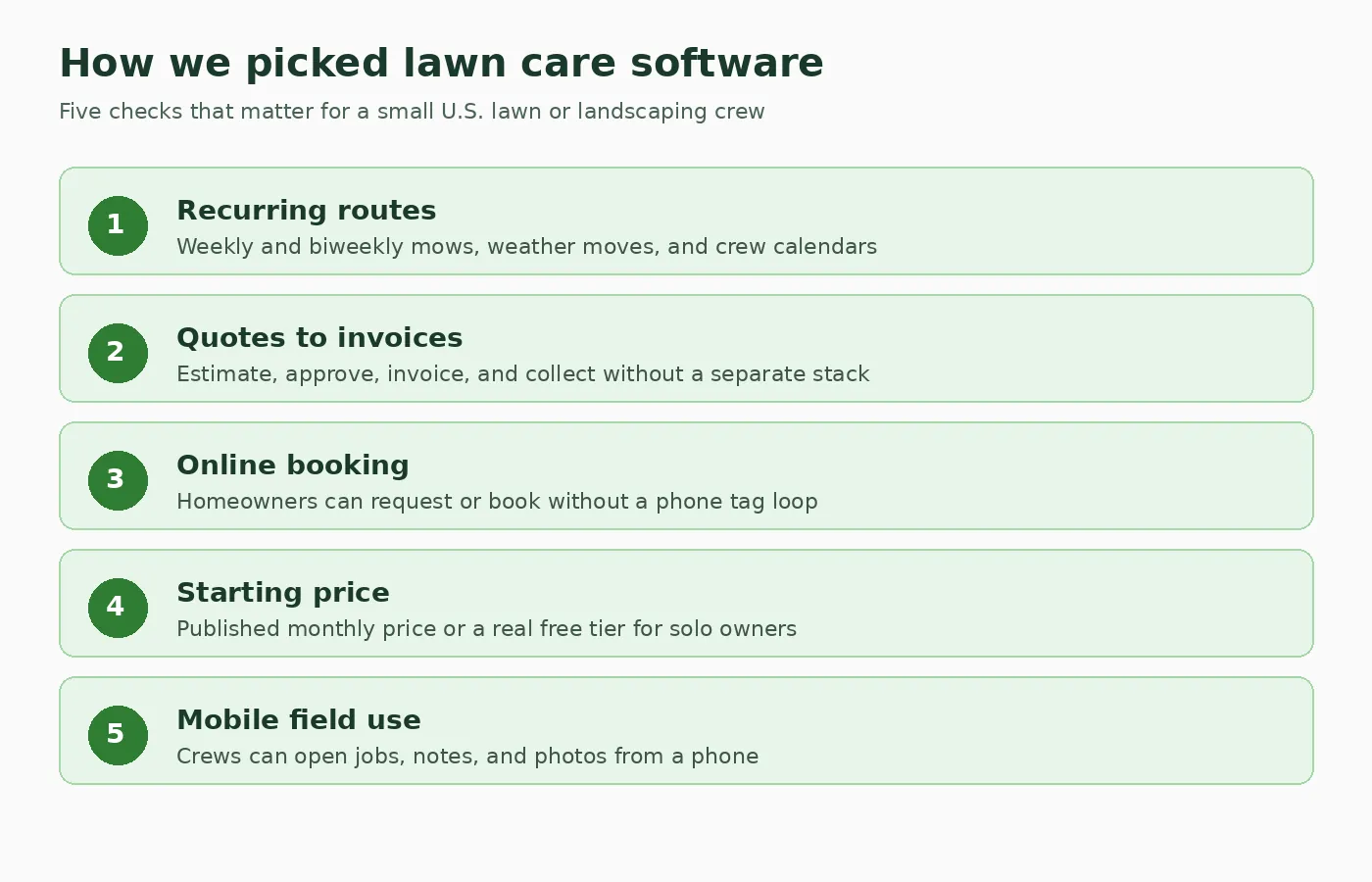
What we weighed for small lawn and landscaping owners. Diagram only.
How we picked
We scored each product on five checks that matter when you run weekly mows, fertilizer rounds, or light landscaping with a small crew.
- Recurring routes. Can you plan weekly and biweekly visits, then move a block of stops when weather hits?
- Quotes to invoices. Can you send an estimate, get approval, invoice the job, and take payment without a second stack of apps?
- Online booking or work requests. Can a homeowner ask for a visit without calling during your mow window?
- Starting price. Is there a published monthly price or a real free plan a solo owner can use?
- Mobile use in the field. Can a crew open the schedule, notes, and photos from a phone on the job?
We only list features and prices that appear on each vendor's own product or pricing page. Review-site numbers stay out. Tools aimed at large HVAC or plumbing shops without lawn positioning stayed off the list.
Quick comparison
| Tool | Best for | Starting price | Free plan or trial | Online booking | Watch out for |
|---|---|---|---|---|---|
| Jobber | Solo to small crews that want one stack | From $29/mo (Core, billed annually) | 14-day free trial | Yes (online booking on plans) | Higher plans and extra users add up fast |
| Housecall Pro | Owners who want booking, reviews, and GPS as they hire | From $59/mo (Basic, billed annually) | 14-day free trial | Yes | Not lawn-only. Seat and add-on costs grow with the team |
| LawnPro | Budget lawn operators who want a free start | Free Solo plan | Free Solo plan, plus free trial on paid plans | Work requests and payments online | Solo caps at 25 customers |
| Yardbook | Landscapers who want free core ops tools | Free forever plan | Free forever plan | Estimates, invoices, and payments | Free accounts pay a Yardbook processing fee on online payments |
| Service Autopilot | Mid-size lawn firms that need routes and chemical tracking | From $49/mo (Startup, annual rates) | Demo-led signup | Payments and client tools by plan | Annual-subscription pricing. Elite is quote-only |
| LMN | Landscaping firms that live on estimates and job costing | From $297/mo (Starter) | Not listed as a self-serve free trial | Customer portal requests and payments | One-time onboarding fee. Priced for growing crews |
| Kejoola | Owners who need a bookable website first | From $39/mo (Starter, with booking) | 14-day free trial, no card | Yes | No crew routing or online payments yet |
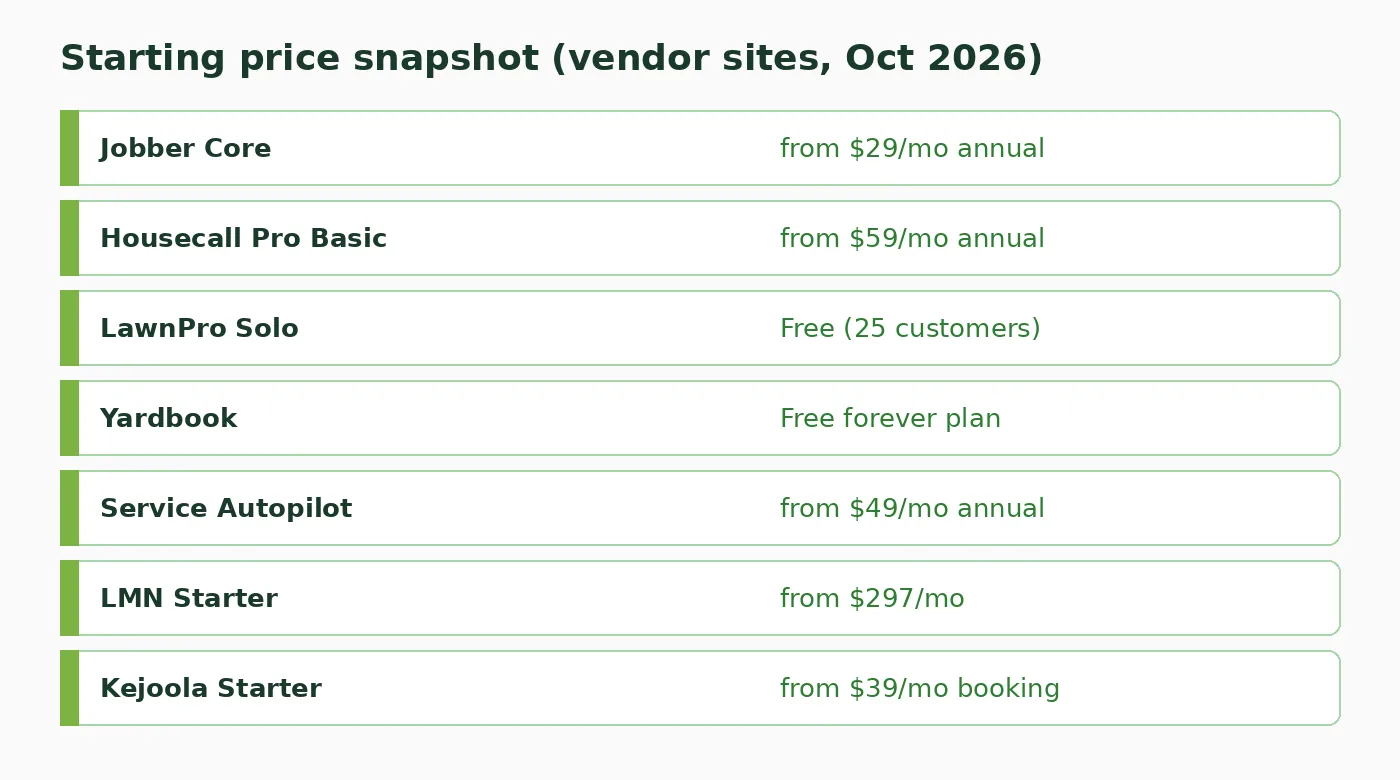
Published starting prices from each vendor site, checked October 2026. Diagram only.
1. Jobber
Best for: Solo owners and small lawn crews that want quotes, schedules, invoices, and payments in one place.
Jobber markets lawn care software for estimating, crew scheduling, client communication, and getting paid. It is a general home-service platform with a dedicated lawn page, not a chemical-program specialist. For many small operators, that general stack is enough: send a quote for weekly mowing, schedule the route, invoice after the visit, and take a card payment.
What you get:
- Online booking so customers can request or book appointments that land in Jobber
- Professional quotes, invoices, and online payments (cards and ACH on published plans)
- Scheduling, routing tools, and a mobile app for field crews
- Client Hub where customers can approve quotes, check visits, and pay
- Website builder option and CRM tools on Core and higher plans
Price: From $29/month for Core with 1 user when billed annually, or $49/month with no commitment (Jobber pricing page, checked October 2026). Connect, Grow, and Plus plans step up from there. Extra users are listed at $29/month each on many tiers. A 14-day free trial is available with no credit card required.
Watch out for:
- Team plans and add-ons (Marketing Suite, Receptionist, Pipeline) raise the monthly bill quickly
- Job costing and deeper crew tools sit on higher plans, not Core
- It treats lawn care as one trade among many, so fertilizer program depth is lighter than lawn-only systems
2. Housecall Pro
Best for: Lawn owners who want online booking, review tools, and GPS visibility once a second crew is on the truck.
Housecall Pro publishes a lawn care industry page covering recurring schedules, online booking from Google or your website, invoicing, and marketing. Like Jobber, it serves many home-service trades. The lawn pitch leans on weekly and biweekly recurring work, drag-and-drop reschedules after rain, and “on my way” updates with GPS.
What you get:
- Online booking so customers can book and pay from Google or your site
- Scheduling and dispatch, plus estimates and invoicing
- Review management tools on Basic and higher
- Routes, employee GPS tracking, and flat-rate pricing on Essentials
- Recurring service plans and route optimization on Max
Price: Basic starts at $59/month billed annually (Housecall Pro pricing page, checked October 2026). Essentials and Max are higher tiers with more users included. A 14-day free trial is available with no credit card required to start.
Watch out for:
- Essentials and Max dollar amounts are presented through the plan wizard more than as a single static table, so confirm the quote for your seat count before you buy
- Extra users and add-ons (sales proposals, payroll, websites, and more) sit outside the base plan
- It is not a lawn-only product, so chemical compliance workflows are not the main story
3. LawnPro
Best for: Solo and small lawn teams that want lawn-focused tools and a real free plan before paying.
LawnPro is built around lawn and outdoor field service: CRM, scheduling, estimates, invoicing, online payments, and, on higher plans, multi-step chemical programs and route tools. The free Solo plan is the unusual part. You can run a small book of customers without a monthly fee, then move to Startup, Grow, or Plus when the roster grows.
What you get:
- Free Solo plan with job scheduling, quotes, invoices, online payments, client portal, and mobile app (up to 25 customers, 1 user)
- Paid plans with unlimited customers, automated invoicing, work requests, routing, and chemical program tools
- Level billing and service contracts on every plan, including Solo
- Zapier on Startup and higher, QuickBooks sync included on Plus
Price: Solo is free. Startup is $39/month ($29/month billed annually). Grow is $129/month ($99/month annually). Plus is $249/month ($199/month annually). Paid plans include free trials with no credit card required to start (LawnPro pricing page, checked October 2026).
Watch out for:
- Solo stops at 25 customers, so a growing route book forces an upgrade
- Bulk scheduling, route optimization, two-way texting, and QuickBooks are paid-plan or add-on items depending on tier
- The product is lighter on enterprise landscaping design-build tools than LMN
4. Yardbook
Best for: Landscapers and lawn operators who want free core scheduling, estimates, and invoicing without a monthly bill.
Yardbook positions itself as landscaping and lawn care business software with a free forever model funded in part by ads, plus optional paid plans. The free side covers customer management, job scheduling, estimates, invoices, payments, and related ops tools. Paid Business and Enterprise tiers add bulk messaging, GPS, chemical programs, QuickBooks sync, and a waived Yardbook processing fee on online payments.
What you get:
- Free plan for managing customers, scheduling jobs, creating estimates and invoices, and listing a public profile
- Business plan tools such as bulk email and text, GPS tracking, automatic invoice reminders, multi-step chemical programs, and waived processing fees
- Enterprise extras such as QuickBooks sync and a branded company portal
- Credit card payments through Stripe, with Yardbook noting a processing fee on non-premium accounts
Price: Free forever plan available. Business is $34.99/month. Enterprise pricing is shown with QuickBooks sync and branded portal as the step up from Business (Yardbook pricing page, checked October 2026). Free accounts pay a 1% Yardbook processing fee on online payments, waived on premium paid plans per Yardbook’s terms.
Watch out for:
- The free model includes advertising and a processing fee on online payments
- Some premium details live behind account billing screens, so confirm the exact Enterprise price inside the product
- Support and polish vary by user reports more than by a heavy onboarding package
5. Service Autopilot
Best for: Growing lawn and landscaping companies that need route optimization, chemical tracking, and heavier ops tools.
Service Autopilot is built for lawn care, cleaning, snow, and landscaping firms that have outgrown a simple calendar. Startup covers scheduling, dispatch, invoicing, payments, and lead management. Pro and Pro Plus add multi-day jobs, route optimization, job costing, employee tracking, and automation workflows. Chemical tracking appears in the published plan comparison.
What you get:
- Scheduling and dispatch across Startup and higher plans
- Invoicing with integrated payments and expense tracking on Startup
- Route optimization, dispatch calendar, job costing, and customized reporting on Pro
- Automations marketplace access and extra mobile licenses on Pro Plus
- Chemical tracking and employee tracking on the comparison chart for higher tiers
Price: Startup $49/month, Pro $199/month, Pro Plus $499/month, all listed as annual subscription rates. Elite is request pricing (Service Autopilot pricing page, checked October 2026). Signup is demo-led rather than a one-click free trial.
Watch out for:
- Prices are annual-subscription rates, not a casual month-to-month experiment
- Client portal, two-way texting, QuickBooks, and several tools are call-for-pricing add-ons on many tiers
- Setup depth is higher than Jobber or LawnPro Solo, so plan onboarding time
6. LMN
Best for: Landscaping companies that need serious estimating, budgeting, and job costing more than a simple mow calendar.
LMN (LMN by Granum) targets landscaping firms that turn estimates into job plans and want crew apps, route optimization, and profitability views. Starter includes budgeting, estimating, scheduling, LMN Crew, and invoicing with payments. Professional adds real-time job costing, Zapier, files and photos on documents, and equipment and material costing. This is the pick when design-build or large maintenance contracts need numbers, not only a weekly route board.
What you get:
- Estimating tools with price lists, material and labor calculators, and automated proposals
- Scheduling, crew app, route optimization, and time tracking in the field
- Invoicing and digital payments through LMN Pay
- Customer portal for estimate review, requests, and payments
- Real-time job costing on Professional and higher
Price: Starter from $297/month (1 office/crew lead license and 5 crew member licenses). Professional from $648/month (3 office/crew lead licenses and 15 crew member licenses). Both note a one-time onboarding fee. Enterprise scales from larger user counts (LMN pricing page, checked October 2026).
Watch out for:
- The floor price is far above solo lawn apps
- Onboarding fee and license math matter before you compare to Jobber or LawnPro
- A self-serve free trial is not listed on the public pricing page
7. Kejoola
Best for: Lawn owners who need a clean bookable website before (or beside) full crew software.
Kejoola is our product. It publishes a 4-page site (Home, Services, Blog, Contact) with online booking for home-service businesses, including lawn care. It is not a route optimizer or chemical tracker. If your gap is that homeowners cannot see services and request a time without calling, this is the fit. Pair it later with field software if you outgrow a simple booking inbox.
What you get:
- A 4-page bookable website with your services and towns
- Online booking from the Starter plan up
- Booking form with name, email, phone, and a text notes box for gate codes, lawn size notes, and job details
- Bookings that land in your bookings list and your Google Calendar
- Theme palette plus your brand color, editable copy, photos, sections, and fonts
Price: Lite $24/month (website only, no booking). Starter $39/month (first plan with booking). Professional $89/month. Business $159/month. 14-day free trial, no card (Kejoola pricing, checked October 2026).
Watch out for:
- No crew routing, GPS, or chemical program tools
- No online payments yet (customers pay in person for now)
- Google Calendar is one-way only, and there's no SMS, client portal, or recurring appointment engine
If you already have ops software and only need a public page customers can book, start with a lawn care website shape or a broader landscaping website layout, then finish services and photos yourself.
How to choose
Match the tool to the bottleneck you feel this season, not to a feature checklist you will never open.
| If you… | Start with… |
|---|---|
| Run solo or a tiny crew and want quotes, routes, and pay in one app | Jobber |
| Care most about booking links, reviews, and GPS as you hire | Housecall Pro |
| Need a free plan with lawn-specific upgrades later | LawnPro |
| Want free forever ops tools for landscaping | Yardbook |
| Manage mid-size routes, chemicals, and automations | Service Autopilot |
| Live on landscaping estimates and job costing | LMN |
| Need a bookable website more than crew software | A bookable website builder |
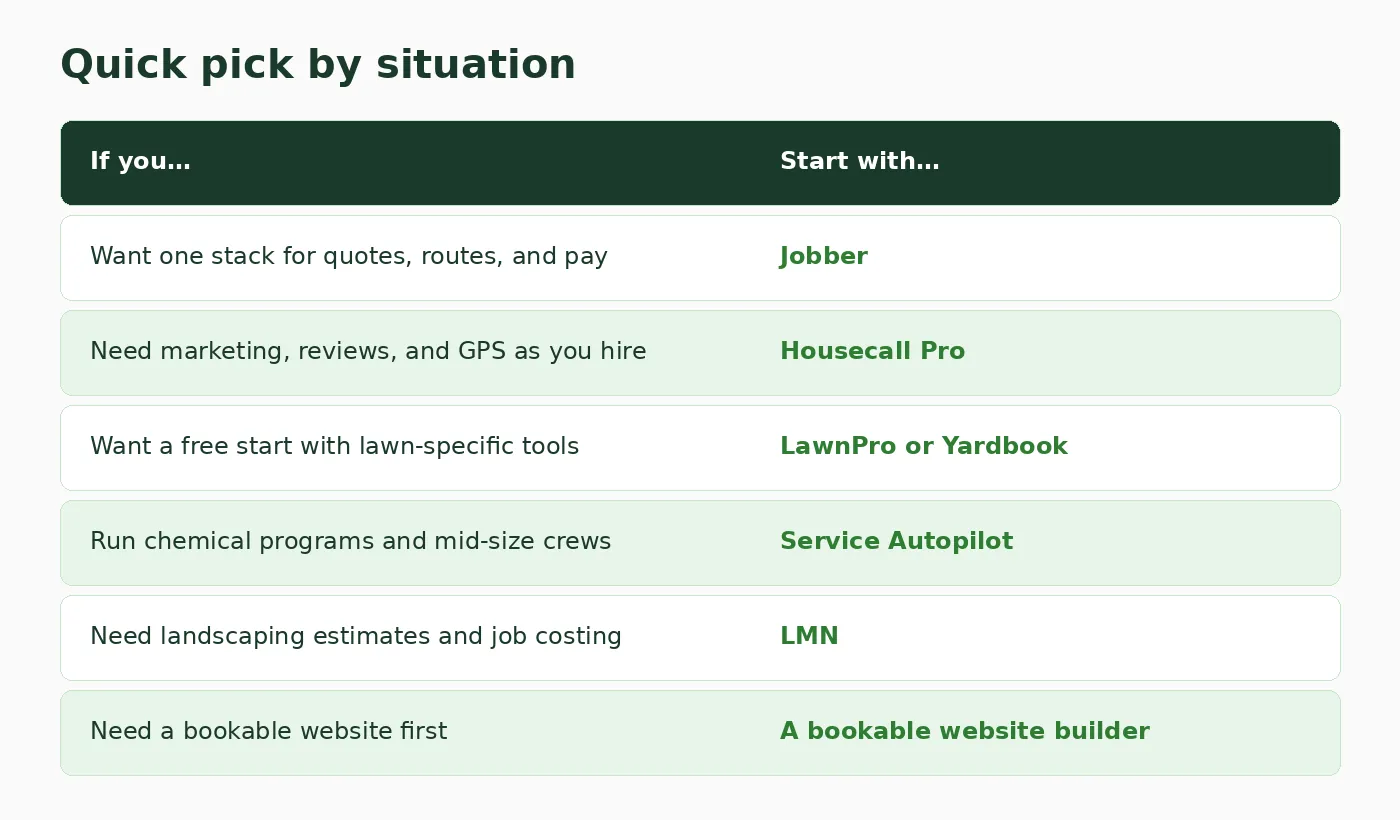
Situation-based starting points, not a ranked score. Diagram only.
A practical path for many owners is two steps. First, pick the ops tool that matches crew size. Second, make sure customers can still find and request work online. A booking website for home services covers that second gap when your field app’s public page is thin. If you are still comparing category options, the older free online scheduling tools post is a useful contrast for lighter calendars that are not lawn-specific.
Questions lawn owners ask about software
What is the best lawn care software for a solo operator?
Start with Jobber Core if you want one paid stack with a short trial, or LawnPro Solo / Yardbook if you need a free plan first. Solo owners usually lose more time to quotes and invoices than to missing enterprise reports.
Do I need lawn-specific software or will general field service apps work?
General apps like Jobber and Housecall Pro work well for mowing, cleanup, and simple recurring visits. Choose a lawn-leaning tool (LawnPro, Yardbook, Service Autopilot) when chemical programs, multi-step treatments, or landscaping estimating are daily work.
How much does lawn care software cost?
Published floors in this list run from free (LawnPro Solo, Yardbook) to about $29 to $59/month for common small-crew starters (Jobber Core annual, Housecall Pro Basic annual), then into hundreds per month for landscaping suites like LMN Starter at $297/month. Always confirm the current figure on the vendor pricing page.
Can customers book lawn service online?
Yes on Jobber and Housecall Pro. LawnPro captures work requests online. Bookable website builders can cover the same gap when you need a public page first. Yardbook and Service Autopilot support customer-facing estimate, invoice, and portal workflows by plan. Online booking is different from a full public marketing site, so check both.
Should I buy software before I have a crew?
Yes if you already lose jobs to missed texts or late invoices. No if you still price every job on paper and have fewer than a dozen regular stops. A free plan or a 14-day trial is the safer first move than an annual Pro contract.
Get a site customers can book from
If the missing piece is a public page where homeowners see your lawn services and request a time, you can get a site customers can book from with Kejoola. Already have a Google Business listing? Paste your listing link to get a first draft of your site, then finish it with your own services, towns, and photos.
14-day free trial, no card needed. Online booking starts on the Starter plan.