Cleaning Invoice Template: What to Include, With Free Examples
Seven copy-paste cleaning invoice templates for per-visit house cleans, monthly plans, move-outs, offices, rental turnovers, the invoice email, and a past-due reminder.
Josh · Oct 24, 2026 · 15 min read
- cleaning invoice template
- house cleaning invoice
- cleaning service invoice
- commercial cleaning invoice
- cleaning business
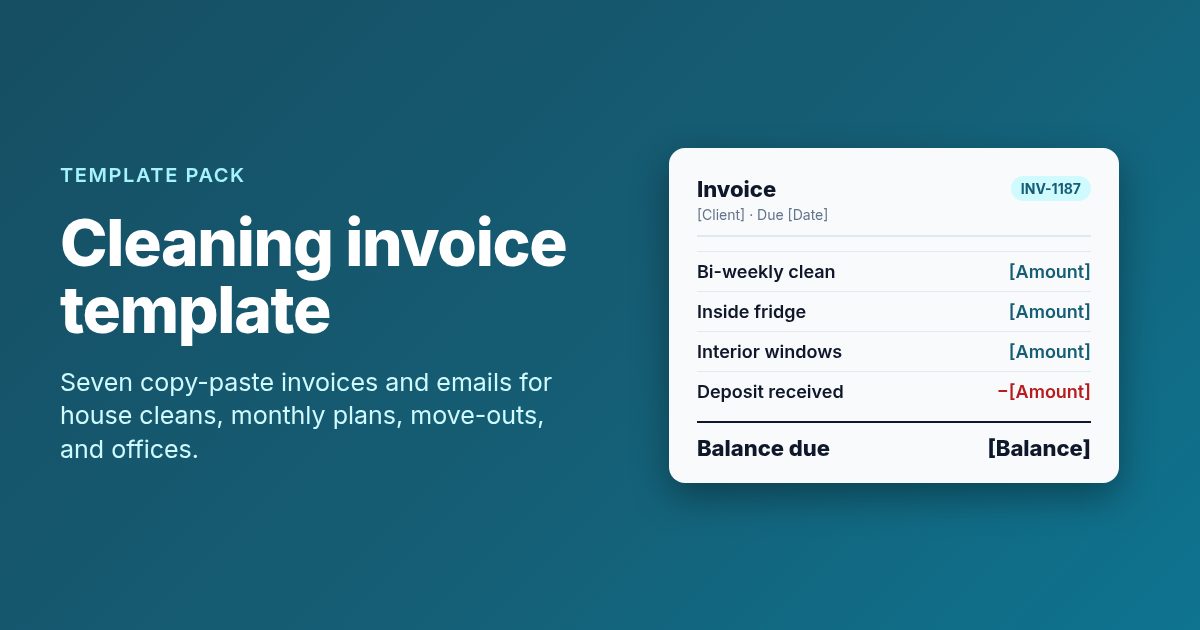
A cleaning invoice template is the bill you send after the clean, listing the visit, the work done, any extras, tax, payments already received, and the balance due. The 7 templates below cover a single house clean, a monthly recurring plan, a move-out clean with a deposit, a commercial office, vacation rental turnovers, the email that carries the invoice, and a past-due reminder.
The rule that matters most is to invoice the same day the work is done. Put a due date on every invoice, and match the line items to the estimate the client already approved.
What every cleaning invoice needs
An invoice is the record of what you cleaned and what the client owes for it. The IRS lists invoices among the documents that support your gross receipts, next to deposit records and receipt books. So each one has two readers: the client who pays it, and you at tax time.
| Part | What to write | Example line |
|---|---|---|
| Header | Business name, phone, email, invoice number, invoice date | "INV-1187 · Oct 24, 2026" |
| Bill to and service address | Client name, billing address, and where you cleaned if different | "Service at: Unit 4B, 210 Elm St" |
| Service dates | The date or dates of each visit | "Visits: Oct 3, Oct 17" |
| Line items | Service, quantity, unit, rate, amount | "Standard clean · 1 · visit · [Rate]" |
| Totals | Subtotal, tax if your state requires it, payments received, balance due | "Deposit received: -[Amount]" |
| Terms | Due date, accepted payment methods, late fee policy if you have one | "Due Nov 7. Check or Zelle." |
Number invoices in order and never reuse a number. A simple "INV-" plus a running count is enough. It lets you find a job fast when a client asks about a charge, and it shows gaps if an invoice never went out.
Keep the service address on the invoice even when it matches the billing address. Property managers and landlords often pay for several units, and the address is how they match your bill to the right one.
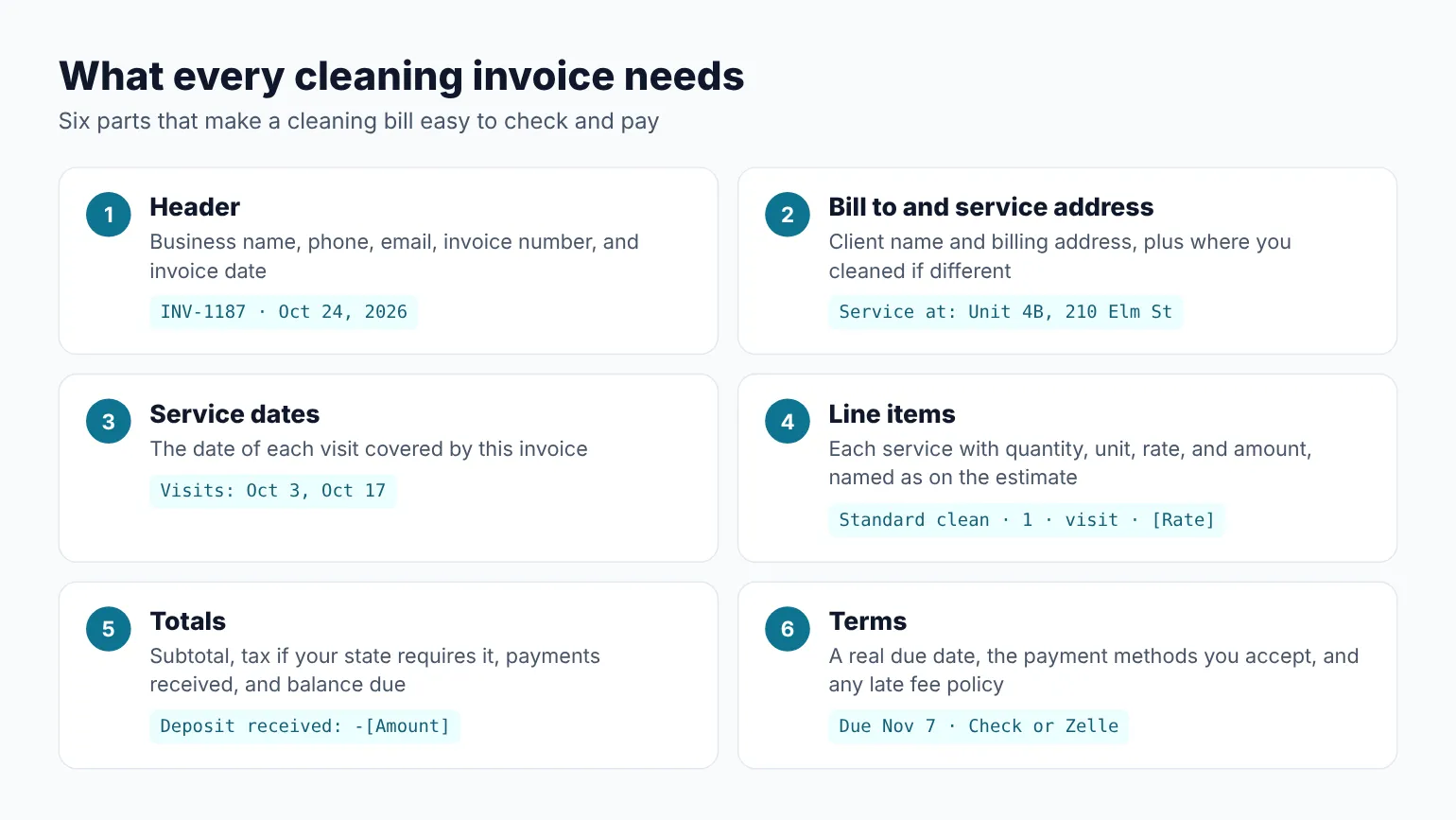
The six parts that belong on every cleaning invoice before you send it. Diagram only.
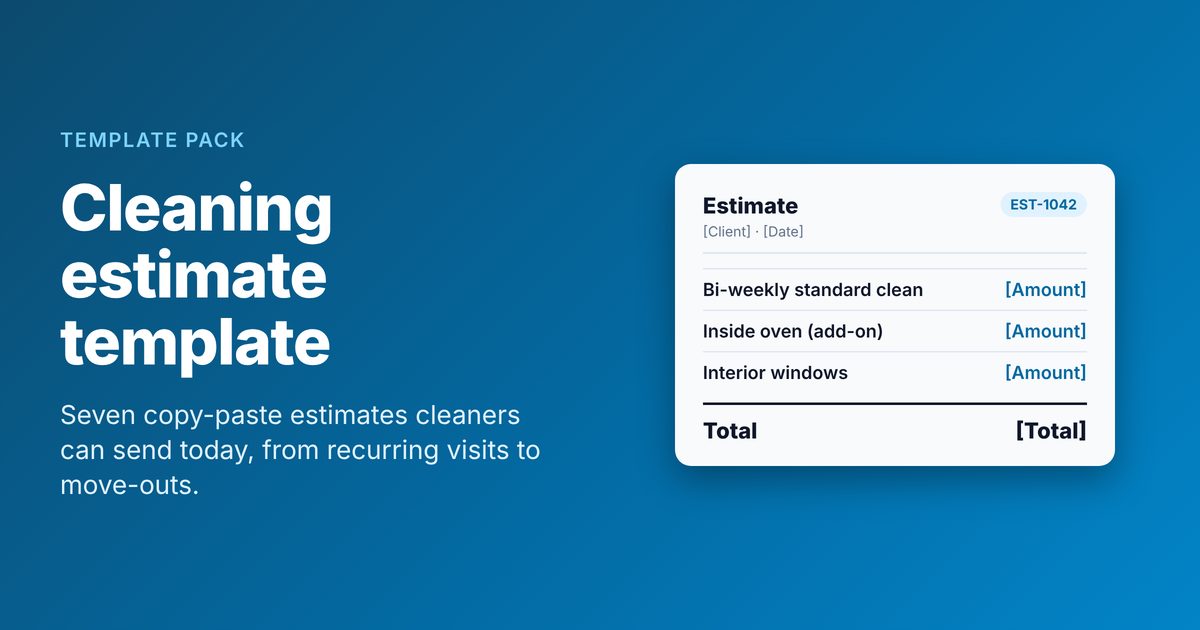
The invoice should mirror the estimate. If you quoted a bi-weekly standard clean plus inside-fridge as an add-on, those are the two lines the client expects to see. If you have not built your quote format yet, start with these cleaning estimate templates and reuse the same service names here.
How to handle sales tax, deposits, and payment terms
These three lines cause most invoice questions. Settle them once, then fill them in the same way on every bill.
Sales tax. Whether you charge tax on cleaning depends on your state. In Texas, the Comptroller says maid, janitorial, and custodial services should collect state and local sales tax on the amount billed. The same page exempts a self-employed person who works directly for one household as its employee, not as a maid service. Other states treat cleaning differently, so check your state revenue department before you add a tax line. If you do not charge tax, leave the line off instead of showing "Tax: 0".
Deposits and prepayments. If you took money up front, show it as its own line under the subtotal. Write "Deposit received [Date]" and subtract it. The client sees the full price of the job and what is left to pay. Never fold a deposit into a lower total, because the next invoice will not match the estimate.
Payment terms. Most residential cleaners ask for payment on the day of service or within a few days. Commercial clients often expect net 15 or net 30, meaning the bill is due 15 or 30 days after the invoice date. Write the actual due date, not only "net 15". A date is harder to misread.
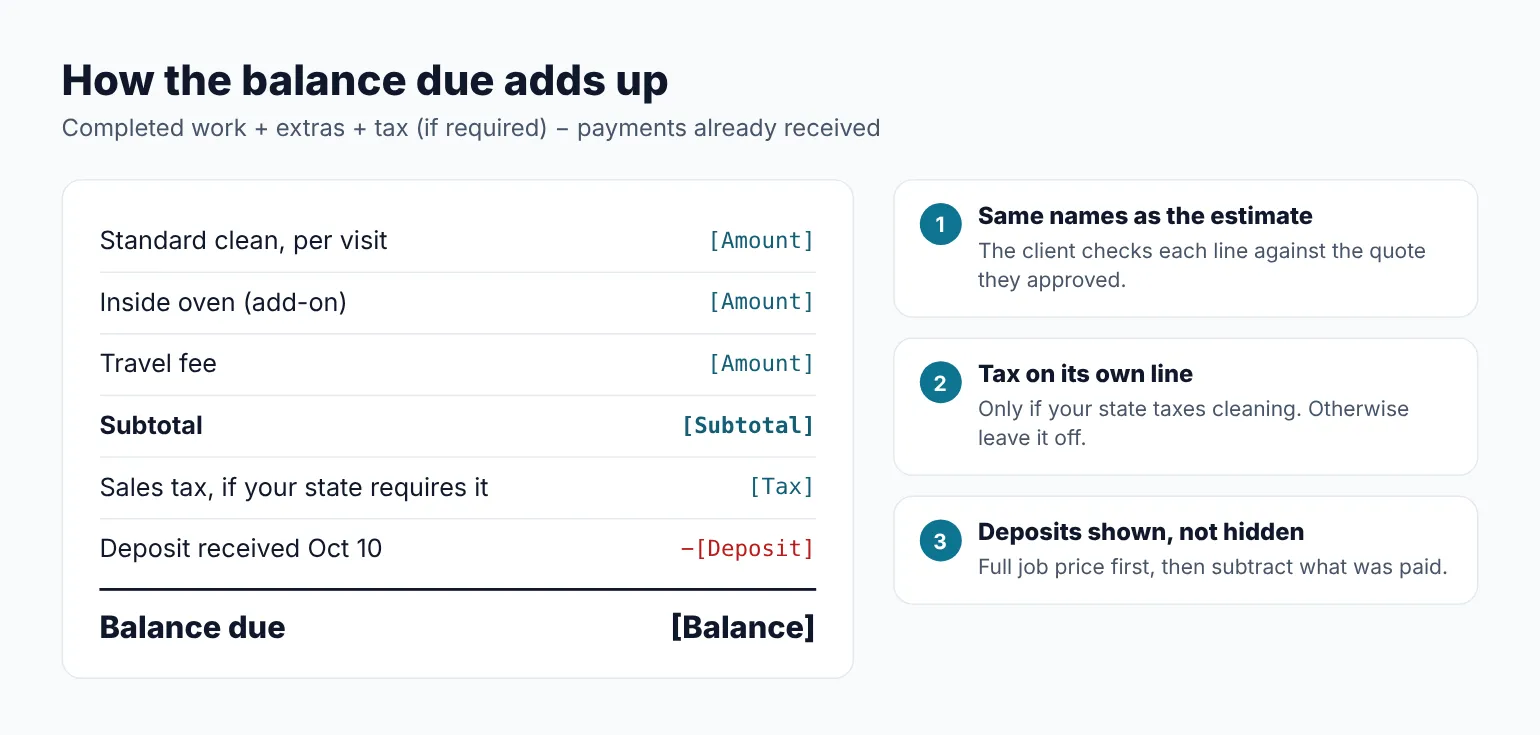
How the bottom of an invoice adds up. Amounts are placeholders for your own rates. Diagram only.
List the payment methods you take and how to use each one. "Check payable to [Business name]" and "Zelle to [Phone or email]" save a reply-all thread. If you add a late fee, put the policy on the estimate first. A fee that shows up for the first time on a past-due invoice starts an argument.
When to send each invoice
| Situation | Send when | Channel |
|---|---|---|
| One-time house clean | Same day, after the visit | Email, or a text with the invoice attached |
| Recurring home plan billed per visit | After each visit | |
| Recurring home plan billed monthly | First business day of the month | |
| Move-out or deep clean with a deposit | Same day, after the final walkthrough | |
| Commercial office | On the date set in your agreement | Email to the billing contact |
| Rental turnovers | Weekly or monthly, per property | Email to the host or manager |
| Past due | The day after the due date, then 7 days later | Email first, then a call |
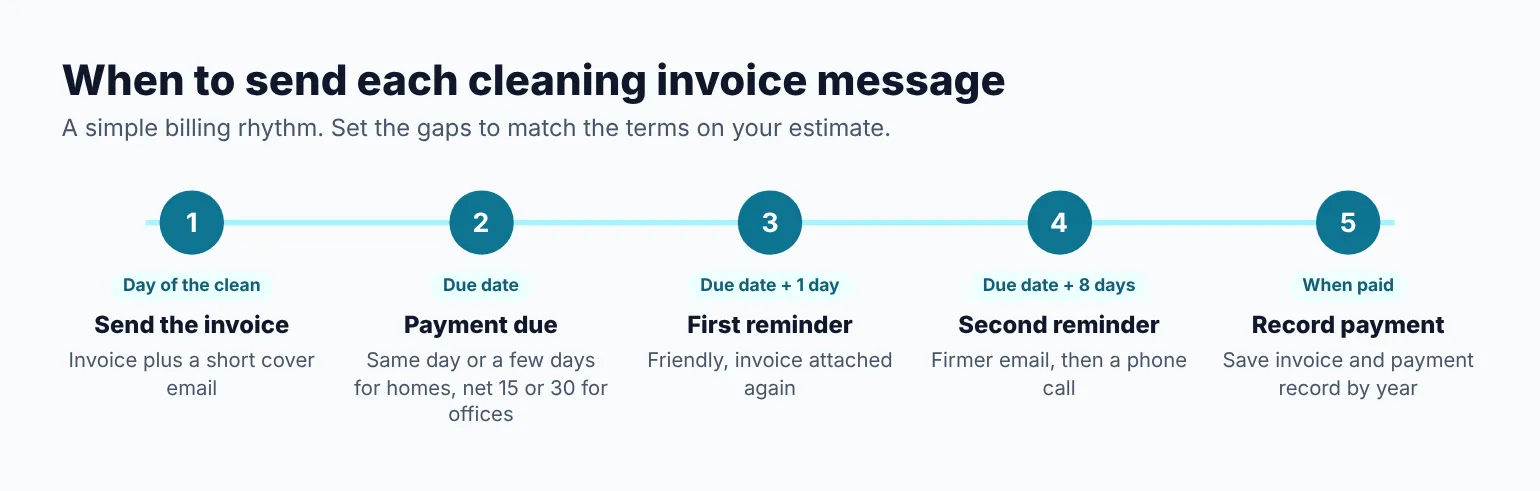
A simple billing rhythm for a cleaning business. Adjust the gaps to the terms you set. Diagram only.
1. Single house cleaning invoice (per visit)
When to use it: After a one-time clean, or after each visit for clients you bill visit by visit. This is the invoice most residential cleaners send every week.
INVOICE
[Business name] · [Phone] · [Email]
Invoice #: INV-[Number]    Date: [Date]
Due date: [Date]

BILL TO
[Customer first name] [Last name]
[Billing address]

SERVICE ADDRESS
[Address, if different]

SERVICE DATE
[Date of visit]

LINE ITEMS
Qty  Description                  Rate      Amount
1    Standard clean, per visit    [Rate]    [Amount]
1    Inside fridge (add-on)       [Rate]    [Amount]
1    [Travel fee, if any]         [Rate]    [Amount]

Subtotal:                                   [Amount]
Sales tax ([Rate]%, if required):           [Amount]
BALANCE DUE:                                [Amount]

PAYMENT
Accepted: [Cash / check / Zelle / card link]
Checks payable to: [Business name]

NOTES
[Anything the client should know, e.g. "Found a
leak under the kitchen sink. Photo sent by email."]

Thank you for having us in your home.
How to customize it:
- Use the exact service name from your estimate and price sheet, so "Standard clean" does not turn into "Basic clean" on the bill.
- Put anything you noticed on site in Notes. A leak, a broken blind, or a room you could not access is easier to discuss in writing.
- If you skip a room at the client's request, keep the full visit price and note it, unless your estimate says otherwise.
2. Monthly recurring cleaning invoice
When to use it: For weekly or bi-weekly clients who prefer one bill a month. Send it on the same day each month so it becomes routine.
MONTHLY CLEANING INVOICE
[Business name] · [Phone] · [Email]
Invoice #: INV-[Number]    Date: [Date]
Billing period: [Month Year]
Due date: [Date]

BILL TO
[Customer first name] [Last name]
[Billing address]
Service address: [Address]

VISITS THIS PERIOD
Date        Service                    Amount
[Date]      Bi-weekly standard clean   [Amount]
[Date]      Bi-weekly standard clean   [Amount]
[Date]      Add-on: interior windows   [Amount]

SKIPPED OR CHANGED VISITS
[Date]: Skipped at client request, [X]-hour
notice. [Fee or "No charge"]

Subtotal:                              [Amount]
Sales tax (if required):               [Amount]
Payments received this period:        -[Amount]
BALANCE DUE:                           [Amount]

PAYMENT
Accepted: [Methods]
Due by: [Date]

Next scheduled visits: [Date], [Date]
How to customize it:
- List every visit by date, even on a flat monthly rate. Clients trust a monthly bill more when they can match it to the days you came.
- Write skipped visits on the invoice with the notice given and whether you charged. It settles the question before the client asks.
- If you raise your rate, tell clients before the month starts. These price increase notice examples help with the wording.
3. Move-out or deep clean invoice with deposit applied
When to use it: For a move-out, move-in, or first deep clean where you took a deposit to hold the date. Send it after the final walkthrough with the client or landlord.
INVOICE: MOVE-OUT CLEAN
[Business name] · [Phone] · [Email]
Invoice #: INV-[Number]    Date: [Date]
Due date: [Date]
Estimate reference: EST-[Number]

BILL TO
[Customer first name] [Last name]
[Billing address]
Unit cleaned: [Address and unit number]

SERVICE DATE
[Date] · Crew of [#] · [Start] to [Finish]

LINE ITEMS
Qty   Description                Rate      Amount
[#]   Crew hours, move-out       [Rate]    [Amount]
1     Inside oven                [Rate]    [Amount]
1     Inside fridge              [Rate]    [Amount]
[#]   Interior windows, per pane [Rate]    [Amount]
1     Trash haul, [#] bags       [Rate]    [Amount]

Subtotal:                                  [Amount]
Sales tax (if required):                   [Amount]
Deposit received [Date]:                  -[Amount]
BALANCE DUE:                               [Amount]

CHANGES FROM ESTIMATE
[e.g. "Added 1.5 crew hours for wall marks,
approved by text on [Date]." or "None"]

PAYMENT
Accepted: [Methods]
How to customize it:
- Reference the estimate number so a landlord or agent can match the two documents.
- If the job ran over, show the extra crew hours as their own line and note when the client approved them. Never add hours that nobody approved.
- For flat-priced move-outs, replace the crew hours line with "Move-out clean, [#] bed / [#] bath, flat rate".
4. Commercial office cleaning invoice
When to use it: For offices, suites, clinics, and small retail spaces on a nightly or weekly plan. Commercial clients route invoices through a billing contact, so the details they need go at the top.
INVOICE
[Business name] · [Phone] · [Email]
[Business address]
Invoice #: INV-[Number]    Date: [Date]
Service period: [Start date] to [End date]
Terms: Net [15/30]    Due date: [Date]

BILL TO
[Company name]
Attn: [Billing contact name]
[Billing address]
PO number: [PO, if they use one]

SERVICE LOCATION
[Suite or building address]

LINE ITEMS
Qty  Description                    Rate     Amount
[#]  Nightly cleaning, per service  [Rate]   [Amount]
1    Restroom restock supplies      [Rate]   [Amount]
1    Carpet extraction, [#] sq ft   [Rate]   [Amount]
1    Extra visit [Date], requested  [Rate]   [Amount]
     by [Name]

Subtotal:                                    [Amount]
Sales tax (if required):                     [Amount]
TOTAL DUE:                                   [Amount]

PAYMENT
ACH: [Bank name, routing and account on file]
Check payable to: [Business name]
Questions: [Your name] · [Phone]

Service log available on request.
How to customize it:
- Ask for the PO number and the billing contact before your first invoice. A missing PO is one of the most common reasons a commercial payment sits.
- Put the name of the person who asked for any extra visit on the line. Accounts payable will check with them before paying it.
- Keep a simple visit log, with date, time in, and time out. Offer it on the invoice and send it when asked.
5. Vacation rental turnover invoice
When to use it: For hosts and property managers who book several turnovers a week. Bill per property, weekly or monthly, with one line per turnover.
TURNOVER CLEANING INVOICE
[Business name] · [Phone] · [Email]
Invoice #: INV-[Number]    Date: [Date]
Period: [Start date] to [End date]
Due date: [Date]

BILL TO
[Host or management company]
Property: [Name or address]

TURNOVERS
Date    Checkout  Service             Amount
[Date]  [Time]    Turnover, [#] bed   [Amount]
[Date]  [Time]    Turnover, [#] bed   [Amount]
[Date]  [Time]    Same-day rush fee   [Amount]

LINENS AND RESTOCK
[#] linen sets laundered, [Rate] each [Amount]
Restock: [Items], at cost             [Amount]

DAMAGE OR ISSUES REPORTED
[Date]: [e.g. "Red wine stain on living room rug.
Photos sent [Date]."]

Subtotal:                             [Amount]
Sales tax (if required):              [Amount]
BALANCE DUE:                          [Amount]

PAYMENT
Accepted: [Methods]
How to customize it:
- Write the checkout time next to each turnover. It shows why a same-day rush fee applied.
- Bill restocked supplies at cost or with your stated markup, and keep the store receipts.
- Report damage on the invoice with the date you sent photos. Hosts often need that record to file a claim with the rental platform.
6. Email to send with any cleaning invoice
When to use it: Every time you send an invoice by email. A short cover note gets opened, read, and paid faster than an attachment with no message.
Subject: Invoice INV-[Number] for your [Date] clean

Hi [Customer first name],

Thanks for having us on [Date]. Your invoice
for [service, e.g. "the bi-weekly clean"] is
attached.

Amount due: [Amount]
Due date: [Date]

You can pay by [method 1] or [method 2]. If
you pay by check, please make it out to
[Business name].

If anything on the invoice looks off, reply
here and I will sort it out.

Thanks,
[Your name]
[Business name] · [Phone]
How to customize it:
- Keep the amount and due date in the body, not only in the attachment. Many clients read email on a phone and never open the PDF.
- For a text version, send one line: "Hi [Name], your invoice for [Date] is [Amount], due [Date]. Sent to your email. Thanks!"
- For commercial clients, send to the billing contact and copy your on-site contact only if they asked.
7. Past-due cleaning invoice reminder
When to use it: The day after the due date passes with no payment. Send the first one friendly. Send the second a week later, firmer, then call.
Subject: Reminder: invoice INV-[Number] was due
[Date]

Hi [Customer first name],

A quick reminder that invoice INV-[Number] for
your [Date] clean was due on [Date]. I have it
attached again here.

Amount due: [Amount]

If you have already paid, thank you, and please
reply with the date so I can match it. If
something is holding it up, let me know and we
can work it out.

You can pay by [method 1] or [method 2].

Thanks,
[Your name]
[Business name] · [Phone]

--- SECOND REMINDER (7 days later) ---

Subject: Second reminder: INV-[Number], [Amount]
past due

Hi [Customer first name],

Invoice INV-[Number] is now [#] days past due.
Please send payment by [Date]. Per the terms on
your estimate, [late fee policy, if any] applies
after that date.

I would like to keep your cleanings on the
schedule. Please reply or call me at [Phone].

[Your name]
How to customize it:
- Only mention a late fee if it was on the estimate or agreement the client accepted.
- Pause future visits only if your terms say you can. Then tell the client in writing which visit is on hold.
- Keep threats out of the email. Check your state's rules before you use a collection agency or small claims court.
Which invoice to send
| Template | Send when | Channel |
|---|---|---|
| 1. Single house clean | After each visit or one-time clean | Email or text with attachment |
| 2. Monthly recurring | First business day of the month | |
| 3. Move-out or deep clean | After the final walkthrough | |
| 4. Commercial office | On the agreed billing date | Email to billing contact |
| 5. Rental turnovers | Weekly or monthly, per property | |
| 6. Invoice email | With every emailed invoice | |
| 7. Past-due reminder | Day after due date, then 7 days later | Email, then a call |
Mistakes that slow down payment
- Invoicing days after the clean. The client remembers the clean best that day. A week later, the bill feels like a surprise.
- A total with no line items. Clients pay lines they can check. Break out the visit, the add-ons, and any travel or rush fee.
- No due date. "Payable upon receipt" is easy to put off. A real date gets paid.
- Numbers that do not match the estimate. If the price changed, show the change and when the client approved it.
- Losing the paper trail. The IRS says to keep records for 3 years in most cases, longer in some situations. Save every invoice and payment record in one folder by year.
Invoices also get easier when visits run on time and match what was booked. If your schedule still lives in a notebook, compare a few scheduling apps for cleaning businesses that keep visits and client notes in one place.
Questions cleaning business owners ask about invoices
What should a cleaning invoice include?
Your business name and contact details, an invoice number and date, the client's name and billing address, the service address, the date of each visit, itemized services with rates, any tax your state requires, deposits or payments received, the balance due, the due date, and how to pay. Add a notes line for anything you saw on site, like a leak or a room you could not reach.
Is an invoice the same as an estimate for a cleaning job?
No. The estimate comes before the work and shows the price you offer for a described scope. The invoice comes after the work and shows what the client owes for what you actually did. They should match unless the scope changed, and any change should be written on the invoice with the date the client approved it.
Do I charge sales tax on cleaning services?
It depends on your state. Texas, for example, requires maid, janitorial, and custodial services to collect state and local sales tax on what they bill, with a narrow exemption for a self-employed person employed directly by one household. Other states treat cleaning differently. Check with your state revenue department, then add a tax line only if you need one.
When should I send a cleaning invoice?
Send it the same day for one-time cleans, move-outs, and per-visit clients. Send monthly invoices on the same date each month, often the first business day. Commercial clients usually set a billing date in the agreement, so follow it. The sooner the invoice arrives after the work, the less time it sits in the client's inbox.
What payment terms should a cleaning business use?
For homes, ask for payment on the day of service or within a few days, and say so on the estimate. For offices, net 15 or net 30 is common, so write the actual due date on each invoice. Whatever you choose, state your accepted payment methods and any late fee policy before the first visit, not on the first overdue bill.
Get the next clean booked
A clear invoice closes out one visit. The next step is making the following one easy to book. If you want a site where clients can see your cleaning services and book a time, you can get a site customers can book from with Kejoola. Clients can leave entry codes, pet notes, and add-on requests in the booking notes box. Already have a Google Business listing? Paste your listing link to get a first draft of your site, then finish it with your own services, towns, and photos. For what that site should cover, see what a cleaning business website needs.
14-day free trial, no card needed. Online booking starts on the Starter plan.