12 Plumbing Marketing Ideas That Bring Local Calls
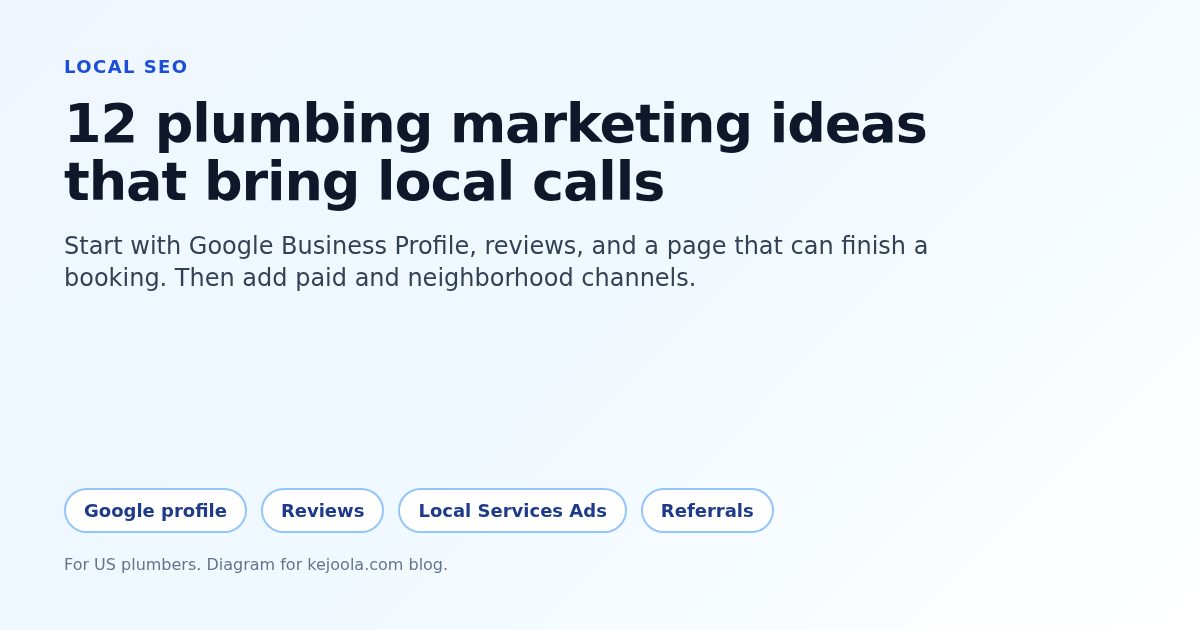
Twelve plumbing marketing ideas for US shops: finish Google Business Profile, reviews, and a bookable page first, then add Local Services Ads, referrals, signs, and partners.
Josh · Oct 16, 2026 · 13 min read
- plumbing marketing ideas
- plumber marketing
- google business profile
- local services ads
- plumbing leads
- home services
Plumbing marketing ideas that actually bring local calls start with a complete Google Business Profile, honest reviews, and a page where a homeowner can request a time for a burst pipe, water heater swap, or drain clog. This list has 12 ideas, ordered by what to finish first. Start with ideas 1 to 4 before you raise ad spend.
The same pattern shows up for other trades in electrician marketing and HVAC marketing. The plumber versions below use drain, water heater, slab leak, and emergency call examples.
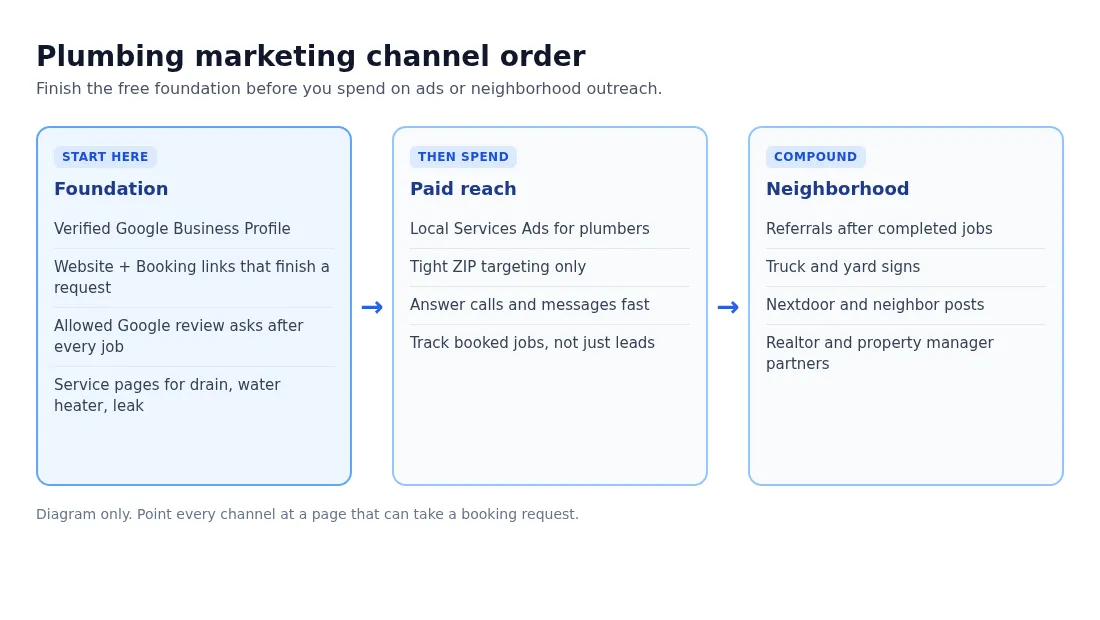
Finish the free foundation before paid ads and neighborhood outreach. Diagram only.
1. Complete your Google Business Profile before you buy ads
Most "plumber near me" taps open Maps or Search first. A thin profile with a wrong town, closed hours, or no photos loses the call to the shop that looks ready. Google treats many plumbers as service-area businesses that visit the customer rather than hosting walk-ins, so your towns and hours need to match how you really work.
How to do it:
- Verify the profile and use the real-world name on your truck, invoices, and insurance.
- Set primary category to Plumber. Add only secondary categories you want calls for.
- List service areas by city or ZIP you actually drive. Keep ads inside that map.
- Add hours, phone, website, and services people type: drain cleaning, water heater install, leak detection, sewer line.
- Upload real van, crew, and finished job photos. Skip stock images of chrome faucets.
Cost and effort: Free. About one focused afternoon to finish fields and photos.
Good fit if: you still get most "near me" calls from Maps and you have not audited the profile this quarter.
2. Point Website and Booking at a page that finishes the request
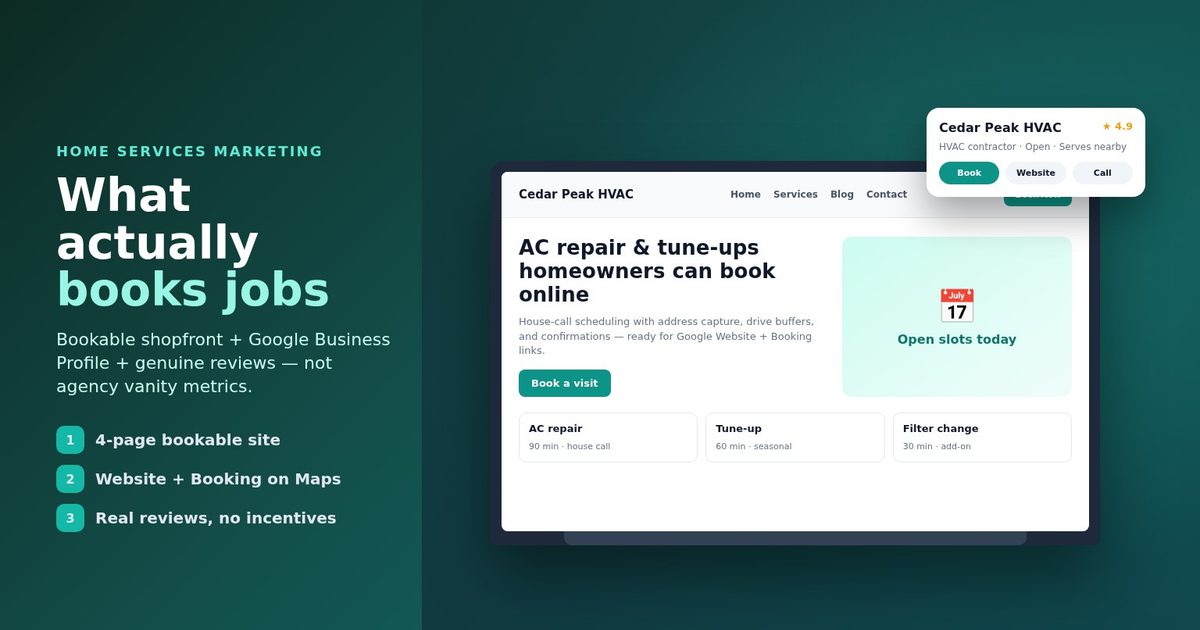
A phone-only listing fails when you are under a sink and the next caller hangs up. Google lets a Business Profile carry links that help people learn more and links that help them take action from Search or Maps (Manage your local business links, Google Business Profile Help). The Booking URL must be a dedicated page for your business where the customer can complete the action. It cannot be a social profile, messaging link, app store page, or link shortener (Business links policies and guidelines).
How to do it:
- Put your homepage in the Website field.
- Put a URL that collects name, email, phone, and job notes in Booking.
- On Search, open the profile, choose Booking, Add link, paste, Save. On Maps, Edit profile, Booking, Add link, Save.
- Match the page to the job nouns: water heater replacement, slab leak camera, clogged kitchen drain.
- Wiring steps: how to add a booking link to Google Business Profile.
If you need a clean URL for that Booking field, a short 4-page site (Home, Services, Blog, Contact) with online booking is enough for most solo shops. Page layout notes for plumbers live in website design for plumbers.
Cost and effort: Medium. Site plan cost plus an hour to paste and test both links.
Good fit if: you miss calls during jobs or paid clicks die on a homepage with no request form.
3. Ask for Google reviews the allowed way after every job
Reviews sit next to your profile in Maps and Search. Google says you can remind customers with a Google link or QR code, reply to reviews, and value honest feedback. Offering free or discounted services in exchange for a review, a rating change, or removal of a negative review is prohibited (Tips to get more reviews, Google Business Profile Help).
How to do it:
- After a completed water heater swap or drain clean, send a short text with your review link.
- Keep the ask plain: thank them, invite an honest review, no five-star pitch.
- Reply to every review within a few days. For negatives, stay polite and move details offline.
- Never bargain free work for a deletion.
- Full playbook: how to get Google reviews.
Cost and effort: Free. A few minutes per closed job once the link is saved on your phone.
Good fit if: your profile has few recent reviews or you only ask when a customer raves in person.
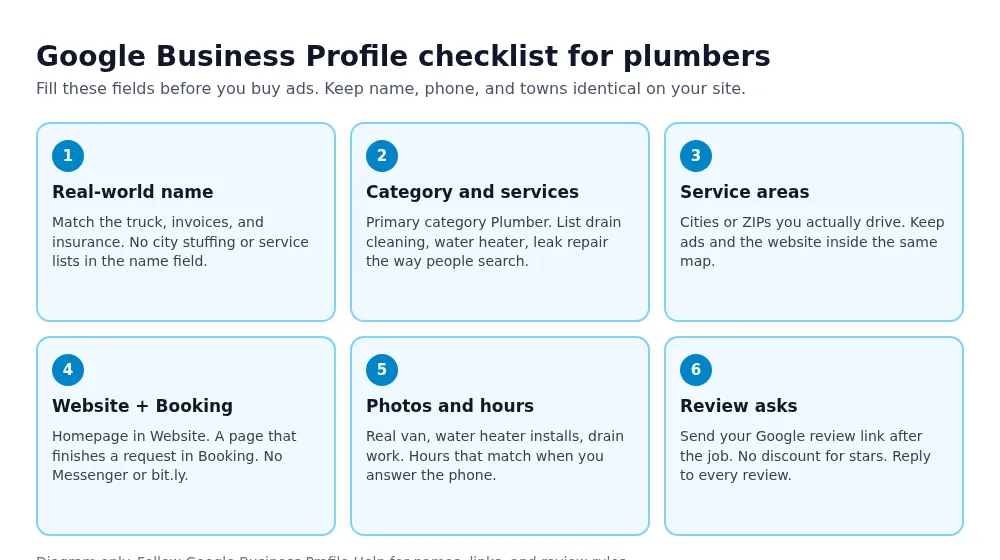
Six profile fields to finish before you raise Local Services Ads spend. Diagram only.
4. Run Local Services Ads once the foundation is ready
Local Services Ads put eligible plumbers near the top of Google Search when people look for plumbing in areas you choose. Google lists plumbers among US categories and charges for leads related to your services, not for every click (Getting started with Local Services Ads). Leads arrive as calls and messages. Slow responses can hurt ranking.
How to do it:
- Confirm eligibility and complete license and insurance checks Google asks for.
- Turn on only job types you want: emergency leak, water heater, drain, not every checkbox.
- Keep the service area tight to ZIPs you can reach the same day.
- Answer calls and messages fast, even when you decline the job.
- Dispute invalid leads in the dashboard when Google allows it.
Cost and effort: Medium setup. Ongoing per-lead spend set by your market and budget.
Good fit if: ideas 1 to 3 are done and you need same-week emergency volume.
5. Publish service and service-area pages people actually search
A single "residential plumbing" page rarely ranks for "water heater replacement near me" or "plumber in [suburb]." Dedicated pages for drain cleaning, water heater install, slab leak, and each town you serve give Search a clear match. Keep each page honest: which towns, how you book, and what the visit includes.
How to do it:
- Write one page per core service with the nouns homeowners use.
- Add a short page per town or ZIP you can profitably serve. Do not copy-paste the same paragraph.
- Open with the problem (backup toilet, no hot water) and how to request a time.
- Link each page from Services and from the matching Google service list.
- Cross-trade booking site shape: booking website for home services.
Cost and effort: Medium. Writing time, no ad spend required.
Good fit if: Maps looks fine but organic results for specific jobs still favor larger shops.
6. Ask for referrals while the job is still fresh
A neighbor with a similar water heater age or a shared main line problem is the easiest next job. Referrals cost little and close faster than cold clicks because trust already transferred. Ask while you are packing up, not three weeks later.
How to do it:
- After a successful drain or leak repair, say you take work for nearby homes if they hear of a need.
- Leave two business cards or a magnet with your Google review and booking links.
- Follow up once by text a week later if they offered to introduce you.
- Track which customers send work so you know whom to thank.
- Skip cash-for-review schemes. A thank-you gift for a referral is different from paying for a Google star.
Cost and effort: Free to low. A short script and printed cards.
Good fit if: most of your best jobs already come from neighbors and you want that channel deliberate.
7. Put the truck and yard signs to work every day
Your van is a rolling billboard on every water heater install. A yard sign on a multi-day slab leak or repipe job catches people who walk the block. Phone and web address must match Google so a glance turns into a searchable name.
How to do it:
- Letter the truck with name, phone, and one clear service line (for example "Drains · Water Heaters · Leaks").
- Use a short URL or QR that opens your booking or review page, not a broken shortener Google would reject on the profile.
- Ask permission before planting a yard sign. Pick it up when the job ends.
- Keep the door magnets clean and readable from a lane away.
- Match the painted name to the Google Business Profile name.
Cost and effort: Low to medium. Print and wrap costs, then free ongoing reach.
Good fit if: you already drive busy routes and want awareness without raising ad budgets yet.
When the Booking field needs a dedicated URL, Kejoola can publish that 4-page bookable site so pastes into Google stay on a page that finishes the request.
8. Show up on Nextdoor and in neighbor conversations
Homeowners ask neighbors for a plumber when a toilet overflows on a Sunday. Nextdoor, HOA boards, and group chats reward shops that answer with a real name, license note, and service area. Spammy service pitches get ignored.
How to do it:
- Claim your business page if the platform offers one. Keep hours and towns current.
- Answer recommendation threads with what you do, which ZIPs you cover, and how to book.
- Share useful seasonal notes (winterize outdoor spigots, flush the water heater) without a hard sell every time.
- Never invent urgency or fake scarcity.
- Move the booking off the thread to your phone or bookable page so details are not lost in comments.
Cost and effort: Free. Fifteen focused minutes a few times a week.
Good fit if: your towns are active on Nextdoor and you already win jobs from neighbor tags.
9. Offer seasonal maintenance to past customers
Emergency burst pipes pay well, but water heater flushes, drain maintenance, and outdoor faucet prep fill quiet weeks. Past customers already trust you. A short email or text with a clear offer beats hoping they remember you next winter.
How to do it:
- Build a list of past customers from invoices (respect local email rules).
- Send one seasonal note: water heater flush before winter, camera a slow main, check pressure relief valves.
- State the offer, the towns, and how to request a time.
- Limit frequency so you do not train people to ignore you.
- Keep the CTA one link or one phone number, not three apps.
Cost and effort: Medium. List cleanup plus a short writing session each season.
Good fit if: you have a year or more of completed jobs and slow weeks between emergencies.
10. Publish before-and-after proof from real jobs
A photo of a replaced water heater, a cleared cleanout, or a patched leak line helps a homeowner trust you faster than a slogan. Keep people and addresses out of frame. Caption what failed and what you fixed in plain words.
How to do it:
- Shoot with permission. No faces, house numbers, or messy personal items.
- Pair a before and after for drains, water heaters, and fixture swaps.
- Post on Google Business Profile, your site blog, and one social channel you already check.
- Use the same job nouns in the caption that people search.
- Do not fake damage or stage fake emergencies.
Cost and effort: Medium. Phone camera time after each interesting job.
Good fit if: you do visible work (fixtures, heaters, cleanouts) and your profile photos look generic.
11. Build realtor and property manager partnerships
Agents and property managers need reliable plumbers for turnovers, failed inspections, and tenant emergencies. One good partner can send steady work if you answer fast and invoice cleanly. Treat it like B2B sales with a clear service menu.
How to do it:
- List three to five agents or managers in your ZIPs and introduce yourself in person or by short email.
- Offer a simple card: emergency response window, common flat rates if you use them, and how to book.
- Prioritize their calls during business hours when you promise it.
- Ask for one trial turnover or inspection repair before chasing volume.
- Stay licensed and insured. Put proof on the leave-behind.
Cost and effort: Higher time cost. Mostly relationship work, low cash outlay.
Good fit if: you want multi-unit or turnover volume and can protect a same-day response slot.
12. Track which channel books jobs, then cut the rest
Clicks, impressions, and even "leads" lie when the booked calendar is empty. Mark every job with the source: Google profile, Local Services Ad, referral, truck, Nextdoor, realtor. After a month, move money and time toward what booked paid work.
How to do it:
- Add a "How did you find us?" field on the booking notes or intake script.
- Tag each calendar job with a source code in your notes or software.
- Review weekly: jobs booked, revenue, and time spent per channel.
- Pause ads or outreach that never produce a booked visit.
- Tools comparison context: best plumbing software if you are choosing field software. Tracking can also stay in a simple sheet.
Cost and effort: Low. A habit change more than a new tool.
Good fit if: you run more than two channels and cannot say which one paid for itself last month.
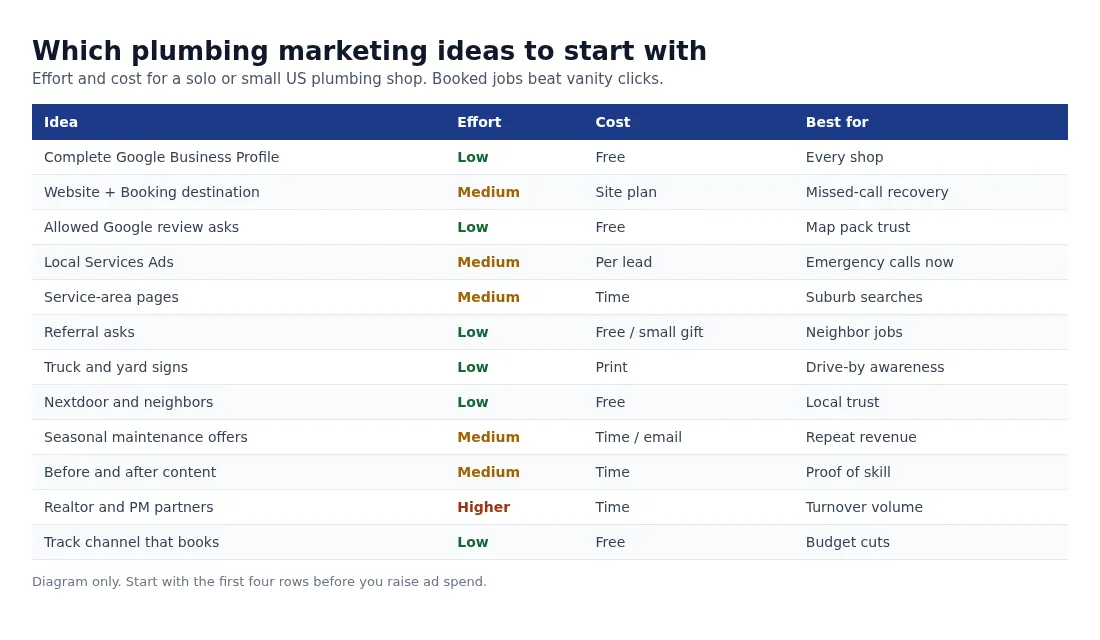
Use this order when you are not sure where to spend the next hour. Diagram only.
Which ideas to start with
| Idea | Effort | Cost | Best for |
|---|---|---|---|
| Complete Google Business Profile | Low | Free | Every shop |
| Website + Booking destination | Medium | Site plan | Missed-call recovery |
| Allowed Google review asks | Low | Free | Map pack trust |
| Local Services Ads | Medium | Per lead | Emergency calls now |
| Service and service-area pages | Medium | Time | Suburb job searches |
| Referral asks after jobs | Low | Free / small gift | Neighbor jobs |
| Truck and yard signs | Low | Drive-by awareness | |
| Nextdoor and neighbors | Low | Free | Local trust |
| Seasonal maintenance offers | Medium | Time / email | Repeat revenue |
| Before-and-after content | Medium | Time | Proof of skill |
| Realtor and PM partners | Higher | Time | Turnover volume |
| Track which channel books | Low | Free | Budget cuts |
Questions plumbing owners ask about marketing
What plumbing marketing ideas should I start with if I have no budget?
Finish the Google Business Profile, ask for allowed reviews after every job, letter the truck, and ask for referrals while you pack up. Those four ideas cost almost nothing and feed Maps and word of mouth. Add Local Services Ads only after the profile and a bookable page are ready.
Do Local Services Ads replace Google Business Profile work?
No. Ads send leads faster, but Google still shows your profile data, reviews, and responsiveness signals. A weak profile undercuts paid leads. Treat LSA as a paid layer on top of ideas 1 to 3, not a shortcut around them (Getting started with Local Services Ads).
Can I pay customers for five-star Google reviews?
No. Google prohibits offering incentives for posting, changing, or removing reviews (Tips to get more reviews). Send a plain ask with your review link. Thank them. Leave the rating to them.
Should every plumbing marketing channel go to the same page?
Yes for the finish line. Ads, truck QR codes, Nextdoor replies, and Google Booking should land on a page that lists services and lets someone request a time. Matching the ad promise (drain clog vs water heater) on the first screen helps. The destination still needs to complete the request.
How many plumbing marketing ideas should I run at once?
Run the foundation every week. Then add one paid channel and one neighborhood channel until each proves booked jobs. Twelve ideas at once usually means none get finished. The summary table above is a sequence, not a same-day checklist.
Get a bookable plumbing site in place
If you want a site where customers can see your services and book a time, you can get a site customers can book from with Kejoola. Already have a Google Business listing? Paste your listing link to get a first draft of your site, then finish it with your own services, towns, and photos.
14-day free trial, no card needed. Online booking starts on the Starter plan.
Sources
- Manage your local business links (Google Business Profile Help)
- Business links policies and guidelines (Google Business Profile Help)
- Tips to get more reviews (Google Business Profile Help)
- Getting started with Local Services Ads (Local Services Help)
- How to grow your business with Local Services Ads (Google Ads)