Website Design for Plumbers That Actually Books Jobs
Website design for plumbers is not a pretty brochure. Build a booking-first shopfront with above-fold tap-to-call, emergency vs estimate CTAs, trust signals, service+city pages, and planned-job booking that shows what happens next.
Josh · Sep 15, 2026 · 6 min read
- website design for plumbers
- plumber website design
- plumber website
- online booking
- emergency plumbing
- house calls
Website Design for Plumbers That Actually Books Jobs
US plumbing owners who search “website design for plumbers” (or “plumber website design”) are rarely shopping for a remodel-agency mood board. They want a site that turns local search into jobs: a burst pipe at 9pm, a water heater estimate on Tuesday, a drain clear before the weekend guests arrive — without losing the lead to another round of phone tag.
This shopfront checklist covers design that routes the right path: emergency call versus planned-job book. For the full booking-flow checklist, see How to book a plumber online. For a side-by-side with Calendly, see Calendly vs a booking website for house calls.
Why most plumber sites lose jobs
Most trade sites fail the same five ways:
- Pretty, not bookable. Hero stock photos and “family-owned since…” copy, but no way to finish a visit online.
- One vague CTA. “Contact us” or “Free estimate” for both a flooding kitchen and a faucet swap — so urgent callers bounce and planners stall.
- Phone buried. On mobile, the number is a footer afterthought instead of a tap-to-call above the fold.
- No service-area honesty. Homeowners cannot tell if you cover their ZIP before they dial.
- Trust is missing or fake. No license/insurance notes, no recent reviews, no real job photos — only warehouse clip art.
Design for plumbers is less about animations and more about whether the page can route intent in the first screenful. If your current site looks like a brochure for a kitchen remodel firm, soft-exclude that fluff and rebuild around house-call plumbing nouns.
Must-have homepage blocks (above the fold)
Treat the first viewport as a dispatcher, not a magazine cover. A booking-first plumber homepage should show:
| Block | Job it does |
|---|---|
| Business name + tap-to-call | Prove you are a real shop; one tap on mobile dials |
| Service area line | “Austin, Round Rock, Cedar Park” (or your cities) before they scroll |
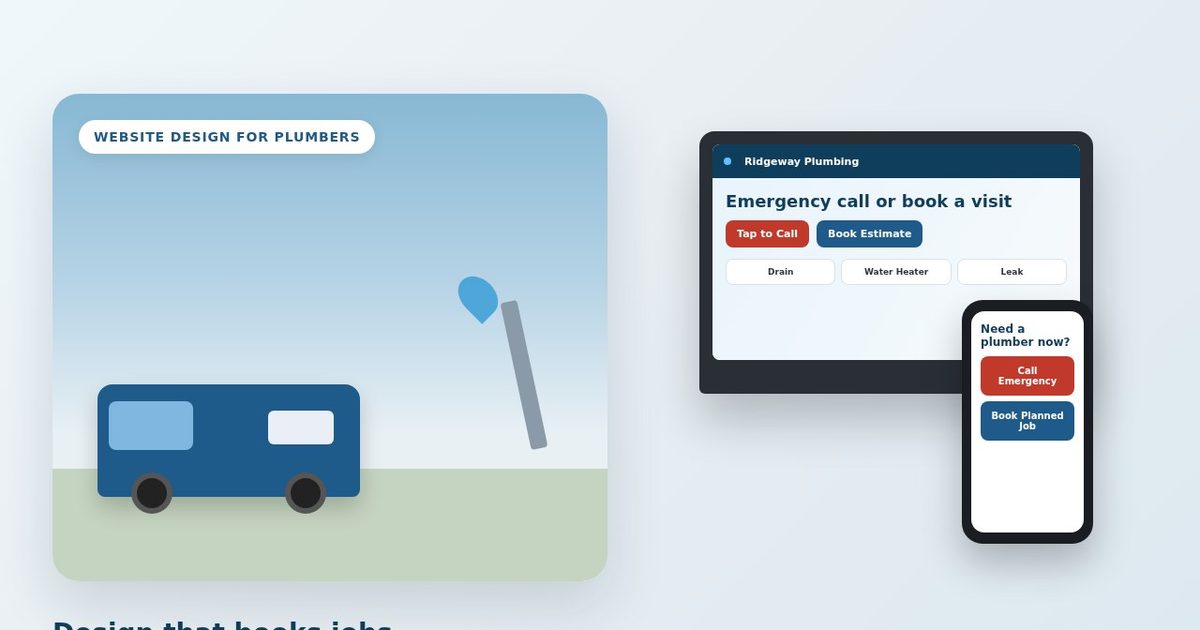
| Emergency CTA | Red/high-contrast Call for active leaks, no heat, sewage backups |
| Planned-job CTA | Book estimate / Book visit for water heater, drain, fixture work |
| Short service list | Drain clearing, water heater, leak repair, toilet/faucet — not “full plumbing solutions” |
| Trust strip | Licensed, insured, review snippet, or “real job photos” teaser |
You do not need twenty homepage sections. Aim for a short 4-page bookable site — Home, Services, Blog, Contact — with online booking for planned work. You pick a theme, fill in your services, photos, and which sections to show, then pick a palette and your brand color. Keep that as a checklist of what must exist, regardless of which tool you use.
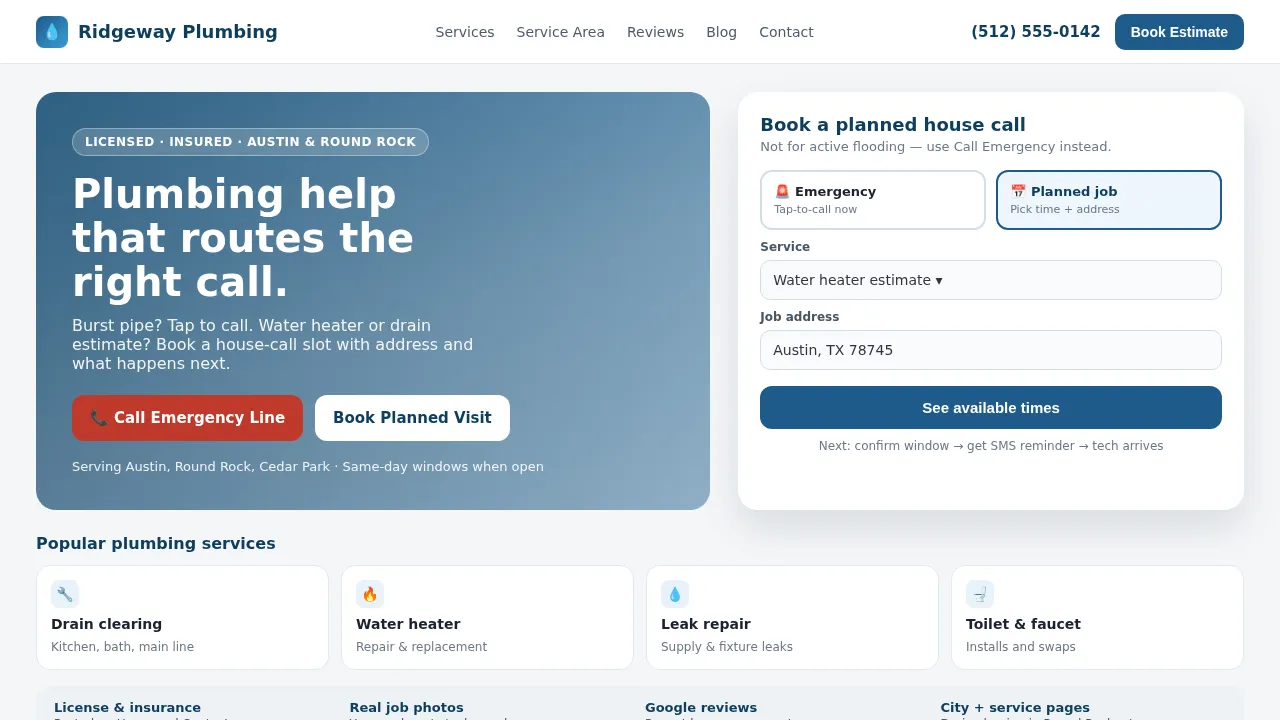
Sample bookable plumber shopfront (fictional Ridgeway Plumbing — illustrative mock, not a live booking site).
Emergency path vs planned-job book path
Plumbing intent splits hard. Design both paths clearly so neither cannibalizes the other.
Emergency path (call-first)
Active flooding, no hot water with kids in the house, sewage backup — these homeowners should tap to call, not fill a calendar. Put the emergency line in the header and again as a primary hero button. Label it honestly (“Call emergency line”) so planned bookers do not jam the phone.
Optional: a short note on hours or after-hours coverage. Do not make emergency callers fill in a booking form before they can call.
Planned-job path (book-first)
Water heater estimates, drain clears that can wait a day, toilet installs, fixture swaps — these should book a house-call slot with:
- Service picked (plumbing nouns, not “consultation”).
- Open times that already include drive buffers.
- Job address + access notes (gate, unit, shut-off).
- Clear what happens next copy under the button: confirm window → reminder → tech arrives.
That is the opposite of a meeting scheduler that asks “which Zoom time works?” Plumbers run house calls; the booking UI should look like a trade visit, not a sales call. For the parallel “what the bookable destination must do” checklist, see How to book a plumber online. For why meeting tools are a different product, see Calendly vs a booking website for house calls.
Trust signals that belong on a plumber site
Homeowners hire strangers to enter their homes. Design trust into Home, Services, and Contact — not a buried About page:
- License and insurance — plain language near the phone or in the hero pill (“Licensed · Insured · [City]”).
- Real job photos — your water heater swaps and drain clears, not anonymous warehouse stock.
- Recent reviews — short Google quotes with names/cities when allowed; link to the full profile.
- Consistent NAP — name, phone, and area match your Google Business Profile so Search/Maps feel like the same shop.
Skip remodel-agency fluff: lifestyle kitchen galleries, “design-build process” timelines, and vague “craftsmanship” hero videos that never name a drain or heater.
Pages that rank: services + cities (without a twenty-page brochure)
You still need more than a one-pager if you want “drain clearing + your city” and “water heater repair near me” visibility. A practical shape:
- Services — short list with bookable nouns and visit-length honesty.
- Service + city support — dedicated pages or blog posts for high-intent pairs (“water heater replacement in Round Rock”) that still point back to the same book/call CTAs.
- Contact — phone, area, emergency notes, license lines.
- Blog — optional trust and local search support; not required to finish a booking.
Kejoola themes include schema aimed at “your service + your city” visibility. Use that idea as a design goal — structured, clear pages — whether or not you use Kejoola. Related shopfront pattern with different trade nouns: Website design for electricians and HVAC website design.
Mobile speed and booking without phone tag
Most local plumbing clicks happen on a phone in a hallway or driveway. Design for:
- Fast first paint — compressed hero images, no autoplay video, few third-party widgets.
- Thumb-reach CTAs — call and book large enough to hit without zoom.
- Honest calendars — buffers between stops so two Austin jobs are not stacked with no windshield time.
- Confirmations and reminders — after they book a planned job, they should not need to text “are you still coming?”
If Google Maps still points at Facebook Messenger or has no real site, fix the destination first, then the profile links — see Turn your Google Business listing into a bookable website and Add a booking link to Google Business Profile.
Kejoola for a 4-page bookable site
If you want a booking-first 4-page plumber site instead of assembling a general builder only to host a calendar, start at kejoola.com for a 14-day free trial with no credit card. Plans run $24/month for Lite (website only), $39 for Starter, $89 for Professional, and $159 for Business (annual billing also available). You pick a theme and fill in your services and photos, or import from the listing you already have at kejoola.com/start/google-business, or go straight to sign-up.
Owner checklist
- Above the fold: tap-to-call, service area, emergency CTA, planned-job CTA.
- Services lists drain, water heater, leak, toilet/faucet — with honest visit length.
- Emergency stays call-first; planned work books online, with the address left in the job notes, plus what happens next.
- License/insurance, real photos, and reviews are visible — not stock remodel fluff.
- Service + city pages (or posts) support local search without a brochure sprawl.
- Mobile is fast; Google Website/Booking URLs finish the same bookable destination.
Put it together
Website design for plumbers that works in 2026 is booking-first: it routes emergency calls and planned estimates on the first screen, proves trust with license and real photos, ranks with short service and city pages, and finishes planned house calls online without phone tag. Build the dispatcher homepage first. Then wire Search and Maps to the same destination.