Website Design for Electricians: What a Booking-Ready Site Needs
Website design for electricians is not a brochure. Here is what a US electrician’s booking-ready site needs — panel, outlet, and EV charger services, house-call job notes (address and access details), service+city pages, and Google Website + Booking links.
Josh · Sep 5, 2026 · 8 min read
- website design for electricians
- electrician website
- online booking
- google business profile
- house calls
- local trades
Website Design for Electricians: What a Booking-Ready Site Needs
An electrician who searches “website design for electricians” usually wants more than a pretty logo on a dark theme. The homeowner on the other side of local search wants to book a panel upgrade, an outlet install, an EV charger, or a troubleshooting visit — and they want to leave an address, not start another round of “are you free Thursday?” texts.
US house-call electricians can use this checklist when building or rebuilding a short, bookable shopfront.
What “website design for electricians” should mean
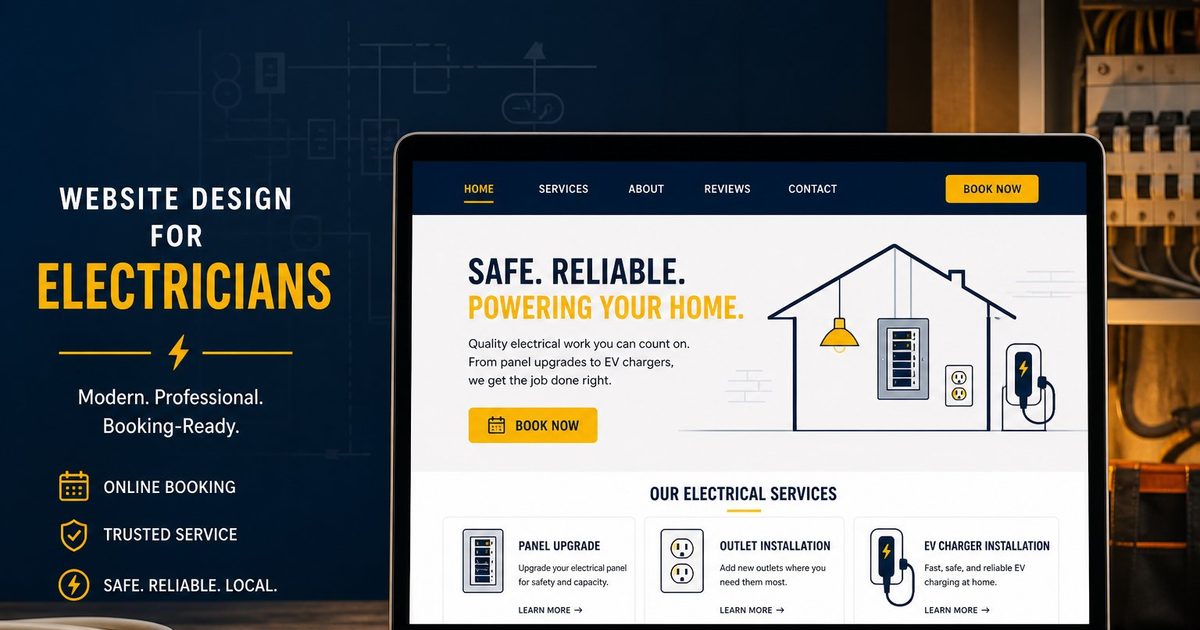
For local trades, design is less about hero animations and more about whether the site can finish a job booking. A booking-ready electrician site should:
- Look like a real electrical company (name, phone, service area), not a chat thread.
- List services a homeowner would actually search — panel upgrade, outlets, EV charger install, ceiling fan, troubleshooting — not only “residential electrical” or “free estimate.”
- Let customers leave the job address in the booking notes box, because the work happens at their house or small commercial site.
- Leave drive buffers so two Dallas jobs are not stacked with no windshield time.
- Expose the same bookable URL on Google Business Profile as Website and Booking — not Messenger, Instagram, or a shortener.
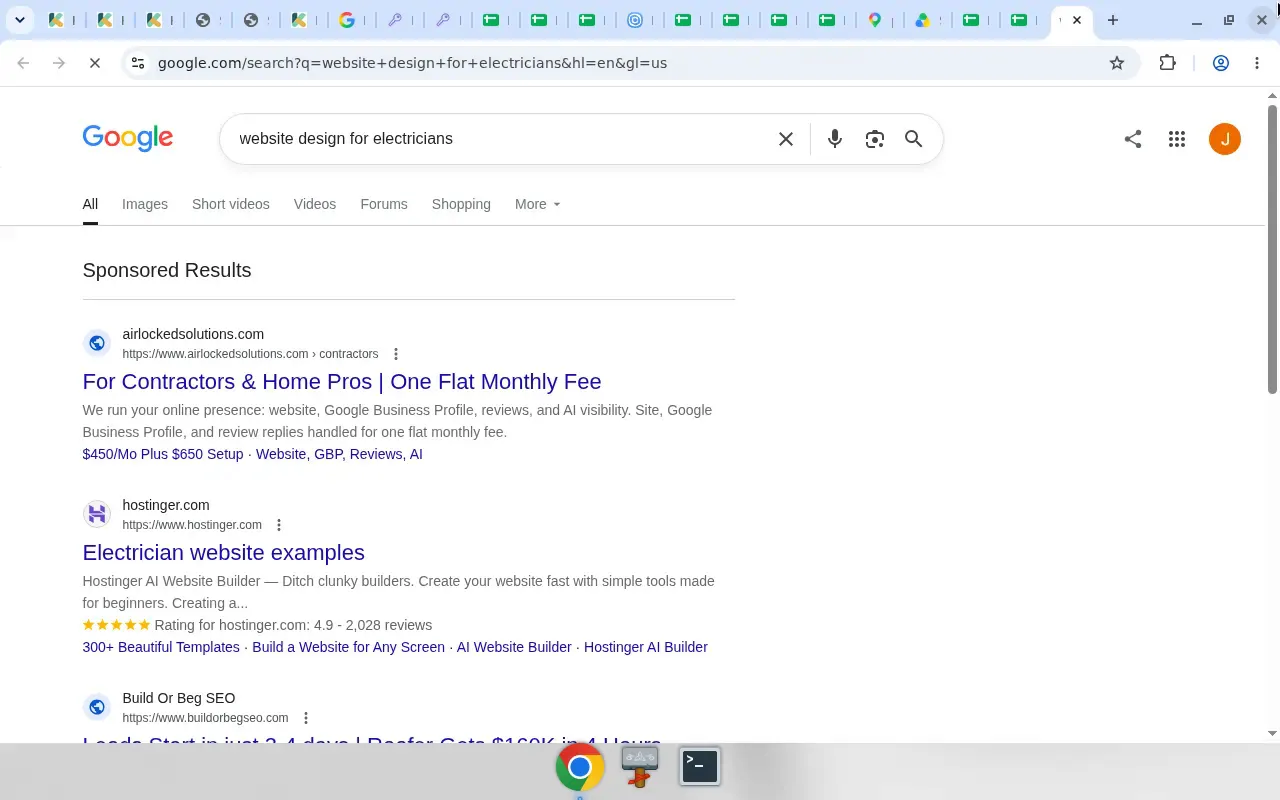
That SERP is the reminder: people comparing “website design for electricians” are shopping for a site that can win local trust. Your destination still has to convert when a different homeowner types “electrician near me” and taps Book.
The short site shape that works for electricians
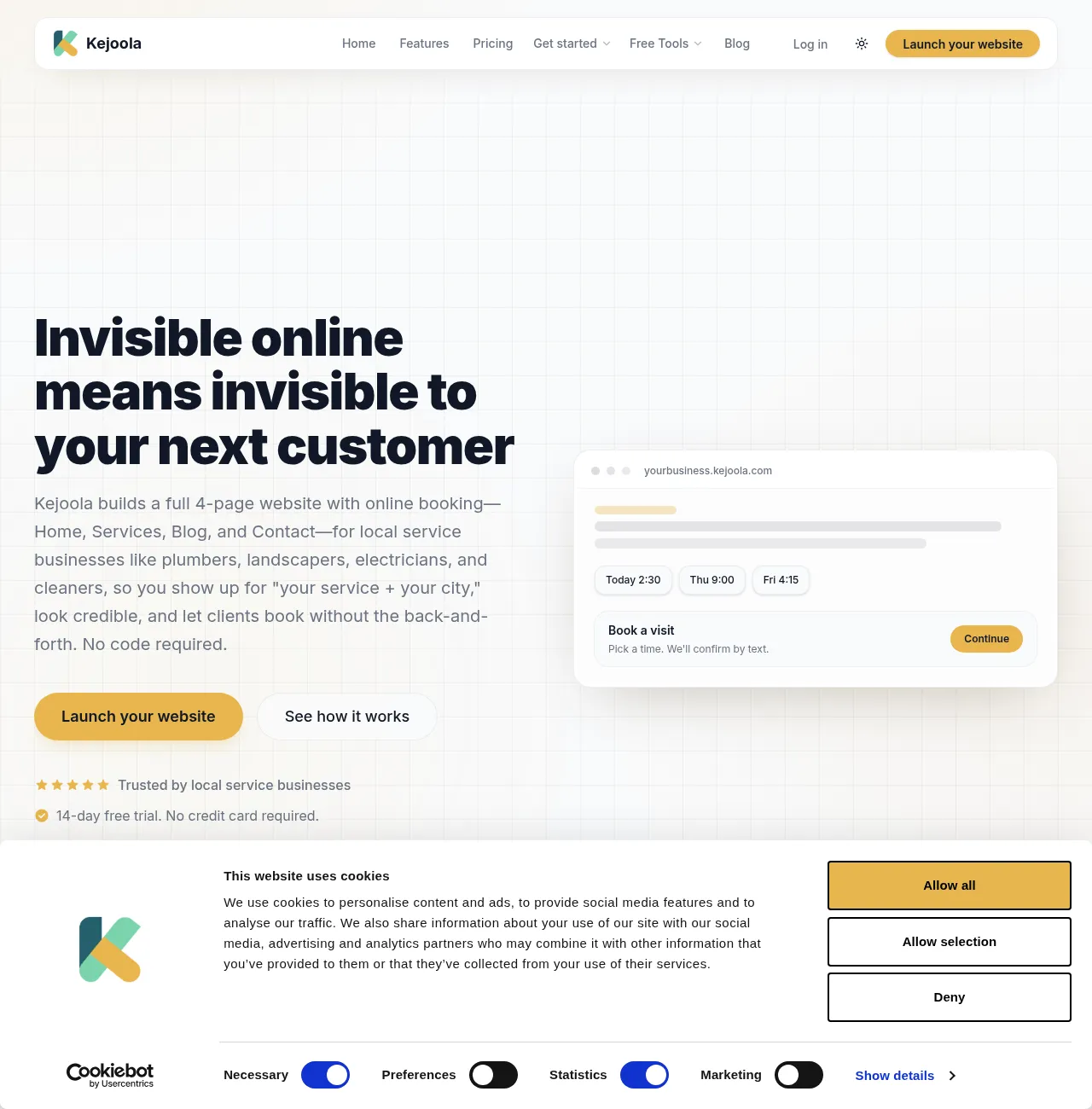
You do not need a twenty-page brochure to take house calls. Kejoola, for example, publishes a fixed 4-page site (Home, Services, Blog, Contact) with online booking for local service businesses including electricians, and claims schema/structured data on every theme to support local search.
Use that shape as a checklist of what has to exist, regardless of which tool you use:
| Site piece | Job for the homeowner | Job for the van |
|---|---|---|
| Home | Prove you are a real local electrician | Match name/phone/area to your Google listing |
| Services | Pick panel, outlets, EV charger, etc. | Map each service to duration and price rules you set |
| Blog | Optional trust and “service + city” support | Not required to finish a booking |
| Contact | Phone, license notes, emergency path | Backup when booking is closed |
| Booking flow | Pick service + time + leave the address in the notes box | Calendar, buffers, confirmations |
Without a bookable page, “website design for electricians” collapses into a contact form that still ends in phone tag. Related reading if your Maps listing still points at Facebook or has no site: Turn your Google Business listing into a bookable website.
Services page: electrical nouns, not vague “projects”
List jobs the way people search and text: “200-amp panel upgrade,” “add outlets in garage,” “Level 2 EV charger install,” “ceiling fan replacement,” “breaker keeps tripping,” “new dedicated circuit for hot tub.” Avoid only “residential electrician” or “call for quote” as the sole bookable option.
Each service should answer:
- What it is (one plain sentence a homeowner understands).
- Rough visit length (so calendar duration is honest — a panel upgrade is not a 30-minute outlet swap).
- Whether it is house-call only (almost always for electricians who visit customers).
- What you need before arrival (panel photos, panel brand/amps, permit status, apartment gate code, HOA rules for exterior EV equipment).
Plumbers use drain and water-heater nouns for the same pattern; see How to book a plumber online for the parallel trade. This article stays on electrical services.
House-call booking: get the address in the job notes
Electrical work is not a Zoom consult. When customers book, they can leave a note about the job, so ask them to include the service address plus access details in the notes box. Phone and name alone are not enough to route a truck to the right panel.
Build the flow so the homeowner:
- Chooses the electrical service.
- Sees open times that already include your buffers.
- Leaves a note about the job: address and gate/unit notes.
- Gets a confirmation they can forward to a spouse, landlord, or property manager.
If your current “booking” is a Messenger thread or a mailto form, it will not finish a booking online even when someone eventually gets on the calendar.
Service areas: house-call electricians and Google’s SAB pattern
Many electricians visit customers and do not serve walk-ins at a shop counter. Google’s Help defines a service-area business as one that visits or delivers to customers directly but does not serve customers at the business address — and lists examples such as cleaning services or plumbers. Electricians who work the same way fit that pattern when they visit customers rather than operating a storefront. Hybrid businesses serve at an address and visit customers. You can set up to 20 service areas by city, postal code, or other area types; you cannot set a radius distance. (Manage your service areas)
If you do not serve customers at your business address, Google says to remove the address from the profile and keep service areas. For how that looks in practice for house-call trades, see Hide your address on Google Business Profile for service-area businesses.
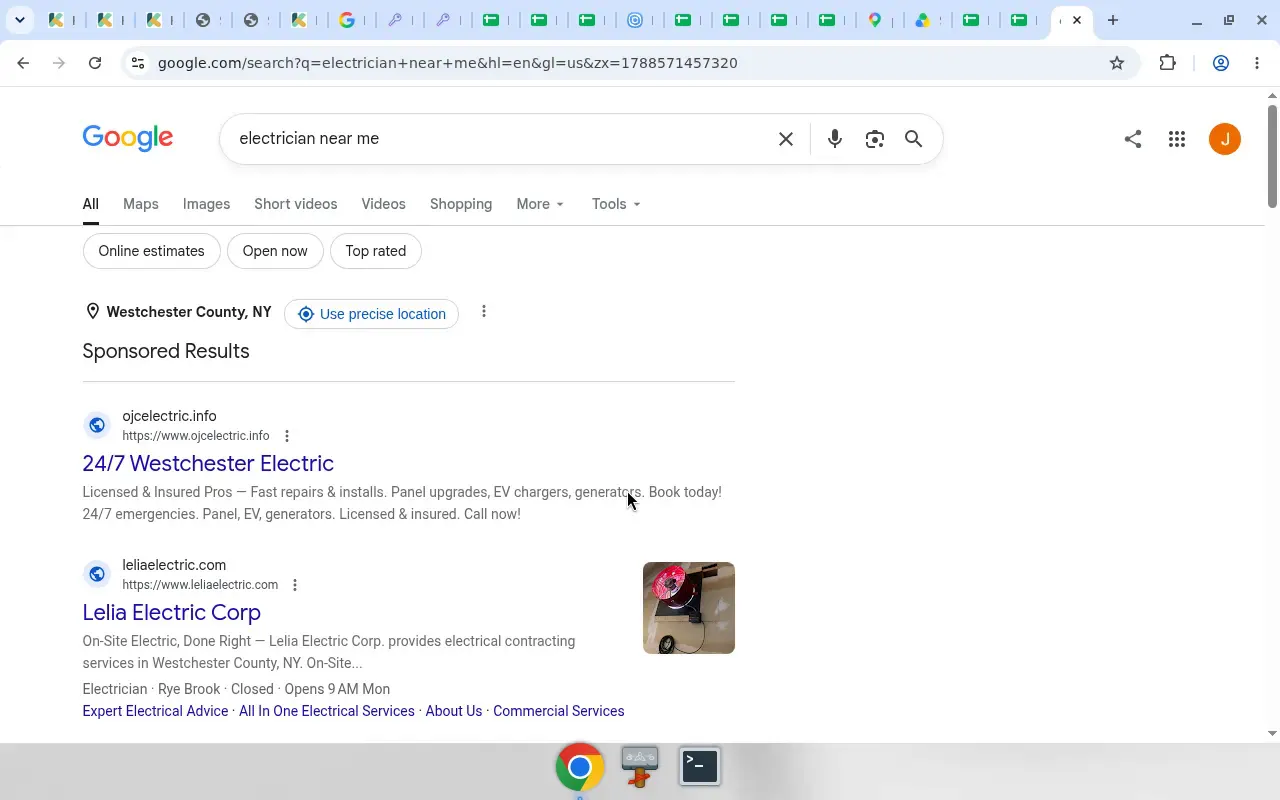
Local pack and Maps are where many of those “electrician near me” taps start. Your site design has to match the promise on the listing: service names, area coverage, and a bookable destination.
Design details that matter on mobile
Booking-ready electrician design is usually boring in a good way: a clear Book Now above the fold on mobile, license/insurance notes that do not bury the button, service + city language on Home and Services Use “your service + your city” language, real work photos when you have them (panels, EV installs, outlets), and no dead ends — every main page reaches booking in one or two taps.
Kejoola’s FAQ describes replacing phone tag and “what time works?” messages with online booking, confirmations, and reminders, plus dashboard cancel/reschedule with client notification. That is the kind of booking experience your stack should deliver.
Put Website + Booking on Google Business Profile
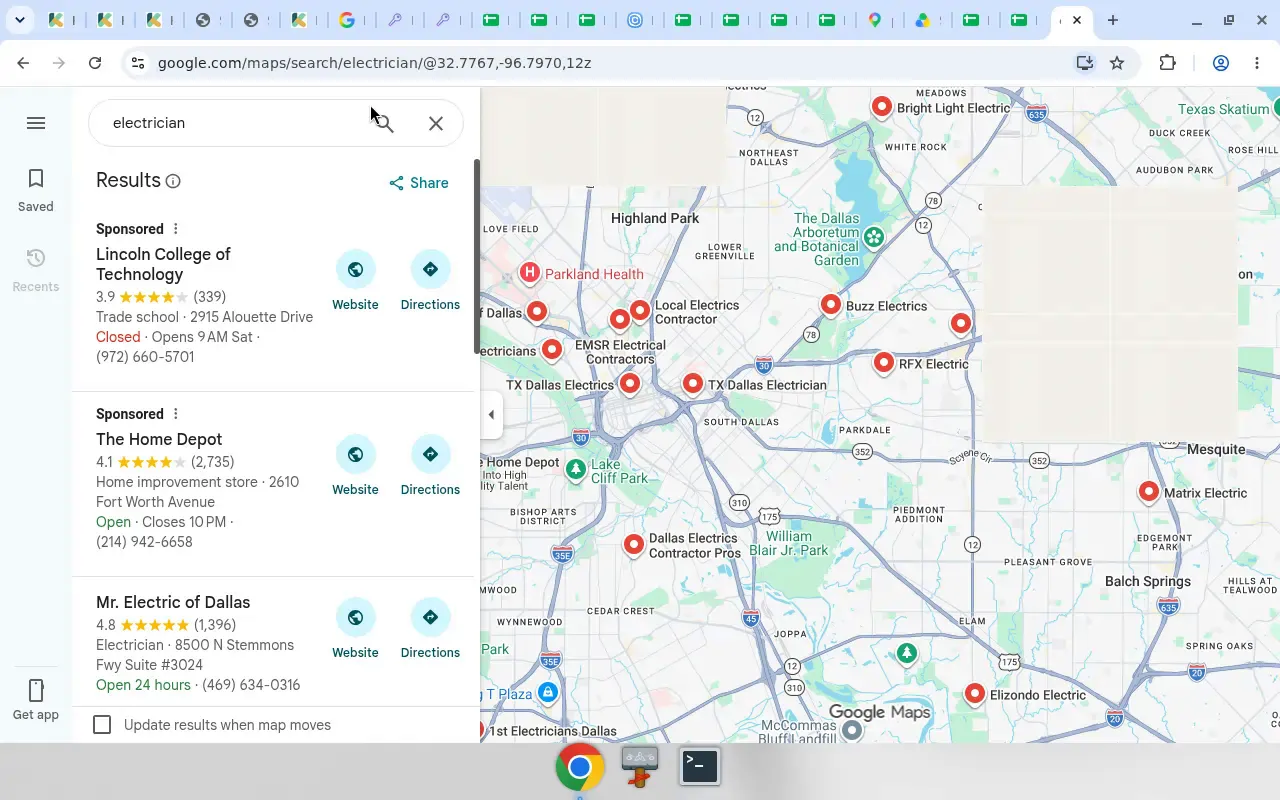
Maps is where many homeowners start. Listings that win the tap show Website (and later Booking) actions — not only a phone number.
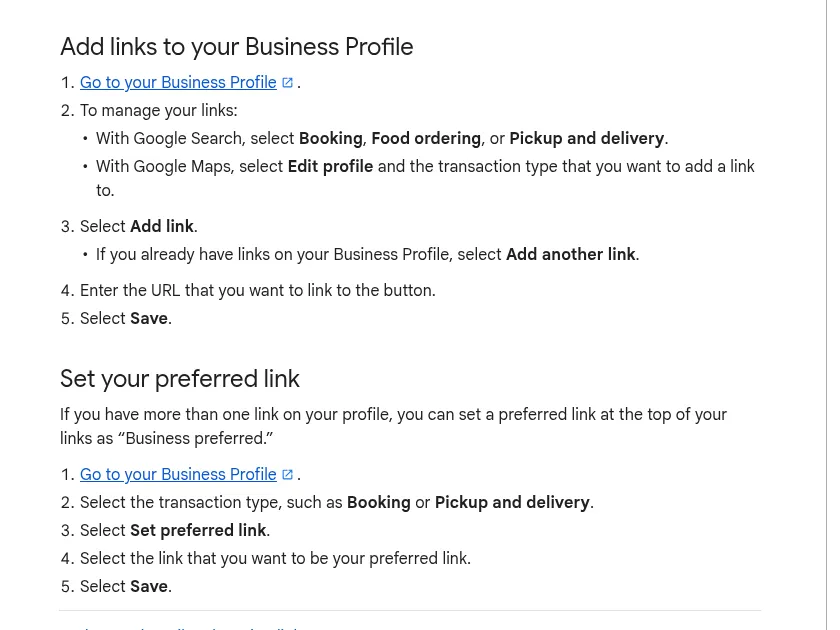
Google says a Business Profile can include links that help customers learn more, and action links that help them book an appointment from Search or Maps. (Manage your local business links)
- Website — your shopfront (homepage that represents this electrical business).
- Booking — a dedicated URL where they finish the appointment.
Add the Booking URL (Search and Maps)
From Google’s Help (Manage your local business links): on Search, open your Business Profile → Booking → Add link → paste the bookable URL → Save. On Maps, open the profile → Edit profile → transaction type Booking → Add link → paste → Save.
You can set a preferred link when more than one booking link is present. Local business links are not available via the Business Profile API or spreadsheet upload. Google documents up to 10 links per category on that manage-links page; the policies page also states a maximum of 20 links per transaction type — follow what your profile UI allows. (Manage your local business links; Business links policies)
Rules that block Messenger and shorteners
Google requires a dedicated landing page for the business and a link that completes the designated action. Local business links cannot be social media sites, messaging links, app store links, or link shorteners. The profile must be verified. Google may remove non-compliant or uncrawlable links. (Business links policies & guidelines)
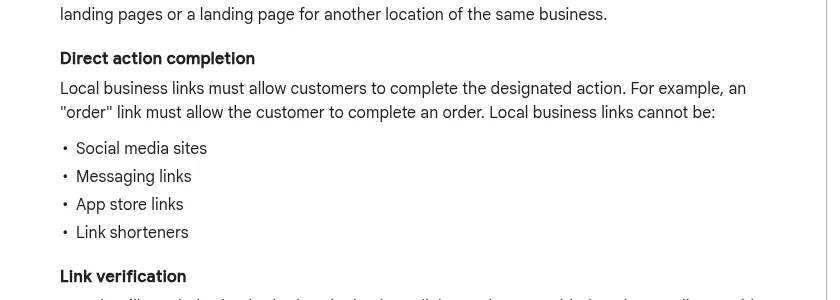
That is why Messenger (m.me/...), Facebook/Instagram profiles, bit.ly shorteners, app-store listings, and a homepage with no way to finish a booking fail even when the tap “works” on your phone.
For deeper Website vs Booking fields, see How to add a booking link to Google Business Profile. This article’s job is different: make the destination electrician-ready before you paste it.
Google also documents bookings through a provider, or adding your own link. Providers may charge. Performance data is not available for custom links the way it can be for Reserve with Google. (Set up bookings through a provider) For a solo shop that already owns a bookable page, your own Booking URL is the direct path.
Kejoola for a 4-page bookable site (optional)
If you want a booking-first 4-page site instead of assembling a general website only to host a calendar:
- Start at https://kejoola.com — 14-day free trial, no credit card. Plans run $24/month for Lite (website only), $39 for Starter, $89 for Professional, and $159 for Business (annual billing also available).
- Or import from the listing you already have: https://kejoola.com/start/google-business — paste your Google Maps or Business Profile link (Share → Copy link). (Kejoola GBP import)
- Sign-up: https://kejoola.com/sign-up
Put it together
“Website design for electricians” that works in 2026 is booking-ready design: real electrical services on the Services page, house-call job notes (address and access details), honest buffers, confirmations, service-area honesty on Google, and Website + Booking URLs that open a page that can finish the job — never Messenger. Build the destination first. Then wire Search and Maps so the next panel upgrade or EV charger request lands on your calendar.