Home Services Advertising: Where to Spend and Where Clicks Land
Home services advertising for US trades: how Google Local Services Ads, Google Ads, Facebook and Instagram ads, Nextdoor, yard signs, and referral asks work, and why the page each click lands on decides whether the spend books jobs.
Josh · Sep 29, 2026 · 8 min read
- home services advertising
- local services ads
- google ads for contractors
- facebook ads home services
- nextdoor ads
- landing page
- home services
Home Services Advertising: Where to Spend and Where Clicks Land
You can buy clicks from Google. You can boost a post on Facebook, run an ad on Nextdoor, wrap the truck, and stake signs in finished yards. Every one of those ends the same way. A homeowner who wants a plumber, roofer, or electrician taps a link or types your name.
What happens next decides whether the money worked. If the tap lands on a page where they can pick a time, you get a job on the calendar. If it lands on a vague homepage or a chat inbox, a lot of that spend leaks away.
Every home services advertising channel below works differently, charges differently, and needs a different landing spot. For the wider plan, see home services marketing. For ranking without paying per click, see home services SEO. For trade-specific takes, see HVAC marketing and electrician marketing.
Start with the free listing: Google Business Profile
Before you pay for anything, claim your Google Business Profile. Google says creating a Business Profile and listing your business on Google is free. (Google Business Profile)
Get the listing right before you pay to send people looking for you. Use your real business name, pick accurate categories, and set the towns you serve. Then fill in two links. The Website link goes to your homepage. The Booking link goes to a page where the customer can finish an appointment. Google does not allow social media sites, messaging links, app store links, or link shorteners as local business links. (Business links policies & guidelines) Step-by-step help is in how to add a booking link to Google Business Profile.
Google Local Services Ads
Google says Local Services Ads show prominently in Search results when people look for the services you offer in the areas you choose. Google lists roofers, plumbers, electricians, HVAC, handyman, house cleaning, lawn care, and many other home service categories as eligible in the United States. (Getting started with Local Services Ads)
How it works, per Google's help pages:
- Customers tap your ad to call you, send a message, or request a booking through the ad.
- You pay for valid leads, not clicks. Lead prices can vary by location, job type, lead type, and bidding mode. (How leads work)
- You set an average weekly budget. You can go over it in a given week, but never over your monthly max. After you hit the monthly max, your ad stops showing for the rest of the month unless you change the budget.
- If you regularly fail to answer calls or reply to messages, your ad ranking may be affected.
- The Google Verified badge means your business passed Google's screening. Pre-badge ads can run earlier, but they sit below fully verified providers.
Local Services leads land in Google's lead inbox as calls, messages, and booking requests. Your own site is not where that customer lands. With this channel, answering fast is the landing page. Keep your phone on and reply to every message, even the ones you turn down.
Google Ads (Search)
Regular Google Ads work differently. You pay per click, and the click goes to a web page you choose.
A few mechanics every owner should know, all from Google Ads Help:
- Budget. You set an average daily budget. Your campaign can spend up to 2 times that on a busy day, but in a billing period you are never charged more than 30.4 times the daily budget. (Choose your bid and budget)
- Location. You can target cities, postal codes, or a radius around a location. (Target ads to geographic locations) Target where your trucks actually go.
- Schedule. By default, ads can show all day. You can limit them to the hours and days you can answer. (About ad scheduling)
- Landing page. Google's Quality Score is a diagnostic built from three parts: expected clickthrough rate, ad relevance, and landing page experience. Google describes landing page experience as how relevant and useful your landing page is to people who click your ad. (About Quality Score for Search campaigns)
That last point is the one your website controls. An ad for "water heater repair" should land on a page about water heater repair, with a Book button in view. Sending that click to a homepage that talks about "quality service since 1998" makes the customer hunt.
Facebook and Instagram ads (Meta)
Meta Ads Manager has six campaign objectives. Two matter most for trades. Traffic sends people to a destination you pick, and Meta's own example is a web page that describes your services. Leads collects leads through messages, phone calls, or signups. (Choosing Meta Ads Manager advertising objectives)
Pick based on what you want the customer to do. If you want them to choose a time themselves, run Traffic to a service page with a Book button. If you run Leads or messages, plan on someone replying quickly, because every lead still needs a follow-up.
On budget, Meta says a daily budget is an average, not a hard cap. For some accounts, Meta may spend up to 75% over the daily budget on some days, and won't spend more than 7 times the daily budget in a week. (About budgets)
Nextdoor
Nextdoor gives businesses a free Business Page where neighbors can leave recommendations, plus free posts to the local feed. (Create a Free Business Page on Nextdoor)
Paid Nextdoor ads start with a goal: increase website visits, promote a sale or discount, or get more messages. A website visits ad needs a headline of up to 70 characters, a square image, a call to action, and a click-through URL. You choose your audience with a radius of up to 30 miles around your business. (Nextdoor Small Business Advertising)
That click-through URL is the whole game. Point it at the page where a neighbor can book, not at your Facebook Page.
Yard signs, truck wraps, and door hangers
A yard sign stands next to a finished job the neighbor can see. The weak spot is the handoff. Nobody types a long web address from a moving car.
- Put your business name, phone, and a short web address on the sign or wrap.
- Use your own domain, and make sure the page it opens has a Book button near the top.
- On door hangers, a QR code that opens your booking page saves typing.
- Check city and HOA sign rules before you stake signs in yards or along the road.
Referral asks
A referral costs you nothing but the ask. Make it easy. After the job, send a short thank-you text with a link to your booking page and ask them to pass it on to anyone who needs the same work.
Keep review requests separate and within Google's rules. When to ask for reviews covers timing.
Match each channel to where it lands
| Channel | Where the customer ends up | What to point it at |
|---|---|---|
| Google Business Profile | Your listing, then your links | Homepage as Website, booking page as Booking |
| Local Services Ads | Google's lead inbox (calls, messages, bookings) | Fast replies from you |
| Google Ads | The URL you choose | The matching service page with a Book button |
| Meta ads (Traffic) | The URL you choose | The matching service page with a Book button |
| Nextdoor website visits ad | The click-through URL | Your booking page |
| Yard sign, wrap, door hanger | Whatever they type or scan | A short domain that opens a page with a Book button |
| Referral text | The link you send | Your booking page |
The landing page decides whether the spend pays
Five of those seven rows end on a web page you control. That page has one job: turn the tap into a booked visit.
A page that does that job has:
- A headline that matches the ad. "Drain cleaning in Mesa" for a drain cleaning ad in Mesa.
- A Book button above the fold on a phone.
- Open times the customer can pick, with your drive time already built in.
- A short form: name, email, phone, and a notes box where the customer types the job address and a short description of the problem.
- Your phone number as a backup for anyone who would rather call.
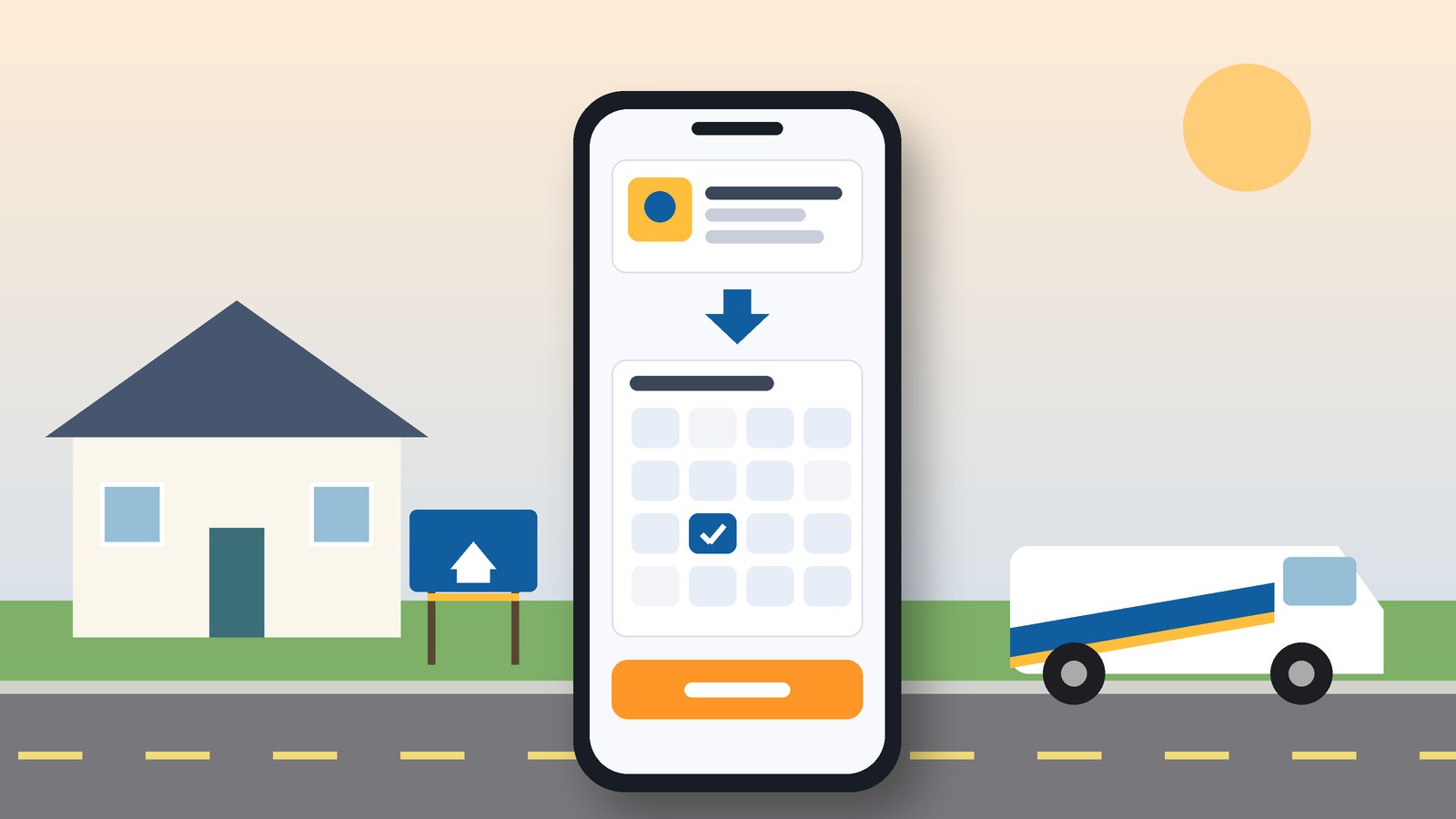
This is where Kejoola fits. It builds the page your ad clicks land on: a 4-page site with Home, Services, Blog, and Contact, and a Book button so the customer picks a time instead of calling. You pick a theme, fill in your services, add pictures of your own work, and set your colours.
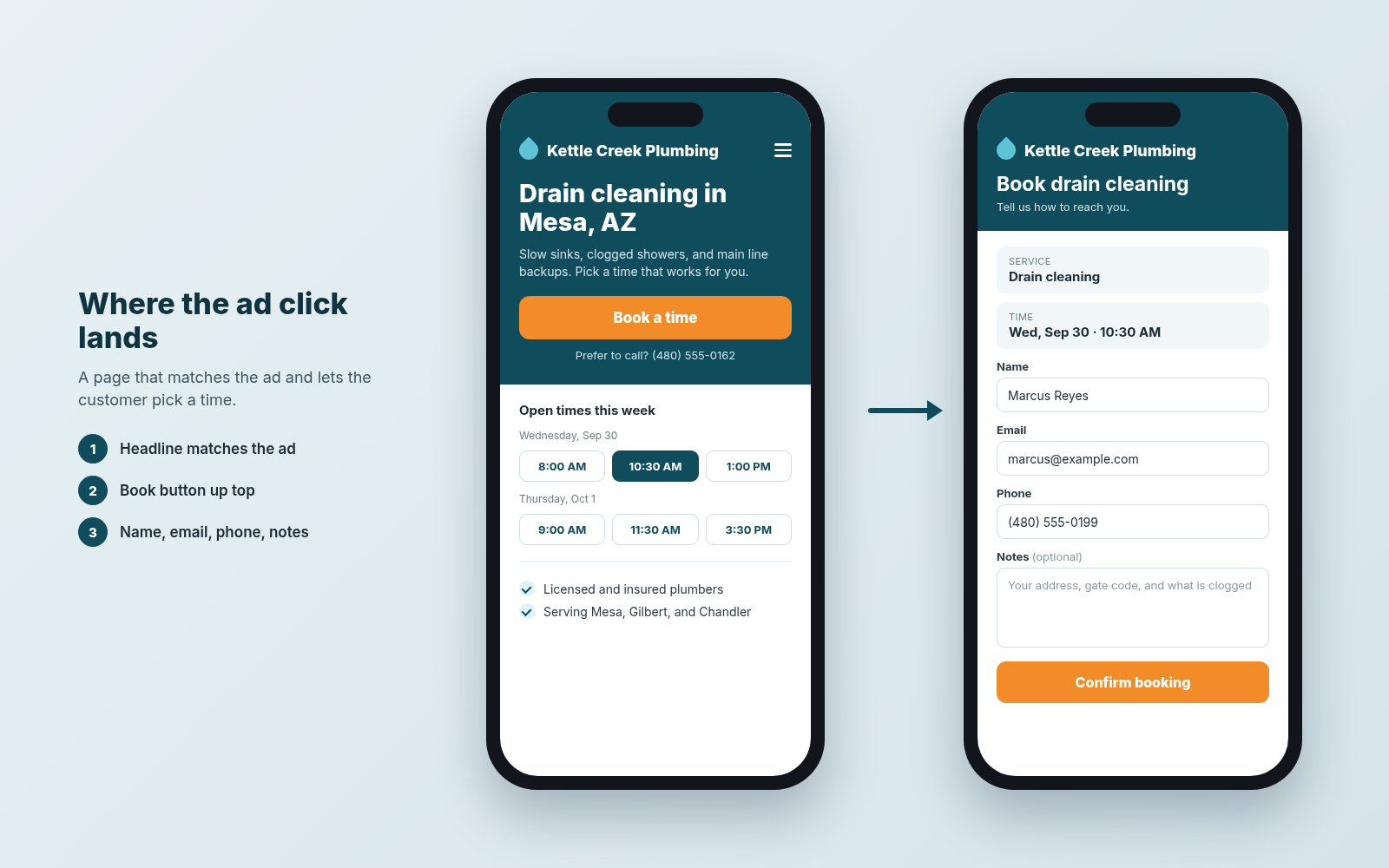
Sample page for the fictional Kettle Creek Plumbing. Illustrative mock only.
If your ads point at a Google listing today, you can paste your Google Business listing link to get a starting site, then finish it with your own services and wording before you send ad traffic to it.
Get a site your ad clicks can book from
Whatever you spend on ads, the click needs somewhere to go. Get a site your ad clicks can book from, with your services on it and a Book button where customers pick their own time.
14-day free trial, no card needed. Online booking starts on the Starter plan.
Sources
- Google Business Profile
- Business links policies & guidelines (Google Business Profile Help)
- Getting started with Local Services Ads (Local Services Help)
- How leads work (Local Services Help)
- Choose your bid and budget (Google Ads Help)
- Target ads to geographic locations (Google Ads Help)
- About ad scheduling (Google Ads Help)
- About Quality Score for Search campaigns (Google Ads Help)
- Choosing Meta Ads Manager advertising objectives (Meta Business Help Center)
- About budgets (Meta Business Help Center)
- Create a Free Business Page on Nextdoor (Nextdoor)
- Nextdoor Small Business Advertising (Nextdoor)
- Kejoola
- Start from your Google Business listing